
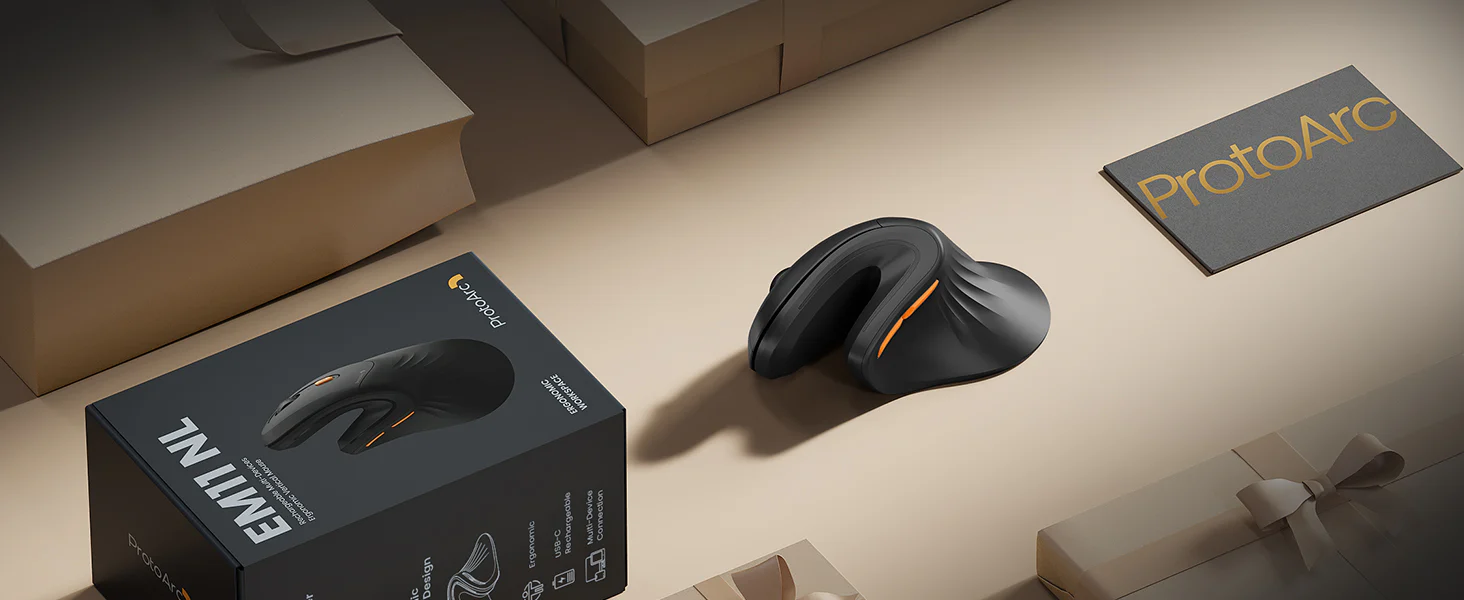
ProtoArc EM11 NL Ergonomic Vertical Mouse
Pros
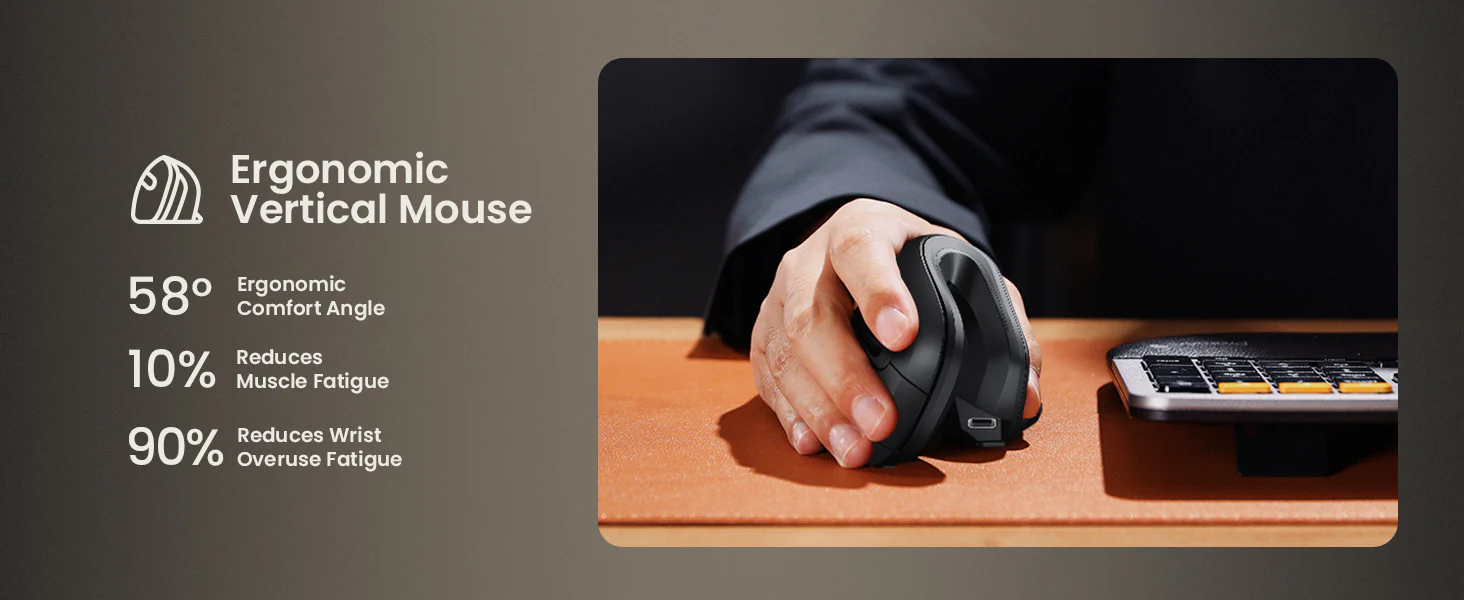
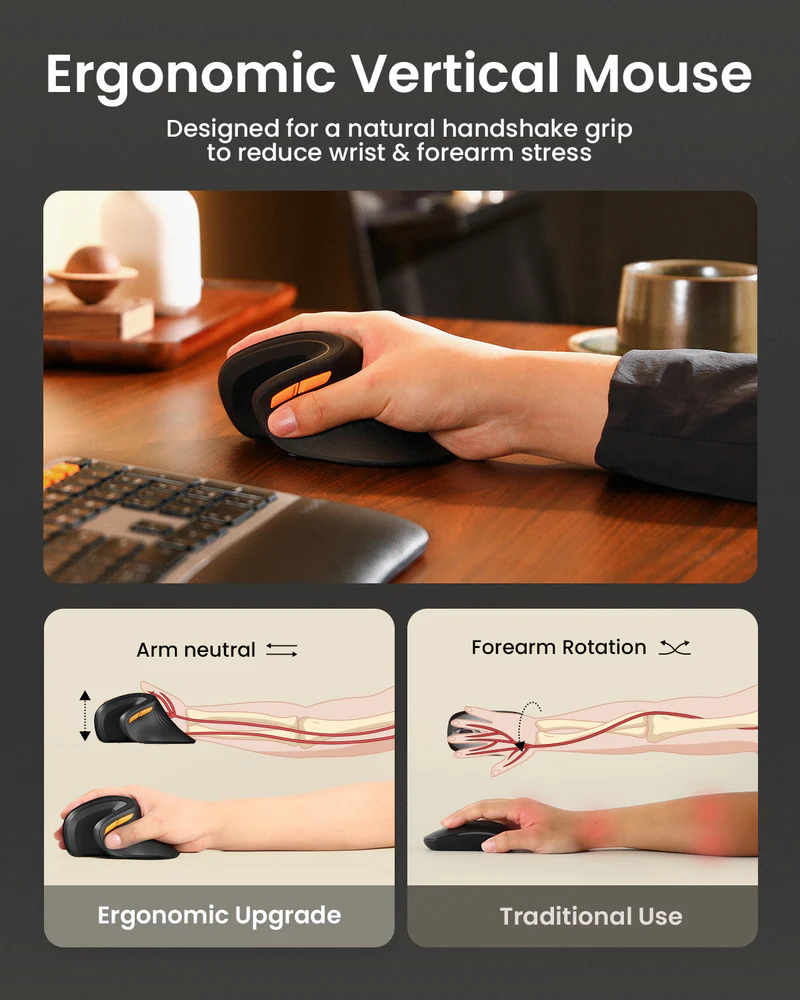
- Comfortable 58-degree vertical design that puts the hand in a more natural position
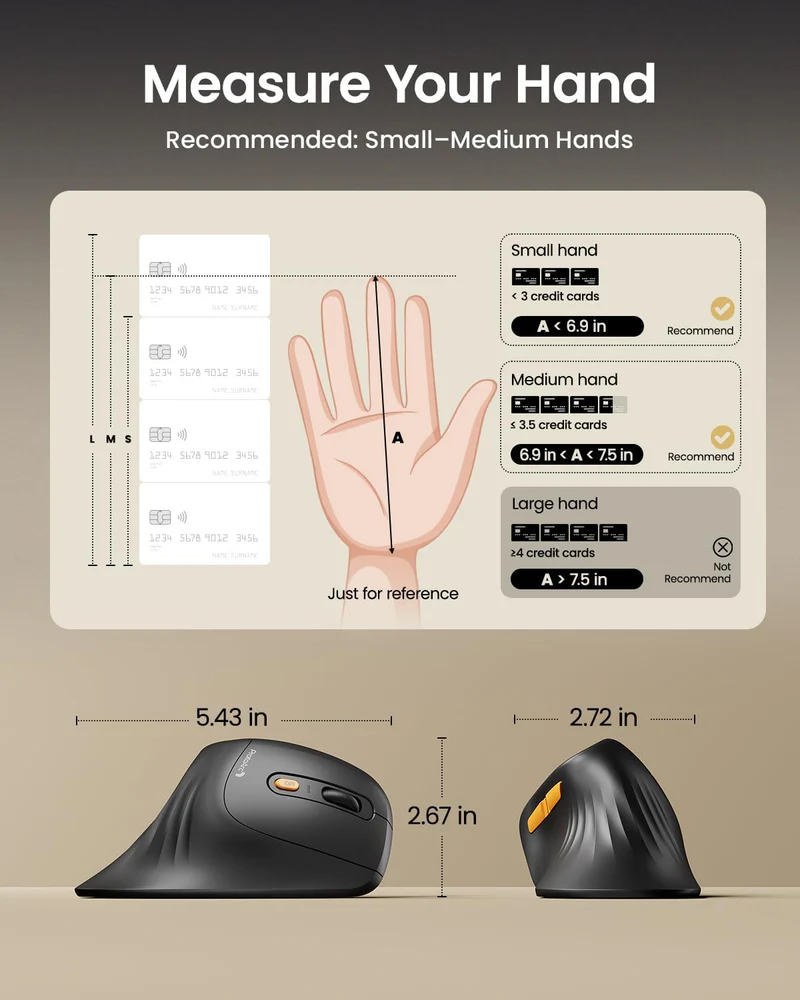
- Best fit for small to medium hands, where the shape feels deliberate rather than compromised
- Quiet left and right clicks that are genuinely nicer in daily use
- Triple-device connectivity adds real desk-to-desk practicality
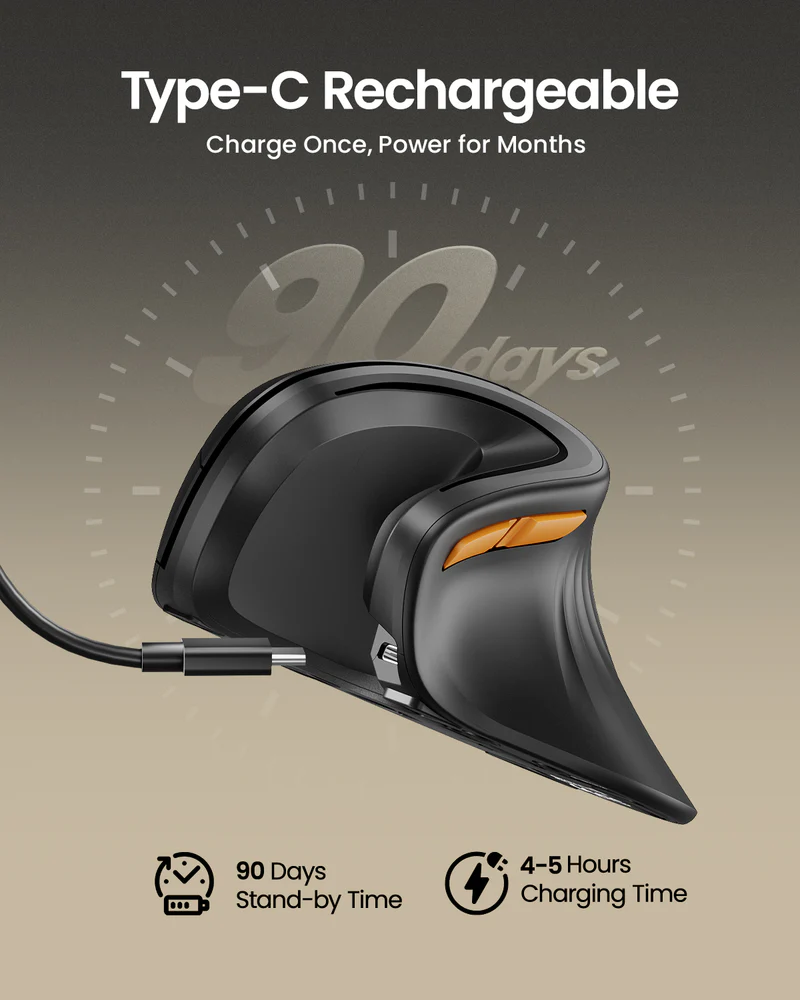
- Type-C charging keeps it convenient and current
- No required software, which makes the whole experience easier
- Strong overall value for money
Cons
- Not a great fit for large hands
- The adjustment period is real
- Mac side-button support is incomplete, which hurts convenience
- The lightweight body can feel less premium than some buyers want
- Buttons are not programmable
- Not a serious option for gaming-first use
the 58-degree handshake-style design , the quiet left and right clicks , the support for up to three devices , Type-C charging , and the fact that the price feels approachable rather than like a commitment.
the transition from a standard mouse takes time, the body feels light enough that some people will read it as cheap, and the Mac limitations are annoying rather than trivial if side buttons matter in your workflow.
The ProtoArc EM11 NL makes sense almost immediately once you stop asking it to be something it never set out to be. This is not a luxury productivity mouse with premium materials, endless customization, and flagship polish. It is a budget ergonomic vertical mouse built around a simple promise: give people a more natural wrist position, keep the setup easy, add useful multi-device support, and do it at a price that feels low-risk. After spending real time with it, that is exactly how it comes across.
We came away liking its 58-degree vertical shape, its quiet primary clicks, its triple-device connectivity, and the fact that it stays focused on everyday comfort instead of trying to impress with gimmicks. Its limits are just as clear. The shell is best for small to medium hands, the adjustment period is real, and Mac users will not love the incomplete side-button experience. But judged for what it is, not what it is not, the EM11 NL gets the important things right.
What we tested
With a mouse like this, the basics matter more than the spec sheet. We focused on the things that actually decide whether a budget ergonomic mouse is worth keeping on a desk:
- Fit and hand support
- Comfort over longer work sessions
- How natural the vertical shape feels in daily use
- Click feel and click noise
- Switching between devices
- General office and browsing performance
- How much its limitations matter in practice
The EM11 NL is not trying to win people over with advanced software or fancy controls. It lives or dies on whether it feels good in the hand, whether the quiet clicks and multi-device support actually help, and whether its compromises are easy to live with.
How we tested it
We approached the EM11 NL the way most people would actually use it: as a daily work mouse, not as a niche accessory that gets judged for five minutes and forgotten. We spent time with it in ordinary productivity tasks, web browsing, and multi-device use, paying close attention to the learning curve, the comfort over time, and the way the shape changes the feel of routine cursor work.
That last point matters. A vertical mouse is not like changing from one flat mouse to another. It changes your wrist angle, changes your grip, and changes some of your muscle memory. So the right way to judge it is not whether it feels instantly identical to a regular mouse. It is whether it feels awkward for a short time and then starts to make sense, or whether it keeps fighting you long enough that you never really settle in. That is where the EM11 NL either wins you over or doesn’t.
Design and build quality
The first thing that stood out to us is that the EM11 NL is honest about its size. Too many mice try to present themselves as broadly ergonomic while quietly fitting only a narrow slice of hands. ProtoArc is much more direct here. This mouse is clearly aimed at small to medium hands, and that becomes obvious once you hold it.
That matters because fit is everything with ergonomic gear. If the shell lines up properly with your hand, the EM11 NL feels supportive and purposeful. If it does not, the whole ergonomic pitch starts falling apart. We would not treat the size guidance as casual marketing copy. It is central to whether this mouse belongs on your shortlist at all. If you already know that compact mice tend to leave part of your palm or fingers unsupported, this is probably not the one to gamble on.
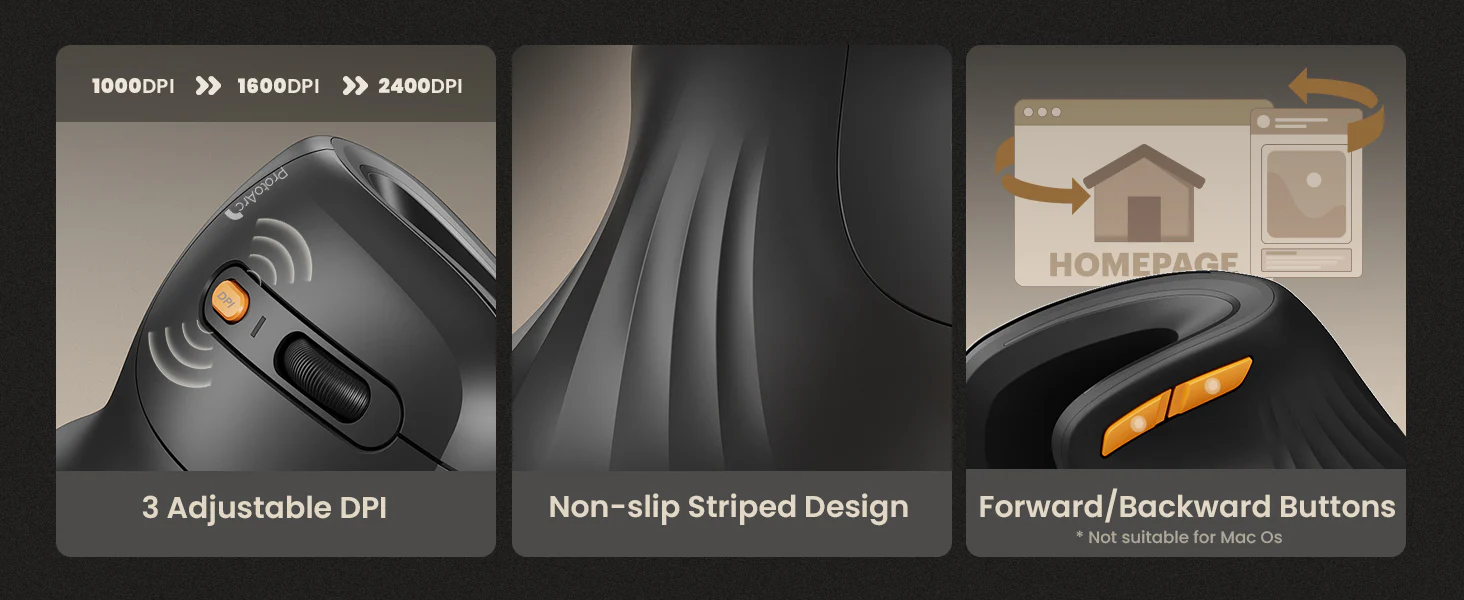
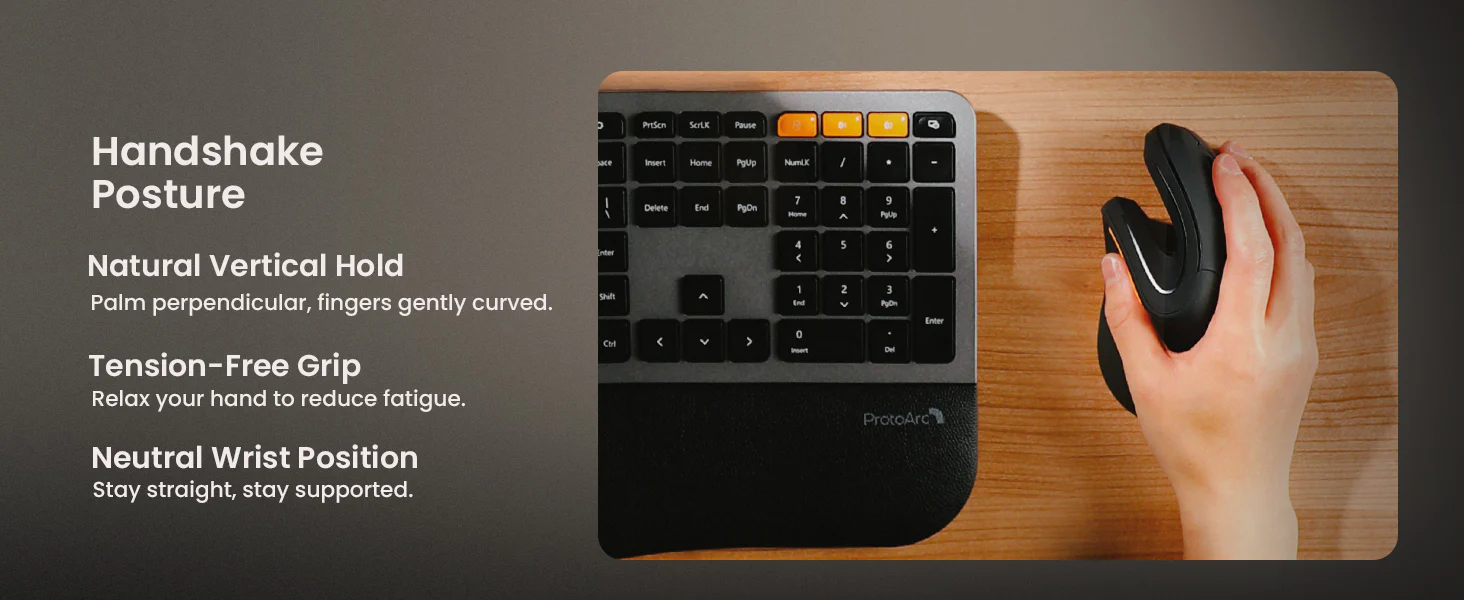
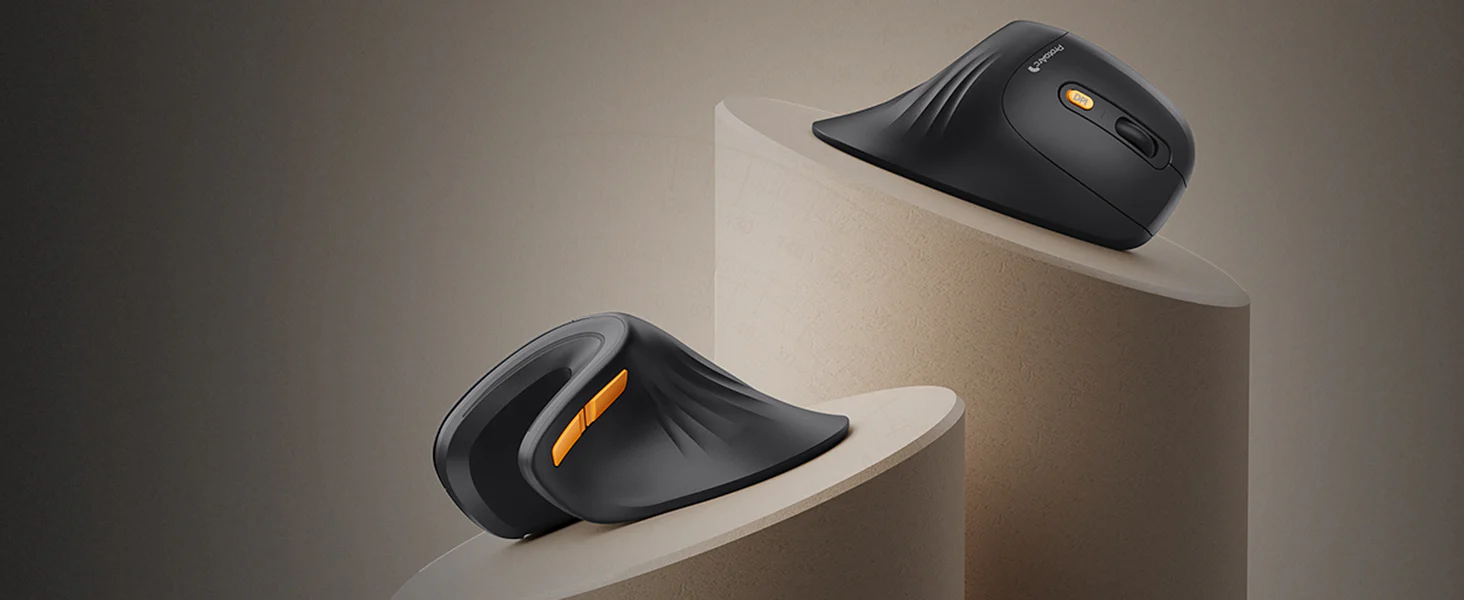
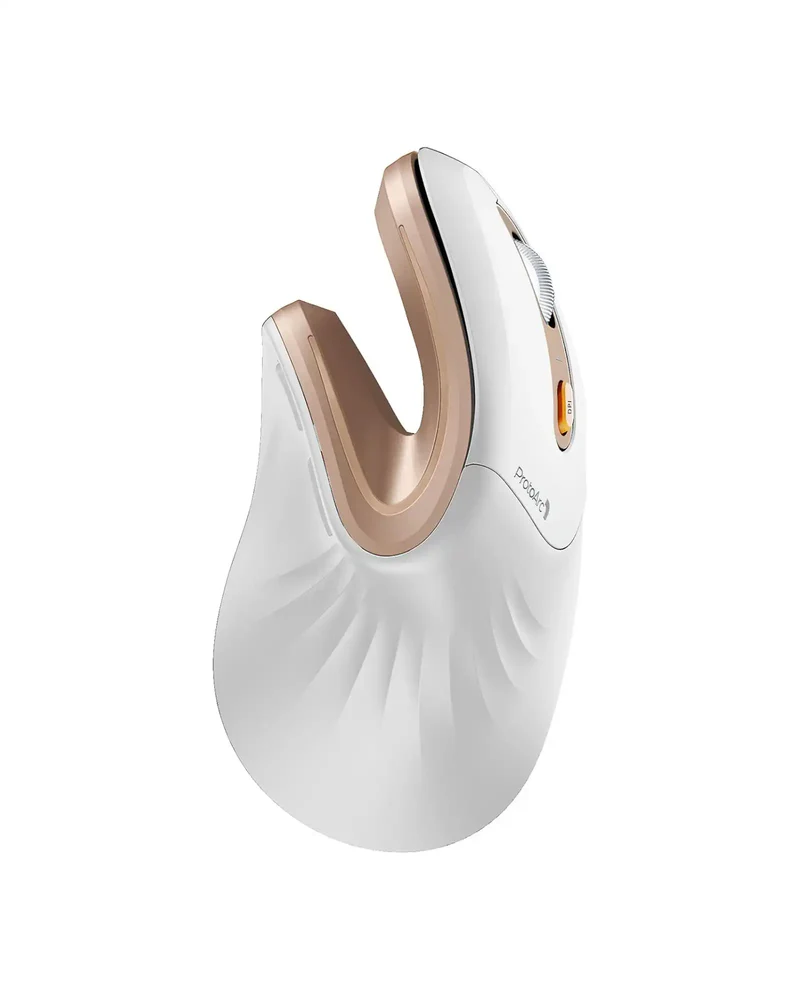
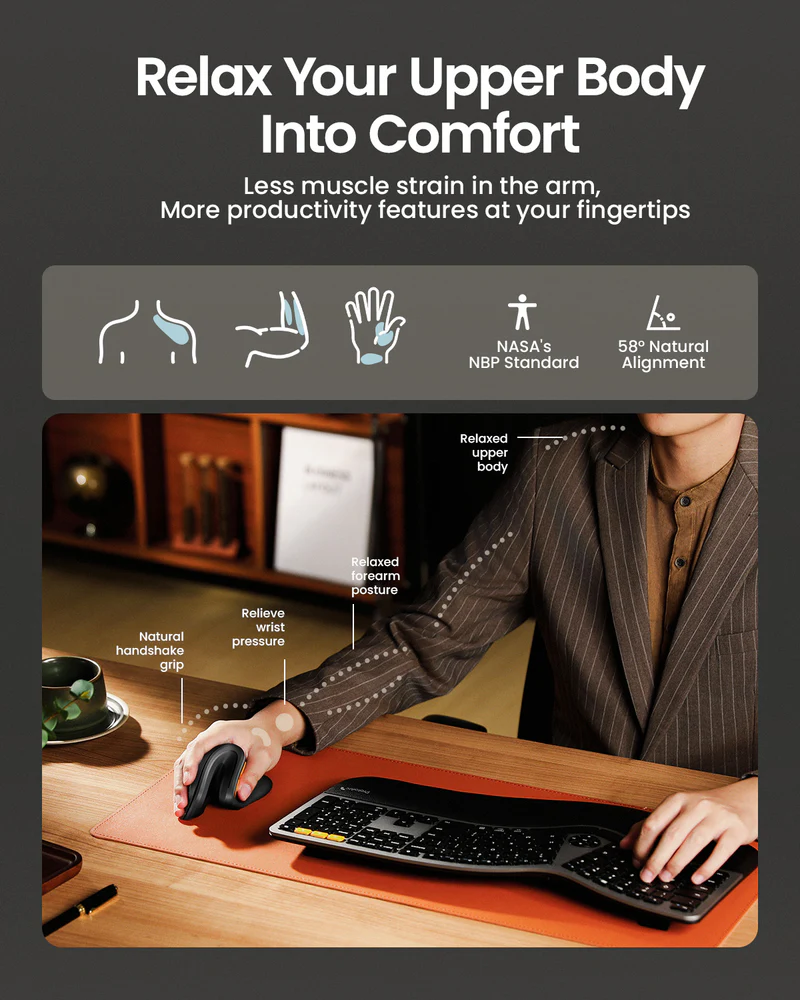
The shape itself is the real story. The 58-degree vertical angle does what a good vertical mouse is supposed to do: it puts your hand into a more handshake-like posture instead of flattening your wrist against the desk. In practice, that makes the EM11 NL feel like it is trying to reduce strain rather than just look ergonomic in product photos. We noticed quickly that the design is doing most of the heavy lifting here. This mouse does not try to win on visual drama or premium materials. It wins by putting the hand in a friendlier position and staying consistent about that goal.
As for the build, it lands where we expected a good budget ergonomic mouse to land. The body is light, which will divide opinion. Some people will appreciate that it feels easy to move and less tiring over a long day. Others will pick it up and immediately wish for more heft. We can see both reactions. It does not feel flimsy in the alarming sense, but it also does not have the dense, expensive feel that makes premium mice seem reassuringly overbuilt. What helped win us over was the overall usability of the shell. The finish feels sensible, the shape feels deliberate, and once we got used to it, the lightweight body became less of a negative and more of a trait.
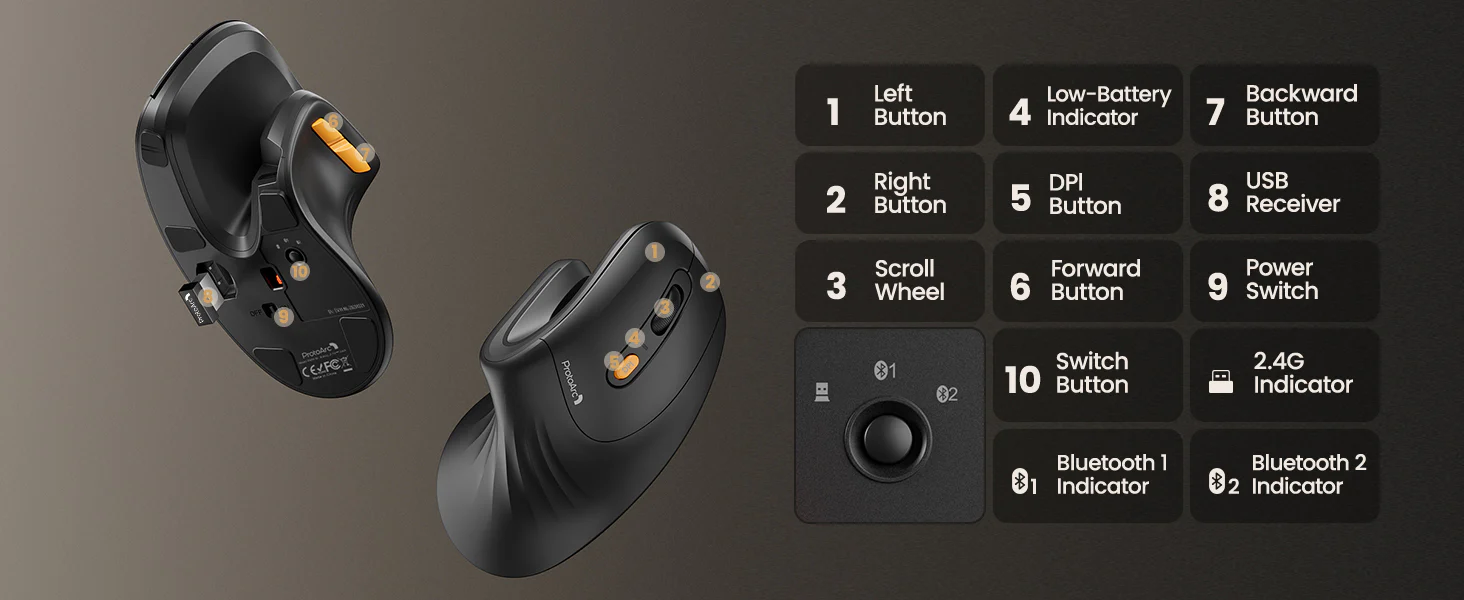
The control layout is equally straightforward. You get the expected essentials: left click, right click, scroll wheel, side buttons, and a DPI switch. Nothing here is fancy, and that is partly why the mouse works. ProtoArc did not overload it with a bunch of half-baked extras. It kept the layout simple, which fits the kind of buyer this mouse is aimed at.
Setup and first use
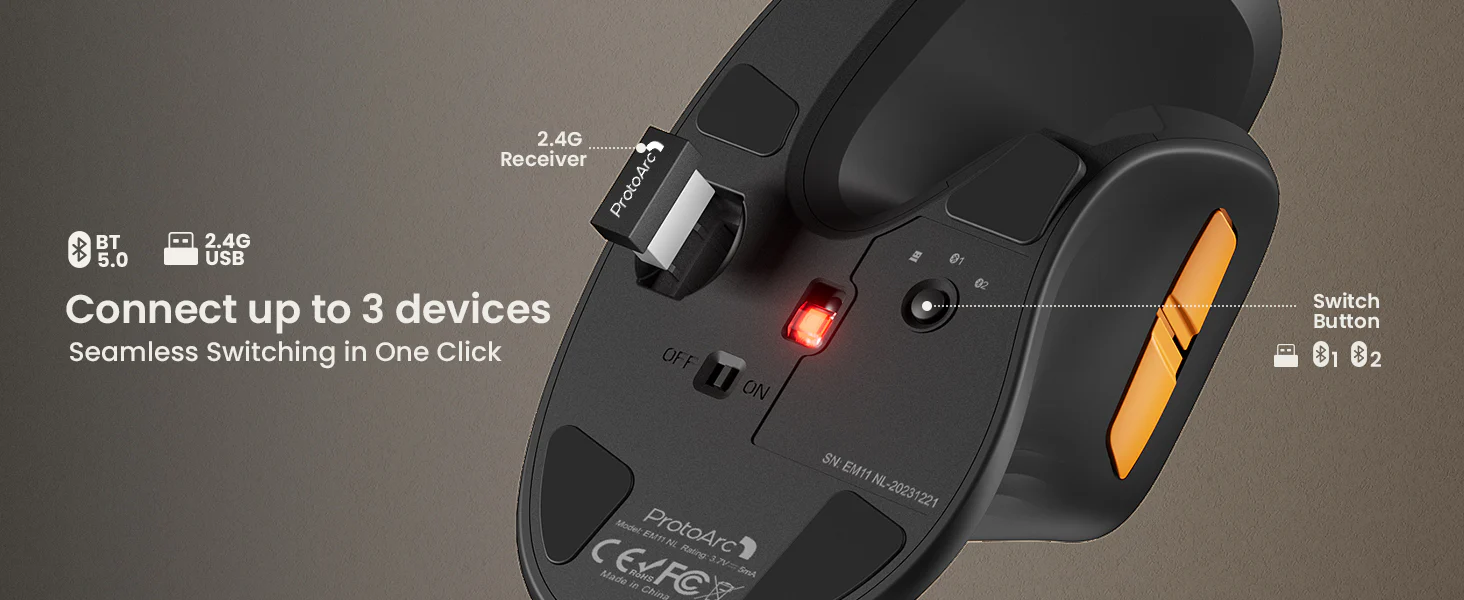
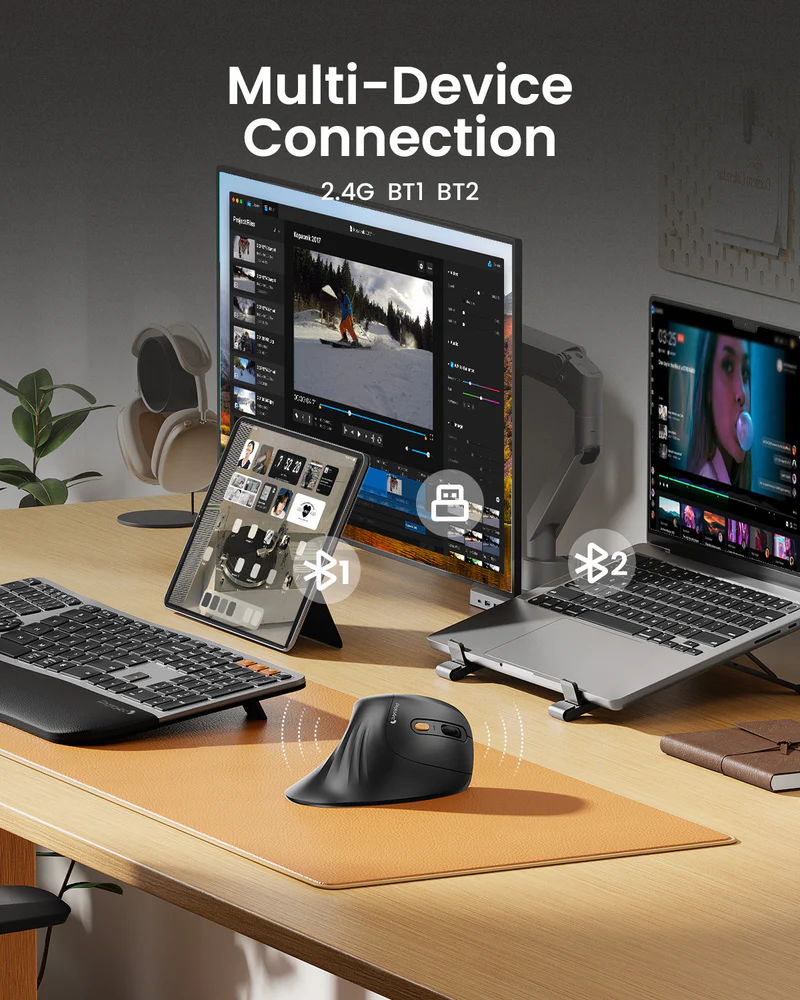
The EM11 NL is refreshingly painless to get going. It supports up to three devices through 2.4GHz wireless and Bluetooth, and that alone gives it more everyday usefulness than many cheap ergonomic mice. We appreciated that it feels built for real desk life rather than a single-device setup that never changes.
This is especially valuable if your day is split between a work laptop, a personal machine, and maybe one more device. That sort of setup is common now, and the EM11 NL handles it without turning the experience into a chore. Device switching is handled on the bottom of the mouse. That is not elegant, but it is practical. We would rather have a clear, dependable switching method than a smarter-looking system that ends up being fiddly.
There are, however, two immediate caveats.
The first is the receiver. The included dongle is USB-A, which is fine on a desktop or older laptop, but a lot of modern machines have moved on. The Type-C port is for charging, not for receiver connectivity. So if your laptop is all USB-C, you are either going Bluetooth or reaching for a hub.
The second caveat is much bigger: the learning curve. We felt it, and most people will. The EM11 NL does not connect awkwardly, but it absolutely feels awkward at first if you are coming from a standard mouse. That is not a flaw unique to this model. It is part of the vertical mouse category. But the adjustment is real enough that it deserves to be treated as a core buying consideration, not a footnote.
At first, the movement can feel slightly off, clicks can feel less automatic, and your hand may need time to stop trying to hold it like a normal mouse. What matters is what happens after that first awkward stage. In our experience, once the shape started to click, the EM11 NL felt less like a novelty and more like a practical tool. People who hate any break in muscle memory may bounce off it. People willing to give it some time have a much better chance of appreciating what it is doing.
Real-world performance
The EM11 NL is at its best when judged by daily-use standards rather than enthusiast ones. It offers 1000, 1600, and 2400 DPI, and that range is perfectly fine for office work, web browsing, admin tasks, spreadsheets, and general desktop use. We never had the sense that it was out of its depth in the kind of work it is actually made for.
This is not a precision monster. It is not trying to be. The real question is whether it feels steady, predictable, and easy to live with throughout the day. For us, the answer was yes. Once the initial adjustment period passed, the cursor control felt competent and clean for productivity work.
One of the nicer surprises was the click behavior. ProtoArc markets the left and right buttons as quiet, and that proved to be one of the most genuinely useful things about the mouse. We would not call them completely silent, because they are not. But they are muted enough that they feel noticeably calmer in shared spaces or during late-night work. The difference is real. What we appreciated most is that this is the kind of feature you feel every day without thinking much about it. It is not flashy, but it improves the experience.
The scroll wheel is much more conventional. It is a detented wheel, not a free-spinning one, which tells you a lot about the sort of workflow this mouse suits. It is better for steady, controlled scrolling than for ripping through long pages at speed. That is fine for most buyers in this category, but it does reinforce the point that this is a practical office mouse, not a premium productivity powerhouse.
The wireless side is also pleasantly uneventful, which is exactly what you want. A 500mAh rechargeable battery, Type-C charging, and simple connectivity all help the EM11 NL feel modern enough without trying to build an ecosystem around itself. We liked that it does not demand software or constant management. There is a lot to be said for a mouse that just pairs, works, and gets out of the way.
Use-case performance
Office work and everyday productivity
This is the EM11 NL’s natural environment. If your day is mostly documents, email, web apps, dashboards, browser tabs, and general office tasks, the mouse makes a very convincing case for itself. The combination of a more natural hand position, quiet clicks, and multi-device support is exactly the kind of thing that improves routine work in small but real ways.
In daily use, the mouse feels purpose-built for people who do not want feature overload. It does not try to turn itself into a command center. It just tries to make ordinary desk work more comfortable and less irritating. We think that focus helps it.
Multi-device desks
This is one of the strongest reasons to buy it. Being able to jump between devices is genuinely useful, especially at this price. We found that the EM11 NL feels more valuable in a real setup than it might in a simple one-device demo, because switching between machines is where a lot of cheaper mice start to feel limited. This one avoids that trap.
If your workspace includes a laptop, a second computer, or a tablet, that flexibility gives the EM11 NL a more premium sense of usefulness than its price might suggest.
Mac use
This is where the recommendation becomes conditional. For basic cursor use, the EM11 NL is fine. But the side-button behavior on macOS is a real annoyance, not a tiny technicality. If you rely on browser forward and back buttons, the experience is compromised.
That is the sort of issue we can forgive on a generic bargain mouse. It is harder to forgive on a mouse whose whole selling point is making everyday computing feel more comfortable and practical. For Mac users who mostly need basic pointing and clicking, the mouse still works. For Mac users who expect every common function to behave properly, it is much less satisfying.
Large hands
We would steer large-handed buyers elsewhere. The EM11 NL is much easier to recommend when your hand size matches what the shell is clearly built for. With a good fit, the shape feels supportive. With a poor fit, the whole thing starts to feel like an ergonomic compromise rather than an ergonomic improvement.
Gaming
We would not buy this for gaming. Casual use is one thing, but as a gaming-first mouse it makes very little sense. The shape, the adaptation period, the button limitations, and the overall mission of the device all point in another direction. This is a work mouse first, second, and third.
Comfort and long-session use
This is the whole reason to care about the EM11 NL in the first place. And on that front, it largely does what it should.
Once we stopped fighting the shape and let the hand settle into it, the mouse started to feel more natural than we expected from something at this price. That is the big win. A good ergonomic product does not necessarily impress you in the first ten seconds. It gradually makes your old setup feel worse by comparison. The EM11 NL has a bit of that quality. Once the vertical posture starts feeling normal, a regular flat mouse can begin to feel oddly twisted.
What we liked here is that ProtoArc did not overcomplicate the comfort story. The design is trying to support the hand, reduce that flat wrist position, and stay approachable. It is not trying to make ten different promises at once. We felt that simplicity worked in its favor.
The convenience side helps too. Rechargeable battery, no required software, simple DPI switching, and multi-device support all contribute to a mouse that feels easy to live with. When people try ergonomic gear for the first time, they usually do not want a second learning curve built around software, remapping tools, or app-specific profiles. The EM11 NL wisely avoids that.
Of course, this convenience comes with limits. If you want deep customization, app-specific controls, or advanced shortcut workflows, the EM11 NL will feel restrictive. The buttons are not programmable, and that is one of the clearest signs that this is a focused entry-level ergonomic mouse rather than a device meant to grow with power users over the long term.
Flaws and frustrations
The biggest issue is fit. Not abstractly. Literally. If the mouse fits your hand well, a lot of its value starts to make sense. If it does not, the entire ergonomic pitch weakens. That is why we keep coming back to the hand-size issue. This is not a minor detail with this product. It is one of the main filters.
The second frustration is platform polish. The side-button behavior on Mac is exactly the kind of thing that turns a broadly appealing device into a more selective recommendation. We felt less convinced here because those are the kinds of buttons people expect to just work.
The third issue is feel. The lightweight shell is not automatically bad, but it does affect first impressions. Some people associate weight with quality, and the EM11 NL does not have that premium heft. Over time we found it easier to accept because the shape and day-to-day behavior are more important than the initial lift-in-hand impression. Still, it is worth saying clearly: this is a budget mouse, and it feels like one in some ways.
Then there is the lack of programmability. We understand why ProtoArc kept the feature set basic, but it still limits the mouse’s ceiling. Once you have used more flexible mice with custom controls and app-specific functions, this kind of stripped-back layout can start to feel like a dead end.
Value for money
This is where the EM11 NL earns most of its goodwill. As a low-cost entry into vertical mice, it is smartly positioned. You are getting real ergonomic intent, quiet clicks, support for three devices, Type-C charging, and a setup process that stays simple. That is a strong package for the money.
The key is to buy it with the right expectations. If you expect it to replace a premium flagship without compromise, it will feel limited. If you buy it as an affordable ergonomic upgrade that covers the essentials and avoids most obvious mistakes, it makes a lot of sense.
We think the EM11 NL is at its most compelling as a low-risk experiment that does not feel disposable. That is an important distinction. Some cheap ergonomic mice are merely cheap. This one feels like it was actually designed with a clear purpose, and that gives it more credibility than the price alone would suggest.
Who should buy it
Buy the ProtoArc EM11 NL if you want an affordable way into ergonomic mice and your daily work is mostly productivity-focused. We think it makes the most sense for office users, students, remote workers, and anyone who wants better hand positioning without turning a mouse purchase into a major investment.
It is also a particularly good fit if you value quiet clicks, want one mouse for multiple devices, and have hands that sit comfortably in the small-to-medium range. In that scenario, the EM11 NL feels well judged. It does not overpromise, and it does not waste money on features that distract from the main job.
Who should skip it
Skip it if you have large hands, want a weightier premium feel, need programmable buttons, or expect flawless Mac side-button behavior. We would also skip it for gaming-focused buyers. There is nothing wrong with a product being built for a narrower purpose, and that is what is happening here. The EM11 NL is at its best when you let it be a comfortable work mouse. The more you ask it to become a premium all-rounder, the less convincing it gets.
Final verdict
The ProtoArc EM11 NL is easy to like because it gets the fundamentals right. It is comfortable for the right hand size, quiet in the ways that matter most, flexible enough for multi-device setups, and priced low enough that trying a vertical mouse does not feel like an expensive gamble.
What stood out to us most is that the mouse understands its role. It is not trying to impersonate a high-end productivity flagship. It is trying to be a sensible, affordable ergonomic upgrade for everyday work. And in that role, it succeeds more often than it misses.
No, it is not the most refined vertical mouse you can buy. No, it is not ideal for Mac-heavy workflows that depend on side-button navigation. And no, it is not the sort of mouse power users will keep forever if they want deep customization. But if your goal is simple—better wrist posture, quieter clicks, useful multi-device support, and solid value—the EM11 NL is one of the more convincing budget options in the category.
FAQ
Is the ProtoArc EM11 NL good for wrist pain?
It is built around the idea of putting the hand and wrist into a more natural vertical posture than a standard flat mouse. For many people, that is the whole appeal of switching. We found that the shape makes the most sense once you have adjusted to it, but comfort still depends on your hand size, grip, and whether the vertical format works for you personally.
Is the ProtoArc EM11 NL good for large hands?
Not really. This is one of the easiest buying calls with this mouse. It is much better suited to small to medium hands, and that sizing matters a lot more here than it would on a standard mouse.
Does the ProtoArc EM11 NL work with Mac?
For basic use, yes. The issue is the side buttons. If those matter to your daily workflow, the Mac experience is less clean than it should be.
Can it connect to more than one device?
Yes. It supports up to three devices through Bluetooth and 2.4GHz wireless, which is one of its best everyday features.
Are the clicks silent?
Not completely silent, but the primary left and right clicks are definitely quieter than the sharp, louder clicks you get from many cheap mice.
Are the buttons programmable?
No. This is one of the clearest limits of the EM11 NL. It keeps things simple, but that simplicity comes at the cost of flexibility.
Is it good for gaming?
We would not recommend it for that. It is a comfort-focused work mouse, and everything about its shape and feature set points in that direction.
What comes in the box?
You are getting the mouse, the wireless receiver, the charging cable, and the usual basic documentation.
Explore the ProtoArc EM11 NL Ergonomic Vertical Mouse Gallery
Every image from this article, gathered in one clean place. Tap any photo to open it larger.