
Hexcal Studio
Pros
- Premium construction with aluminum and stainless steel that gives it real presence and stability
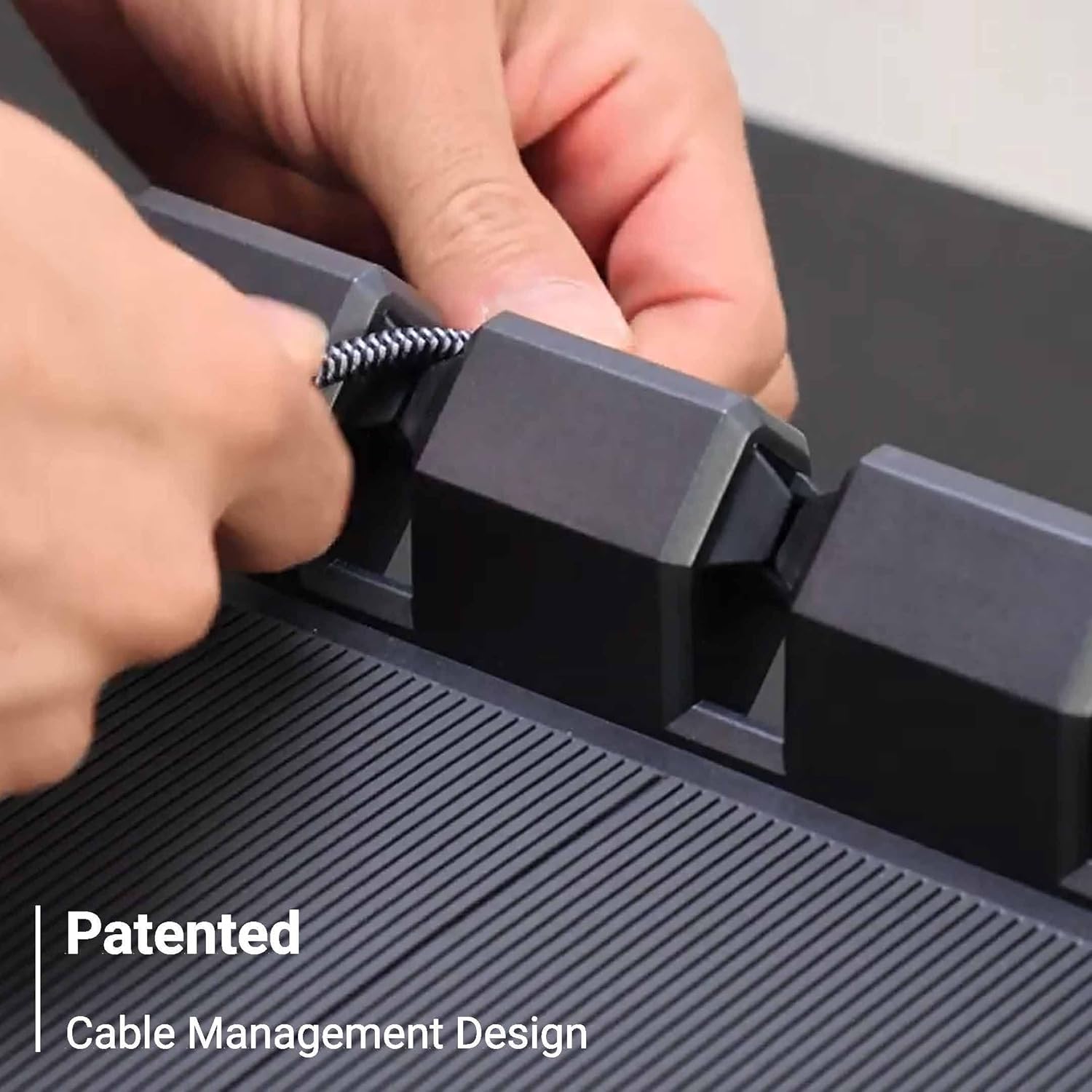
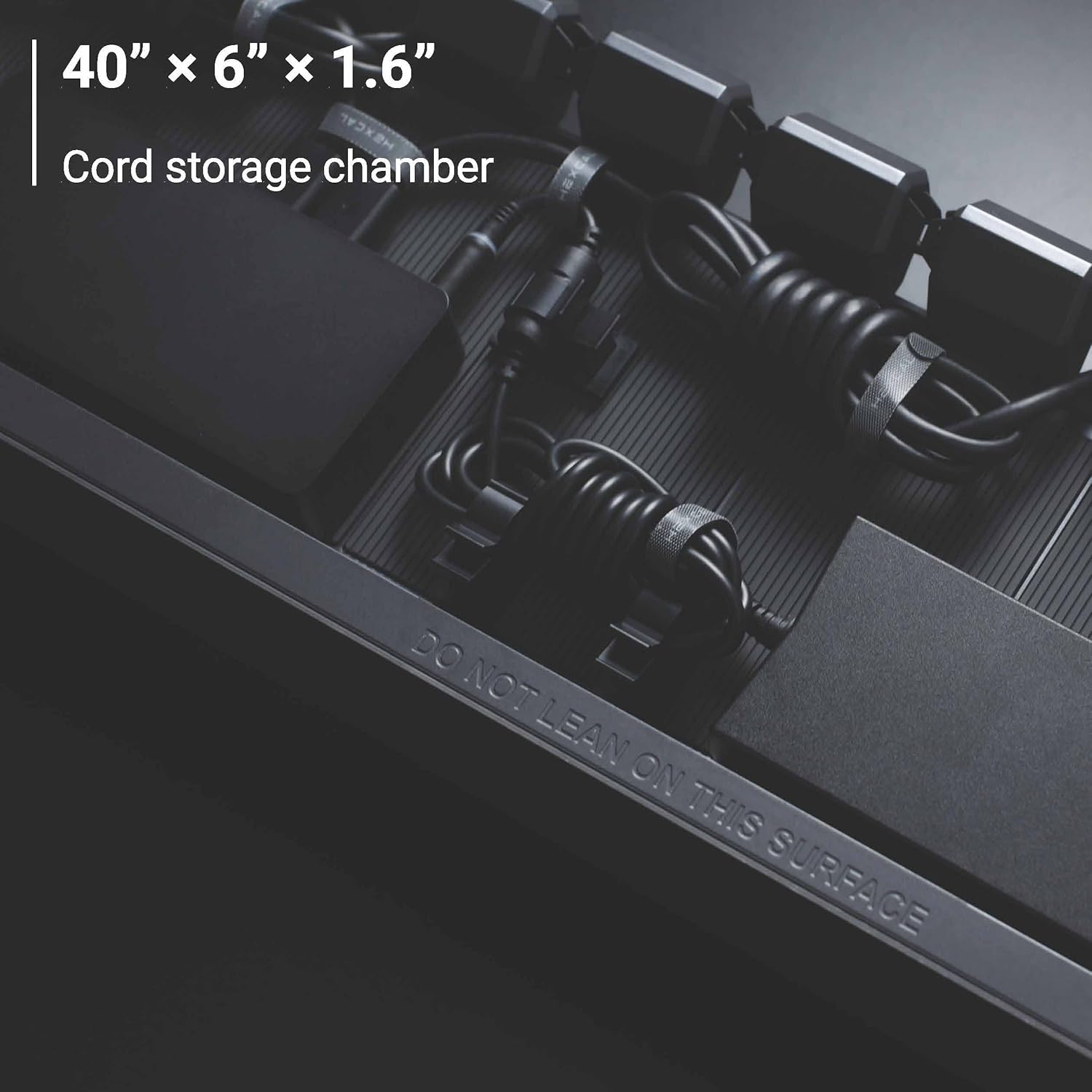
- Outstanding cable management with a hidden chamber that is actually large and usable
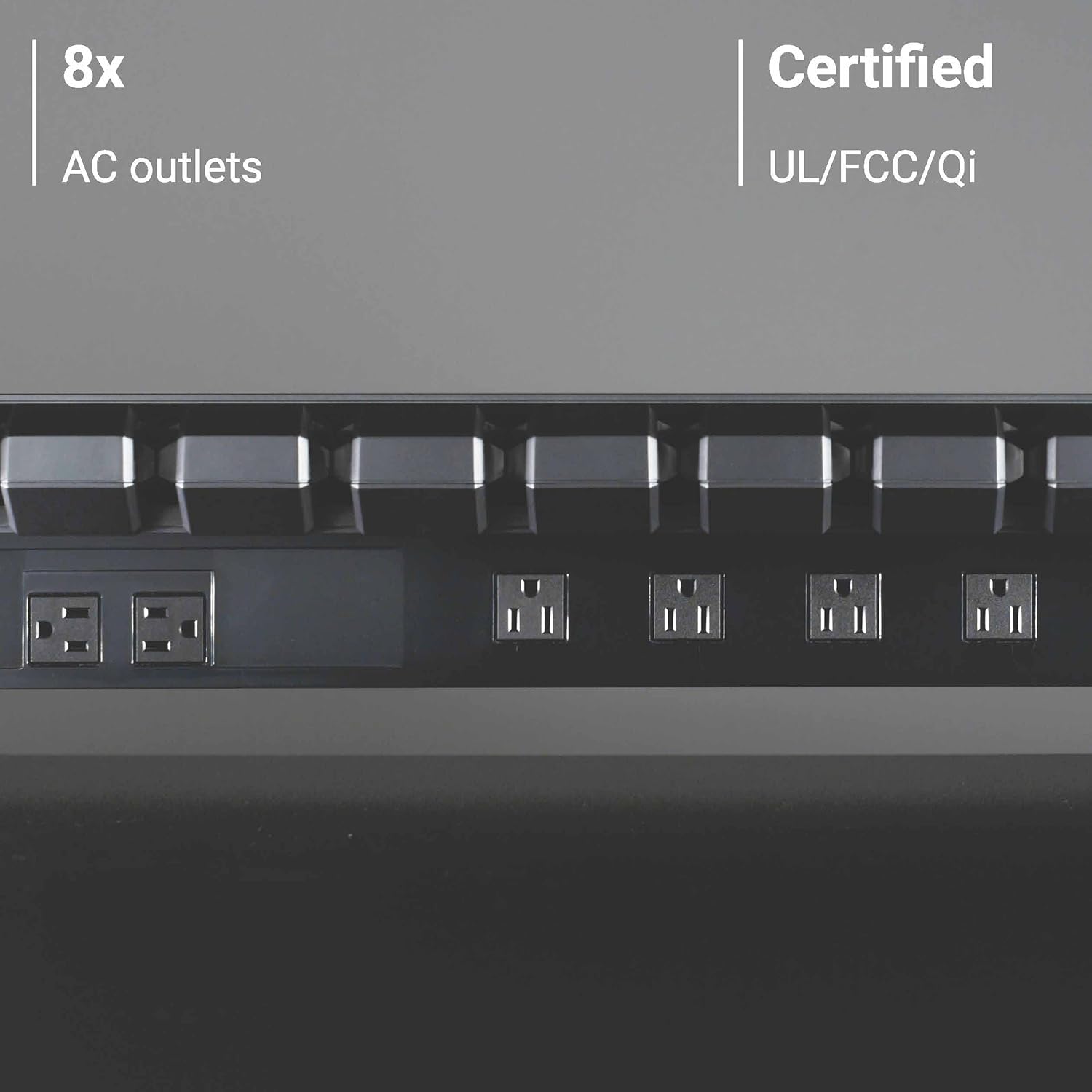
- 8 AC outlets plus integrated charging make it genuinely useful as a desk-control hub
- Built-in lighting is thoughtful, adjustable, and far better than a throwaway LED add-on
- Strong fit for permanent multi-device workstations where cable clutter is a daily annoyance
- Turns a messy desk into something cleaner, calmer, and more intentional
Cons
- $899 is extremely hard to justify unless you already know this kind of all-in-one solution is exactly what you want
- Port selection feels dated for a premium product, especially on the USB-C front
- Large physical footprint can overwhelm smaller desks
- Not a true high-end docking station despite handling some dock-like jobs
- Wireless charging is useful but not especially seamless
- 1-year warranty feels average rather than premium
excellent construction, genuinely effective cable control, useful integrated power, and a built-in light that improves everyday desk use.
the $899 price is hard to defend for most buyers, and the charging philosophy feels older than it should at this level.
The Hexcal Studio is not the kind of product we can recommend casually, and that is exactly what makes it interesting. After spending real time with it, our view is pretty clear: this is a premium workstation centerpiece for people with genuinely busy desks, not a glorified monitor stand for everyone else. If your setup is full of monitors, speakers, chargers, drives, and permanent cable clutter, the Studio does something most desk accessories only promise.
It brings real order to the mess. If your desk is simpler than that, the price lands with a thud. At $899, this only makes sense when you can actually use everything it is trying to consolidate.
What stood out to us most was how complete the concept feels once it is in place. The Studio is not just a shelf. It is trying to be the bridge between a riser, a cable-management system, a built-in power hub, a charging station, and a task light. In practice, that combination is the whole story.
We liked the build quality, the sheer usefulness of the internal cable chamber, the generous outlet layout, and the fact that the built-in light is not an afterthought. Where we felt less convinced was also obvious almost immediately: the charging and port setup no longer feels as forward-looking as the rest of the product, and the asking price leaves very little room for forgiveness.
What We Tested
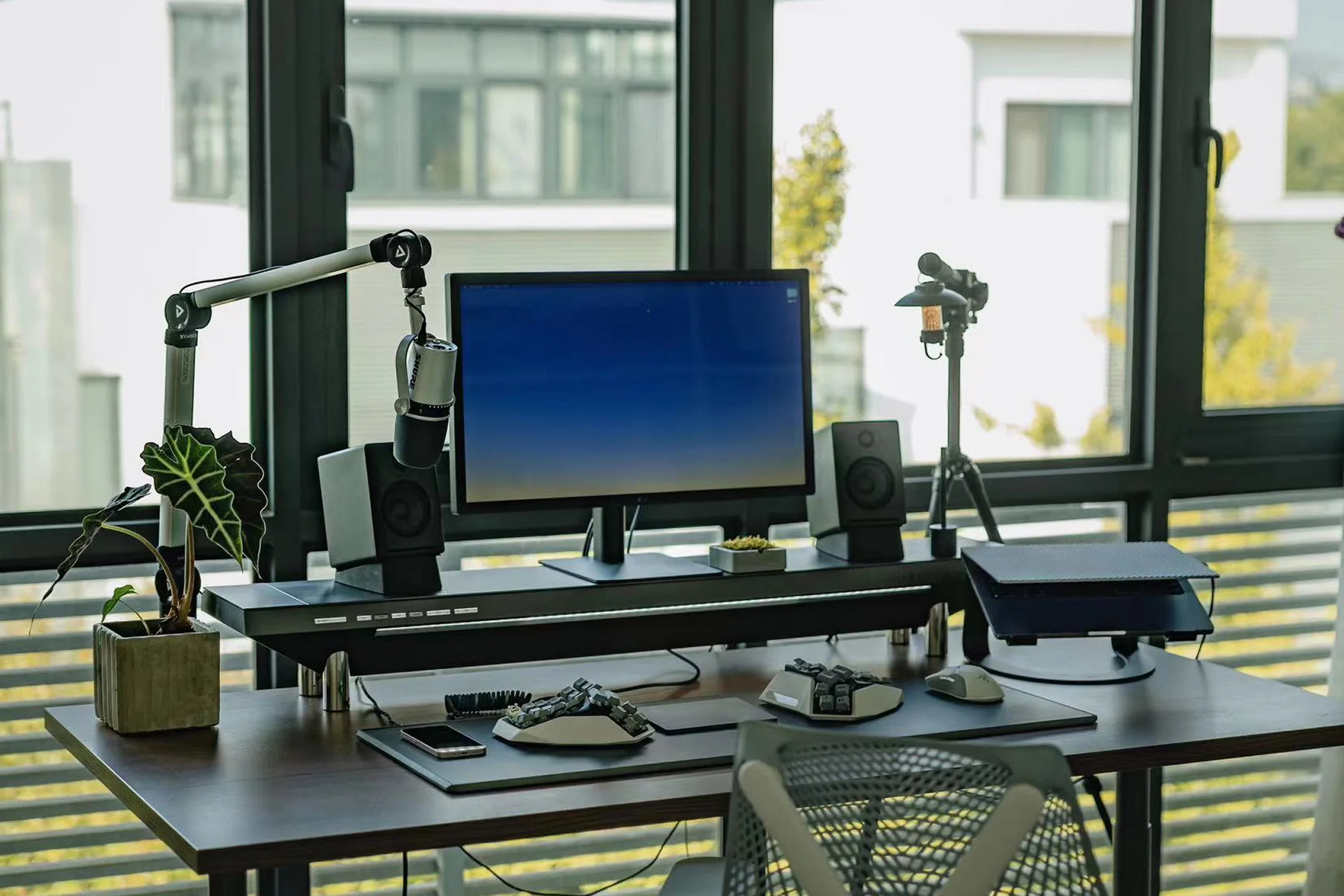
We focused on the parts of the Hexcal Studio that actually matter once it is sitting on a real desk: build quality, cable routing, internal storage usefulness, outlet layout, charging convenience, lighting control, physical footprint, and whether it genuinely improves a cluttered workstation rather than just making it look expensive.
We also paid close attention to the practical details buyers tend to discover too late with products like this. Could it handle the realities of a multi-device desk? Did the storage chamber feel meaningful or decorative? Was the lighting actually helpful in daily work? Did the wireless charging feel smooth enough to use regularly? And just as important, did the whole thing earn its place on the desk once the honeymoon effect wore off?
How We Tested It
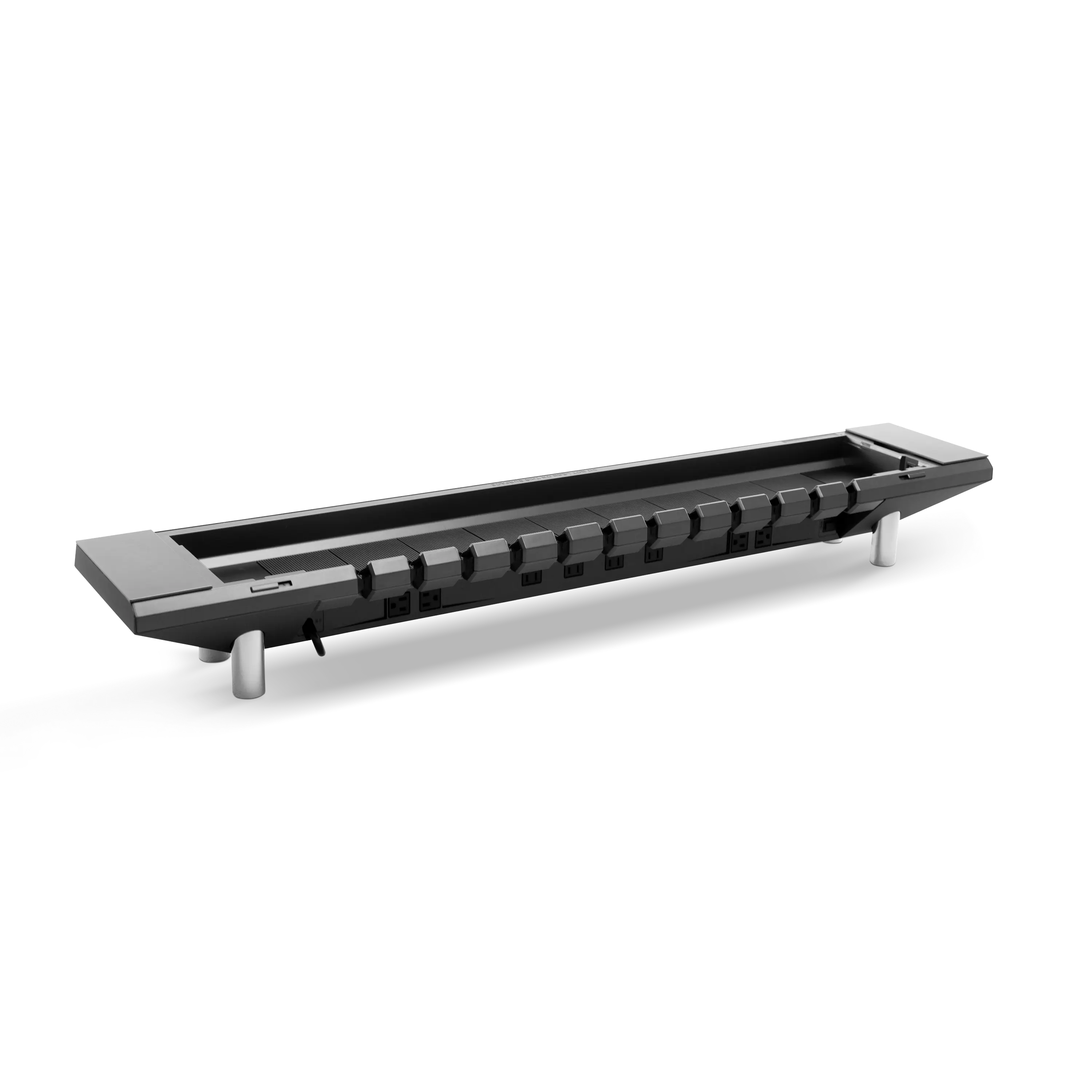
We used the Hexcal Studio the way it is clearly meant to be used: as the structural center of a monitor-heavy workstation with permanent cables, ongoing charging needs, and multiple accessories fighting for desk space. We routed cables through the internal chamber, used the rear outlets for always-connected gear, tried the side charging options for everyday devices, and adjusted the built-in lighting repeatedly to see whether it helped or just sounded good on paper.
We also judged it as a desk object, not just a features list. That means we looked at how much room it really claims, how stable it feels, how much planning setup actually requires, and whether its convenience holds up after the first tidy makeover. Products like this can look brilliant on day one and annoying by week two. The Hexcal Studio mostly avoids that trap, but not without a few compromises becoming clearer over time.
Design and Build Quality
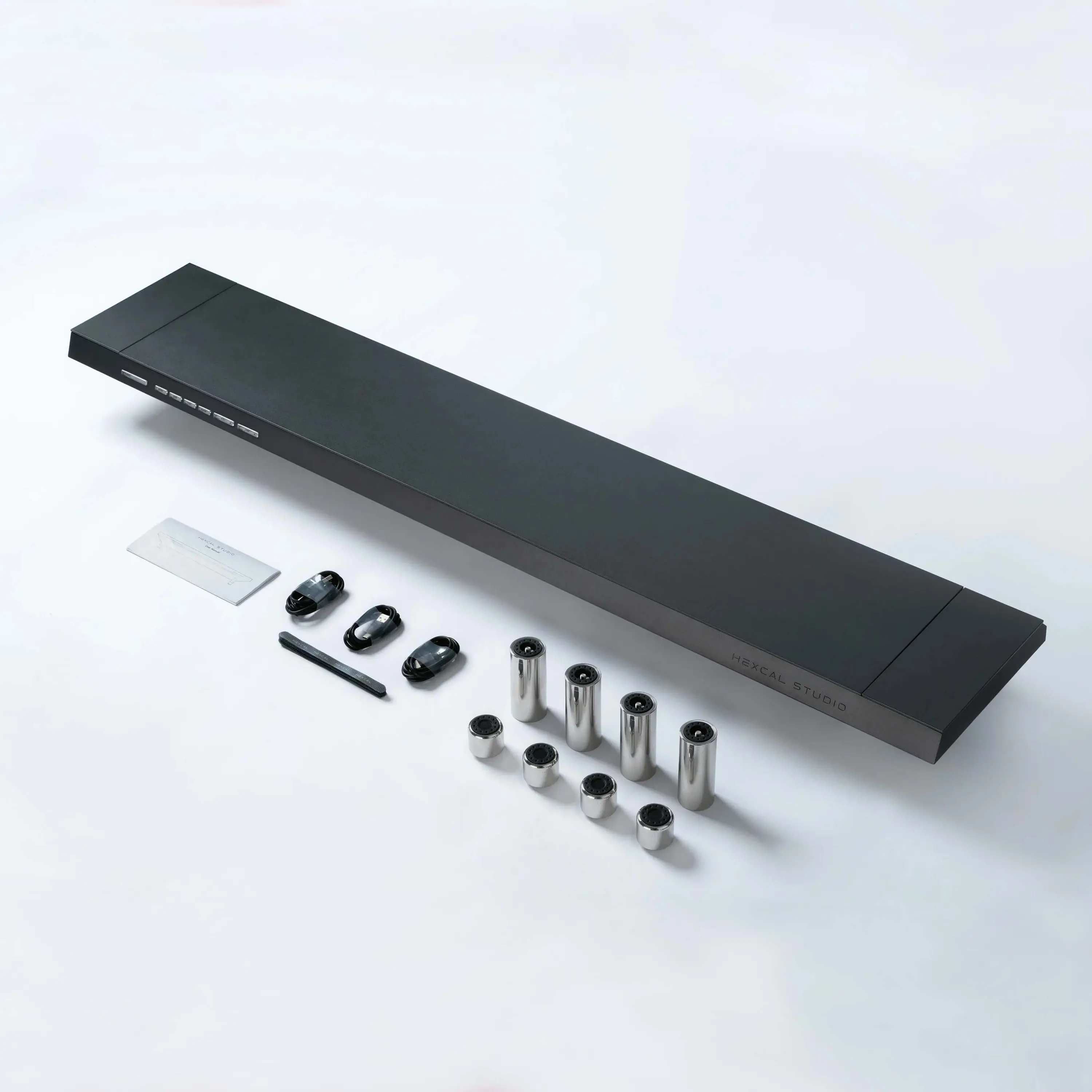
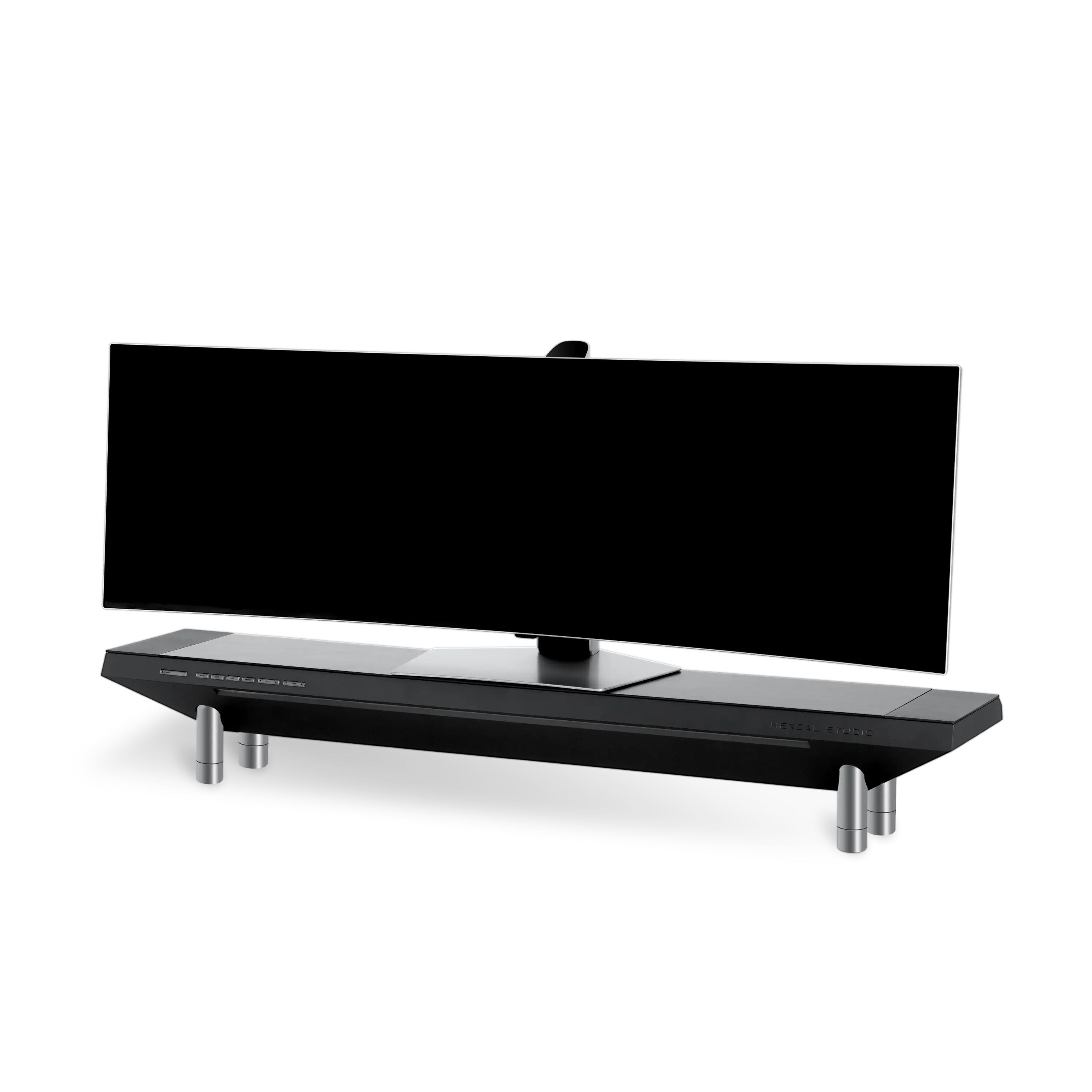
The first thing we noticed was simple: this thing feels serious. The Hexcal Studio is long, heavy, and physically commanding in a way that immediately separates it from the endless stream of light metal risers and plastic organizers crowding the desk-accessory market. Its official specs tell the story before you even touch it: 47.3 inches long, 8.7 inches wide, 21.7 pounds, and rated for a surface load of 101 pounds. Those numbers do not describe a casual desk add-on. They describe a permanent fixture.
That sense of permanence is part of the appeal. The Studio is built from aero-grade aluminum, stainless steel, and a substantial main body that gives it real presence. We liked that it does not pretend to be delicate. It feels engineered, not decorative. On the desk, it comes across more like premium studio hardware than a piece of office décor, and that works in its favor if your setup already leans modern, sharp, and equipment-heavy.
Visually, the Studio is clean without being soft. It is not trying to disappear. It becomes the dominant object in the middle of the desk, and buyers need to be honest with themselves about that. On a large, deliberate setup, the look feels polished and intentional. On a smaller desk, it can feel like too much metal, too much weight, and too much visual authority for one accessory.
We also appreciated that the build quality is not just surface-level polish. Even the engineering choices feel overbuilt. Hexcal explains that the aluminum top can appear slightly bent when unloaded because it is intentionally designed to flatten under weight. That is the kind of detail that could easily confuse buyers if it were not explained, but once you understand it, it reinforces the same impression the entire product gives off: this was designed as a structural piece of desk hardware, not a thin shelf dressed up as premium.
Setup and First Use
Setup is not difficult, but it is not casual either. That distinction matters. The Studio does not ask much from you in terms of assembly, and that part is refreshingly painless. But once we started placing it on the desk, it became obvious that this is less of a plug-and-play accessory and more of a workspace reset.
That is because the Hexcal Studio changes how your whole desk is organized. You are not simply adding height for a monitor. You are deciding what lives on top, what tucks underneath, which cables disappear into the chamber, which power bricks stay permanently connected, and how your daily charging habits are going to work from that point forward. It rewards planning much more than spontaneous setup.
The internal chamber is what makes that effort worthwhile. The hidden space inside measures 40 x 6 x 1.6 inches, and in real use that turns out to be meaningful, not token. There is enough room to tame cable slack, tuck away adapters, and route the kind of permanent wiring that usually makes a good desk look messy by noon. This was one of the strongest parts of the experience for us. Plenty of cable-management products technically hide wires. Far fewer actually help you control them in a way that feels maintainable.
Once everything was routed properly, the desk looked calmer almost immediately. That is the point where the Studio starts making sense. The transformation is not magic, but it is real. If your old setup involved separate trays, exposed bricks, random chargers, and cables trying to escape in six directions at once, the Studio consolidates those problems into one controlled zone.
Real-World Performance
Cable Management
This is where the Hexcal Studio earns its reputation. In daily use, the cable-management system is the single biggest reason to consider buying it. We have seen plenty of desk products that look tidy in staged photos and then become annoying once you start threading actual hardware through them. The Studio is better than that because it does not rely on a single hiding trick. It combines internal storage, cable guides, outlet access, and usable routing paths in a way that feels coherent.
The real win is not just that cables vanish. It is that the routing feels thought through. The Studio gives you a central backbone for the desk rather than a place to shove excess wire and hope for the best. Once we started feeding monitor leads, charger cables, and accessory wires through the chamber, the desk became easier to manage, not just prettier to photograph.
We also liked that the outlet layout supports this goal instead of sabotaging it. The unit includes 8 AC receptacles, and that matters more than it sounds because spacing is the difference between a useful integrated power system and a frustrating one. On cheaper power solutions, a couple of bulky adapters can ruin the whole layout. Here, the overall arrangement does a much better job of supporting real hardware.
If cable clutter is one of the things that consistently ruins your desk, the Studio addresses that better than most single products we have seen in this category.
Power and Charging
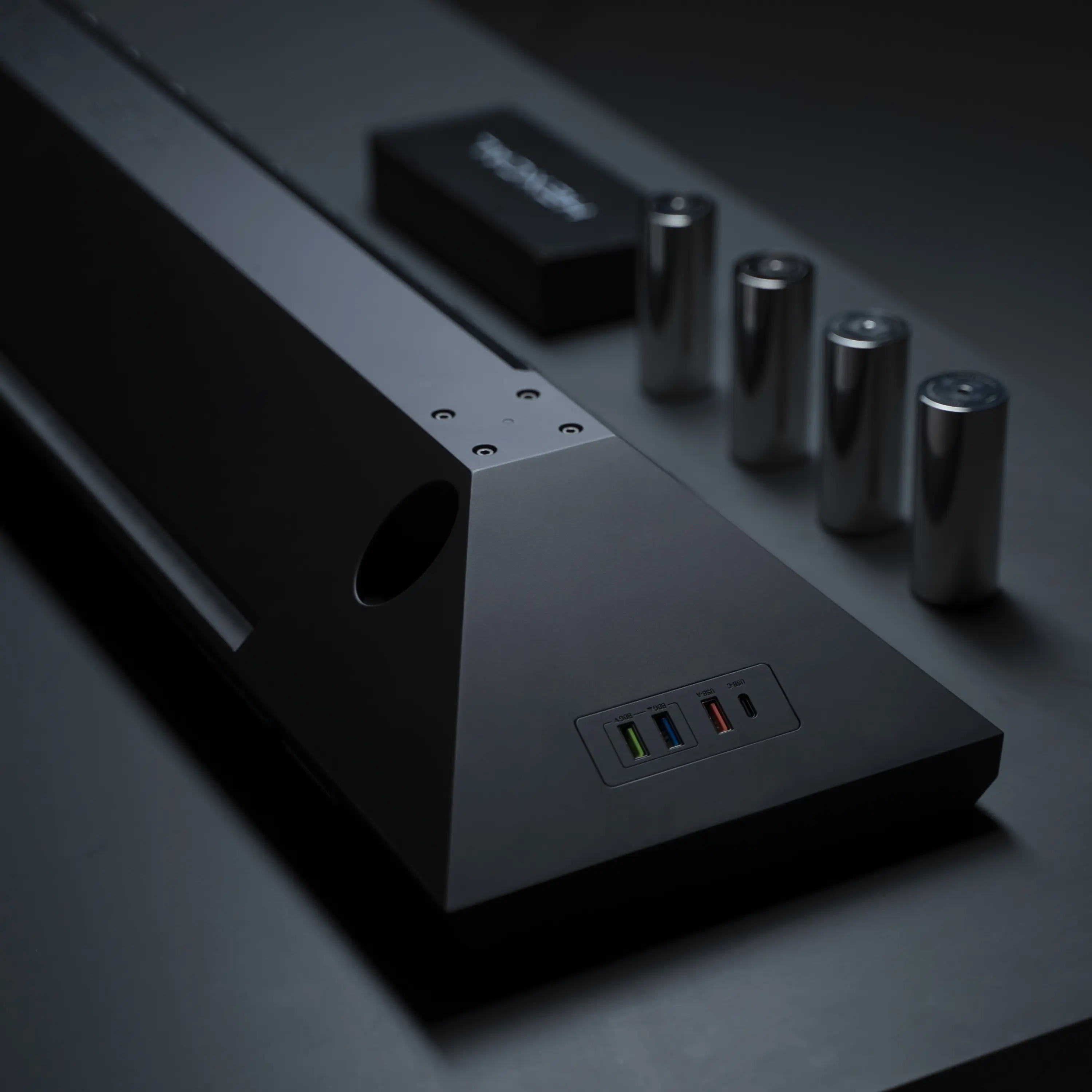
The Studio’s integrated power is legitimately useful. Alongside the 8 AC outlets, you get 1 USB-C quick-charging port rated at 9V/3A, 1 USB-A quick-charging port also rated at 9V/3A, 2 USB bridging ports with USB 2.0 data transmission and BC 1.2 charging, and a Qi wireless charging system rated at up to 20W total or 10W each. On paper, Hexcal positions the whole system as supporting up to 14 devices, and in practical terms, that is believable for a desk with a lot of permanently connected gear.
In everyday use, that integration feels convenient. We liked being able to centralize speakers, chargers, and always-on accessories without needing a separate strip lurking behind the desk. It cleans up the workspace in a very obvious way.
But this is also where the Studio starts to feel older than it should. The port selection is useful, yet not especially modern for a premium accessory in this price bracket. The reliance on USB-A still feels heavier than we would want, and the single USB-C quick-charge port does not quite match the expectations many buyers will bring to a product that costs nearly a thousand dollars. This is one of those frustrations that grows sharper the more premium the rest of the experience feels.
The wireless charging is similarly mixed. It is genuinely handy to have it built in, especially for a phone and earbuds, but it is not flawless in practice. The charging zone sits on the left side, and depending on how your desk is arranged, that placement will either feel smart or slightly awkward. We also found that it is not always as instantly seamless as the best dedicated charging pads. It works, but it is not the kind of experience we would describe as luxurious.
Lighting
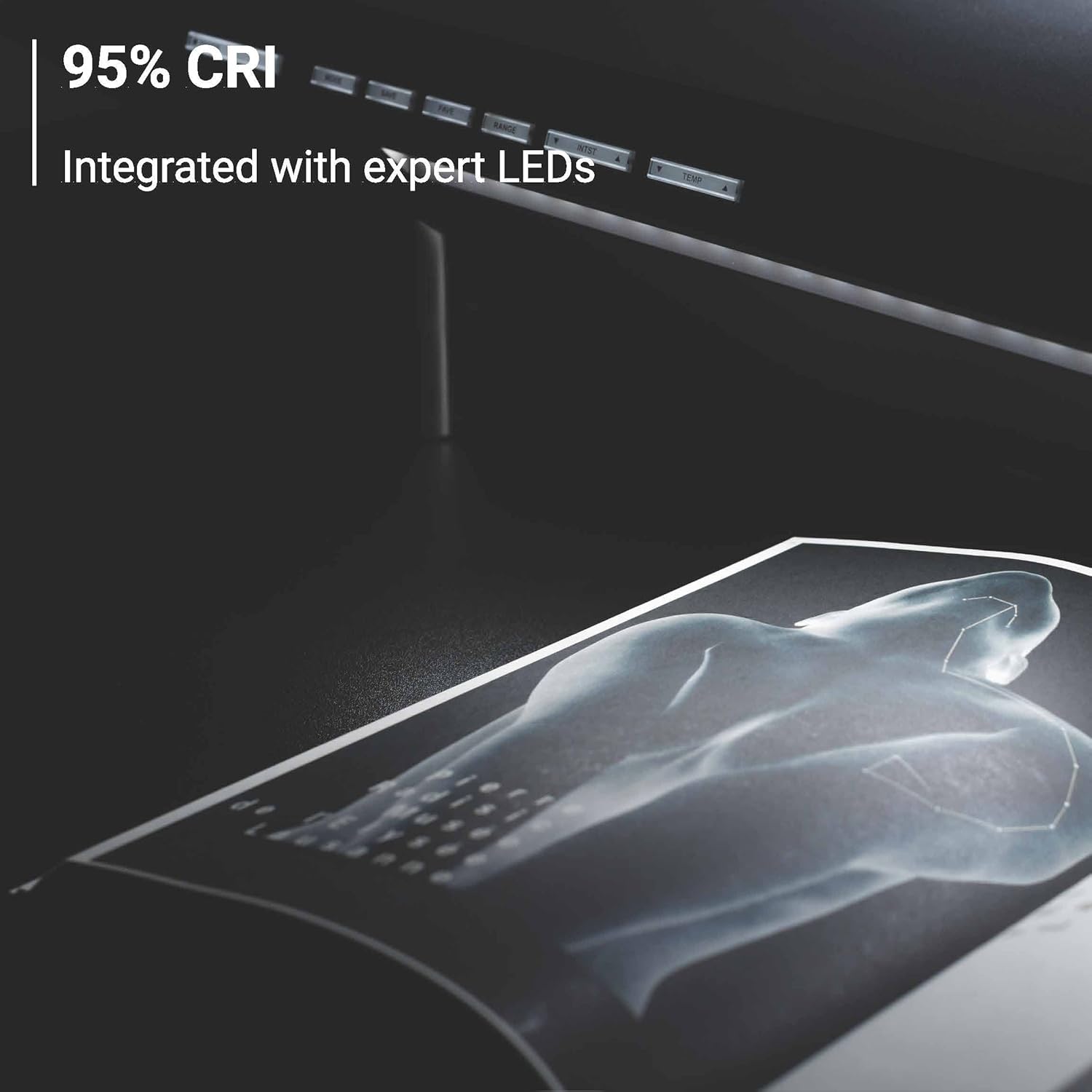
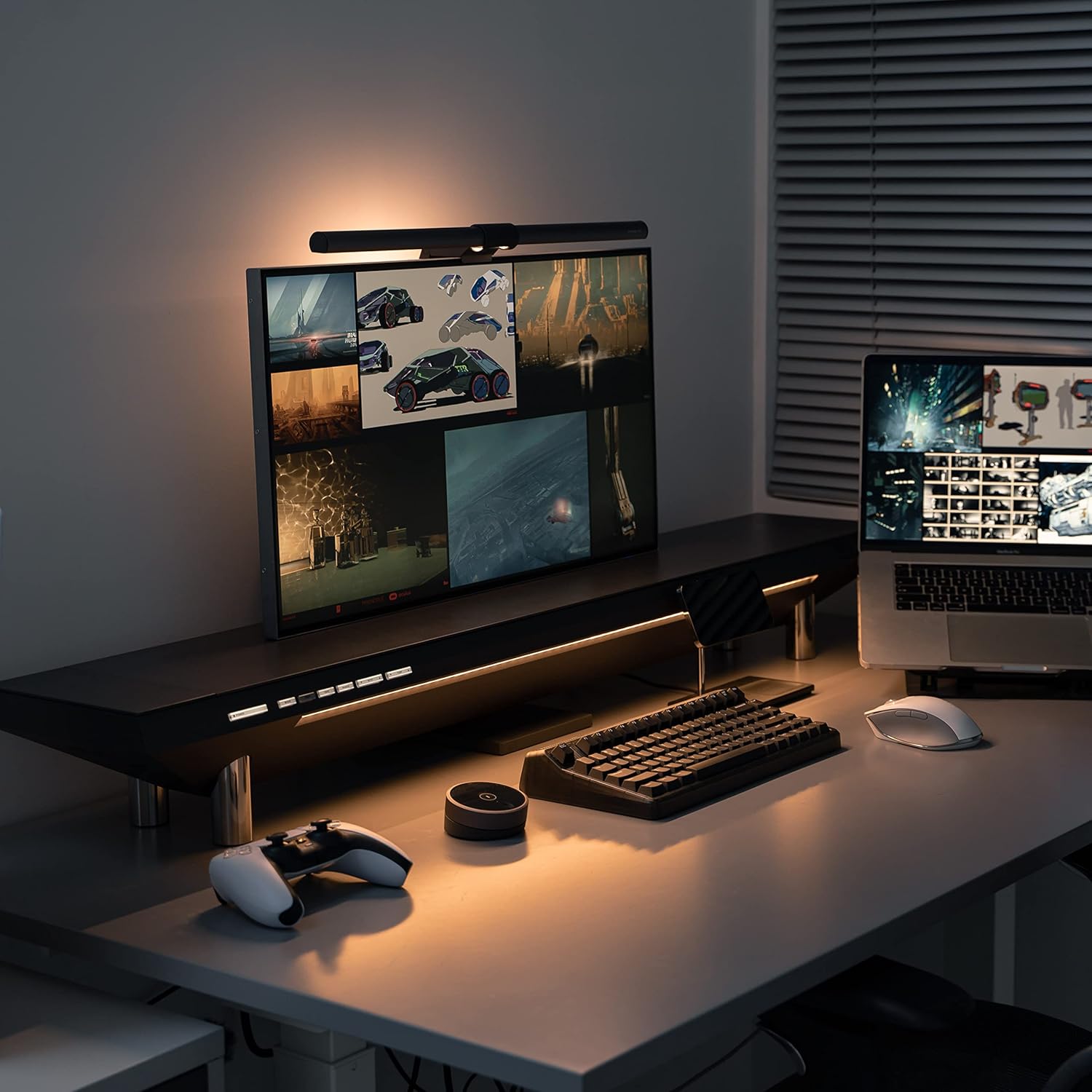
The built-in lighting ended up being one of the most pleasant surprises. We expected it to be a nice bonus. In practice, it feels much closer to a core part of the product. The system offers CRI 95 output, 16 levels of color temperature, 16 levels of intensity, and a stated emission range of 20 to 40 inches. More importantly, it is positioned and controlled in a way that makes it genuinely useful during work.
What we appreciated most is that the light is aimed where it helps. It illuminates the active work area around the keyboard and desk surface without blasting into your eyes the way some add-on monitor lights can. That sounds like a small thing until you live with it. Once we started adjusting the temperature and brightness for different times of day, the value of having it integrated became obvious.
The control system also helps the light feel intentional rather than decorative. There is enough adjustment here to actually fine-tune the effect, and that matters. A cheap LED strip under a shelf would not create the same result. The Studio’s lighting feels like part of a workstation tool, not an aesthetic afterthought.
Use-Case Performance
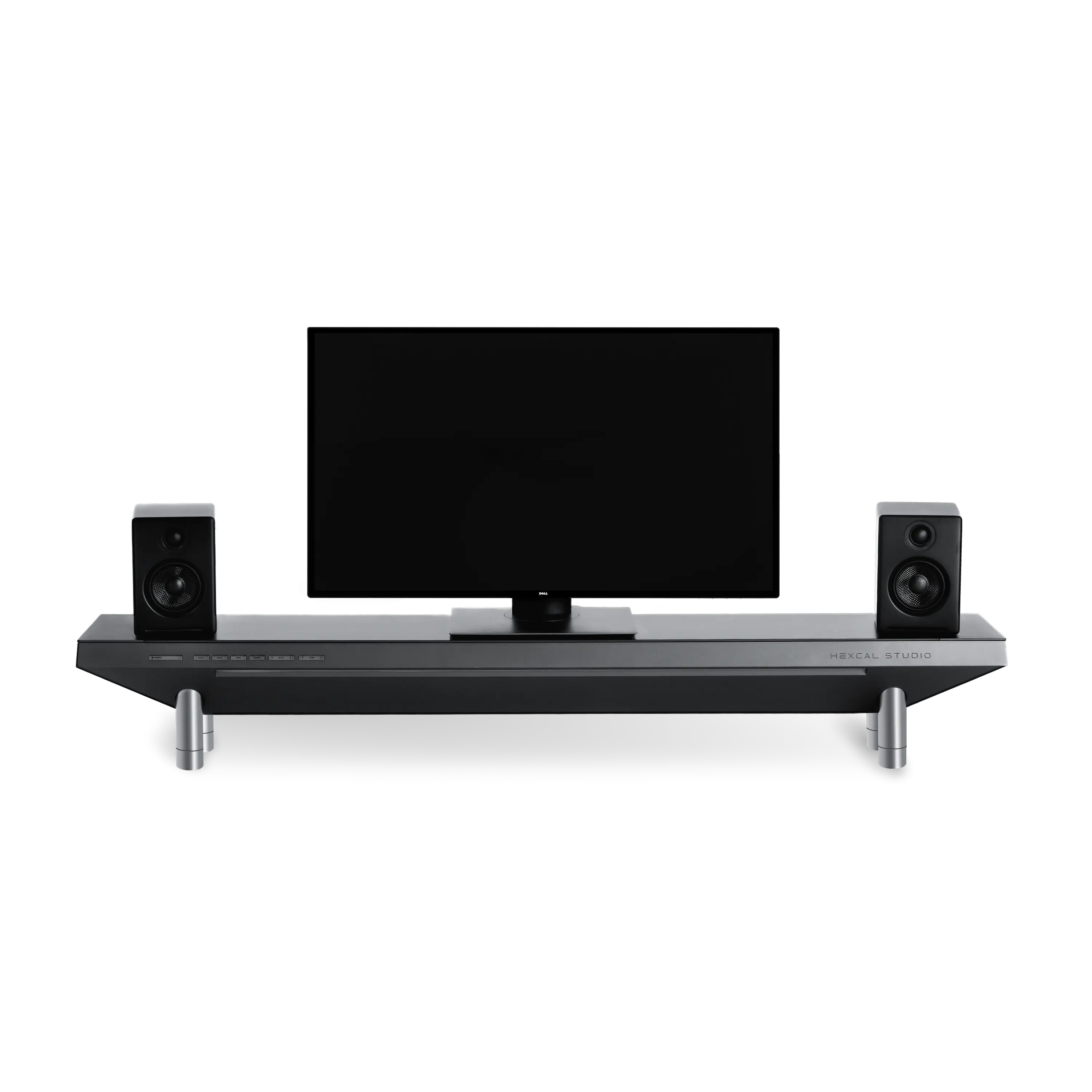
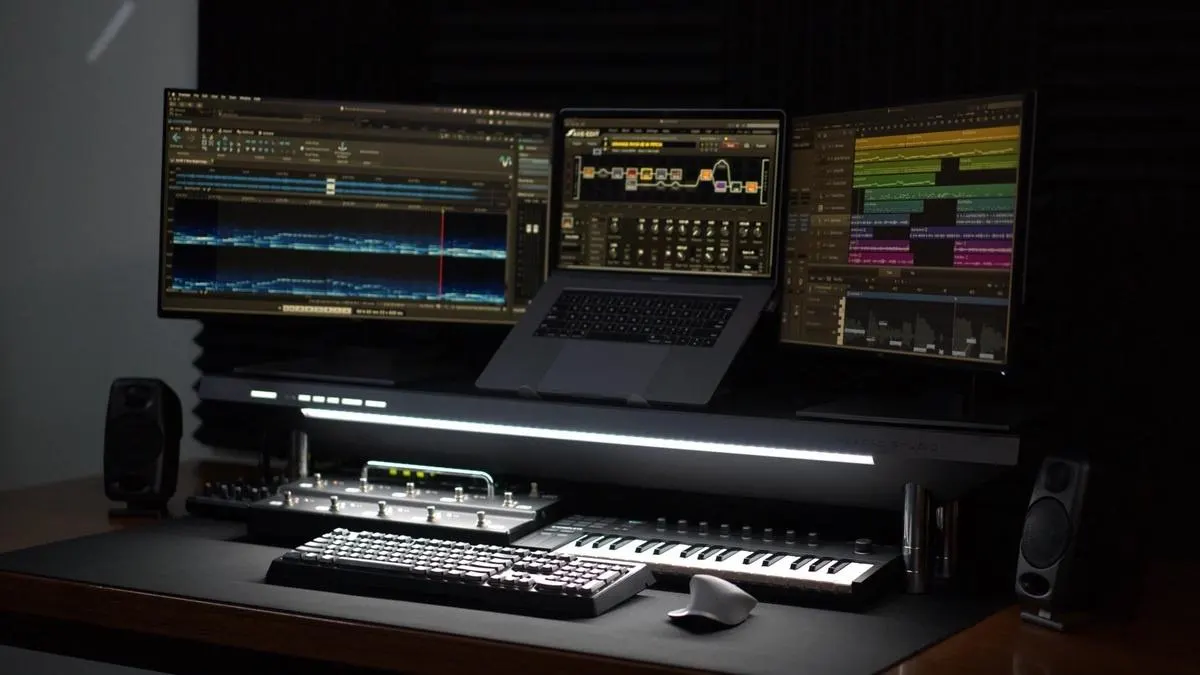
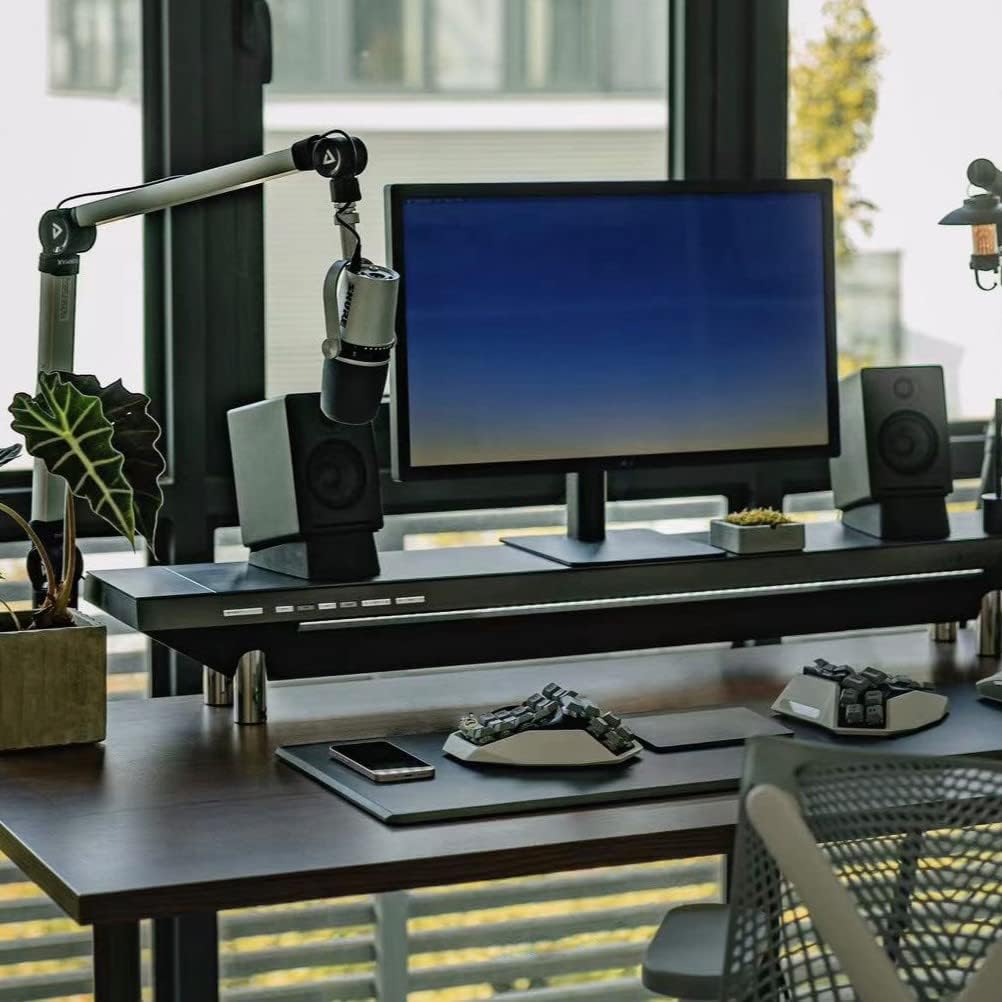
The Hexcal Studio is best when the desk itself is doing a lot. That is the cleanest way to put it. If your setup includes dual monitors, maybe even three displays, speakers, chargers, drives, cameras, audio gear, or the kind of rotating accessories that normally turn a desk into a cable field, the Studio makes immediate sense. In that environment, it stops feeling like a luxury shelf and starts feeling like infrastructure.
We think it is especially compelling for creator-style setups and permanent home-office workstations because those are exactly the desks that suffer most from scattered power solutions and visible cable mess. The Studio gives those setups a center of gravity. That is not a marketing phrase. It is what actually happens once it is installed properly.
It also works well as a visual discipline tool. The moment a product like this becomes the anchor of the desk, it encourages cleaner device placement and more deliberate cable decisions. We noticed that ourselves fairly quickly. The Studio does not just store clutter. It changes how clutter behaves.
Where it makes much less sense is the simple laptop desk. If your typical workday is one laptop, maybe one monitor, and a modern USB-C dock, the Hexcal Studio is too much product and not enough payoff. That kind of setup does not fully use the cable chamber, does not need the outlet count, and may not benefit enough from the lighting and charging integration to justify the cost.
Desk size matters too. Buyers with smaller desks need to take this seriously. At 47.3 inches long, the Studio becomes the desk. If you have room, it can look impressive and purposeful. If you do not, it can feel like you solved clutter by replacing it with bulk.
Convenience and Comfort
One of the Hexcal Studio’s strengths is that it smooths out a lot of low-level desk annoyances all at once. It raises displays, reclaims usable space underneath, centralizes power, adds quick charging access, and improves task lighting in one move. None of those benefits feels dramatic alone. Together, they change how the desk feels to live with every day.
The height options help too. Hexcal offers two default height modes of 5.9 inches and 7.1 inches, which gives at least some ergonomic flexibility depending on your display arrangement and desk preference. We would not call that deeply adjustable in an advanced ergonomic sense, but it is enough to be useful.
Stability never felt like a concern. Given the product’s 21.7-pound weight and metal-heavy construction, that is not surprising. It feels planted. For standing-desk users, that matters. The Studio does not give the impression of being fussy or flimsy when the desk moves.
Still, there are convenience caveats. The bridging ports do not make this a true modern dock, and buyers in heavily Apple-centered environments may find parts of the connectivity approach less elegant than they hoped. There is also an important limitation around monitor mounting: the Studio can support serious multi-monitor desk setups visually and structurally, but direct monitor mounting on the unit itself is not the main story. This works best as the backbone of the desk, not as a do-everything mount platform.
Flaws and Frustrations
The price is the first and biggest problem. There is no elegant way around that. At $899, the Hexcal Studio enters a zone where buyers are no longer comparing it to ordinary accessories. They are questioning the philosophy of the purchase itself. And honestly, that is fair.
The frustrating part is that the Studio is good enough to tempt you and expensive enough to make you hesitate anyway. We can see the value in what it does. We can also see how easy it would be for many buyers to recreate most of the function with separate parts for much less money. The Studio’s defense is integration, polish, and execution. Whether that is enough depends entirely on how much you care about the finished desk as a complete object.
The second major frustration is the I/O mix. For a product that looks this refined and commands this kind of premium, the connectivity does not feel as future-ready as it should. Too much of the setup still leans on older expectations. We kept coming back to that point because it is the kind of flaw that becomes more annoying over time, not less.
Size is another genuine drawback. We liked the presence on the right desk, but there is no pretending this thing is subtle. Buyers with smaller desks, tighter layouts, or lighter visual tastes may find it overpowering even if they admire the build.
Then there is the ownership proposition. The Studio comes with free shipping, 30-day returns, and a 1-year warranty. That is not bad. It is also not especially generous for a luxury desk product built around long-term use. At this price, we would have liked a stronger warranty story.
Value for Money
This is where the Hexcal Studio becomes a very personal buy. If you measure value in the usual practical way, it is hard to defend. You can absolutely put together a desk shelf, a cable tray, a decent power setup, a light bar, and a charger for less money. Anyone shopping rationally will notice that quickly.
But that still misses the real appeal. The Studio is not just selling parts. It is selling integration, finish, simplicity of control, and the visual satisfaction of turning desk chaos into one cohesive system. For some buyers, that matters a lot. We understand why. Once the Studio is installed and doing its job properly, the desk feels calmer, more deliberate, and more finished.
So our view on value is pretty straightforward. For casual users, it is poor value. For buyers with demanding multi-device desks who care deeply about aesthetics and want fewer separate accessories fighting for space, it can make real sense. And for a smaller group of design-driven professionals who want their desk to feel as engineered as the gear on it, the Studio may be one of the few products in the category that actually delivers on that promise.
The simpler your setup, the worse this deal gets. The more complicated your desk, the more defensible the Studio becomes.
Who Should Buy It
Buy the Hexcal Studio if your desk is a real workstation and not just a landing pad for a laptop. If you are dealing with multiple displays, speakers, chargers, drives, and permanent cable clutter, this product does something very few desk accessories manage to do well: it consolidates the mess without making the desk feel more complicated.
It also makes sense for buyers who care as much about how the desk feels as how it functions. If visual order matters to you, and you are tired of a high-end setup being held together by random trays, cheap strips, and visible spaghetti wiring, the Studio can feel like the missing piece that finally makes the whole workstation look resolved.
Who Should Skip It
Skip it if you want value first. Skip it if your setup is light. Skip it if you are hoping this will double as a true modern USB-C docking solution. And skip it immediately if your desk is already tight on space, because the Studio is too large and too visually dominant to forgive a cramped layout.
We would also tell most laptop-only users to save their money. This is not the kind of product that becomes more sensible once you talk yourself into it. If your desk does not clearly need it, the bill will feel excessive.
Final Verdict
The Hexcal Studio is one of those rare desk products where both the praise and the criticism are completely justified. After spending time with it, we came away impressed by how effectively it centralizes power, hides clutter, improves task lighting, and makes a complicated workstation feel cleaner and more intentional. The build quality feels premium. The cable-management system is genuinely useful. And on the right desk, it can absolutely become the backbone of the entire setup.
But the downsides are not footnotes. The price is severe. The size is significant. And the charging setup no longer feels as forward-looking as the rest of the design. That matters more here because the Studio is not competing as a normal accessory. It is asking luxury money.
Our verdict is that the Hexcal Studio is a very good premium workstation organizer for a specific kind of buyer. If your desk is complex enough to justify it, and you care deeply about integration, finish, and daily order, it can feel excellent. If not, it will feel like a beautifully made answer to a problem you could solve for a lot less.
FAQ
Is the Hexcal Studio a docking station?
Not really. It handles power, charging, bridge ports, and cable control very well, but it does not behave like a full modern high-speed USB-C dock with the kind of connectivity many buyers now expect.
How big is the Hexcal Studio?
It measures 47.3 inches long, 8.7 inches wide, weighs 21.7 pounds, and offers two default height modes of 5.9 inches and 7.1 inches. In practical terms, it is large enough to become the dominant object on most desks.
Can it handle dual or triple monitor setups?
Yes, the overall size and load support make it suitable for serious multi-monitor desks, including larger arrangements. But the smarter approach is still to treat it as the backbone of the workstation rather than as a direct monitor-mounting solution.
How good is the wireless charging?
Useful, but not standout. The built-in Qi charging is convenient for everyday devices, especially a phone and earbuds, but it does not feel like the most advanced or elegant charging experience in this price class.
Is it stable enough for standing desks?
Yes. The Studio feels heavy, planted, and structurally confident. That weight and construction work in its favor on desks that move up and down.
Is the Hexcal Studio worth $899?
For most people, no. For buyers with complicated permanent desk setups who care deeply about cable management, integrated power, lighting, and a premium finished look, it can be worth considering. The more devices your desk has, the stronger the argument becomes.
Explore the Hexcal Studio Gallery
Every image from this article, gathered in one clean place. Tap any photo to open it larger.