
ProtoArc EK01 Plus Backlit Ergonomic Keyboard
Pros
- Comfortable split ergonomic layout that feels approachable rather than extreme
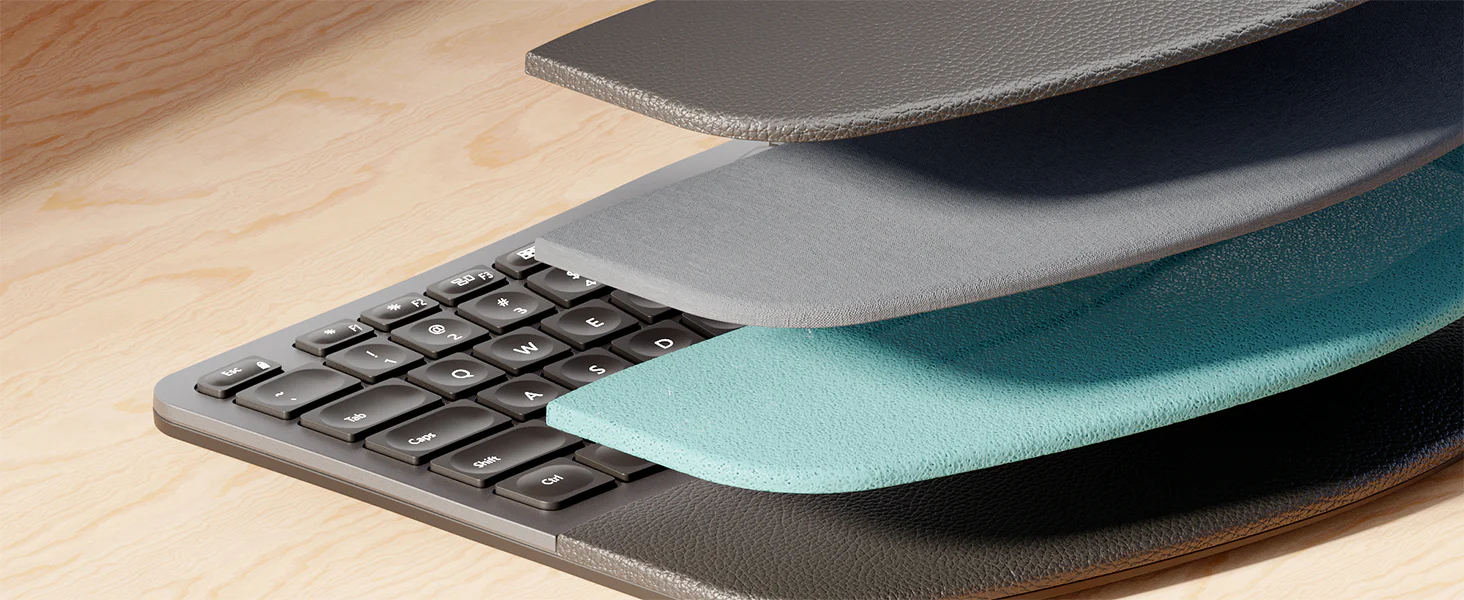
- Integrated cushioned wrist rest adds real day-to-day comfort
- Quiet, low-profile scissor-switch typing feels well suited to long office sessions
- Three-device support through BT1, BT2, and 2.4G is genuinely useful
- Soft white backlighting is practical and tastefully restrained
- Strong overall feature set for the price
- USB-C charging and a 2000mAh battery help it feel current rather than dated
Cons
- Large full-size footprint will not suit compact desks
- There is a real learning curve if you are coming from a standard flat keyboard
- The backlight cannot stay on continuously
- Mac users are better off with Bluetooth than the USB receiver
- Battery performance feels solid, not standout
- The keyboard feels like a strong value product, not a carefree premium one
the split layout feels well judged, the wrist rest is genuinely useful, the scissor-style typing experience is quiet and easy to live with, device switching is practical, and the overall feature set feels generous for the money.
it takes up a lot of desk space, the backlight cannot stay on permanently, battery performance feels good rather than exceptional, and the keyboard never fully shakes off the sense that this is a value product rather than a premium one.
The ProtoArc EK01 Plus Backlit Ergonomic Keyboard is the kind of product we immediately understood once we spent real time with it. It is not trying to be a mechanical-keyboard hobbyist toy, a design statement, or a premium-status office accessory. It is trying to be a practical, full-size ergonomic keyboard that makes long typing sessions easier, gives you useful wireless flexibility, adds backlighting, and stays well below the price of the better-known premium alternatives. In that role, it does a lot very well.
We came away thinking this is one of the more convincing value-focused ergonomic keyboards in its class. At the same time, we never saw it as a flawless recommendation. The comfort case is strong. The value is strong. The compromises are real. And whether those compromises matter will depend almost entirely on the kind of desk setup and buyer expectations you have.
For the right user, the EK01 Plus makes a lot of sense. If you spend hours typing, want a more natural hand position, still prefer a familiar full-size layout, and do not feel like spending premium-brand money, this keyboard is easy to take seriously. If you want a compact footprint, zero adjustment period, absolute long-term confidence, or perfect Mac behavior through the USB receiver, this is where the cracks start to show. That tension defines the entire experience. We liked it most when we judged it for what it is: a comfort-first, feature-rich work keyboard with a sensible price, not a perfectly refined flagship.
What we tested
We focused on the parts of the EK01 Plus that actually matter in daily use rather than just reading down a feature list. That meant paying close attention to the split ergonomic layout, the attached cushioned wrist rest, the scissor-style key feel, the three-device wireless workflow, the soft white backlighting, the full-size footprint, and the Mac compatibility caveat when using the USB receiver.
This is also the kind of keyboard where small daily details matter more than flashy specs. So we kept coming back to the same questions: does it actually feel more comfortable over long typing stretches, does the layout feel approachable rather than awkward, does switching devices feel seamless enough to be useful, and do the tradeoffs feel acceptable once the keyboard becomes part of a real desk setup?
How we tested it
We approached the EK01 Plus as a work keyboard, because that is clearly what it is meant to be. We used it the way most buyers will use it: for long typing sessions, general office work, multi-device switching, and everyday productivity tasks where comfort, layout, noise, and convenience matter more than novelty.
We also paid attention to the parts that often become annoying only after a bit of real use. The size of the board on a desk. The way the backlight behaves when you stop typing. How natural or unnatural the learning curve feels. Whether the typing experience stays pleasant once the first impression wears off. And whether the keyboard feels like something we would happily live with, not just something that looks good on a specs sheet.
Design and build quality
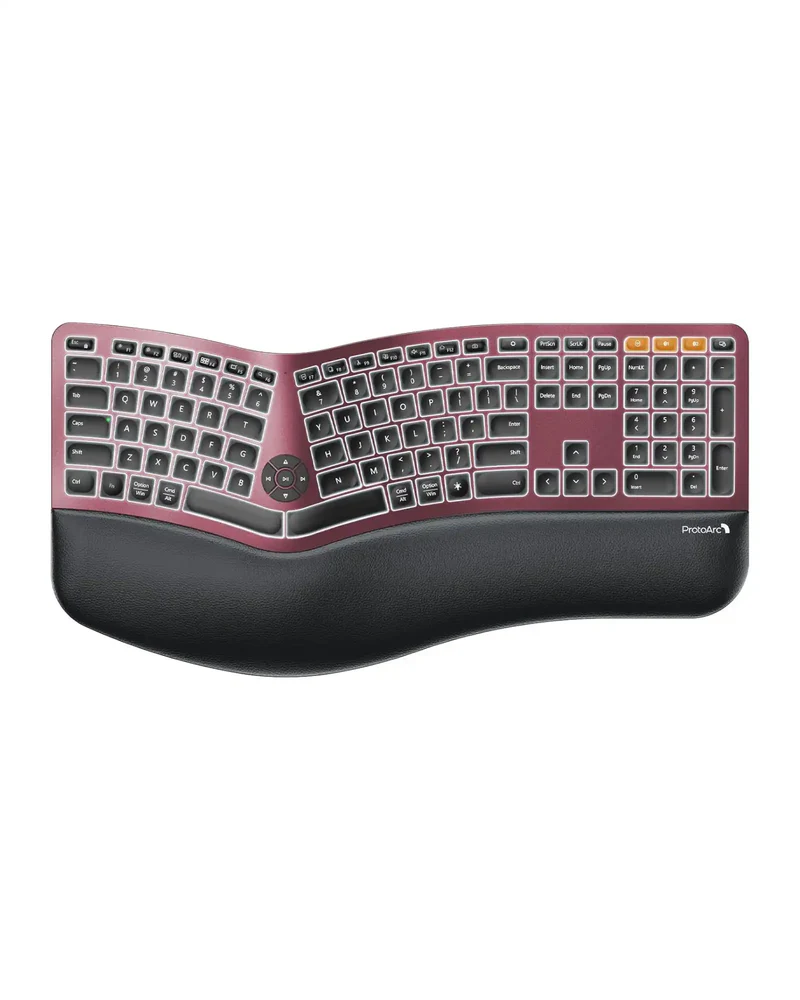
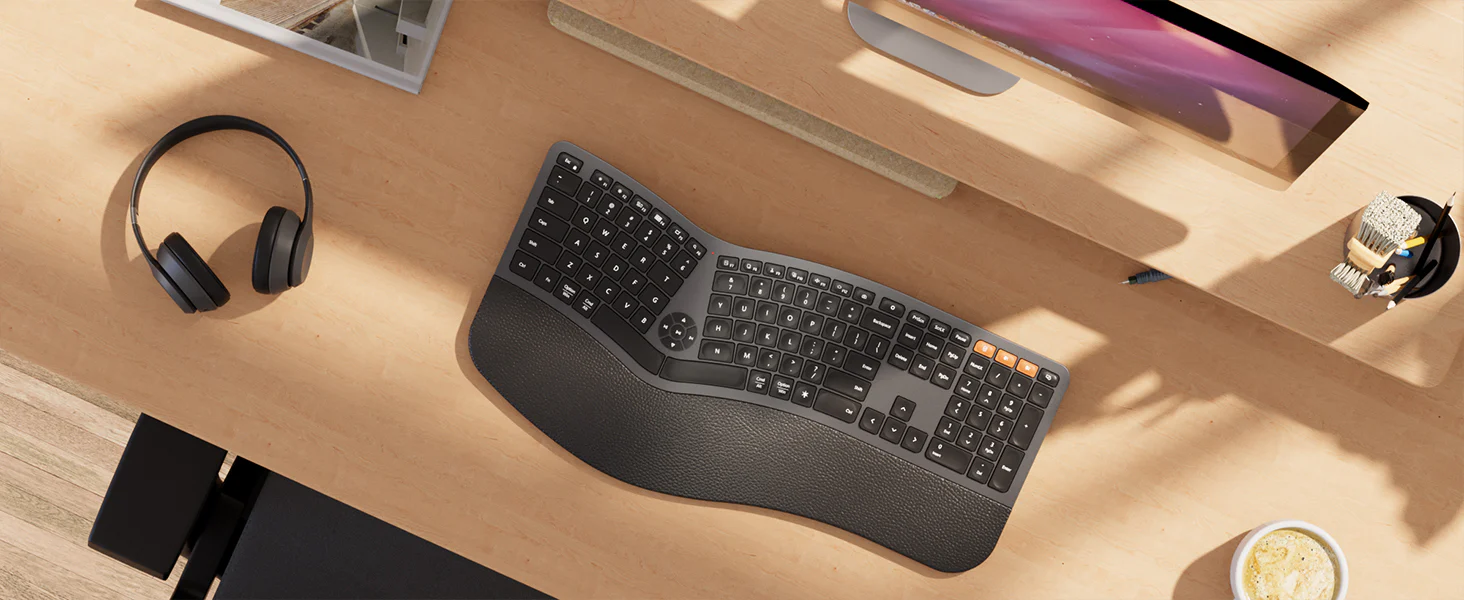
The EK01 Plus has a very clear identity. This is a full-size, 117-key, one-piece ergonomic keyboard with a fixed split layout, an attached cushioned wrist rest, USB receiver + dual Bluetooth, USB-C charging, soft white backlighting, and a 2000mAh rechargeable battery. Its dimensions, 500 x 265 x 40 mm, tell the story immediately: this is not a compact board, and it is not pretending to be one.
What stood out to us about the design is that ProtoArc mostly made the right calls for the audience it is chasing. The board has a curved split shape that opens up your hand position without throwing you into fully separate split-keyboard territory. That matters. A lot of people want something more comfortable than a traditional flat keyboard, but they do not want to rebuild their typing habits from scratch or turn their desk into an ergonomic experiment. The EK01 Plus gets that balance mostly right. It feels like a keyboard designed for normal people who want less strain, not for enthusiasts who want total posture customization.
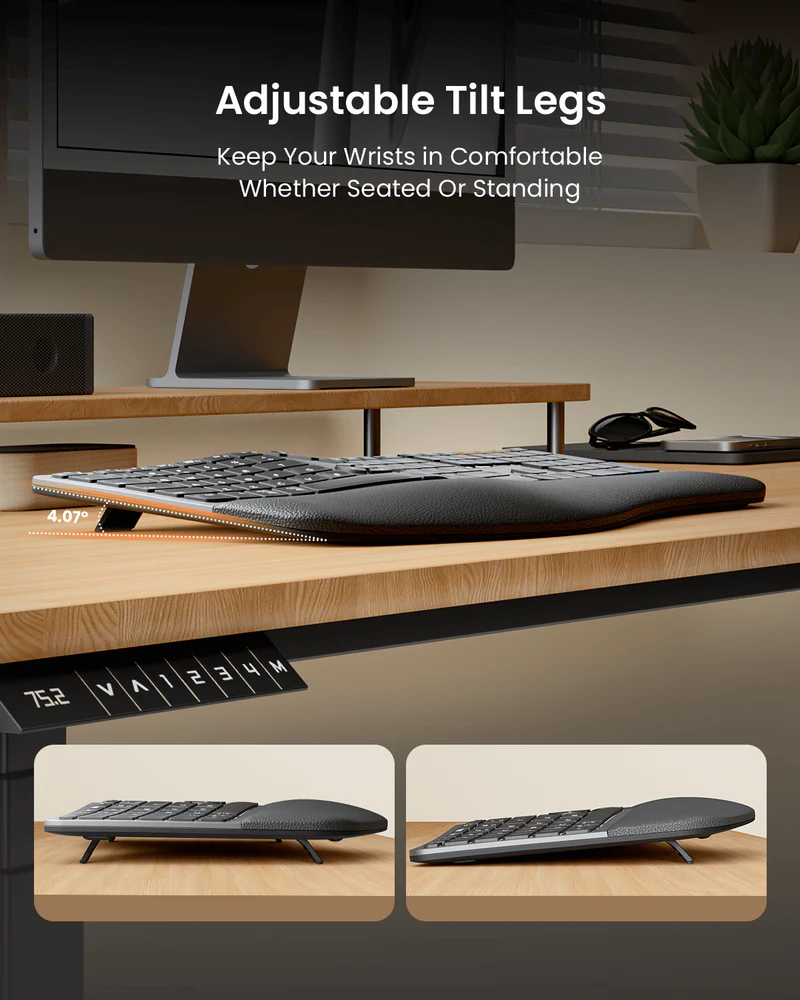
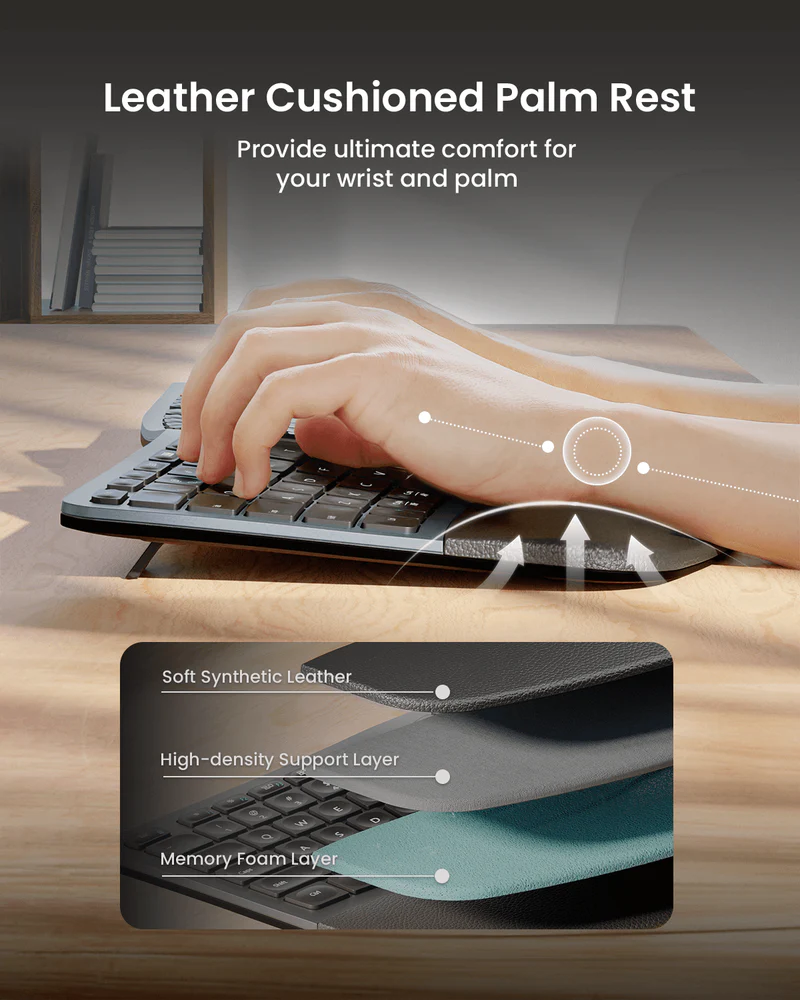
The attached wrist rest is also important to the experience. This is not one of those ergonomic keyboards where the shape does half the job and the rest of your comfort depends on what accessories you buy later. The wrist support is built into the design, and it makes the keyboard feel complete. The tilt options help too. With four adjustable feet and three angle settings, there is enough flexibility here to make a noticeable difference in how the board sits under your hands.
In terms of build, we liked what we saw, but we were never tempted to overpraise it. The keyboard presents itself well. It feels better than cheap. It looks more considered than throwaway office hardware. But it also does not give off the kind of absolute tank-like confidence that the best premium work peripherals do. That distinction matters. The EK01 Plus feels thoughtfully made. It does not feel indestructible.
Setup and first use
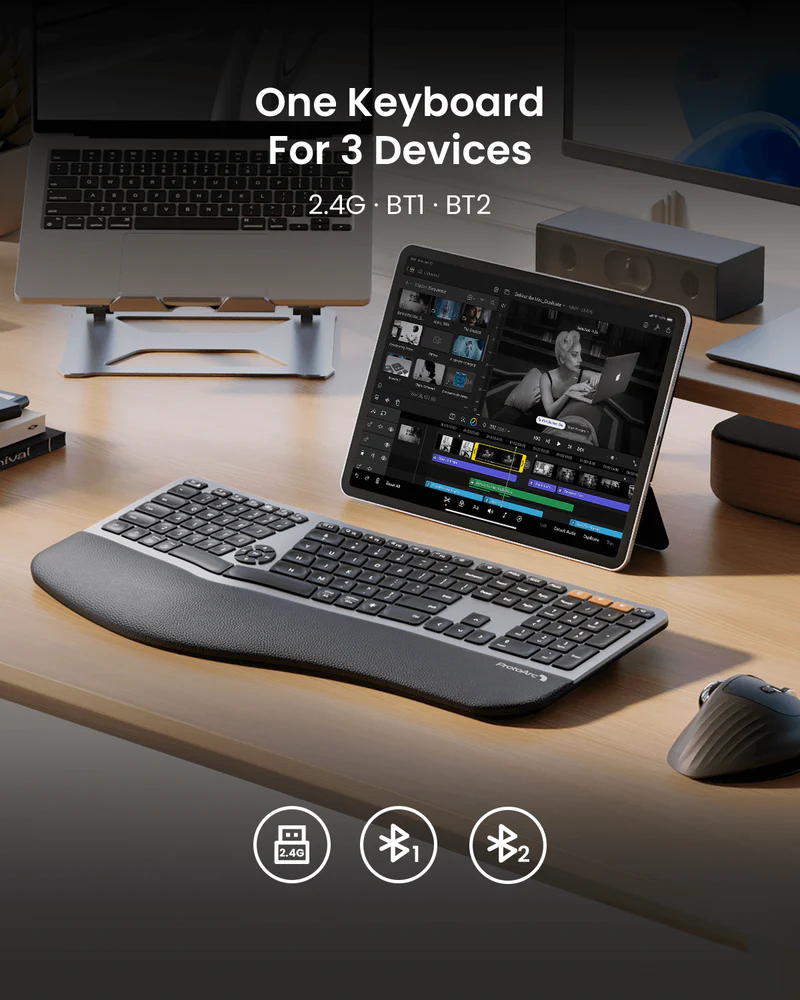
Getting started with the EK01 Plus is refreshingly straightforward. It supports BT1, BT2, and 2.4G wireless, and the pairing flow is exactly as simple as it should be. Long-press the Bluetooth channel you want, pair the device, and switch between saved connections as needed. There is no unnecessary friction here, and that helps the keyboard feel more polished than some cheaper ergonomic options that get the shape right but make connectivity feel clumsy.
What mattered more to us than setup, though, was the first-use adjustment period. ProtoArc says there is a one-to-two-week learning curve, and that felt believable. Even though this is a fairly approachable ergonomic design, it is still different enough from a standard full-size board that your first impression may not be instant perfection. That is not a flaw so much as a reality check. If you have typed on flat keyboards for years, a split layout will feel strange before it feels right.
The good news is that the EK01 Plus never felt like a punishing transition. We noticed the adjustment, but we also noticed that the keyboard is clearly designed to ease you into ergonomic typing rather than force a dramatic relearning. That is one of its biggest strengths. It asks you to adapt, but not to reinvent the way you work.
Typing feel and daily performance
This keyboard lives or dies on its typing experience, and thankfully that is one of the areas where it performs best. The EK01 Plus uses scissor-switch keys, and it feels like a proper productivity keyboard rather than a compromised ergonomic novelty. The keys are quiet, light, and easy to settle into. There is enough responsiveness to keep the board from feeling mushy, but the overall experience stays clearly on the calm, low-profile, office-friendly side of the spectrum.
That distinction is important. Anyone expecting the character, sound, and personality of a true enthusiast mechanical keyboard is looking in the wrong place. This is not that kind of product. In practice, the EK01 Plus feels best when judged against mainstream work keyboards. For typing documents, handling email, working through spreadsheets, and moving through a long day at a desk, it makes a strong case for itself.
What we appreciated most is that the comfort benefits do not come at the expense of basic usability. Some ergonomic keyboards feel worthy in theory but awkward in real use. This one does not. Once we settled into the layout, the board felt natural enough to disappear under the work, which is exactly what a good keyboard should do.
There are a couple of caveats. The quietness is one of the keyboard’s strengths overall, but it is not perfectly uniform in a premium way. The space bar can be louder, and there is enough variation in the acoustic feel that we would not describe it as impeccably damped. That did not ruin the experience for us, but it did remind us that this is still a value-driven product.
Comfort and ergonomics
This is where the EK01 Plus earns its place. The core ergonomic setup is well judged: a curved split layout, concave key shaping, an integrated cushioned wrist rest, and enough tilt adjustment to help you find a more natural hand and wrist angle. The comfort story feels real because it is not relying on one dramatic gimmick. It is several sensible design choices working together.
What stood out to us is how clearly the keyboard is aimed at mainstream ergonomic buyers rather than niche enthusiasts. There are plenty of people who know they want something more comfortable than a standard keyboard but do not want a fully separated split board, complicated layers, tenting experiments, or a major typing reset. The EK01 Plus is a very understandable answer to that kind of buyer. It opens the posture a bit, reduces the feeling of typing inward on a flat slab, and gives your wrists a better place to rest.
In daily use, that matters more than flashy ergonomic claims. This keyboard does not transform typing into some futuristic wellness ritual. It simply makes the experience feel more open and less cramped, which is exactly the kind of improvement most office users are looking for.
There is a limit, though. If you already know you need a highly adjustable ergonomic setup or something much more specialized, the EK01 Plus may feel like a compromise rather than a solution. It is ergonomic in the practical, mass-market sense, not in the fully customizable, deeply specialized sense. For many buyers, that middle ground is actually the sweet spot. For others, it will not go far enough.
Backlighting and everyday usability
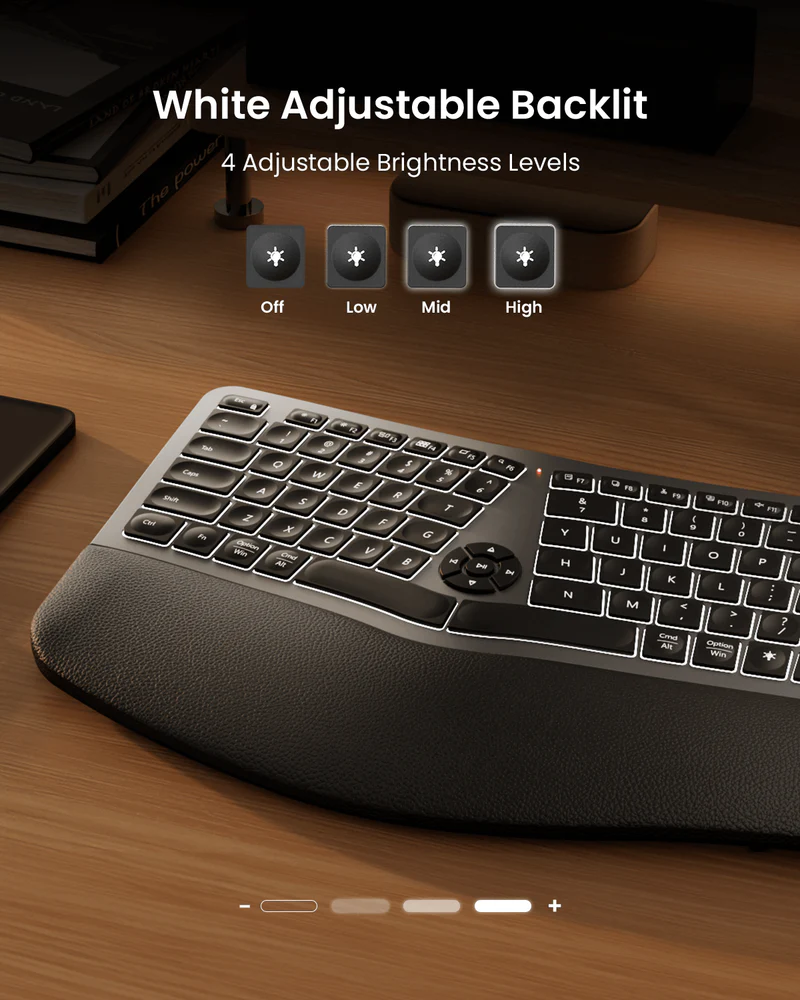
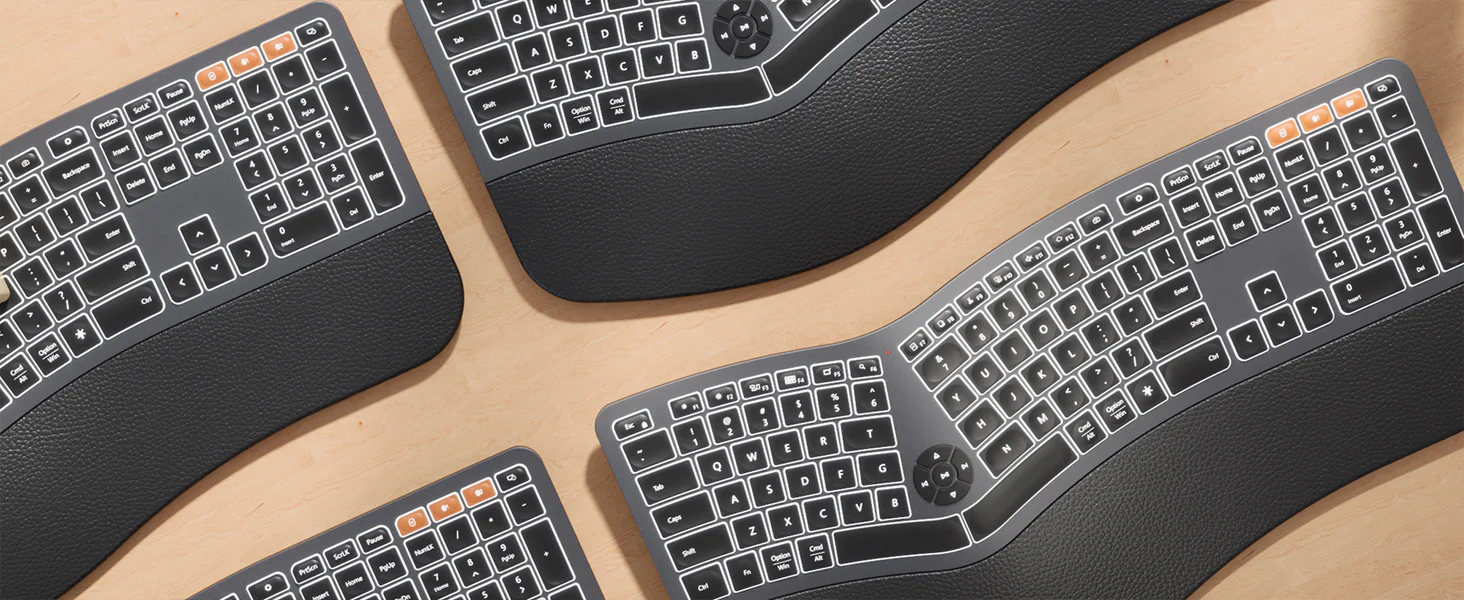
Backlighting is one of those features that can feel minor until you live without it. The EK01 Plus includes three levels of soft white LED backlighting, and in daily use it adds real convenience without turning the keyboard into something loud or showy. We liked that the lighting is understated. It feels useful rather than decorative.
There is a catch, and it is a meaningful one. The backlight turns off after one minute of inactivity, and it cannot be kept on continuously. This is not a hidden quirk. It is simply how the keyboard behaves. We understand why the feature works this way on a rechargeable wireless board, but we also think some buyers will find it genuinely annoying. If your ideal desk setup includes a keyboard that stays lit all evening no matter what, this will not satisfy you.
Still, in normal work use, the backlight is easy to appreciate. It is there when you need it, it improves visibility in dimmer conditions, and it does not push the keyboard into gamer territory. For many users, that will be enough. For the always-on backlight crowd, it will not.
Connectivity and multi-device workflow
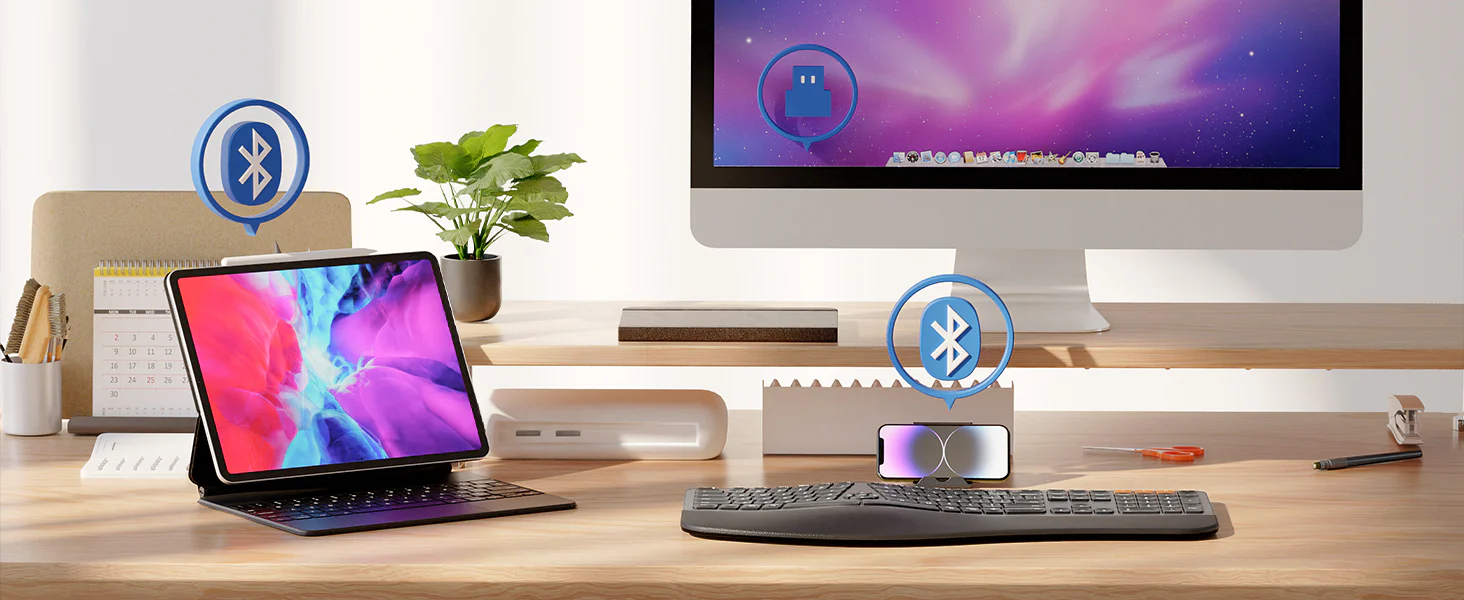
The EK01 Plus is stronger here than many keyboards in its price range. The ability to connect through BT1, BT2, and 2.4G wireless means it can sit comfortably in a real hybrid-work setup instead of acting like a keyboard that assumes one device forever.
This is one of the areas where the value proposition becomes very easy to understand. Comfort is only part of modern desk life. People bounce between laptops, desktops, tablets, and personal machines constantly. A keyboard that can move between those devices without making the process annoying has a real advantage, and the EK01 Plus handles that part of the experience well.
We also liked that the feature does not feel bolted on. The switching setup feels like part of the product’s identity, not just a box-ticking spec. That gives the keyboard a more complete feel. It is not just ergonomic. It is also practical.
Battery life
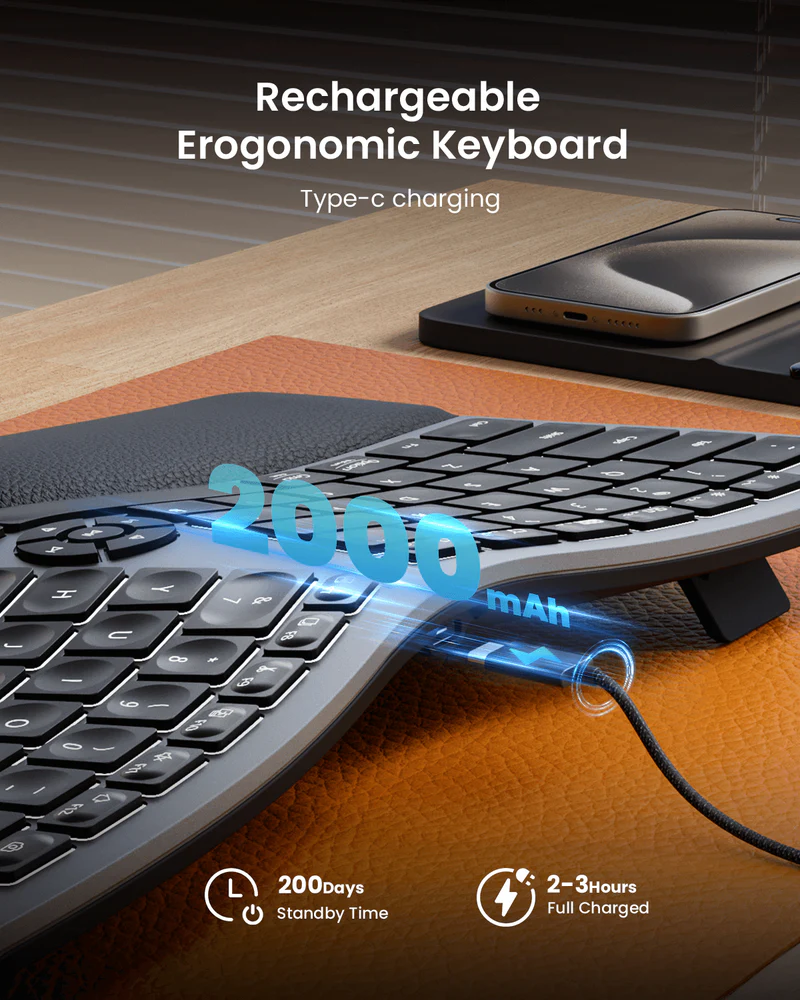
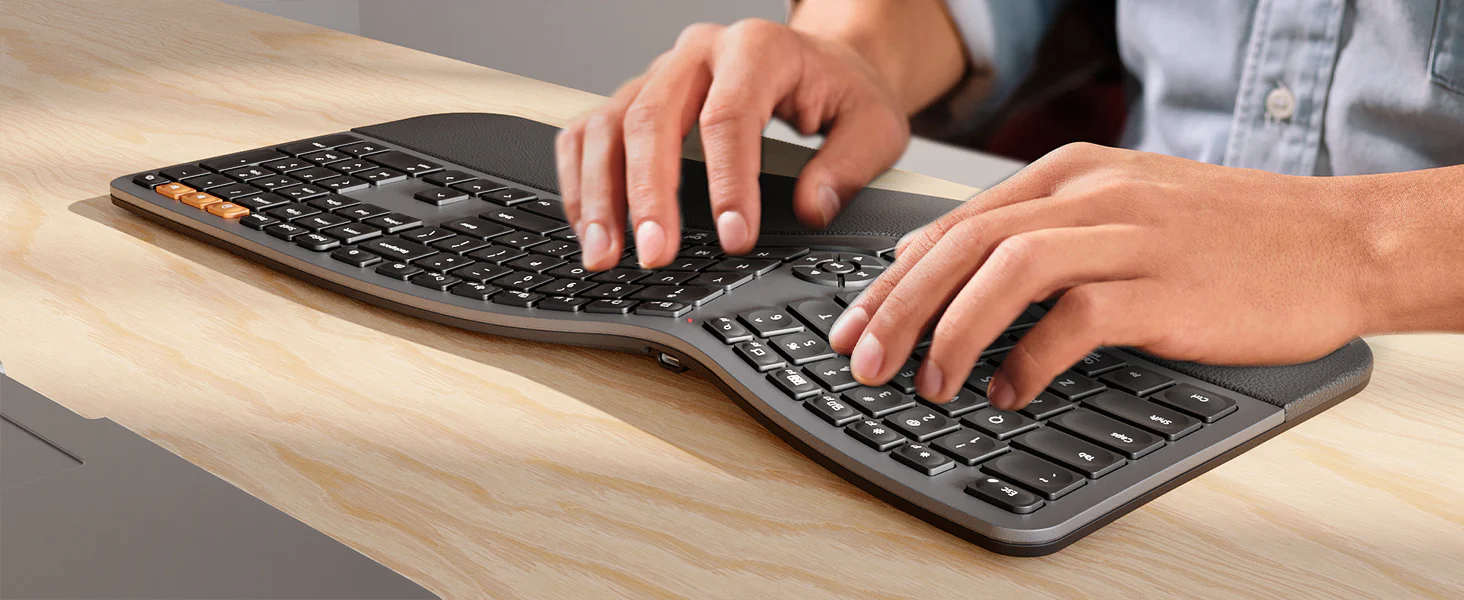
On paper, the battery story is appealing. The EK01 Plus uses a 2000mAh rechargeable battery, charges over USB-C, and quotes up to 200 days of standby time with a two-to-three-hour charge. In actual use, though, this is not the kind of keyboard we would describe as a battery-life monster.
We would call the battery performance respectable. It does the job. It does not feel like a constant problem. But it also does not feel like one of the keyboard’s defining strengths, especially once you factor in backlight use. That is the right expectation to carry into the purchase. Battery life here feels fine rather than amazing.
This is also where the keyboard’s identity comes back into focus. The EK01 Plus gives you a lot for the money, but not every feature feels class-leading. The battery experience lands in that exact zone. Good enough for most people, less impressive than the headline numbers might suggest.
Compatibility and the Mac caveat
Broadly speaking, the EK01 Plus works across Windows, macOS, iOS, and Android, which is good news for multi-device users. But there is one detail here that matters more than it might sound at first glance: Mac compatibility is better over Bluetooth than over the USB receiver.
That is not a tiny technical footnote. It is the sort of thing that directly affects whether the keyboard feels simple or mildly irritating in real use. If you are a Mac user and you are happy to use Bluetooth, the EK01 Plus still makes plenty of sense. If you prefer the simplicity of a USB receiver and expect everything to work perfectly that way, this is where we would hesitate.
There is also the usual modern office-keyboard layer of function-key behavior to keep in mind. The board is clearly designed as a multifunction productivity device rather than a stripped-back traditional keyboard, so buyers who live on function keys should know that going in. Most people will adapt quickly. Some will be slightly annoyed.
Flaws and frustrations
The first issue is straightforward: this keyboard is big. That full-size layout is great for productivity, but it absolutely takes up room. If your desk is already busy, or if you prefer smaller keyboards because they free up mouse space and keep your setup cleaner, the EK01 Plus will feel oversized.
The second issue is that some of the polish stops just short of premium. We felt that in the typing sound, in the backlight limitation, and in the general sense that the keyboard is very good for the money rather than exceptional regardless of price. None of that makes it bad. It simply keeps the product grounded.
The third issue is the one that matters most to cautious buyers: this is not a keyboard that inspires total blind confidence. We liked it. We think it is a smart buy for the right person. But we would still describe it as a keyboard to buy with realistic expectations rather than as something so obviously refined and dependable that the decision becomes effortless.
That is really the heart of the EK01 Plus experience. We were impressed by how much it gets right. We were never fully convinced that it eliminates every concern the way a more expensive, more established premium ergonomic board might.
Value for money
This is where the EK01 Plus becomes genuinely compelling. At $79.98 on sale from $99.99, with a 30-day return policy and a 2-year warranty, it hits a very attractive part of the market. It gives you the features that matter most to mainstream ergonomic buyers without demanding flagship money: a full-size split layout, a wrist rest, wireless flexibility, backlighting, USB-C charging, and multi-device support.
That combination is harder to find than it should be, especially at this price. And it is the reason we kept coming back to the same conclusion: if your goal is to maximize comfort and convenience per dollar, the EK01 Plus makes a strong case for itself.
What keeps it from being an automatic buy is refinement. It wins the feature-per-dollar argument more easily than it wins the total-confidence argument. So the real question is not whether it offers good value. It clearly does. The real question is whether you are happy accepting a few compromises in polish and certainty in exchange for spending less. For many people, the answer will be yes.
Who should buy it
Buy the ProtoArc EK01 Plus if you want a more ergonomic typing position but still want the familiarity of a full-size keyboard. We think it makes the most sense for office users, remote workers, writers, admins, and spreadsheet-heavy users who spend long stretches at a desk and want something more forgiving than a traditional flat board.
It also makes sense if you specifically want a combination that is still oddly rare: ergonomic shape + full-size layout + wireless flexibility + backlighting at a price that does not feel excessive. That is the EK01 Plus at its best. It is not trying to win on prestige. It is trying to be the smart, practical buy.
Who should skip it
Skip it if you want a compact keyboard, already know you prefer smaller layouts, or need more aggressive ergonomic adjustability than a fixed split board can provide. Skip it too if always-on backlighting is important to you, because the backlight behavior here is not optional.
We would also steer cautious Mac users away if they specifically want to use a USB receiver instead of Bluetooth. And if you are the kind of buyer who would rather spend more once to get the strongest possible sense of long-term polish and dependability, this may not be the one we would push you toward.
Final verdict
The ProtoArc EK01 Plus Backlit Ergonomic Keyboard gets the important things right. It is comfortable, sensibly designed, practical in daily use, and priced well enough to feel like a genuinely smart alternative to more expensive ergonomic keyboards. After spending real time with it, that was the part we kept coming back to: it feels like a product that understands what most people actually want from an ergonomic upgrade. Not a dramatic reinvention. Just better posture, better comfort, useful wireless flexibility, and a typing experience that stays easy to live with.
At the same time, we would not oversell it. The large footprint is real. The backlight limitation is real. The Mac receiver caveat is real. And the keyboard never quite reaches the level of effortless confidence that makes a premium work peripheral feel untouchable.
Even with those caveats, our verdict stays positive. If your priority is comfort per dollar, the EK01 Plus is one of the stronger ergonomic keyboard buys in its lane. If your priority is maximum refinement and total peace of mind, you may still want to spend more. But for the right buyer, this is exactly the kind of product that feels easy to live with and easy to recommend.
FAQ
Is the ProtoArc EK01 Plus a mechanical keyboard?
No. It uses scissor-switch keys, so you should think of it as a quiet, low-profile productivity keyboard rather than a traditional mechanical board.
Is the ProtoArc EK01 Plus good for Mac?
Yes, but Bluetooth is the better option. Mac support is smoother over Bluetooth than through the USB receiver.
Can the backlight stay on all the time?
No. The backlight turns off after one minute of inactivity and cannot be kept on permanently.
How many devices can it connect to?
It supports three-device switching through BT1, BT2, and 2.4G wireless.
Is there a learning curve?
Yes. Expect a short adjustment period if you are moving from a standard flat keyboard to a split ergonomic layout.
Is it quiet?
Yes, overall. It has the calm, low-profile feel you would want from a work keyboard, though some keys, especially the space bar, can sound a little louder than the rest.
How big is it?
It is a large board at 500 mm x 265 mm x 40 mm, so make sure you actually have room for a full-size ergonomic keyboard before buying it.
Is it worth buying over a more expensive premium ergonomic keyboard?
If your priority is value, very possibly yes. If your priority is maximum refinement, stronger long-term confidence, and premium-brand polish, the more expensive option may still be the safer bet.
Explore the ProtoArc EK01 Plus Backlit Ergonomic Keyboard Gallery
Every image from this article, gathered in one clean place. Tap any photo to open it larger.