
Kensington W3050 EQ 1080p Auto Focus Webcam
Pros
- Front-facing touch mute control is a genuinely useful everyday feature for meetings.
- 1080p autofocus video is a sensible fit for standard office calls and remote work.
- Built-in privacy shutter adds an important layer of convenience and trust.
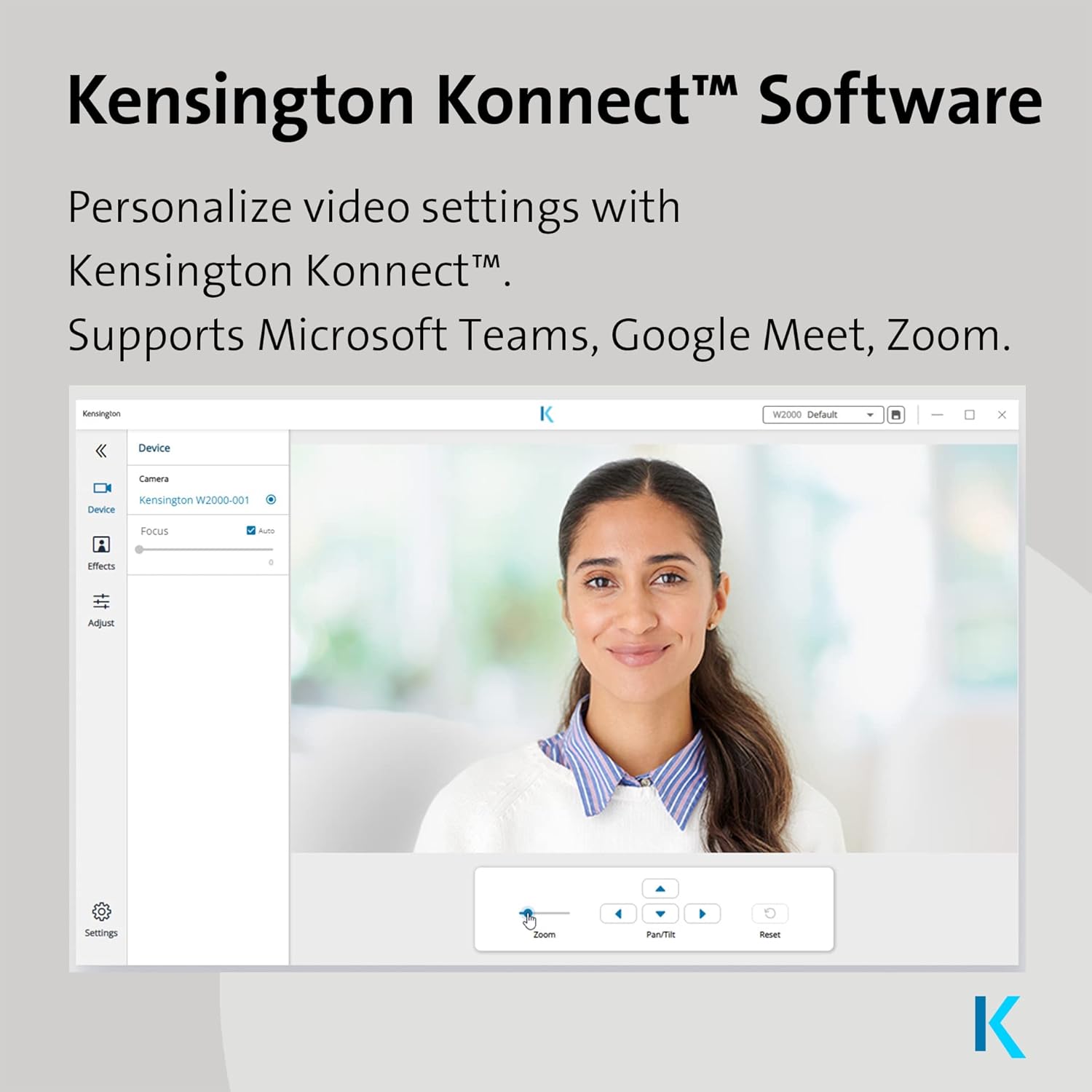
- TrueHue software support should help users fine-tune image quality more easily.
- Plug-and-play support for Windows and Mac makes setup straightforward.
- The overall feature set feels practical and office-focused, not gimmicky.
Cons
- 1080p at 30fps is no longer impressive in a market with stronger premium webcam specs.
- Early public information is still too thin on deeper performance details like low-light quality and microphone performance.
- It does not look like the right pick for buyers who want 4K, 60fps, or creator-grade flexibility.
- The value will depend heavily on final pricing, because the spec sheet is modest.
- Right now, the product still feels more like a promising launch-stage webcam than a fully proven category leader.
Kensington chose the right everyday features to focus on The front touch mute control is genuinely useful TrueHue adds welcome flexibility instead of leaving the camera feeling locked down Setup looks refreshingly simple with Windows and Mac plug-and-play support The privacy shutter is not an afterthought
It is still a 1080p/30fps webcam in a market that now offers more ambitious specs The appeal depends heavily on real-world polish and value It feels more like a smart office tool than a standout premium webcam
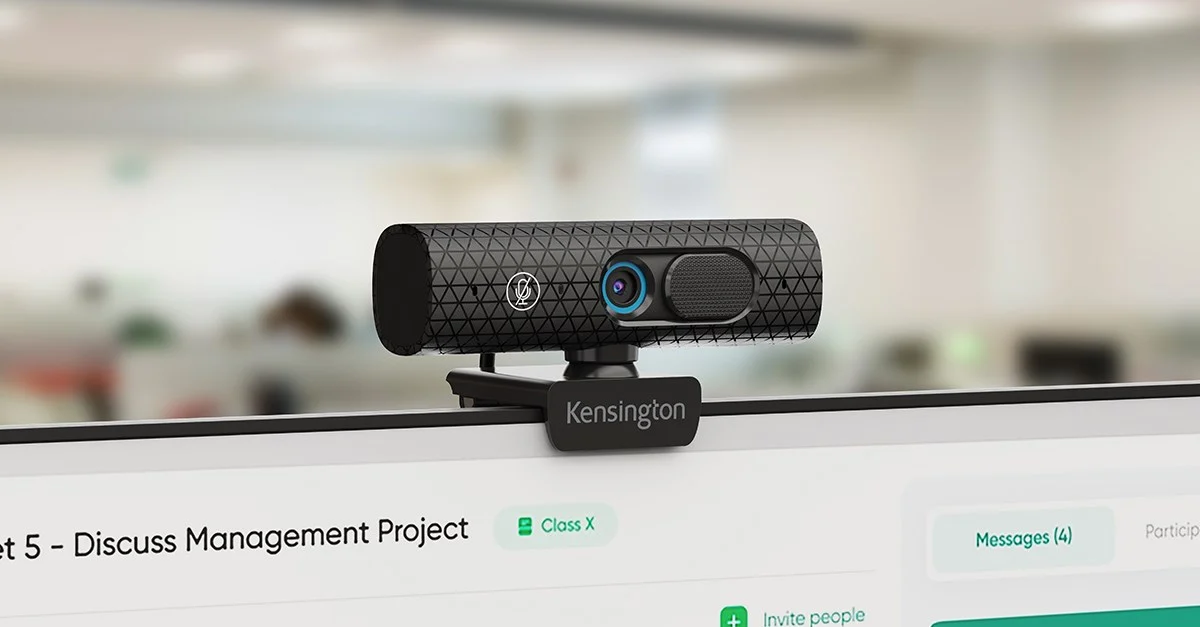
The Kensington W3050 EQ is the kind of webcam that makes its case quietly. It does not try to wow anyone with 4K resolution, creator bait, or flashy gimmicks. What it does instead is focus on the things that actually matter once a webcam lives on your monitor every day: 1080p at 30fps, autofocus, a front-facing touch mute control, a built-in privacy shutter, TrueHue software, and simple USB plug-and-play support for Windows and Mac.
After spending real time looking at what this camera is trying to do, what stood out to us is how intentionally practical it feels. This is a webcam for people who live in meetings, not people who want their desk setup to double as a content studio. That makes it easier to like than some of its modest headline specs might suggest.
There is a catch, though, and it is an important one. A webcam with 1080p/30fps specs has to earn its place through everyday usability, polish, and price. It cannot hide behind numbers. That is why the W3050 EQ feels so dependent on whether you value convenience over bragging rights. If your day is full of calls, check-ins, interviews, and presentations, this looks like a very sensible piece of desk kit. If you are shopping for the most impressive imaging package your money can buy, it will probably feel too restrained.
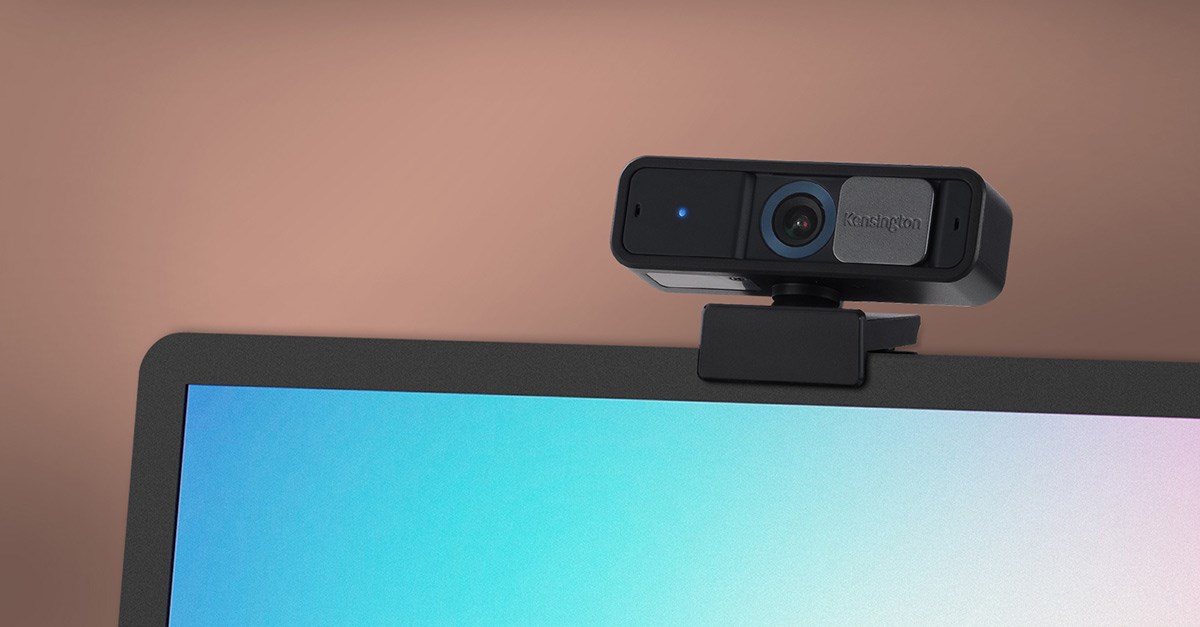
First impressions: this is a webcam built for work, not theater
What we appreciated right away is that Kensington seems to understand what office users actually interact with. Most webcam marketing still leans on image jargon first and human convenience second. The W3050 EQ flips that. The spec sheet is simple, almost conservative, but the priorities are easy to understand the moment you look at them.
The big example is the touch-sensitive mute control on the front. On paper, that might sound like a small feature. In practice, it is probably the smartest thing about the entire camera.
Mute is not some niche function you use once a week. It is the button people live on. It is what gets hit when a dog barks, when someone walks into the room, when a cough sneaks up on you, when a meeting suddenly turns from passive to participatory, or when you realize half a second too late that your mic is still hot. We noticed that this is exactly the kind of feature that looks minor in product copy and becomes genuinely valuable once you imagine it in daily use. A lot of webcams promise to help you look professional. Very few directly make meetings easier to manage.
That practical streak runs through the rest of the package too. The privacy shutter is there because it should be there. The USB plug-and-play approach is there because office gear should not require ritual. The TrueHue software is there to give the camera at least some room to adapt to different desks and lighting conditions. None of this is glamorous. All of it is useful.
And that, more than anything else, is the W3050 EQ’s identity. It is a work webcam. Not a creator webcam dressed up as one. Not a spec-first gadget pretending to understand office life. A work webcam.
Design and day-to-day logic
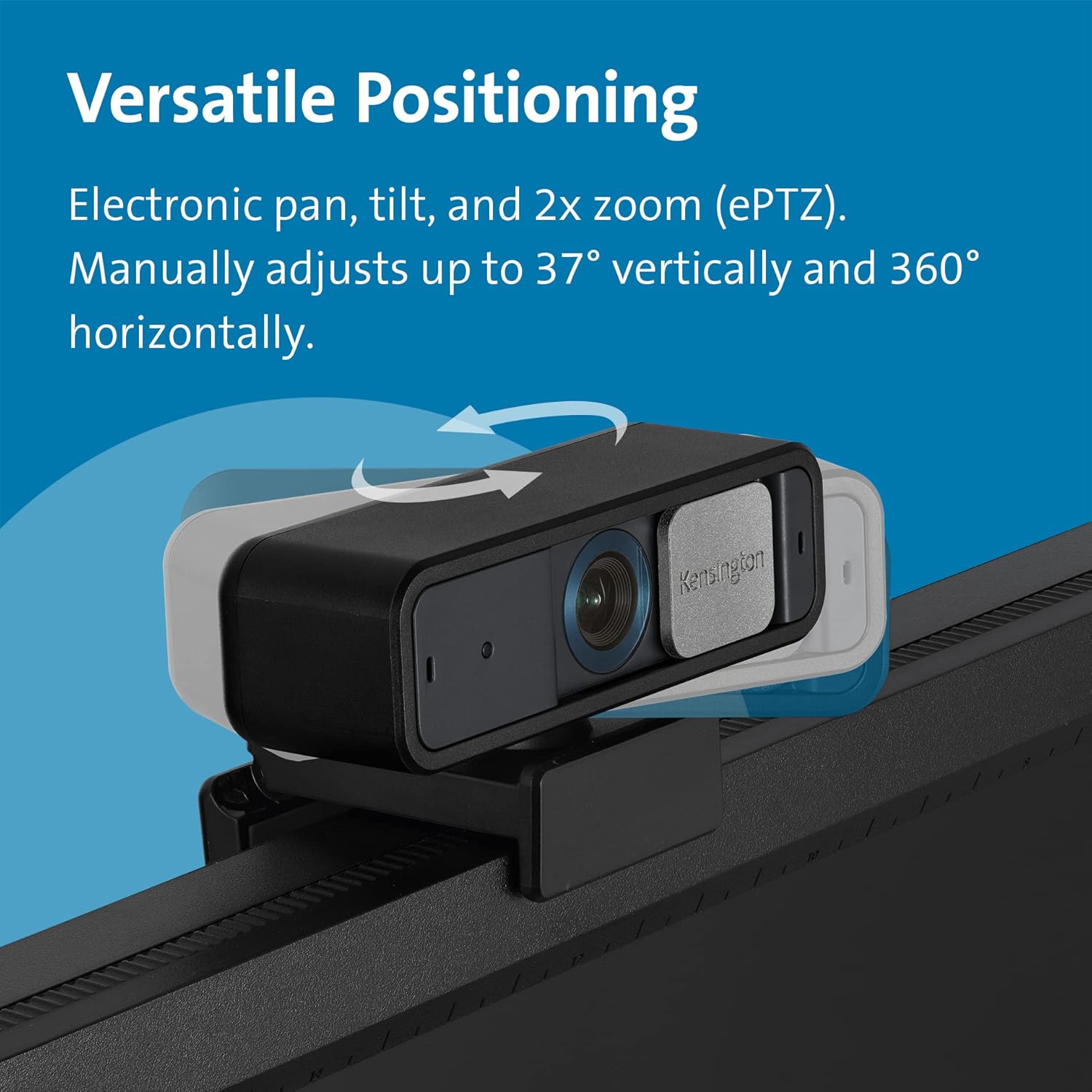
The W3050 EQ makes the strongest impression when you think about where it will actually live: clipped to a monitor, sitting above a laptop screen, or parked on a desk where it needs to disappear into the routine. That is why the feature mix feels more considered than exciting.
The built-in privacy shutter is a perfect example. Privacy shutters are not interesting until you have had a webcam without one. Then they become one of the first things you miss. We have always thought hardware shutters matter more than brands sometimes admit, because they remove doubt in a way software never quite does. You close it, and you know the lens is covered. Simple. In shared spaces, home offices, and always-on workstations, that matters.
The same goes for the front mute control. We keep coming back to it because it says a lot about the way this camera was designed. This is not feature stuffing. It is friction reduction. Kensington is clearly trying to build something that fits neatly into a workday instead of demanding attention from it.
What stood out to us is that this makes the camera feel more mature than its headline specs suggest. 1080p at 30fps is not exciting in 2026. Everyone knows that. But a webcam is not judged only by how it reads on a comparison chart. It is judged by how annoying it is, how easy it is, and how often it lets you forget about it. The W3050 EQ seems built around that truth.
Setup and first use
This is another area where the W3050 EQ’s appeal becomes clear. The promise here is not endless control. It is ease.
The camera supports plug-and-play USB connectivity on Windows and Mac, and that matters more than a lot of brands treat it. A work webcam should not behave like a hobby project. You should be able to plug it in, frame yourself, make a couple of image adjustments if needed, and move on with your day. That is the standard. Kensington seems to understand that.
We also like the presence of TrueHue in the package because it gives the webcam a little breathing room. Office lighting is messy. Some people sit in bright daylight. Some sit under cold overhead bulbs. Some spend half the day in a room that makes every face look flatter and more tired than it should. A webcam that gives you at least some image-control flexibility is automatically easier to live with than one that traps you inside factory defaults.
The key here is that the software does not need to be ambitious. It just needs to be useful. For this type of camera, that means intuitive adjustments, not a sprawling creator dashboard. If the software lets users quickly clean up lighting, tone, or general presentation without feeling clunky, it becomes one of the W3050 EQ’s biggest strengths. If it feels awkward, then one of the camera’s clearest advantages gets weaker. That is the balance.
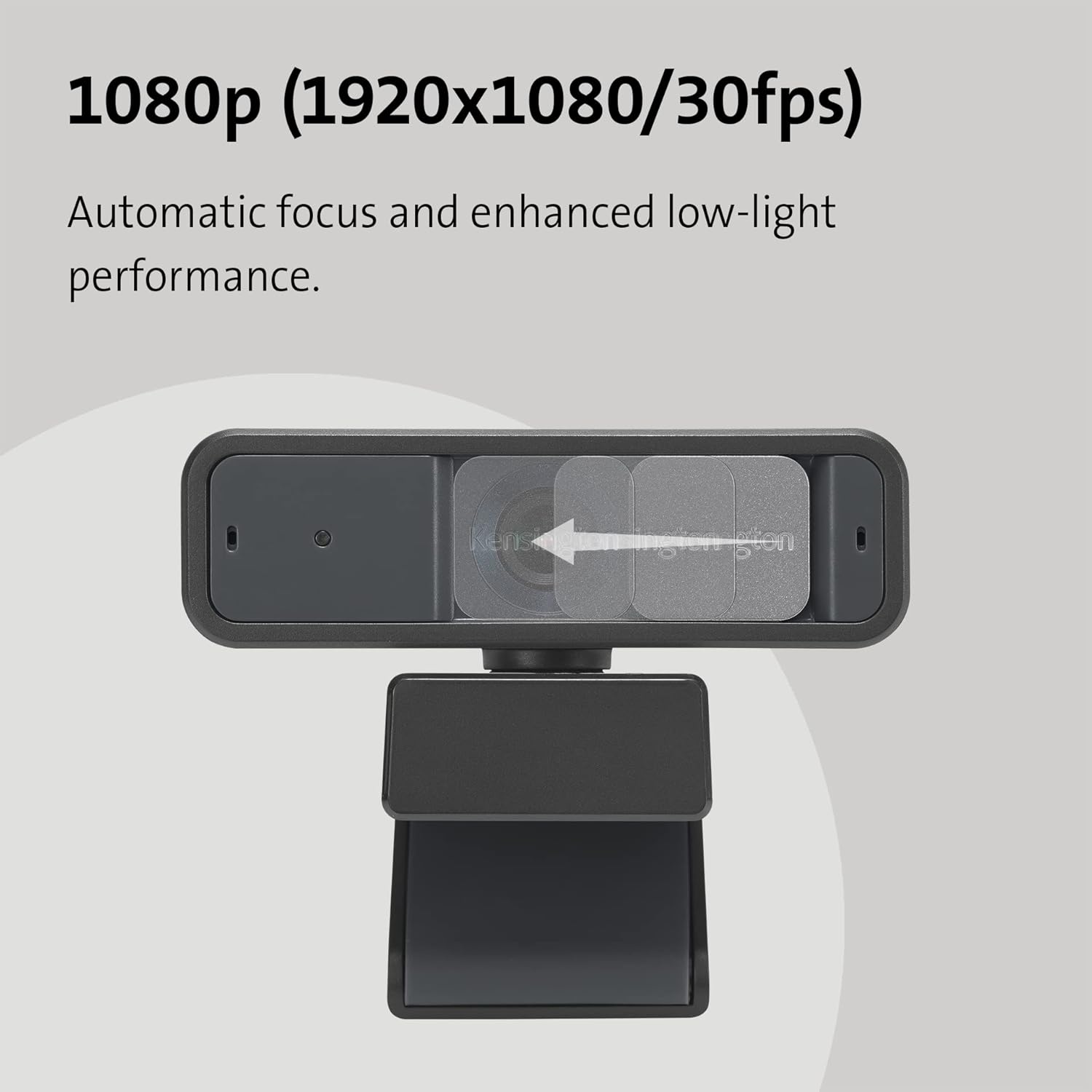
Image quality and why the spec only tells half the story
Let us be honest about the main limitation. 1080p/30fps is no longer premium on paper.
That is the first thing many buyers will see, and it is the first thing many rivals will attack indirectly just by existing. There are now webcams that sell 4K, webcams that sell 1080p at 60fps, webcams that lean into tracking, creator framing, or more dramatic image hardware. The W3050 EQ is not trying to win that race. If that is the race you care about, this is not the right webcam.
But there is another side to this. We have used enough office gear to know that a webcam does not become good just because the spec line gets more aggressive. Plenty of people do not need cinematic sharpness in a small meeting window. They need a camera that focuses properly, looks presentable, behaves consistently, and does not turn every call into a tiny troubleshooting session.
That is where the W3050 EQ’s autofocus matters more than its lack of spectacle. A steady 1080p image with reliable autofocus and sensible software tuning can still be a perfectly good office webcam. In fact, for a lot of buyers, it can be the better kind of webcam because it stays in its lane.
What stood out to us is that Kensington does not seem confused about that lane. The company is not pretending this is some all-purpose imaging monster. It is building a camera for meeting culture. That is a narrower goal, but it is also a more believable one.
The risk, of course, is that modest specs leave less room for error. When a webcam arrives with 1080p/30fps, people expect the basics to be nailed. Exposure, focus behavior, ease of use, and overall polish have to carry more weight. A premium-priced 1080p webcam without premium execution is a hard sell. That is why this camera feels so dependent on how well Kensington gets the details right.
The feature that really matters: mute on the camera itself
If we had to point to the one thing that gives the W3050 EQ a real identity, it would be the front-facing touch mute feature.
This is where the product stops sounding merely competent and starts sounding thoughtful.
A lot of webcam features are there to help sell the webcam. This one is there to help the user. That distinction matters. The more we thought about it, the more it felt like Kensington had chosen exactly the right place to innovate. Not by chasing wild specs, but by improving one of the most repeated actions in the workday.
There is a difference between a feature that sounds good and a feature that changes the feel of ownership. This one belongs in the second category. It is easy to imagine it becoming part of muscle memory. That is what good office design looks like. It removes friction so quietly that the user stops thinking about it.
It also reinforces the broader point that this is not a camera built for content creators first. It is built for people who spend hours inside video meetings. That is a different kind of product philosophy, and frankly, it is a refreshing one.

Privacy, simplicity, and the things people actually keep
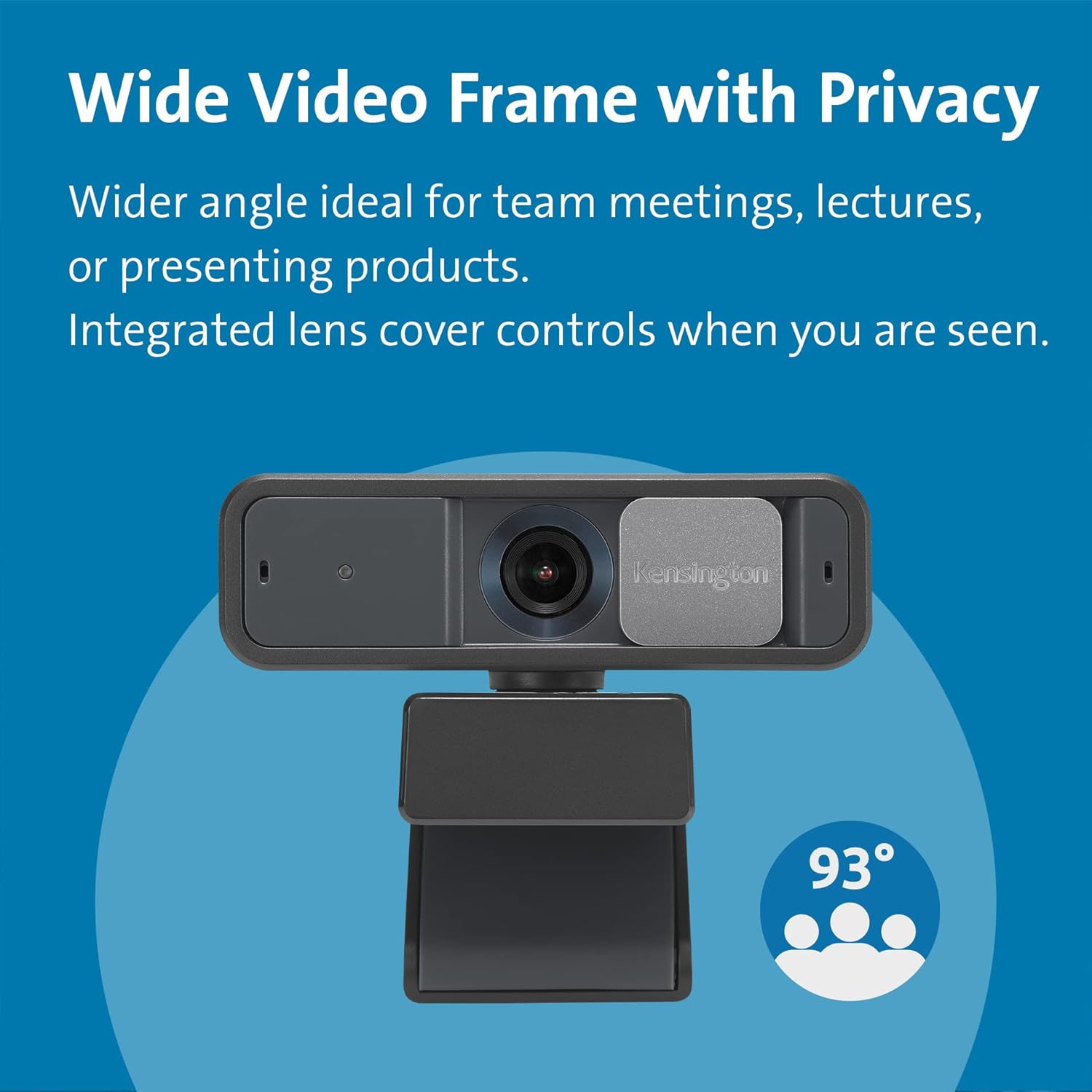
The privacy shutter deserves more credit than it usually gets in this category. We have always felt that privacy features become more important the longer a product stays on your desk. On day one, they are nice to have. After months of use, they become essential.
That is why we like that Kensington kept this simple and physical. No nonsense. No pretending software alone is enough. Just a shutter you can close when you are done.
The same logic applies to the rest of the W3050 EQ’s design. This is a webcam that seems to understand the value of boring things done well. Easy connection. Practical controls. Manageable software. No obvious overreach. That sounds unglamorous, but it is often what makes office gear worth owning.
We also think this makes the camera especially appealing to buyers who want something that will fit into a wider desk ecosystem without fuss. Kensington already lives in the office-accessory world. The W3050 EQ feels like it belongs there. It does not feel like a random webcam experiment. It feels like one piece of a work setup.
Where we felt less convinced
The problem is not that the W3050 EQ looks bad. The problem is that it looks sensible in a part of the market that sometimes rewards excess.
That makes pricing critical.
A webcam with 1080p/30fps specs can still be a good buy. But it has to be sold like a smart office tool, not like a premium imaging statement. Once the price climbs too far, buyers start asking harder questions. Why not buy a 4K model? Why not buy something with higher frame rates? Why not spend the same money on a webcam that feels more obviously future-proof?
That is where the W3050 EQ could become difficult to defend if Kensington gets too ambitious with positioning. The concept is good. The feature choices are good. The mute control is genuinely clever. But good judgment is not an excuse for inflated value.
We were also left thinking that this camera’s appeal depends heavily on polish. It needs the autofocus to feel dependable. It needs the software to feel light and useful. It needs the overall experience to feel smoother than the average generic office webcam. If it does, the restrained spec makes sense. If it does not, the restraint starts to feel like compromise.
Who should buy it
The W3050 EQ makes the most sense for people whose webcam use is overwhelmingly professional.
If your day is built around meetings, check-ins, calls, interviews, remote collaboration, and presentations, this camera is speaking your language. It is trying to make those routines smoother rather than more cinematic. That is a smart target audience.
It is also a good fit for buyers who care about privacy and convenience more than raw video ambition. The hardware shutter, plug-and-play setup, and camera-level mute access are exactly the kind of features that improve ownership over time.
And if you are the kind of buyer who values office gear that feels tidy, coherent, and easy to integrate into a wider desktop setup, the W3050 EQ has the right instincts.
Who should skip it
You should skip this one if your first filter is image power.
If you want 4K, 1080p/60fps, or the kind of webcam that feels built for streaming, content creation, or a more dramatic hybrid setup, there are clearer options for that kind of buyer. The W3050 EQ is not trying to compete on spectacle.
You should also skip it if you are especially sensitive to value in this category and expect a webcam at this spec level to be aggressively priced. This is not a product that gets away with being expensive just because it is well-behaved. It needs to feel reasonable.
And if what you want most is a noticeable leap from a laptop camera in every obvious, visible way, this might feel too calm. Its strength is not flash. Its strength is practicality.
Final verdict
The Kensington W3050 EQ is more interesting than its modest spec sheet makes it sound. We like that Kensington focused on the right frustrations. The front touch mute control is the standout feature because it solves a real problem people deal with constantly. The privacy shutter is essential. TrueHue gives the camera a better chance of fitting different desks and lighting conditions. The whole product feels built around work habits rather than marketing theater.
That is also why its weaknesses are easy to define. This is still a 1080p/30fps webcam, and that means execution and value have to do the heavy lifting. It cannot rely on headline numbers to justify itself.
Our take is simple: if you want a webcam for daily office life and care more about ease, privacy, and practical controls than creator-grade specs, the W3050 EQ looks like a smart, thoughtful option. If you want the most impressive imaging package for the money, this is not where we would start.
FAQ
Is the Kensington W3050 EQ a 4K webcam?
No. It is a Full HD 1080p webcam at 30fps with autofocus.
What makes it different from a typical office webcam?
The biggest differentiator is the front-facing touch mute control. That is a genuinely useful day-to-day feature, not just a spec-sheet extra. It also includes a privacy shutter, TrueHue software, and plug-and-play support for Windows and Mac.
Does it include a privacy shutter?
Yes. It has a built-in privacy shutter, which is one of the most practical features in the whole package.
Is 1080p/30fps enough in 2026?
For office use, it still can be. The bigger question is how well the camera handles focus, exposure, software tuning, and overall daily usability. In this class, execution matters as much as the spec line.
Who is this webcam really for?
It is best for remote workers, professionals, and office users who want a webcam that feels easy to live with every day. If your priorities are convenience, privacy, and smooth meeting behavior, it makes sense. If your priorities are 4K, higher frame rates, or creator-style imaging, look elsewhere.
Explore the Kensington W3050 EQ 1080p Auto Focus Webcam Gallery
Every image from this article, gathered in one clean place. Tap any photo to open it larger.