
GL.iNet Comet 5G (GL-RM10RC)
Pros
- Real out-of-band flexibility. The mix of 5G RedCap, 4G fallback, Ethernet, and Wi-Fi gives it a level of network resilience that makes real sense for remote recovery work.
- Excellent fit for failure scenarios. This is the kind of device that earns its value when the normal access path is broken, misconfigured, or simply unavailable.
- Browser-based access is a big win. We like that it does not force a heavy client just to get into a machine remotely.
- HDMI passthrough makes deployment easier. Keeping the local display active while remote access runs in the background is a genuinely useful touch.
- Nearby Control adds practical field value. Being able to access the box locally without depending on the surrounding LAN makes it more versatile than a standard remote KVM.
- Useful onboard storage. 64GB eMMC is enough to keep ISOs, installers, and recovery tools close at hand.
- Tailscale support makes the platform more flexible. That gives buyers another clean remote-access path beyond GL.iNet's own ecosystem.
- Larger touchscreen improves usability. It is not a dramatic feature on its own, but it does make status checks and setup feel less cramped.
Cons
- The price is high. At $299.99, it sits well above the Comet Pro, and that premium only makes sense if you will actually use the extra connectivity.
- Not the best value for simpler setups. If your environment already has reliable Ethernet or Wi-Fi, the cheaper Comet Pro is probably the smarter buy.
- Failover controls do not seem especially deep. The redundancy is there, but power users may find the path-control options more basic than expected.
- Storage is practical, not fast. The 64GB eMMC helps, but it is still eMMC, so nobody should expect premium transfer performance.
- USB expansion feels dated. Being limited to USB 2.0 makes external media support more of a convenience than a real strength.
- Some future software value may cost extra. The planned subscription shift for the Video Screen Wall feature is worth keeping in mind.
- This is still a niche product. Its value is very real, but only if you actually need remote access that can survive bad or broken network conditions.
5G RedCap with 4G fallback , multiple network paths, clientless browser access, HDMI passthrough , 64GB onboard storage for virtual media, Nearby Control for isolated access, and a larger 3.69-inch touchscreen than the Comet Pro.
the internal storage is useful but still just eMMC, USB expansion is held back by USB 2.0 , the cellular and failover controls look more practical than advanced, and GL.iNet's future plan to charge for the multi-screen Video Screen Wall feature hangs over one part of the software story.
The GL.iNet Comet 5G is the kind of product that becomes far more appealing the moment you stop thinking about specs and start thinking about failure. Not normal day-to-day convenience. Not ideal-network convenience. Failure. A bad router change. A dead WAN link. A machine that still boots, but lives behind a broken path you no longer trust. That is the world this device is built for, and once we looked at it through that lens, the whole thing clicked.
This is not just another compact network box with a screen and a long feature list. It is a remote KVM over IP device with 5G RedCap, 4G fallback, Wi-Fi 6, Ethernet, HDMI passthrough, 64GB eMMC for virtual media, browser access, Tailscale support, and a local Nearby Control mode that gives you another way in when the usual network route is either gone or not worth relying on. In practical terms, it is a small, purpose-built tool for staying in control of another machine when the easy path fails.
Our view on it is straightforward. The Comet 5G is a very good fit for serious remote management, recovery work, field deployment, homelabs, and support environments where redundancy matters. It is not the obvious choice for everyone, and GL.iNet’s own lineup makes that clear. If all you need is remote KVM access on a clean, stable local network, the Comet Pro is the simpler value pick. But if the whole point is getting back into a box when Ethernet is broken, Wi-Fi is unreliable, or the site network is not something you want to bet on, the Comet 5G earns its premium.
What the Comet 5G actually is, and why that matters
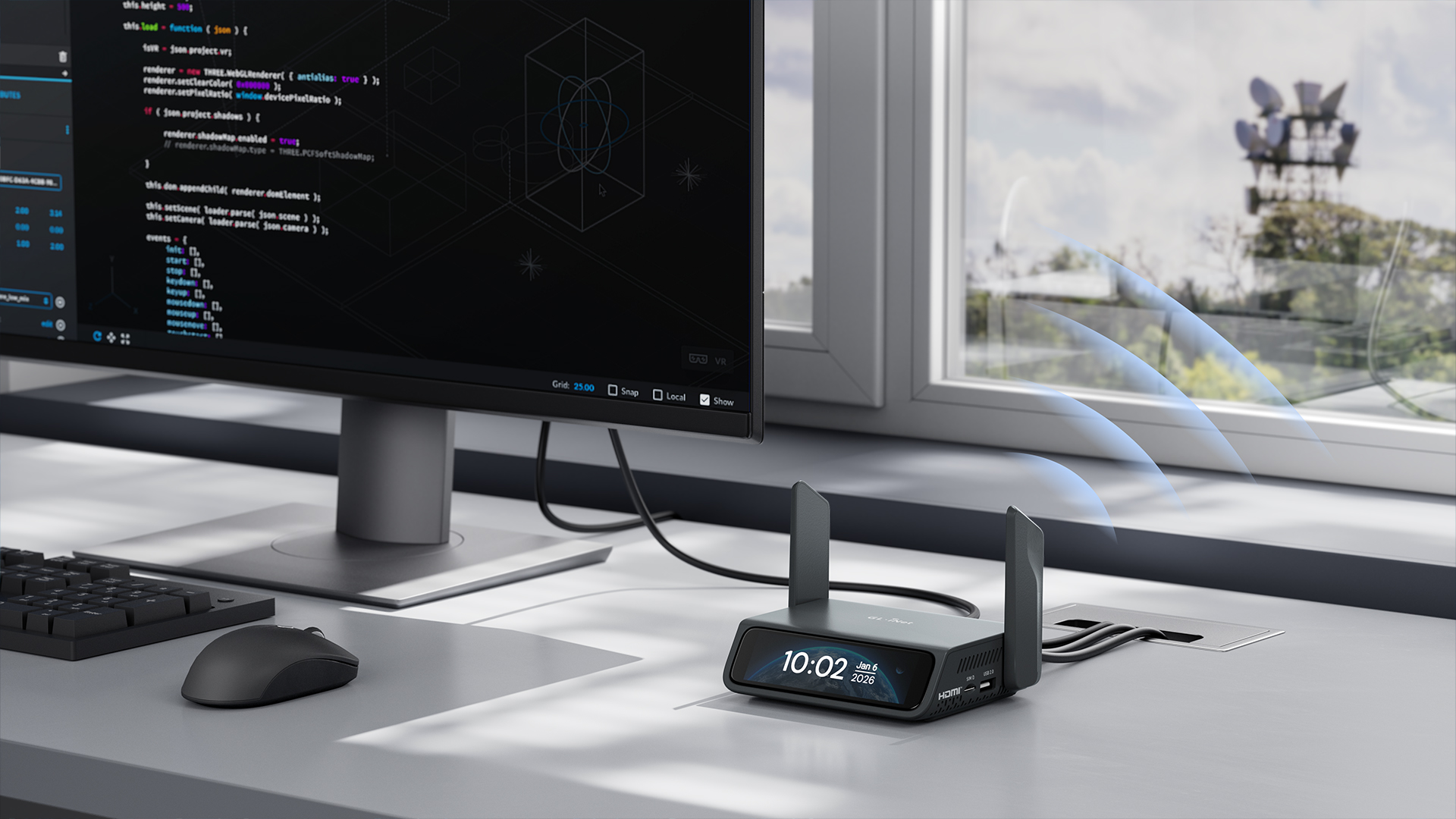
A lot of buyers are going to misunderstand this product if they come at it like it is a travel router, a smart accessory, or just another little screen-equipped gadget. It is none of those things at heart. The Comet 5G is a compact remote KVM appliance. Its job is to give you keyboard, video, and mouse control over another machine as though you were physically in front of it.
That matters because hardware-level access solves problems that software remote tools often cannot. BIOS access. Recovery mode. OS installation. Troubleshooting a machine that is half-alive and half-broken. Working on a system that does not have built-in enterprise remote management. These are the jobs where a device like this goes from “interesting” to “genuinely useful.”
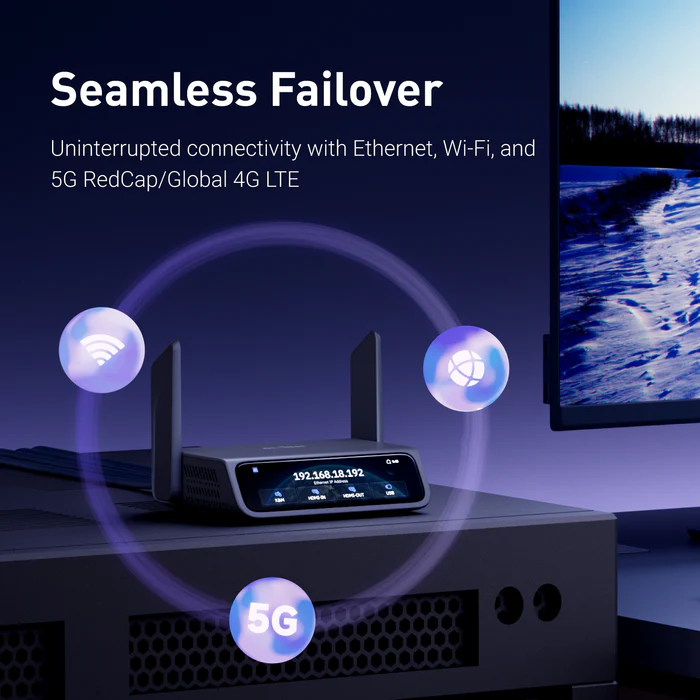
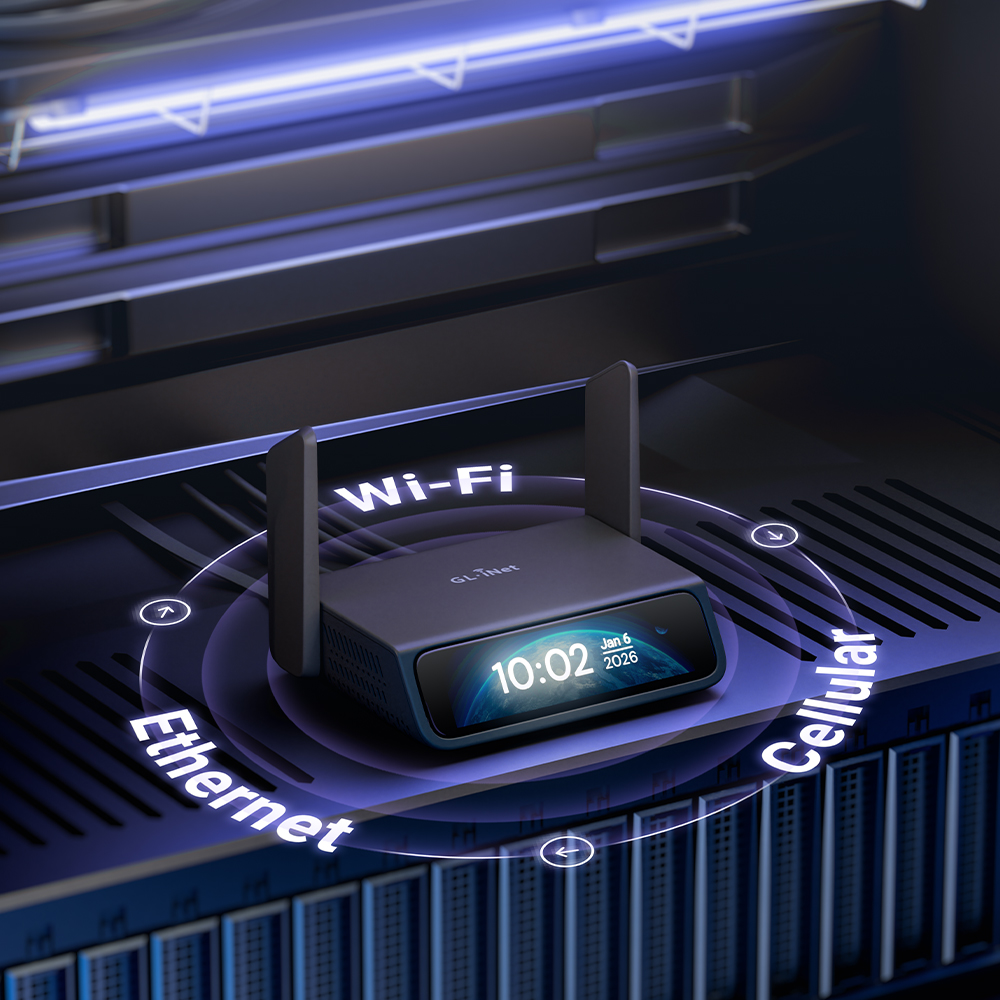
Where the Comet 5G separates itself from the simpler Comet models is not subtle. It adds 5G RedCap, keeps 4G LTE fallback, supports automatic failover between Ethernet, Wi-Fi, and cellular, includes Nearby Control for local wireless access in isolated environments, doubles storage to 64GB eMMC, and uses a larger screen. On paper, that is the premium version of the idea. In practice, that is exactly how it feels too.
The phrase we kept coming back to is network independence. That is really the story here. Plenty of remote tools are pleasant when everything is already working. The Comet 5G is more interesting because it is built for the moment when things are not.
Design and build: functional in the right ways
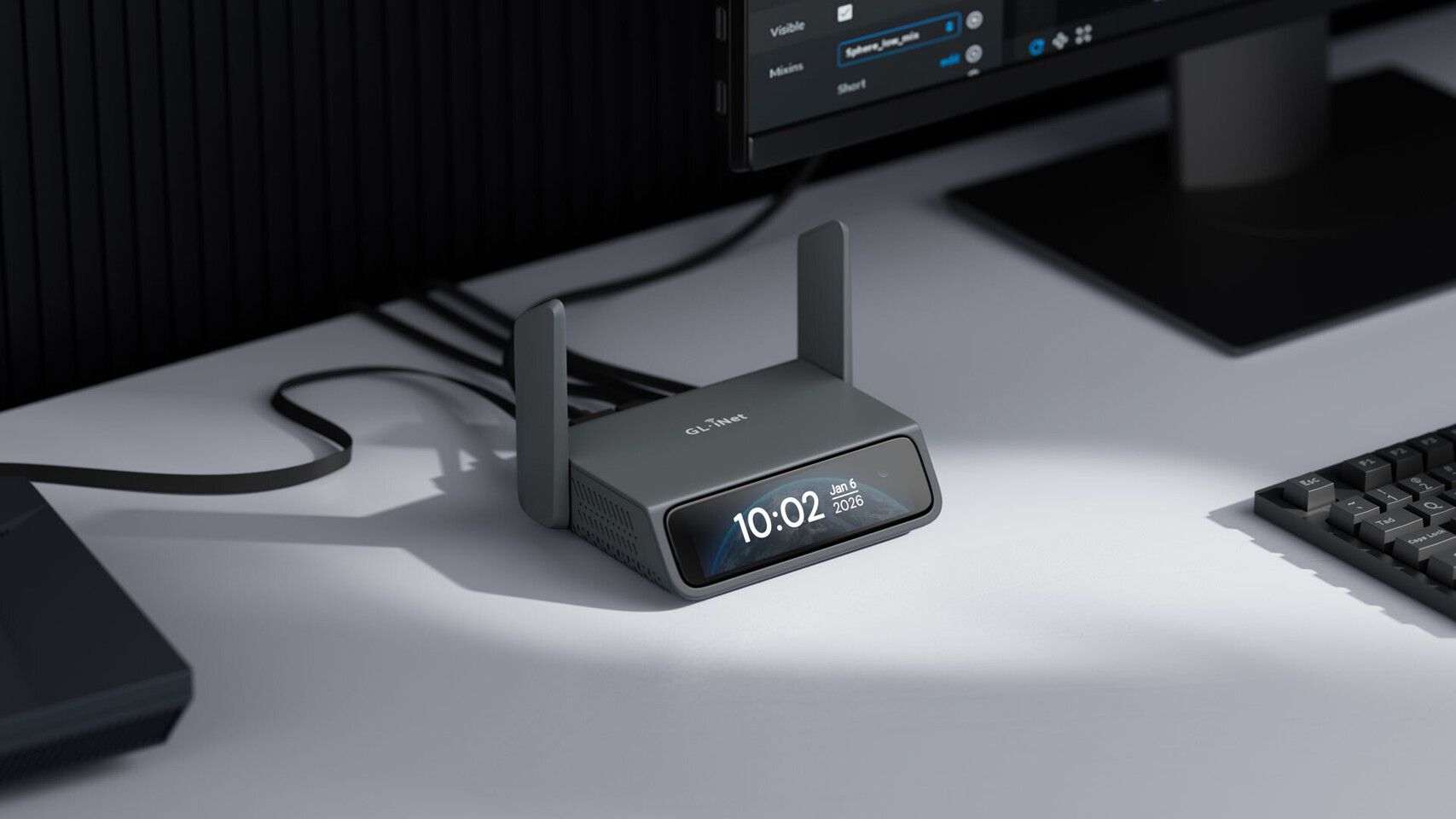
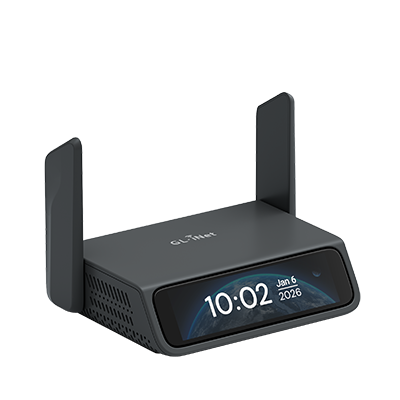
The Comet 5G does not try to charm you with minimalist styling, and we think that is the right decision. This is a field tool, not a desk ornament. It looks purposeful, a little technical, and unapologetically practical. That suits the job.
At 128 x 93 x 33 mm and 285 g, it stays compact enough to toss into a bag or keep in a rack drawer, but it does not feel like one of those ultra-light gadgets that gets compromised trying to disappear. What stood out to us is that the design seems to understand the reality of how a product like this gets used: moved around, plugged into awkward systems, deployed in places where convenience matters more than beauty.
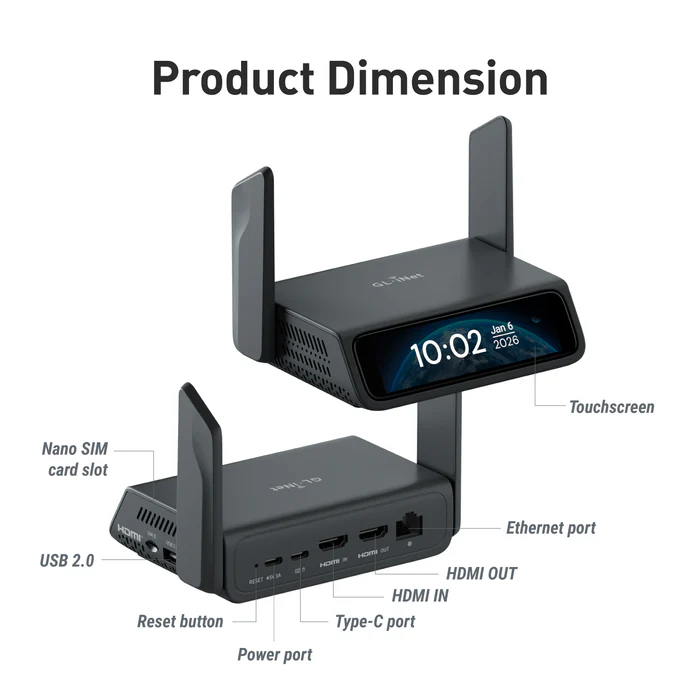
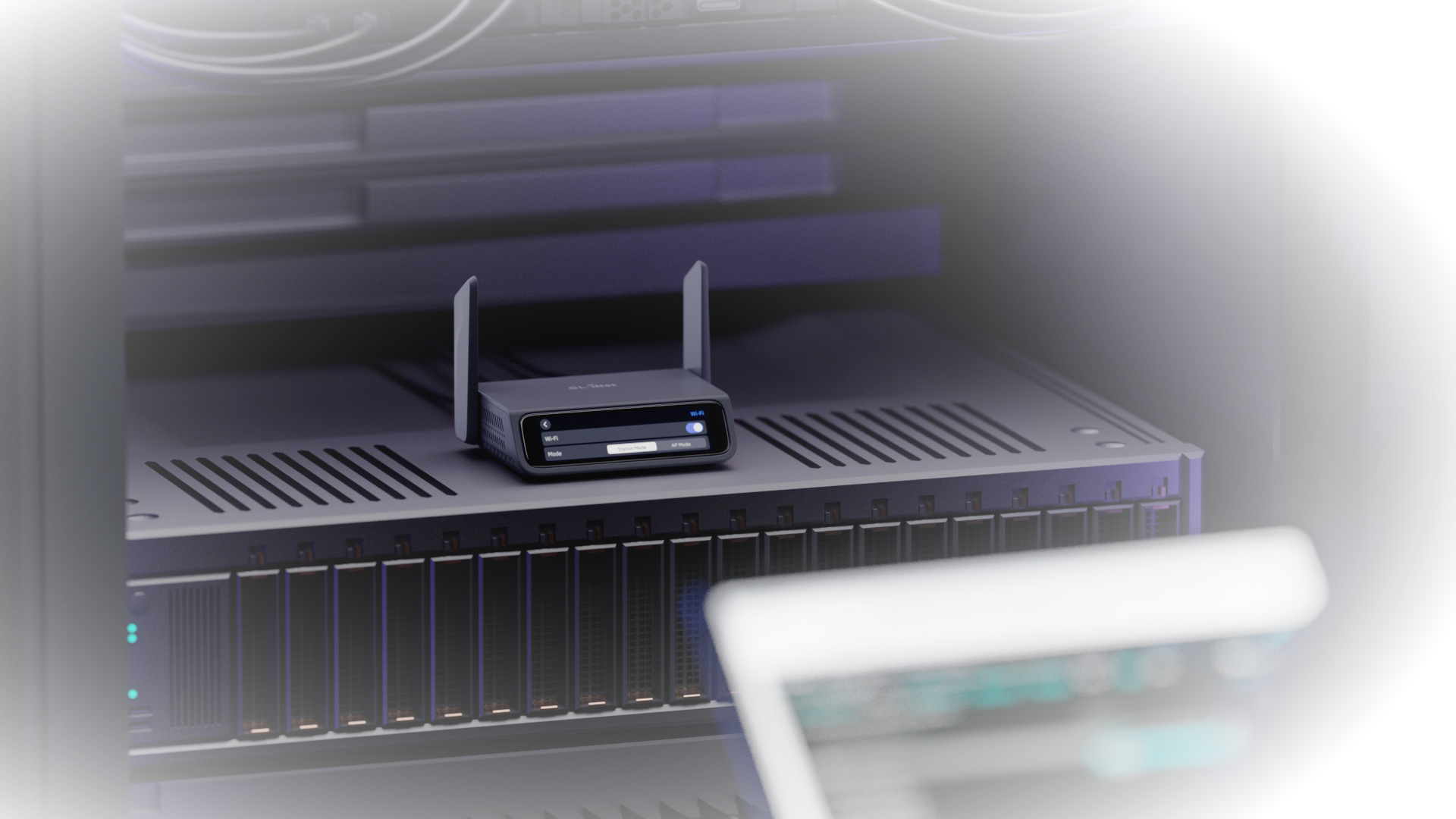
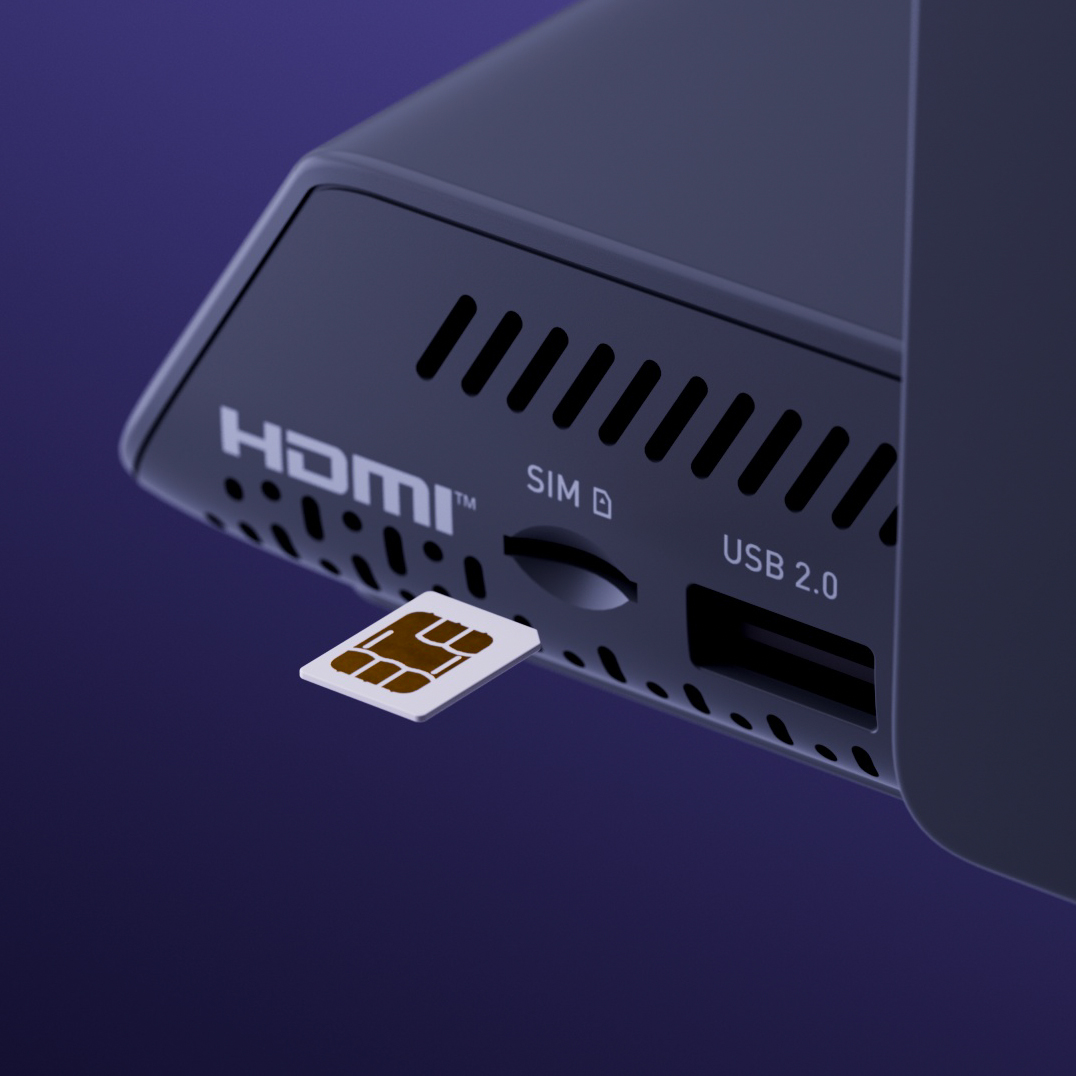
The port layout makes sense. You get HDMI input and HDMI passthrough, and that passthrough matters more than it sounds on a feature list. One of the easiest ways for remote-control hardware to become annoying is by interfering with the local user or breaking the normal display chain. Here, the local screen can stay active while remote access carries on in the background. In actual use, that makes the device feel less intrusive and far more deployable.
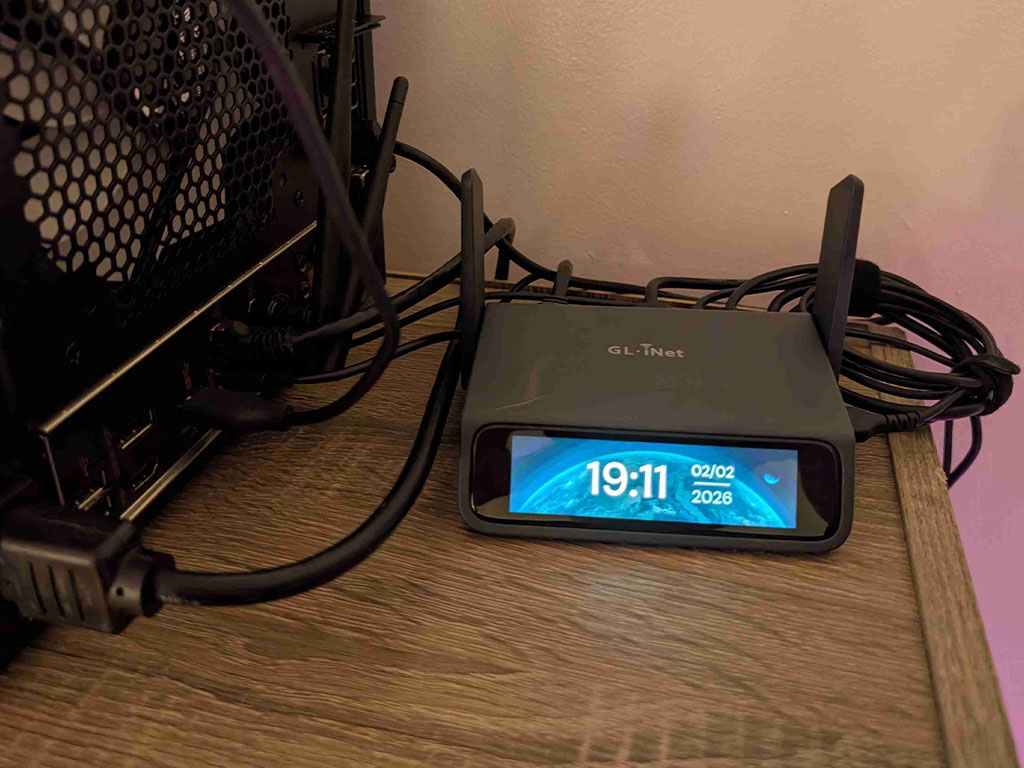
The antennas are another part of the design that feels justified rather than decorative. On a cleaner desk setup, they may look a bit busy, but this is a product built around Wi-Fi, cellular, and its own local wireless management mode. The antennas are not clutter. They are part of the mission.
We also like the move to a larger 3.69-inch touchscreen. It is not the sort of upgrade that transforms the entire experience, but it makes the device feel less cramped. For something you may be checking quickly in the field or configuring without wanting to drag out another screen, that matters.
Setup and first use: practical, not punishing
One of the nice surprises here is that the Comet 5G does not seem to treat setup like some enterprise rite of passage. Products in this category can easily drift into that miserable zone where the capabilities are good, but the first impression is a pile of friction. This one looks more grounded than that.
The local access flow is sensible. Connect the target device, reach the interface locally through IP or glkvm.local, sign in through a browser, and start from there. Cloud binding and Tailscale can come later depending on how you want to handle remote access. That is the kind of staged setup we appreciate because it lets you get to the core function quickly instead of burying it under account logic and optional extras.
What also stood out is that the software does not stop at “it connects.” You can adjust video mode, image quality, transmission method, screen orientation, and EDID. The remote-device settings cover audio, microphone, virtual keyboard, cursor behavior, mouse handling, and other small but important details. That matters because a KVM device lives or dies on whether it feels usable under stress. The worst time to discover an awkward interface is when you are already in recovery mode.
In practice, the appeal here is that the value seems to reveal itself quickly. This is not one of those products where you need to squint at the feature page for three days before the point becomes obvious. Once it is connected to the right kind of machine, the purpose is immediate.
Remote experience: where the Comet 5G justifies itself
This is the part that matters most, and it is also the part where the Comet 5G feels most convincing. GL.iNet promises up to 3840 x 2160 video, H.264 hardware encoding, and 30 to 60 ms latency, along with FEC to help keep the feed more stable on rougher networks. That is ambitious language, but the bigger point is not the headline number. It is the intent behind the tuning.
This is clearly a tool designed for real remote work rather than box-ticking. BIOS access, remote installs, imaging, troubleshooting, recovery, configuration changes, low-level support. Those are the tasks it appears strongest at, and that is exactly where we would want it focused.
We would not look at the latency claims and start fantasizing about using it for anything twitchy or entertainment-driven. That misses the point. What matters is whether it can keep you productive when you need to get into a machine properly, not whether it feels like a direct local display for the wrong kind of workload.
The presence of different video modes and transport options is reassuring too. It tells us GL.iNet understands that network conditions vary and that a serious remote tool needs some room to adapt. Sometimes you want the cleanest image. Sometimes responsiveness matters more. Sometimes compatibility becomes the priority. Products like this are better when they acknowledge tradeoffs instead of pretending there are none.
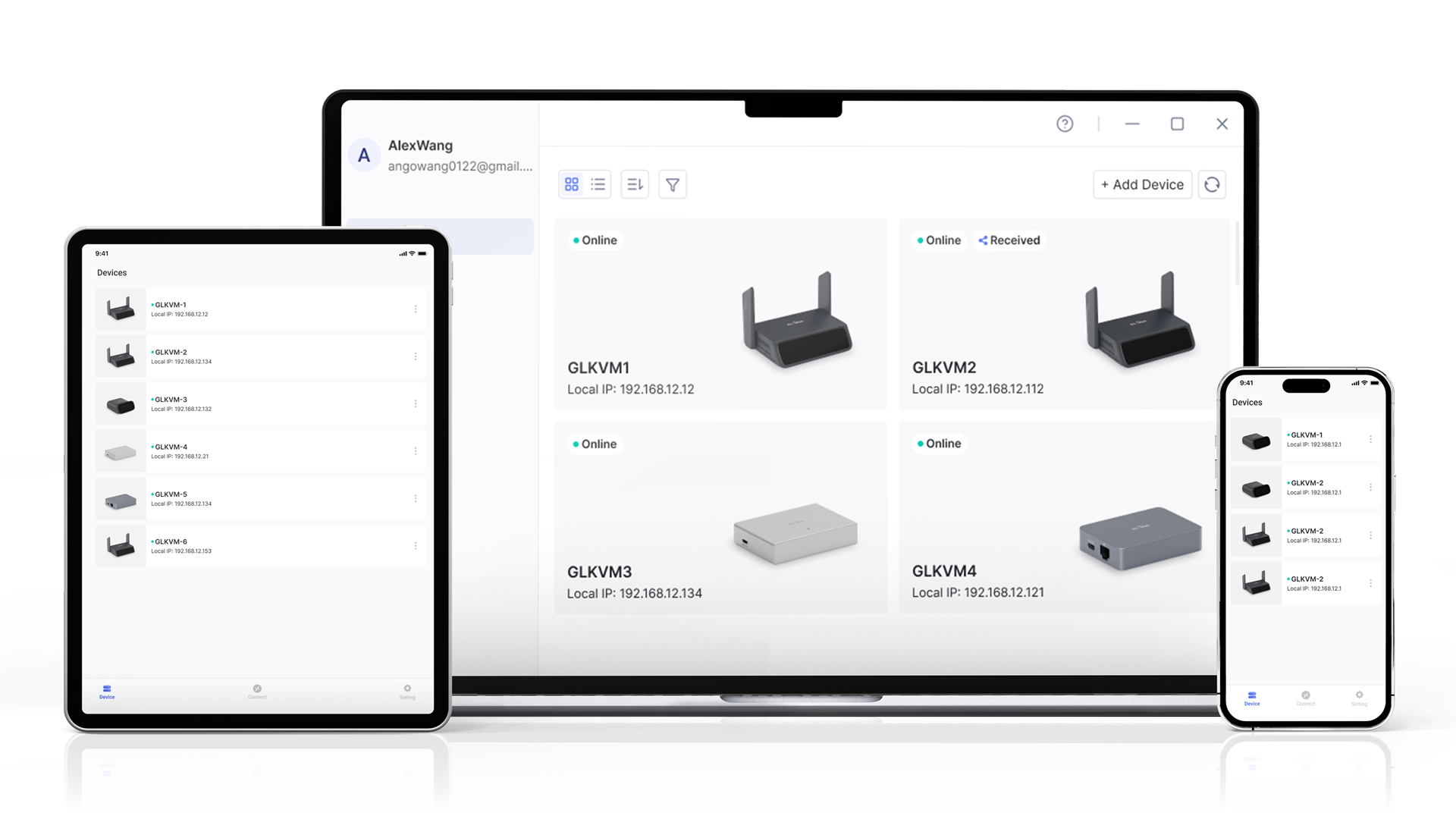
Another strength is access flexibility. You can use a browser, the GLKVM app, or Tailscale. That variety matters because not every deployment lives inside the same trust model. Some buyers will want the simplest path. Others will want a more controlled overlay network approach. The Comet 5G is stronger because it does not force one answer.
The feature that makes it special: 5G RedCap and real out-of-band access
This is the reason the Comet 5G exists. Without the 5G RedCap connectivity, it would still be a capable remote KVM, but it would not feel nearly as distinctive. The whole point of this model is that your management path does not have to die with the same broken network your target machine is stuck behind.
That is a big deal.
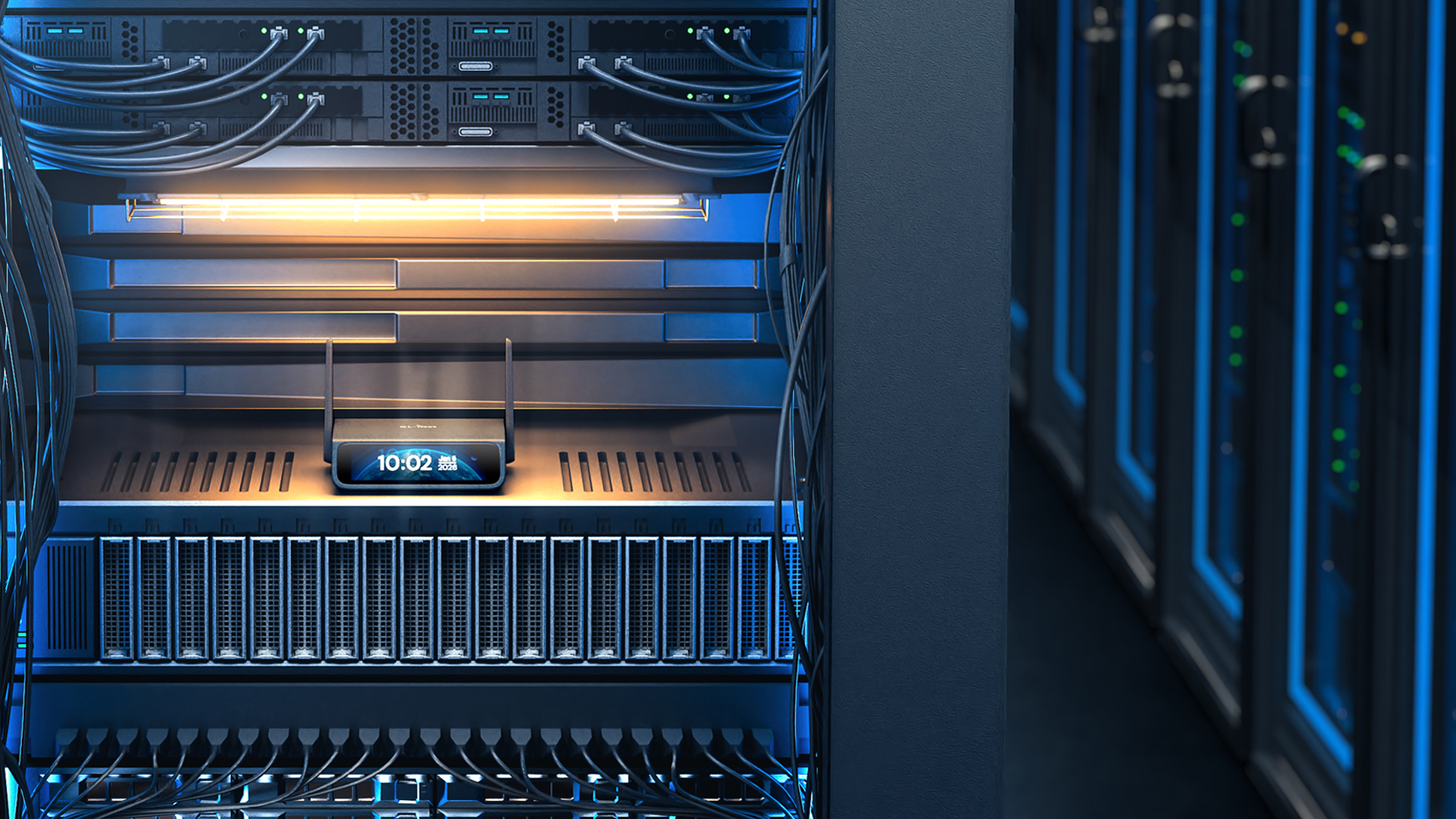
For a homelab owner, it matters when a network change locks them out of their own setup. For an MSP or support technician, it matters when a remote site turns flaky and a truck roll suddenly looks expensive. For edge systems, temporary deployments, industrial cabinets, kiosks, or any messy off-site install, it matters because the local network is not always clean, trusted, or even consistently available.
This is where the Comet 5G stops looking like a convenience buy and starts looking like insurance that happens to be useful every day too.
GL.iNet also made the smart decision not to stop at cellular alone. Nearby Control is one of those features that sounds modest until you picture the real-world scenario. The device can broadcast its own local wireless management signal, which means you can reach it directly without relying on the site LAN. If you are standing in front of an awkward machine in an isolated environment, that is exactly the kind of feature you end up appreciating more than you expected.
It is practical. It is focused. It solves the right kind of problem.
Storage and virtual media: enough to be useful, not enough to feel luxurious
Moving to 64GB eMMC is a meaningful improvement, and it fits how a device like this is likely to be used. The Comet 5G is not trying to be a storage product, but having enough room for ISO files, installers, recovery tools, firmware, and utilities makes the whole package more self-sufficient.
That said, it is still eMMC, and it behaves like eMMC in the way buyers should expect. Functional, convenient, good enough for the role, but not especially quick. The same goes for external expansion. Yes, it is there. No, USB 2.0 does not turn it into a high-speed media box.
We do not see that as a dealbreaker because the storage story is not the core pitch here. The storage just has to support the mission. In that sense, it does. It gives the device enough built-in utility to act like a ready-to-go recovery locker. That is valuable. It just is not flashy.
Software features: mostly smart, occasionally limited
The software side of the Comet 5G feels better thought through than bare-minimum remote hardware often does. The browser-based access is one of the biggest wins because it keeps the barrier low. There is real value in being able to reach the box without feeling trapped in a heavy proprietary client.
Tailscale support is another smart inclusion. For buyers who already live in that ecosystem, it gives the product a cleaner, more trustworthy remote path. Wake-on-LAN support helps too, and the optional ATX Board and Fingerbot support broaden the recovery story in useful ways. Once you combine remote KVM, remote media, and some level of remote power interaction, the whole device starts to feel less like a simple access tool and more like a proper recovery appliance.
There is, however, one caveat worth taking seriously. GL.iNet’s Video Screen Wall feature is currently free, but the company has already said it will become subscription-based later. That does not undermine the core value of the Comet 5G, but it does make one part of the software ecosystem feel less settled than we would like.
Where the Comet 5G feels especially strong
What we appreciated most is that its best features are rooted in dull, expensive, annoying real-world problems. That is usually a good sign. Products that solve glamorous problems often age badly. Products that solve headaches tend to justify themselves over time.
The Comet 5G gives you multiple access paths instead of one fragile dependency. It keeps the local display active. It supports browser access. It works with Tailscale. It includes enough onboard storage to be useful. It offers local wireless access when the surrounding network is the wrong place to depend on. None of that feels gimmicky. It feels like thoughtful product planning.
There is also a welcome sense of restraint to the product. It is not trying to become a full router, a flashy productivity device, and a media system all at once. It stays focused on remote control, access, and recovery. That clarity helps it.
Where it falls short
The first weakness is price. At $299.99, the Comet 5G is not cheap, and the gap to the $179.99 Comet Pro is large enough that buyers really do need to be honest with themselves. If your setup already lives on reliable Ethernet or Wi-Fi, and the whole cellular resilience story sounds more theoretical than necessary, the cheaper model will probably make more sense.
The second weakness is that the failover and cellular controls do not sound especially deep. The capability is there, which is the important part, but this does not appear to be one of those GL.iNet products where networking enthusiasts get a huge menu of advanced policy tuning. If your goal is functional redundancy, it looks good. If your goal is surgical path control, you may wish for more.
Then there is the expansion story. The onboard storage is useful, but external storage over USB 2.0 feels more like a convenience option than a real strength. It is fine. It is there. It is just not something we would build our buying decision around.
Value for money
The value argument depends almost entirely on whether you actually need what makes this model special. Judged as a general remote KVM, it can look expensive. Judged as a compact out-of-band management and recovery tool with cellular resilience, the price becomes much easier to defend.
That is the dividing line.
We would not put this at the top of the list for casual tinkerers or buyers chasing the cheapest way to get BIOS-level access. We would put it in front of people who know exactly how ugly remote recovery can get once the normal network path disappears. For them, shaving time off recovery and avoiding site visits is the entire point, and that point is strong enough to justify the premium.
Who should buy it
Buy the Comet 5G if what you want is not just remote access, but remote access with a backup plan. It makes sense for homelabs, MSPs, field engineers, distributed systems, temporary installs, and any environment where remote recovery matters more than raw simplicity. If you want cellular out-of-band access, multiple fallback paths, browser control, and a local management mode that does not depend on the surrounding network, this is one of the more compelling compact options in its category.
Who should skip it
Skip it if your environment is stable enough that Ethernet or Wi-Fi already gives you everything you need. Skip it if the jump from the Comet Pro to this model feels hard to justify, because that usually means you are not the buyer this version is aimed at. And skip it if you are expecting deeply advanced router-style control over failover logic, because that does not seem to be the personality of this product.
Final verdict
The GL.iNet Comet 5G is one of those rare niche products that feels fully aware of its niche. It does not try to be everything. It tries to be the thing you are very glad to have when a remote machine needs proper hands-on-style control and the normal network path is either broken, missing, or not worth trusting.
We think GL.iNet got the important parts right. 5G RedCap, 4G fallback, Ethernet/Wi-Fi/cellular failover, HDMI passthrough, browser access, Tailscale support, 64GB of onboard storage, and Nearby Control all add up to a device that feels like it was designed around real support and recovery problems rather than marketing fantasies.
The drawbacks are real. The price is high. The storage is serviceable rather than fast. USB expansion is limited. The failover controls do not sound as deep as some power users may want. But those issues do not really damage the core point of the product. They just clarify who it is for.
Our final take is simple: if remote resilience is the priority, the Comet 5G makes a strong case for itself. If price matters more than survivability, the Comet Pro is probably the smarter buy. For the right buyer, though, the Comet 5G does not feel overbuilt. It feels correctly built.
FAQ
Is the GL.iNet Comet 5G a router?
No. It has networking features, but its core role is remote KVM access. The main point is to give you keyboard, video, and mouse control over another machine, including low-level access like BIOS and recovery tasks.
What makes the Comet 5G different from the Comet Pro?
The biggest differences are 5G RedCap, 4G fallback, Nearby Control, the larger 3.69-inch touchscreen, and 64GB eMMC instead of 32GB. The Comet Pro still covers the core remote-KVM job well, but the Comet 5G is the version for buyers who care more about resilience than price.
Do you need an app to use it?
No. One of the better things about it is that you can use it from a modern browser. There is also app-based access, and it supports Tailscale if you want another remote path.
Is the onboard storage good enough for ISOs and recovery tools?
Yes. That is where it makes the most sense. It is useful for installers, firmware, utility files, and remote recovery media. It just is not especially fast, and external expansion over USB 2.0 is more of a backup convenience than a performance feature.
Can it help with remote power control?
Yes. It supports Wake-on-LAN, and there is support for optional accessories like the ATX Board and Fingerbot, which makes it more useful when the target machine is down or unresponsive.
Is it worth paying extra for the 5G model?
If your real concern is out-of-band access, remote recovery, and staying in control when the normal network path fails, yes. If you only need straightforward remote KVM over a stable local network, probably not. That is the cleanest way to look at it.
Explore the GL.iNet Comet 5G (GL-RM10RC) Gallery
Every image from this article, gathered in one clean place. Tap any photo to open it larger.