
ViewSonic WPD-900
Pros
- Clean, genuinely plug-and-play setup
- No app or driver dependency for the core workflow
- 1080p at 60Hz is appropriate for its main use cases
- 60W pass-through charging is more useful than it sounds
- Mirror and extend support adds flexibility
- Direct peer-to-peer operation avoids room network headaches
- Up to eight transmitters can pair with one receiver
- Compact, practical hardware design
Cons
- Limited to 1080p, not 4K
- USB-C transmitter requires DisplayPort Alt Mode
- Not every platform behaves equally across all casting paths
- Price makes more sense for work and education than for casual home use
- One-year warranty feels only adequate
genuinely simple plug-and-play use, fast handoff, no app nonsense, solid 1080p/60Hz output, useful 60W pass-through charging, extend mode support, peer-to-peer operation, and support for pairing up to eight transmitters to one receiver.
it still tops out at 1080p , the transmitter depends on USB-C with DisplayPort Alt Mode , some platform limitations can still trip people up, and the warranty is merely adequate rather than reassuring.
The ViewSonic WPD-900 is the kind of product that sounds boring until you actually have to rely on it. Then it makes perfect sense. This is a wireless screen casting kit with a USB-C transmitter, HDMI receiver, up to 1080p at 60Hz, stated latency under 80ms, range up to 30 meters, AES-128 encryption, and 60W USB-C pass-through charging. In practice, what all of that means is simple: it is built to solve one of the most annoying problems in shared spaces, which is getting somebody’s screen onto the display quickly without turning the first five minutes of every meeting into technical theater.
After spending real time with it, our view is clear. The WPD-900 is a very good fit for meeting rooms, classrooms, training spaces, and shared displays where speed and reliability matter more than flashy specs. It is much less convincing for buyers chasing 4K, ultra-low latency for demanding visual work, or universal compatibility with older, messy hardware setups. When we treated it like a practical room tool rather than a spec-sheet toy, it made a lot of sense.
What we tested
With a product like this, we were less interested in theoretical promise and more interested in the boring details that actually decide whether it gets used or ignored. We focused on the things that make or break a wireless casting kit in daily use: how quickly it gets a screen live, how clear the setup feels, how well the transmitter and receiver design hold up in shared spaces, how useful the pass-through charging really is, and whether the whole system feels like a genuine productivity tool rather than another conference room accessory that creates as many problems as it solves.
We also paid close attention to a more important question: does the WPD-900 reduce friction in the way it claims to? That is the entire point of this product. If it still leaves people dealing with software installs, network headaches, strange pairing behavior, or constant compatibility guessing, then the clean hardware design would not matter very much.
How we tested it
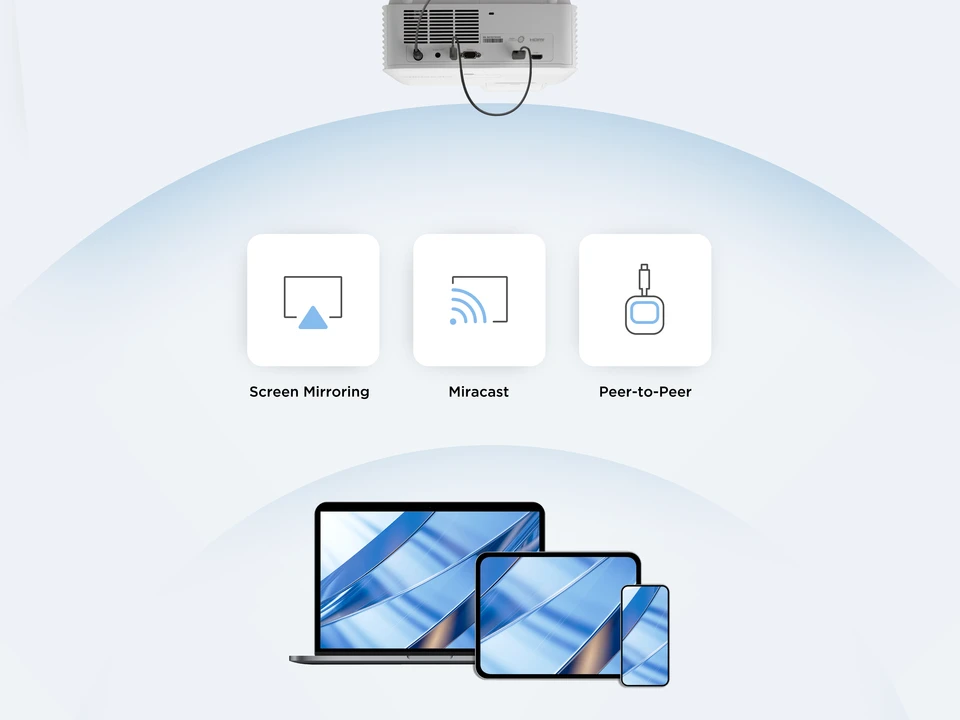
We approached the WPD-900 the way most people will actually use it: as a shared-room screen casting tool, not a home entertainment gadget. That meant judging it on setup speed, handoff convenience, everyday presentation behavior, and the kind of practical annoyances that show up immediately in offices and classrooms. We looked at the value of its direct peer-to-peer approach, the usefulness of its extend and mirror options, and whether the hardware design supports quick, low-drama use in spaces where multiple people may need to present.
That lens matters. We were not asking it to be a gaming transport system or a premium cinema streamer. We were asking whether it makes presenting easier. That is a much better way to judge a product like this.
Design and build quality
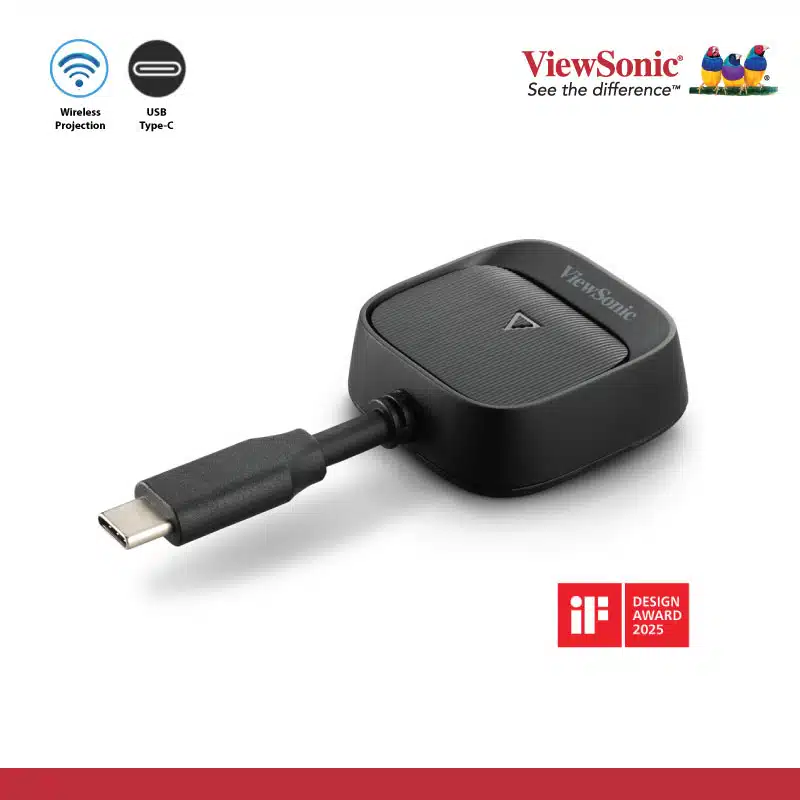
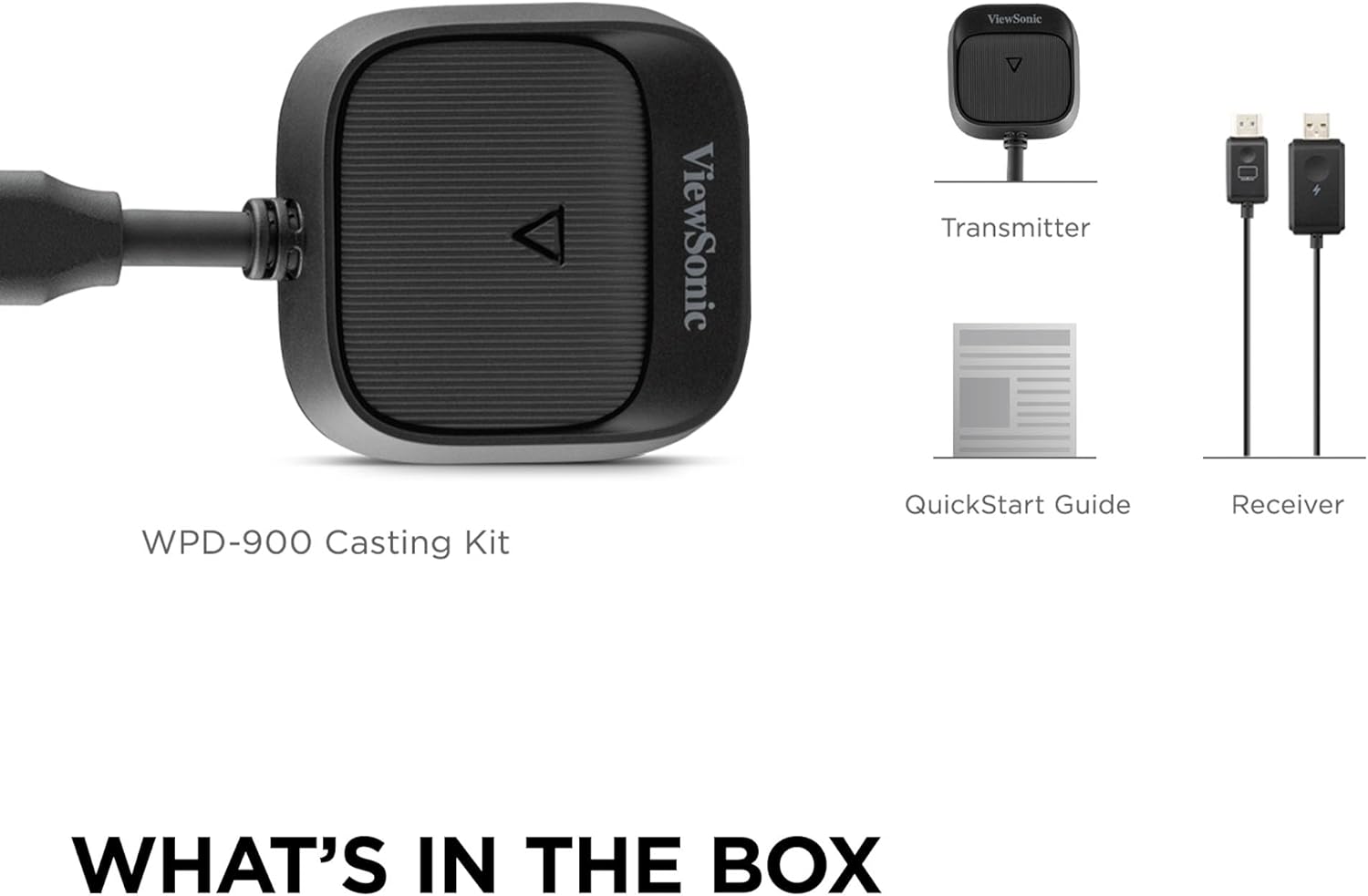
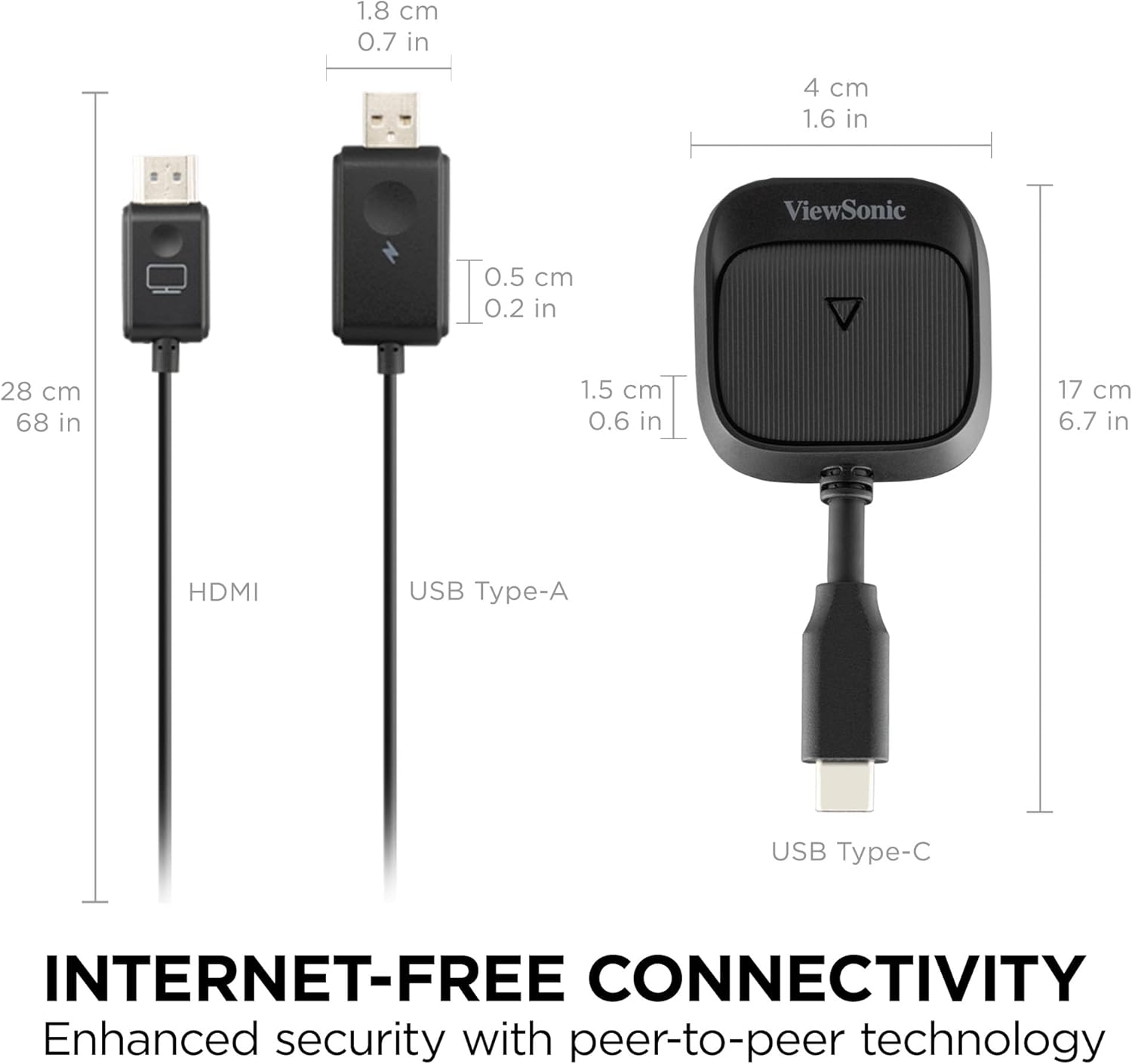
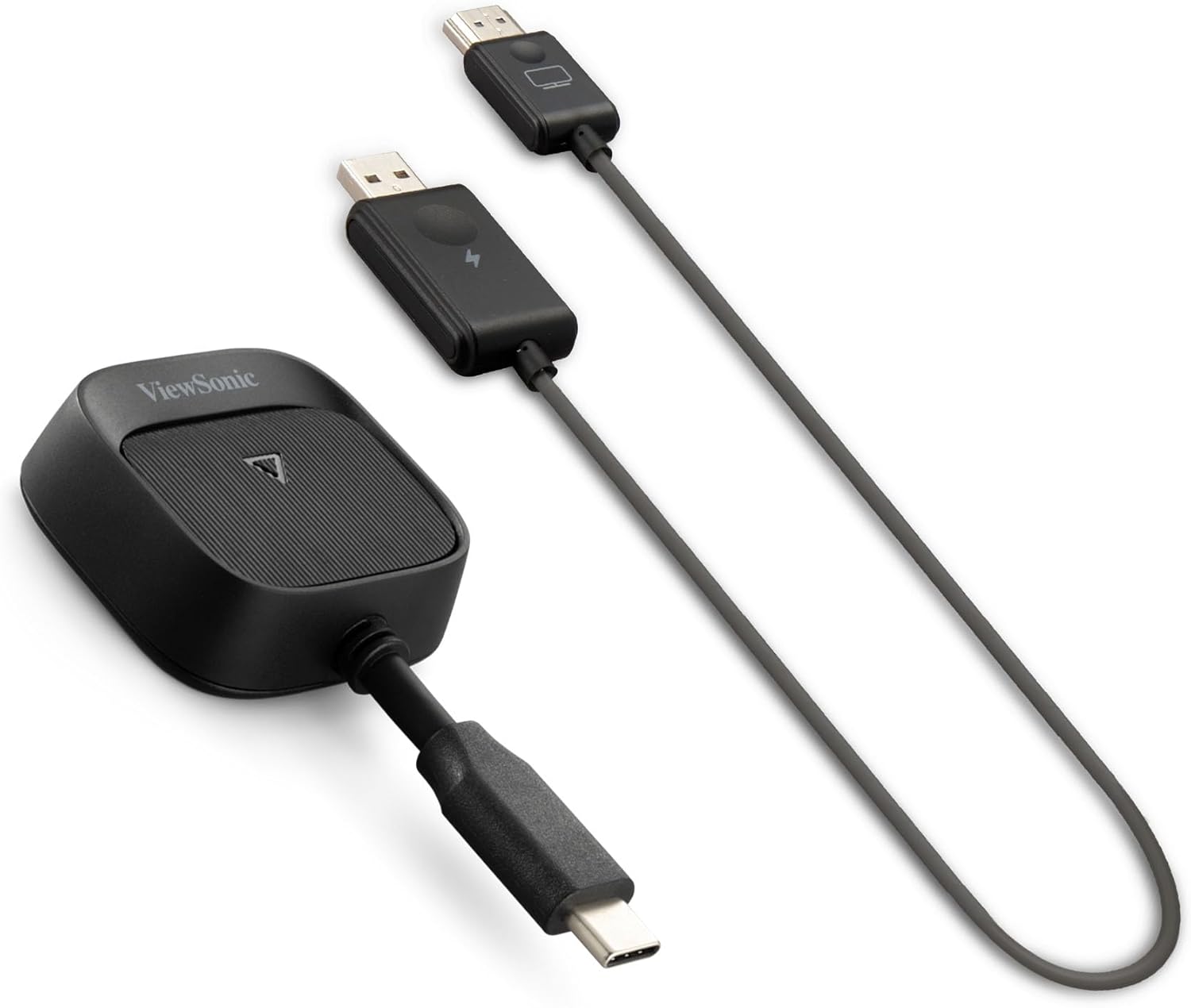
The WPD-900 gets the physical side right. Nothing about the hardware feels overdesigned, and that is exactly what we wanted. The transmitter is compact, light, and easy to understand at a glance. The receiver is slim and cable-like rather than boxy, which makes it easier to tuck behind a display or projector without creating visual clutter. In rooms where equipment tends to accumulate one black brick at a time, that small decision matters more than brands usually admit.
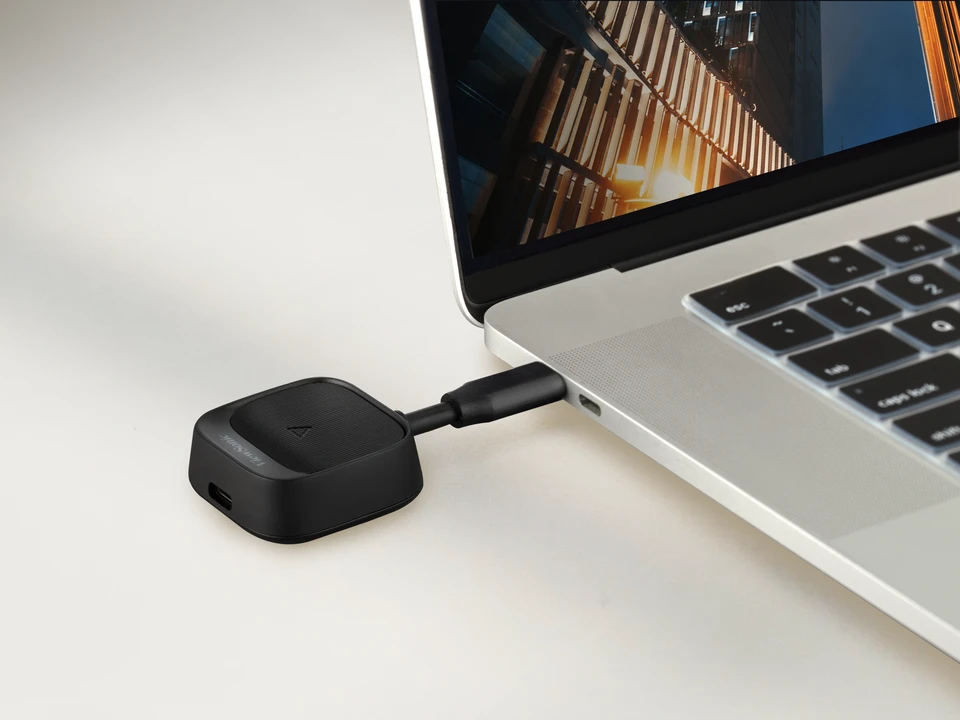
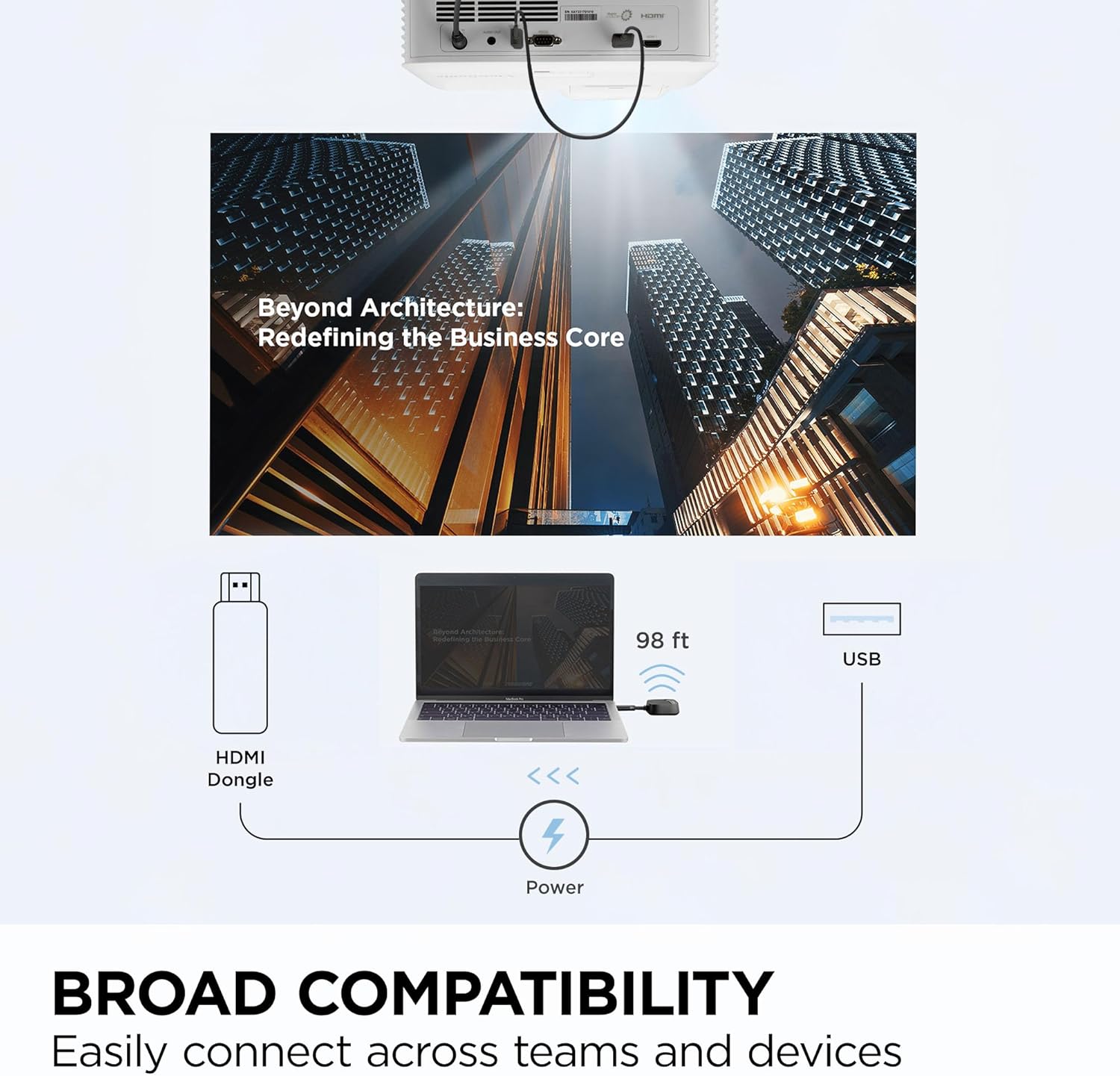
What stood out to us immediately was how little explanation the hardware seems to need. The receiver handles the display side with HDMI and USB power, while the transmitter takes the source connection through USB-C and adds a second USB-C port for pass-through charging. That is a clean layout. There is no sense of feature overload here, and there does not need to be. We understood what each part was for in seconds, which is exactly how a shared-room accessory should feel.
The part we appreciated most is that ViewSonic did not try to make this feel clever. Too many products in this category overcomplicate the physical design in an attempt to look more advanced. The WPD-900 feels purposeful instead. It is small enough to travel, clean enough to leave attached in a room, and simple enough that regular users are unlikely to be intimidated by it.
That practicality carries through the whole design. The receiver’s slim form is especially welcome if you are working with monitors, projectors, or interactive flat panels where you do not want another chunky dongle hanging awkwardly off the side. In daily use, neat deployment matters. Products that disappear into the room tend to get used more often than ones that make themselves the center of attention.
Setup and first use
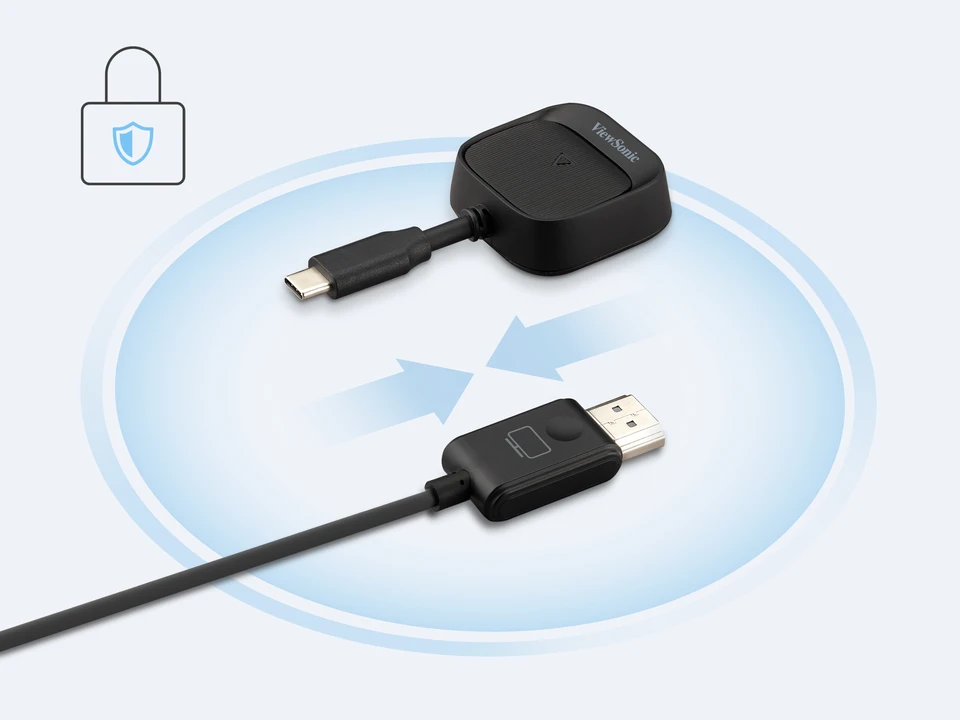
This is where the WPD-900 either wins you over or does not, and in our experience this is the part it handles best. The basic flow is refreshingly direct. Receiver into the display. Power to the receiver. Transmitter into the presenting device. After that, the system is meant to start working without asking for software, drivers, room Wi-Fi, or a ritual involving four menu screens and a six-digit code.
In practice, that simplicity is the whole product.
What we noticed right away is how much mental overhead the WPD-900 removes compared with many wireless presentation systems. There is no real sense that you are “joining a platform” or “using a room system.” It behaves much more like a wireless cable replacement, and that is a compliment. If somebody walks into a room and just wants their content on the screen, this is exactly the kind of behavior they are hoping for.
The transmitter button also makes sense in use. Once the signal is active, having a simple way to toggle casting on or off feels much more intuitive than digging through software or asking the room to cooperate. That is the sort of detail that seems minor until you have used enough awkward alternatives.
That said, the setup story is not as universal as the packaging might make some buyers assume. The biggest caveat is one that absolutely matters: the transmitter path depends on USB-C video output, specifically DisplayPort Alt Mode. That means the experience is only as clean as the source device allows it to be. If your laptops and tablets are modern and properly equipped, great. If you are dealing with older machines, inconsistent USB-C implementations, or random hardware that treats USB-C as charging-only, the simplicity starts to unravel.
We did not see that as a flaw in the product so much as a reality buyers need to understand before they spend money. The WPD-900 is cleanest in modern environments. It is not a magic bridge for every device ever made.
Real-world performance
The WPD-900’s performance profile is sensible. 1080p at 60Hz is enough for presentations, training content, spreadsheets, browser demos, dashboards, and routine video playback. The stated sub-80ms latency also makes sense in context. This is not the kind of number that turns a display link into a high-performance creative pipeline, but it is good enough that the system feels responsive in the sort of room-based work it was built for.
That distinction matters. A lot of wireless display products become disappointing because people buy them with the wrong expectations. We never felt that the WPD-900 was trying to be something it is not. It is built for showing content in shared spaces without the usual friction. Judged on those terms, it feels well balanced.
In daily use, what stood out to us was not some dramatic visual leap. It was the absence of drama. Content looked clean, motion looked smooth enough for the category, and the whole experience felt stable in the way a productivity tool should. The part we appreciated most was that it did not seem to demand constant babysitting. Once a product like this becomes invisible, it is usually doing its job well.
Where we felt less convinced was only when we stepped outside its intended lane. If you are the kind of buyer who reads 60Hz, sees a latency claim, and starts imagining specialized visual workflows or demanding interactive use, this is not that product. It behaves like a very competent room-casting kit, not a zero-compromise display transport system.
And honestly, that is fine. We would rather see a product nail its actual purpose than chase three more marketing use cases and become unreliable.
Use-case performance
In conference rooms
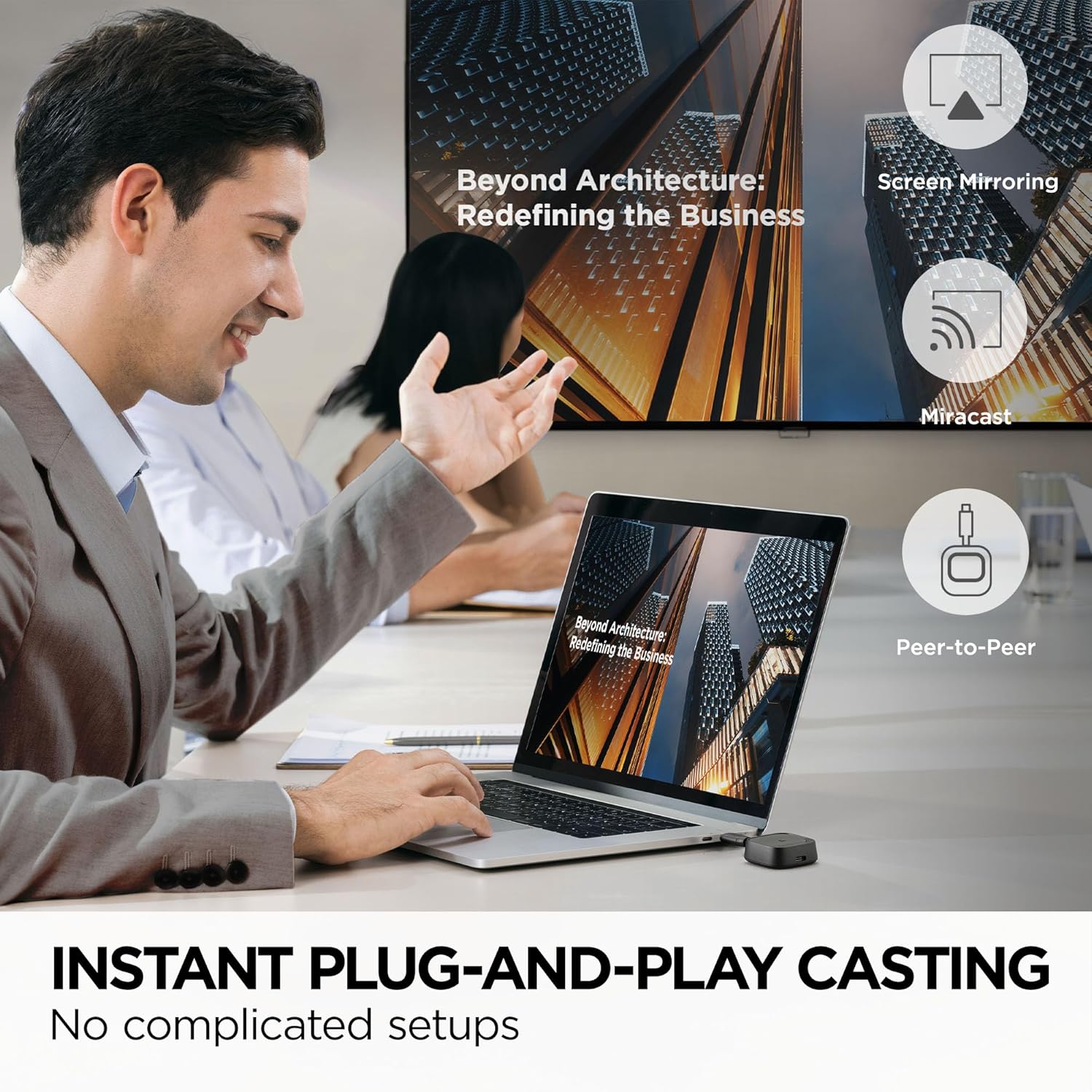
This is where the WPD-900 makes the strongest case for itself. Shared-room presentation tools live or die by how quickly they remove excuses. Nobody wants to start a meeting with app downloads, network credentials, or a ten-minute detour into why one guest’s laptop cannot connect. In that setting, the WPD-900 feels smart. Its direct peer-to-peer approach is one of its best decisions because it reduces dependence on the local network and keeps the workflow focused.
The support for pairing up to eight transmitters to a single receiver also matters here. In collaborative spaces, that kind of flexibility can save more time than any display spec ever will. We liked that the product appears to understand the reality of rotating presenters instead of assuming one owner and one device.
In classrooms and training rooms
This is another natural fit. The product’s simplicity suits environments where the person presenting may not be the same every time, and where reliability matters more than advanced AV features. If the goal is to put slides, documents, or demonstrations on screen quickly and keep a session moving, the WPD-900 feels like the right type of tool.
The biggest strength here is that it asks so little from the user. Teachers and trainers usually do not want to become room technicians. They want something that behaves predictably, and this leans in that direction.
For travel and temporary setups
We also think the small hardware footprint works in its favor for mobile presenters. The transmitter and receiver are light, compact, and easy to throw into a bag. There is no oversized control hub here, no feeling that you are carrying a fragile room kit around. That makes it more attractive for consultants, trainers, or anyone moving between spaces where the display side is available but the sharing workflow is not.
For home entertainment
This is where we would be more cautious. The WPD-900 can certainly function in a home environment, but it is not where the value feels strongest. At $199.99, this makes far more sense as a productivity tool than as an occasional living-room convenience. If the use case is casual streaming to a TV, there are simpler and cheaper routes. The WPD-900 earns its keep when sharing happens often and under some degree of pressure.
Convenience and everyday usability
The convenience story is stronger than the raw spec list, and that is why we liked this product. The 60W pass-through charging is one of the best examples. On paper, it looks like a secondary feature. In practice, it solves a very real annoyance. A lot of wireless display accessories quietly take over the one port people need most, which means they simplify one problem while creating another. The WPD-900 avoids that trap. In longer meetings or teaching sessions, being able to keep the laptop powered while presenting is a real quality-of-life win.
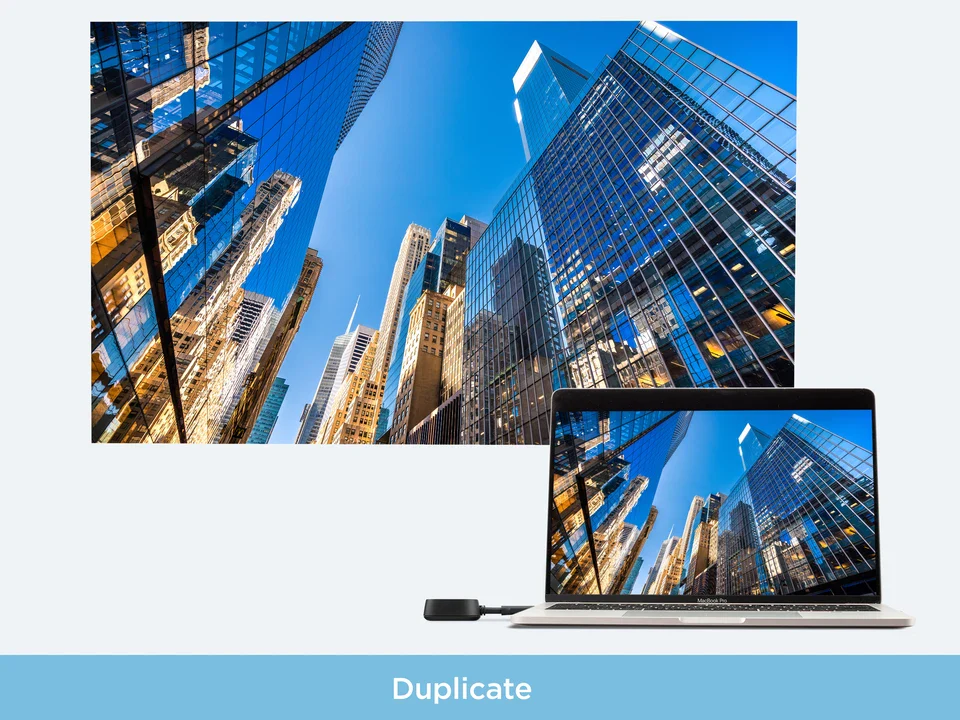
We also liked the availability of mirror and extend modes on Windows and macOS. That makes the system more flexible than a bare-bones mirroring tool. For some people, duplication is all they need. For others, especially in professional settings, extend mode makes the product meaningfully more useful because it lets the presenter manage notes, windows, or controls without putting everything on the shared display.
There is also a broader usability advantage in the product’s peer-to-peer architecture. When room tech depends too heavily on the main network, it tends to fail in the most irritating ways possible. Credentials change. Guest access gets locked down. Corporate settings interfere. Someone is on the wrong SSID. The WPD-900 feels much saner because it avoids so much of that.
Still, not every convenience promise lands equally for every user. The receiver supports multiple casting methods, but those workflows are not identical across all platforms. That is worth saying clearly because it is exactly the kind of footnote that can turn a seemingly universal solution into a slightly uneven one. Buyers who understand their own device mix will get the best out of it.
Flaws and frustrations
The first obvious limitation is resolution. This is a 1080p product in a market where 4K increasingly shows up in buying conversations by default. For the actual use cases we think matter most here, that is not a dealbreaker. But it is still a ceiling, and some buyers will see it immediately.
The second limitation is compatibility at the source end. The transmitter depends on USB-C with DisplayPort Alt Mode, and that is not something you can gloss over. If your environment is already modern and standardized, fine. If it is a mixed pile of new devices, old laptops, unpredictable adapters, and “USB-C” ports that do not actually behave the same way, you need to think much harder before treating this as a universal fix.
The third frustration is that broad compatibility does not mean perfectly symmetrical compatibility. That is where some buyer expectations may need to be reined in. Certain devices and casting paths are smoother than others, and that matters in real deployments. We would not call the WPD-900 difficult, but we also would not call it magic.
We were also left wanting more from the warranty. A one-year limited warranty is acceptable, but for a product intended to live in classrooms and meeting rooms and get handled regularly, it feels more basic than generous. It does not kill the deal, but it does make the overall package feel a little less premium than the price might suggest.
Value for money
At $199.99, the WPD-900 is not a throwaway accessory. Whether it feels worth the money depends heavily on where and how you plan to use it.
For conference rooms, classrooms, training spaces, and workplaces with rotating presenters, we think the price makes sense. Saving time repeatedly is worth paying for, especially when the same presentation friction shows up day after day. A product that cuts the usual nonsense out of room sharing can pay for itself surprisingly quickly in those environments.
For casual home use, the value looks less compelling. This is simply more specialized than many home buyers need. Its strengths are built around repeat use, mixed devices, fast handoff, and low-dependency deployment. If those are not your priorities, the price becomes harder to defend.
That is why our value verdict is fairly straightforward: in the right environment, the WPD-900 feels properly priced. In the wrong one, it feels expensive.
Who should buy it
Buy the WPD-900 if your biggest priority is getting people on screen fast with minimal drama. It makes the most sense in meeting rooms, classrooms, training environments, and shared display setups where users rotate, devices vary, and nobody wants to troubleshoot Wi-Fi before a presentation begins.
We would also recommend it to organizations that are already living in a mostly modern USB-C ecosystem. In that context, the product’s simplicity feels earned. It becomes a practical room tool rather than something users have to learn.
Who should skip it
Skip it if your priority is 4K, ultra-low latency for demanding specialized work, or broad elegance with older, inconsistent hardware. Skip it too if your environment still depends heavily on legacy laptops and adapter chains, because that is exactly where the WPD-900’s clean plug-and-play story starts to get messier.
We also think casual home users should be careful here. If you only want occasional wireless display convenience for entertainment, there are easier ways to spend less money. This product shines when screen sharing is frequent, practical, and time-sensitive.
Final verdict
The ViewSonic WPD-900 is a disciplined product, and that is why we came away liking it. It does not try to win by being everything at once. It wins by doing the unglamorous things well: fast setup, clean handoff, sensible hardware, useful charging support, and a workflow that avoids unnecessary network dependence.
What became clear to us over time is that the WPD-900 is not really selling image quality as much as it is selling momentum. It keeps meetings moving. It keeps lessons moving. It keeps presentations from getting stuck at the worst possible moment. That is a more valuable skill than many wireless display products ever manage to deliver.
Would we recommend it? Yes, for the right buyer, easily. If your setup is modern, your room is shared, and your patience for connection drama is gone, this is a smart, practical piece of kit. If you need higher-end AV ambitions or broader legacy-device forgiveness, look elsewhere. But for what it is meant to do, the WPD-900 feels well judged, well designed, and genuinely useful.
FAQ
Does the ViewSonic WPD-900 need Wi-Fi to work?
No, its core appeal is that it uses a direct peer-to-peer connection rather than depending on the main room network for the primary sharing workflow.
What resolution does it support?
It supports up to 1080p at 60Hz.
Can it do more than simple screen mirroring?
Yes. It supports both mirror and extend modes on Windows and macOS, which makes it more flexible in professional use.
Can the transmitter charge a laptop while presenting?
Yes. The transmitter includes USB-C pass-through charging up to 60W, and that is one of the most useful features in everyday use.
Will it work with every USB-C device?
No. The source device needs to support video output over USB-C, specifically DisplayPort Alt Mode.
How many transmitters can be paired to one receiver?
A single receiver can be paired with up to eight transmitters, which is a real advantage in shared spaces.
Is it a good buy for home users?
Only in specific cases. For home entertainment alone, it feels more specialized and expensive than many people need. For shared professional or educational use, it makes much more sense.
Explore the ViewSonic WPD-900 Gallery
Every image from this article, gathered in one clean place. Tap any photo to open it larger.