
The Targus DOCK403 is exactly the kind of dock that can make a lot of sense in the right setup and feel like the wrong purchase almost immediately in the wrong one. After spending real time with it, that became the whole story for us. This is not a bulky desk dock trying to pretend it is portable. It is a genuinely compact mobile dock built for people who move between a home office, a shared desk, a meeting room, and a travel bag.
In that role, a lot of it is smart. The port selection is practical, the size is easy to live with, and the overall idea is well judged. But the compatibility catch around dual displays is not a side note. It is the thing that decides whether this dock feels clever or frustrating.
Our verdict is simple. On a Windows laptop with proper USB-C video support and MST, the DOCK403 feels like a tidy, well-focused accessory that solves real daily problems without turning into desk clutter. On a MacBook or iPad, especially if you expect two independent external displays from those HDMI ports, the appeal falls apart fast. That is not because the dock is badly made. It is because the dock is more specific than it first appears.
Quick verdict
Best for:
Windows laptop users who want a compact dual-display travel dock with HDMI, Ethernet, card readers, and fast enough USB for everyday work.
Avoid if:
You use a MacBook or iPad and expect two extended displays, or you want a dock with lots of downstream USB-C flexibility while charging.
What we liked:
The compact size, sensible port mix, dual HDMI, fast USB-A, Ethernet, SD and microSD readers, and the fact that it feels built for real hybrid work rather than spec-sheet bragging.
What disappointed us:
The dual-display story is heavily platform-dependent, the USB-C port has to pull double duty as either data or pass-through power, and the headline charging figure sounds bigger than what many buyers will actually get.
Final verdict:
For the right Windows laptop, this is a very smart travel dock. For the wrong host device, especially a dual-monitor Mac setup, it is a mismatch.
What we tested
We focused on the DOCK403 the way most people will actually use it: as a mobile productivity dock rather than a permanent workstation anchor. That meant looking at the parts that matter most in daily life, not just reading off the port list.
We evaluated its size and carry-friendliness, the practicality of its port layout, the ease of turning a laptop into a two-screen desk setup, the usefulness of the USB ports for everyday accessories and storage, the value of built-in Ethernet and card readers, and the way the pass-through charging setup affects real-world flexibility.
The part we paid closest attention to was the one buyers are most likely to misunderstand: display behavior across different platforms. That is where the DOCK403 goes from “easy recommendation” to “read the fine print first.”
How we tested it
We approached the DOCK403 as a daily-use travel dock, which is clearly what it is designed to be. We used it the way a hybrid worker would: connect the host, plug in power, attach displays, bring in peripherals, and see whether the dock feels like it simplifies the desk or creates new compromises.
In practice, that gave us a clear sense of where the DOCK403 feels thoughtfully designed and where its limits show up quickly. We were not looking for extreme workstation behavior from a dock this small. We were looking for something more important: whether it feels good to live with.
Design and build quality
This is one of the easiest parts of the review to like.
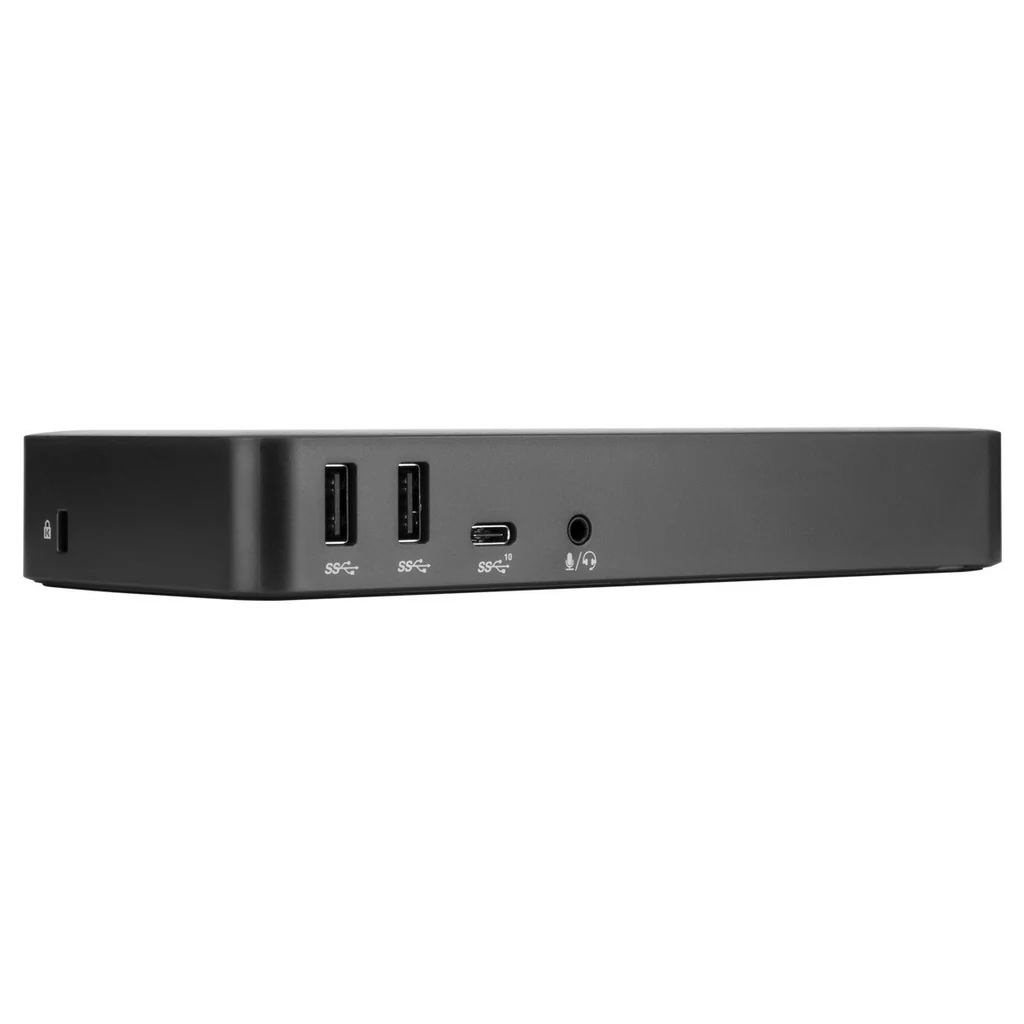
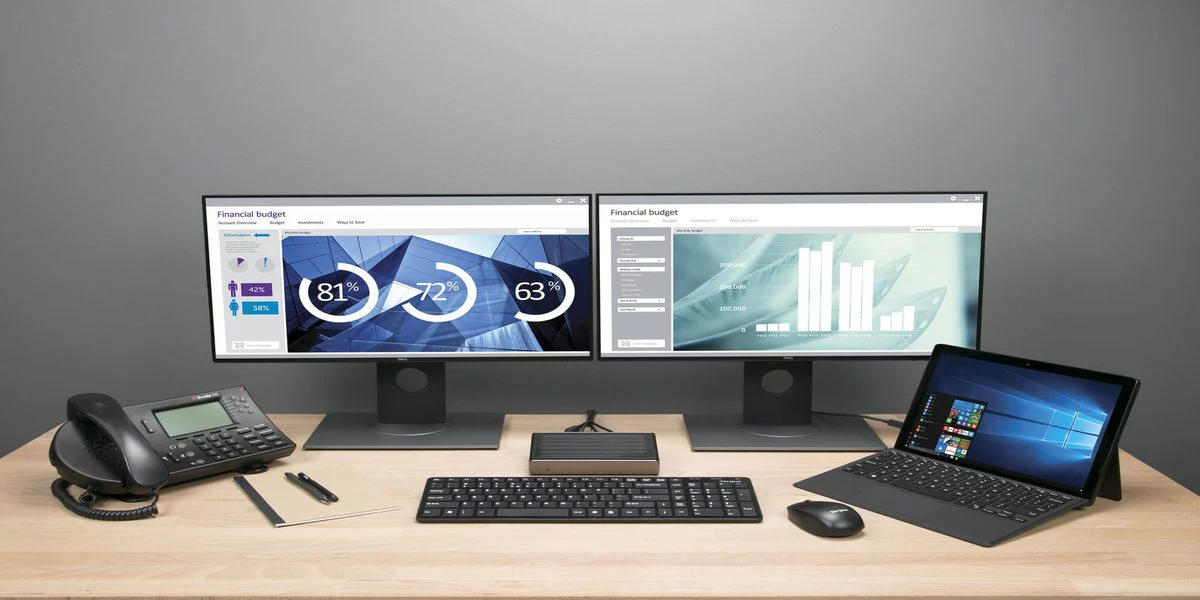
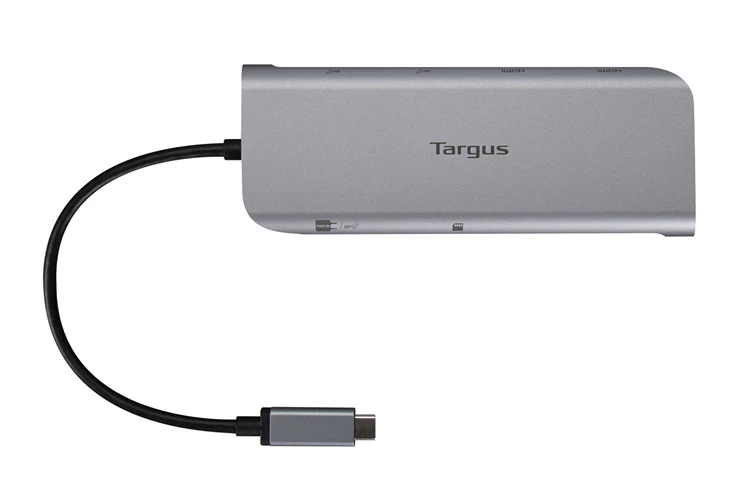
At 5.56 x 2.06 x 0.69 inches and 0.35 lb, the DOCK403 is properly small. Not “technically portable” small. Actually portable. That distinction matters. A lot of docks say they are travel-friendly when what they really mean is “smaller than a desktop brick.” The DOCK403 feels like something you can leave in a bag every day without resenting it.
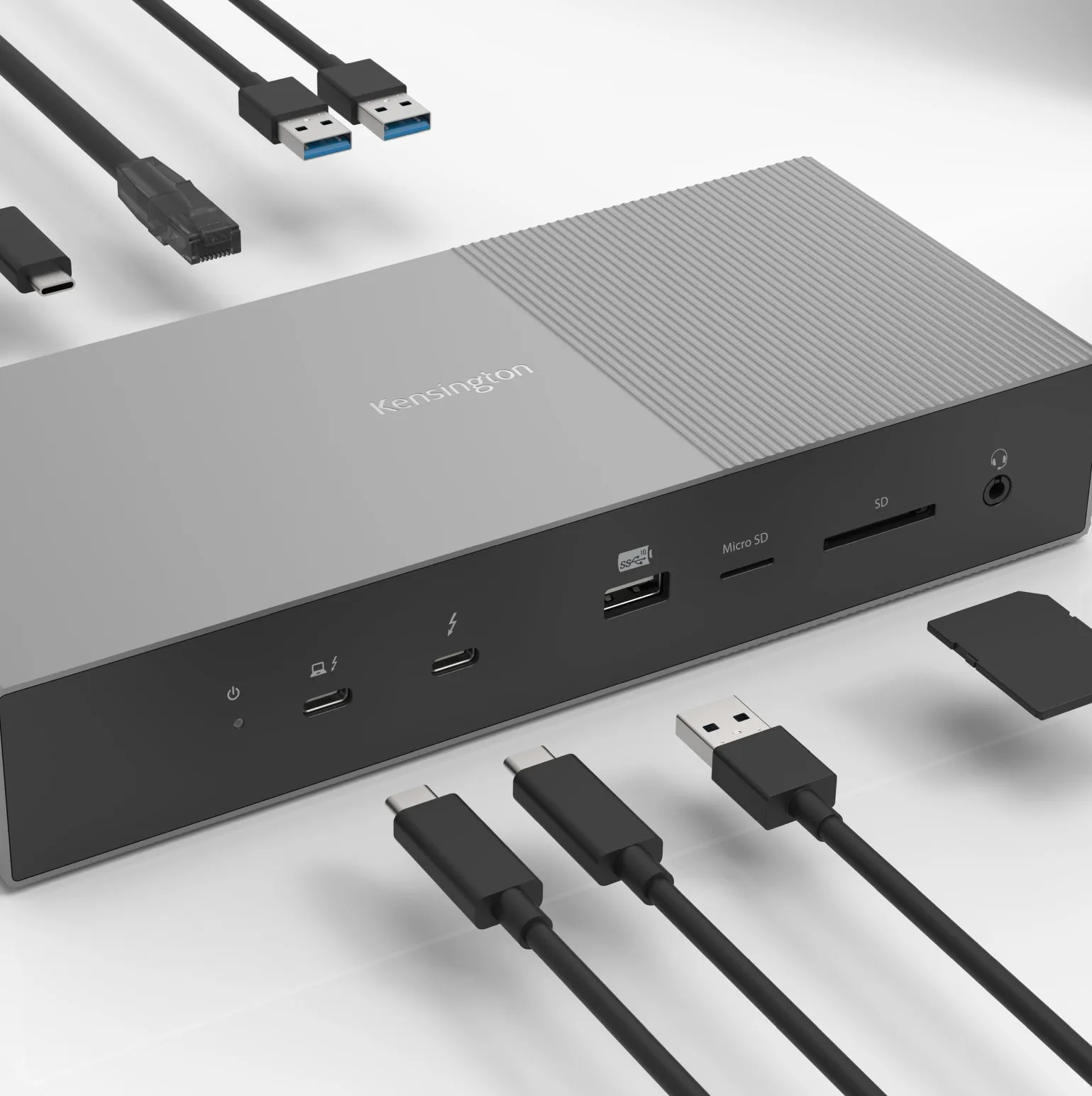
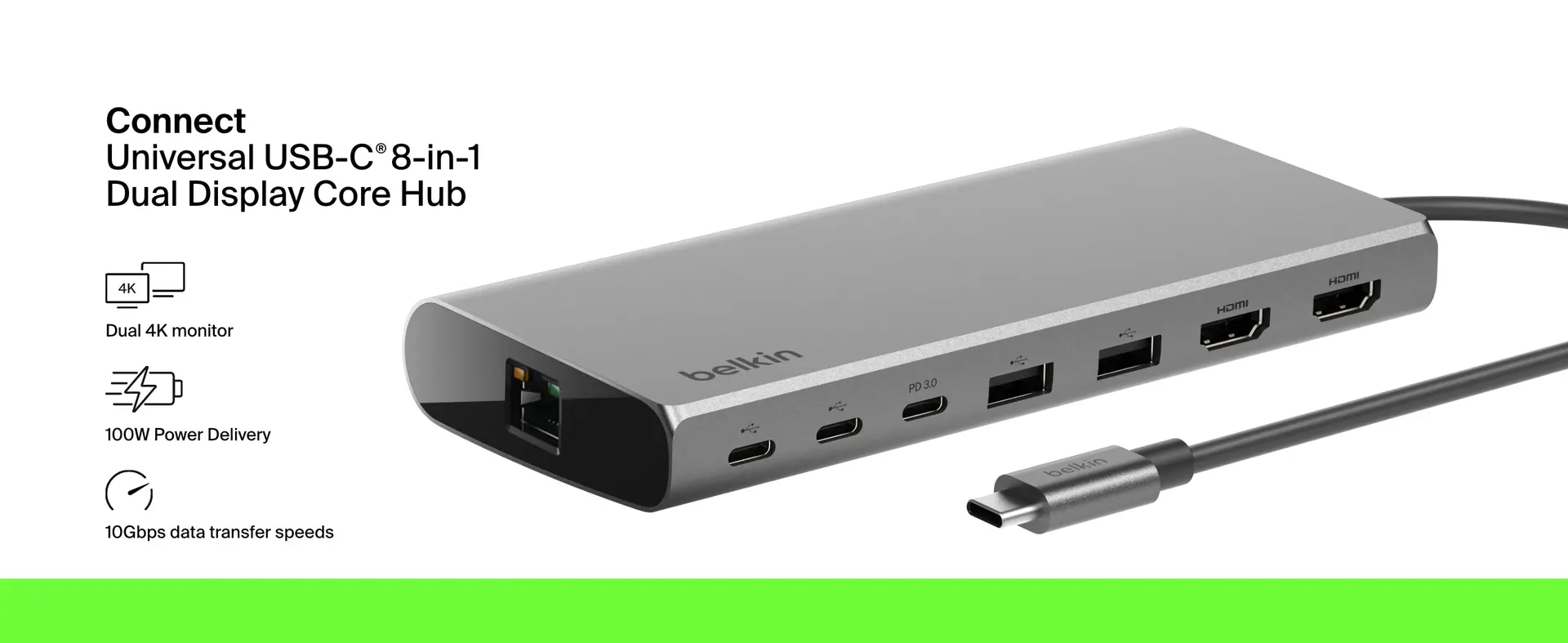
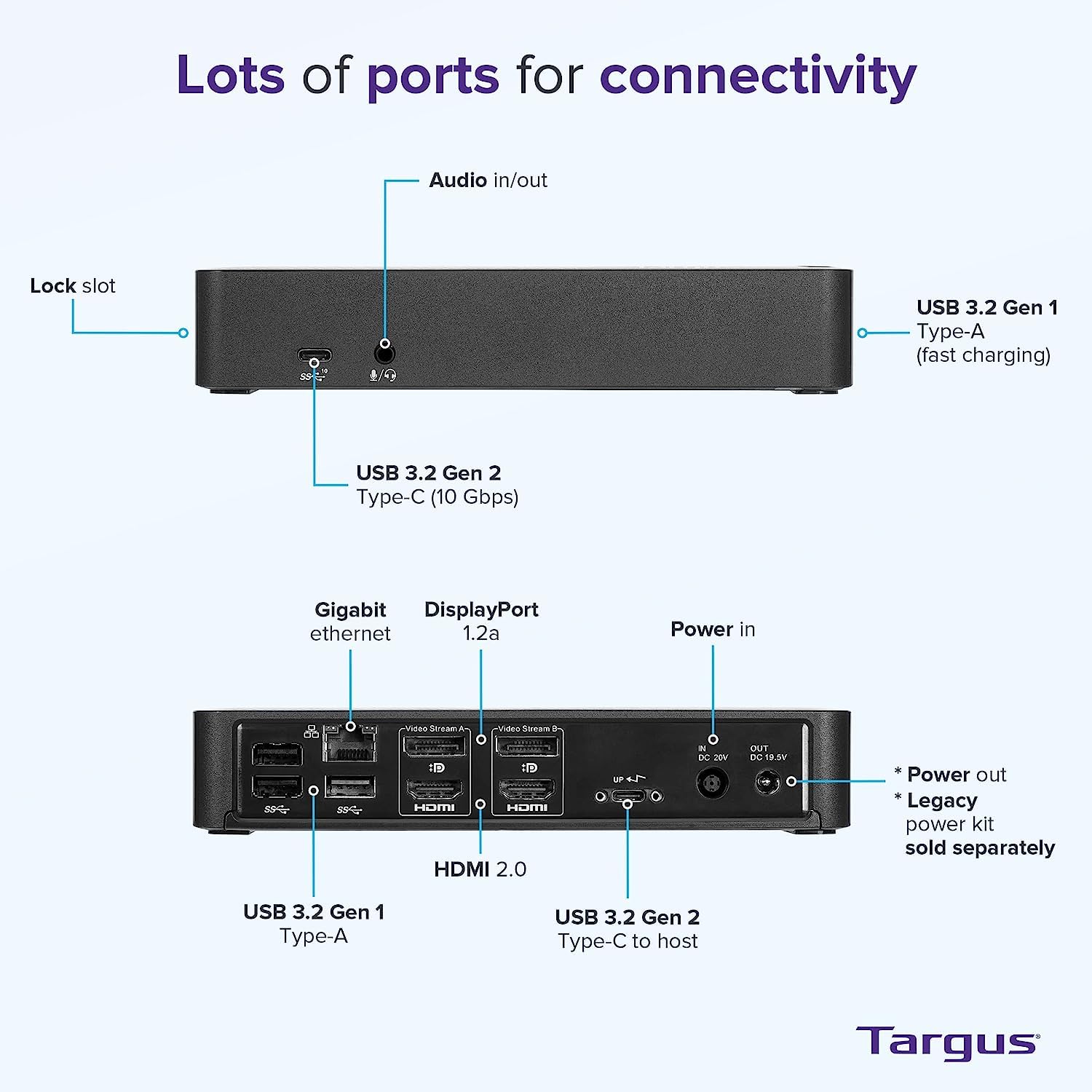
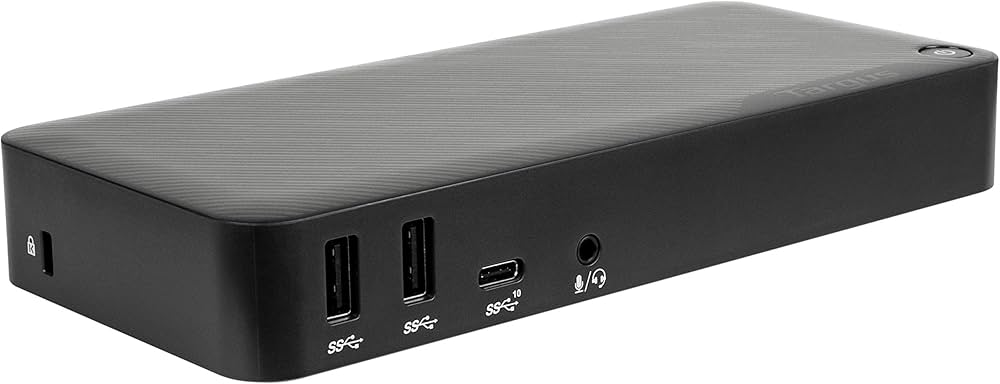
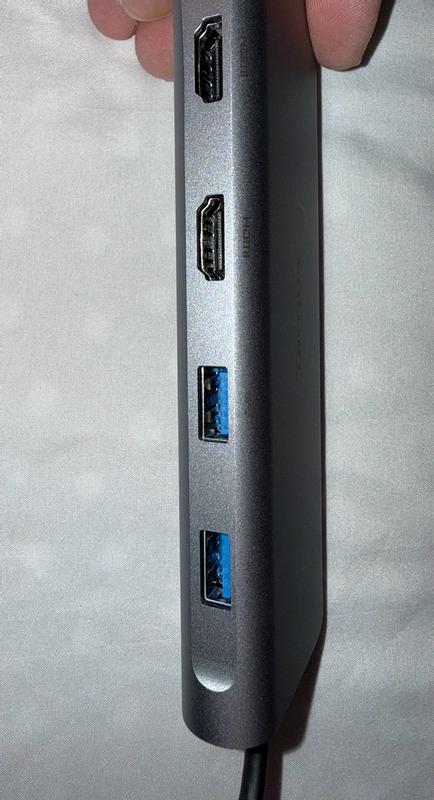
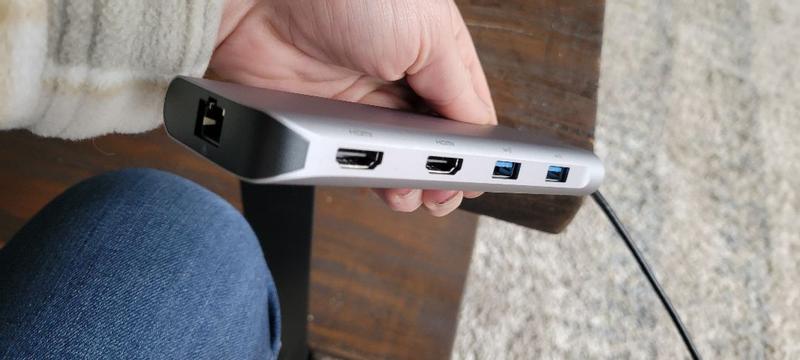
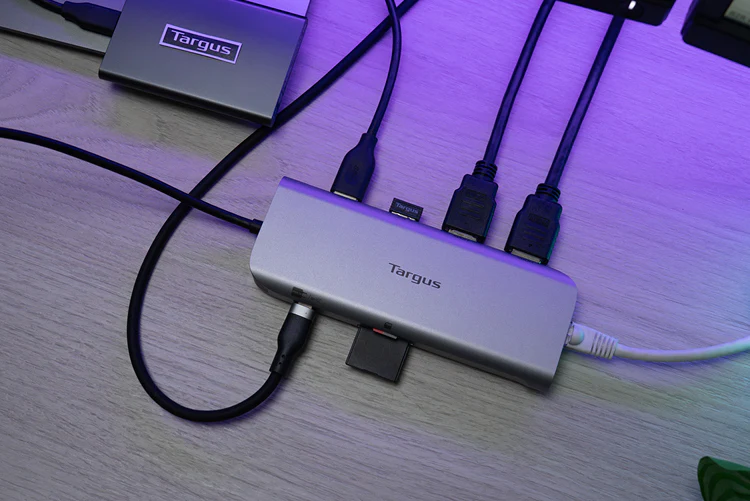
What stood out to us right away was how disciplined the design feels. Targus did not try to cram in legacy clutter just to make the product page look fuller. There is no DisplayPort, no VGA, no audio jack, and no oversized housing pretending to be more serious than it is. Instead, the dock focuses on the ports that make the most sense for modern mobile work: two HDMI 2.0 ports, two USB 3.2 Gen 2 Type-A ports at 10Gbps, one USB 3.2 Gen 2 Type-C port at 10Gbps or power pass-through, SD and microSD, and Gigabit Ethernet.
That is a strong mix for a dock this size. It feels intentional rather than compromised.
We also like that the recycled-material angle feels like a real product choice instead of marketing wallpaper. Targus says the housing uses up to 75% post-consumer recycled aluminum and plastic, and on a product like this, that lands well. The DOCK403 is a tool. It is the sort of accessory that should be durable, practical, and sensible. Using recycled materials fits that character naturally.

Setup and first impressions
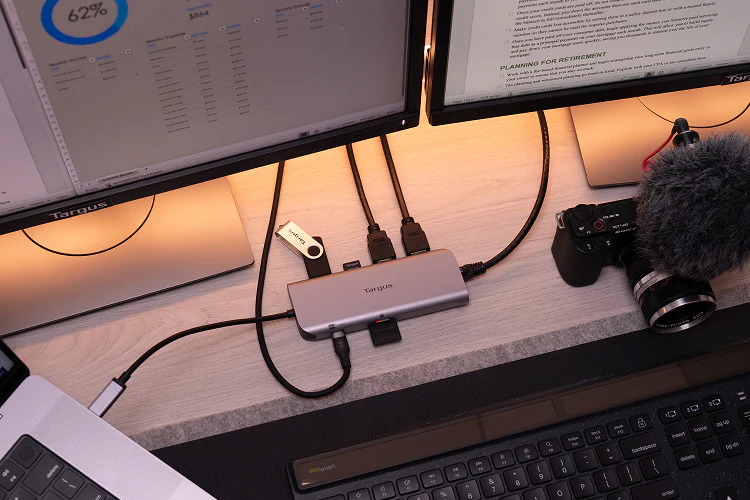
The DOCK403 makes a good first impression because the basic idea behind it is easy to appreciate. One cable into the host, external displays connected, Ethernet ready, card readers available, USB ports for accessories, and pass-through power so the whole setup stays cleaner than carrying a separate pile of dongles.
That convenience is real. The dock clearly understands the kind of person it is for. This is for someone who wants their laptop to become a temporary workstation within seconds, then go back in the bag just as easily later.
But our positive first impression came with an immediate caveat: this dock only feels effortless if your laptop is the right laptop.
That is the part buyers need to understand before they spend money. The DOCK403 does not ask much from the user in terms of setup, but it asks a lot in terms of compatibility awareness. If your machine supports the right display behavior, the dock feels clean and efficient. If it does not, the experience changes dramatically.
Port layout and everyday usability
In daily use, the port selection mostly works in the DOCK403’s favor.
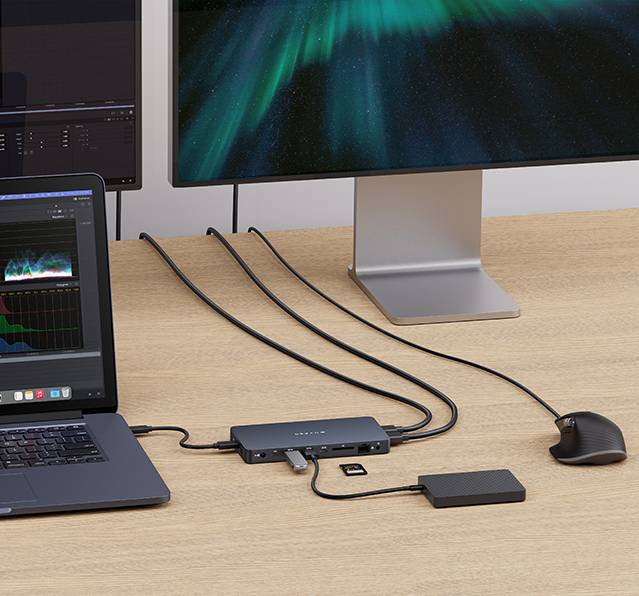
The two HDMI ports make sense. HDMI remains the easiest display connection in offices, home desks, hotel TVs, and meeting rooms. Targus chose the practical standard rather than the enthusiast one, and for a travel dock that was the right call.
The two 10Gbps USB-A ports are also more valuable than they might sound on paper. A lot of compact docks treat USB like an afterthought, giving you just enough for a keyboard dongle and not much else. Here, the USB-A side feels usable. It handles the kind of accessories people still rely on every day without making the dock feel under-equipped.
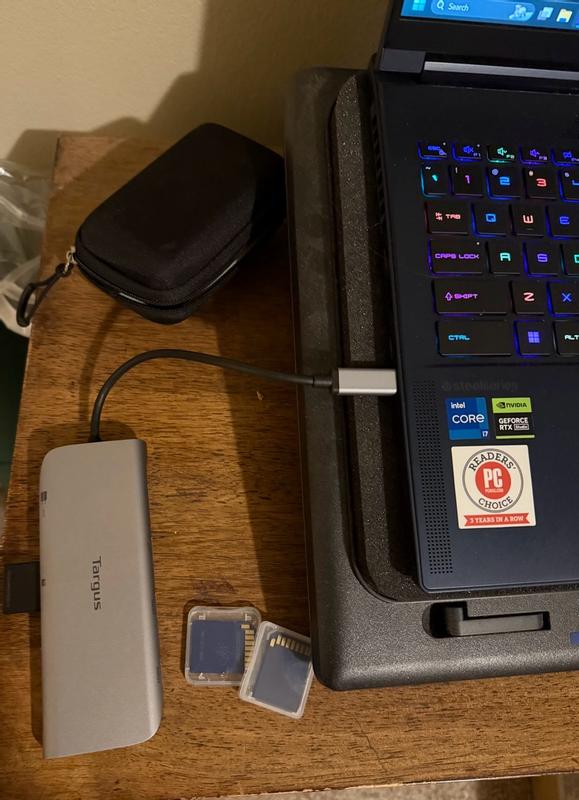
The built-in SD and microSD readers are another strong point. We appreciated that immediately. On many small docks, if you want card access, you still end up carrying a separate reader. The DOCK403 avoids that. For office users, that is convenient. For photographers, content teams, or anyone moving files from cameras or other devices, it is a much bigger win.
The Gigabit Ethernet port is also exactly the kind of thing that keeps a dock like this from feeling too lightweight in practice. Wireless is fine until it is not. In offices, shared workspaces, and travel situations, a wired connection still matters.
The only port decision that feels like a compromise in real use is the USB-C port. It is useful, yes. But it is also the point where the dock’s compactness starts demanding tradeoffs.
The USB-C problem nobody should ignore
This is the detail that matters more over time than it does in the product listing.
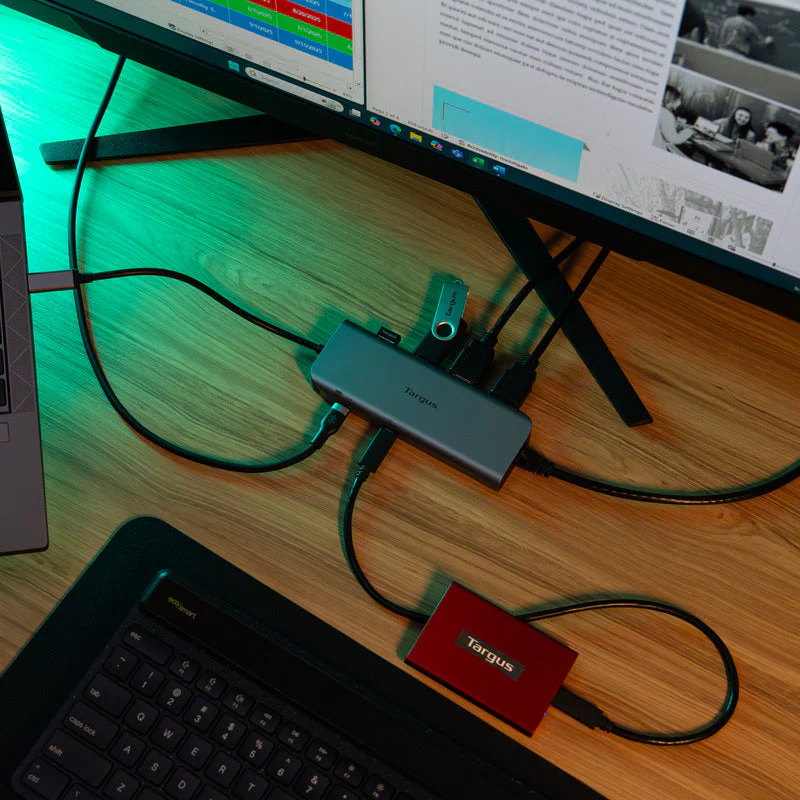
The DOCK403 includes a USB-C port that can run at 10Gbps or serve as the power pass-through connection. That sounds flexible, and in one sense it is. But in daily use, it means the moment you use the dock the way many people will want to use it — with a charger feeding the laptop through the dock — you lose that extra USB-C expansion option.
We noticed this quickly because it changes how generous the dock feels. On paper, you see an extra USB-C port. In practice, once pass-through power is part of the setup, you effectively do not.
That does not make the design bad. It just makes it honest compact-dock behavior. Targus had to make choices to keep the DOCK403 small, and this is one of the compromises. If your workflow is mostly HDMI, USB-A accessories, Ethernet, and card access, you may never care. If you rely on multiple USB-C devices, you will care almost immediately.
Display performance and the compatibility catch
This is the defining issue with the DOCK403.
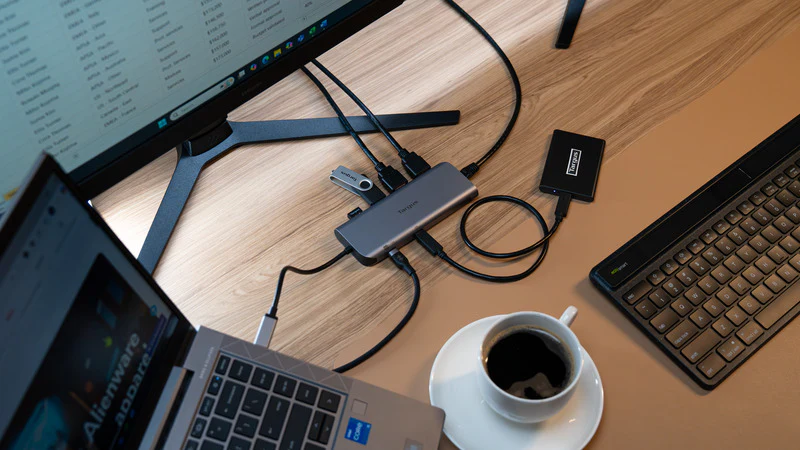
At first glance, the dock looks like an easy dual-monitor solution. It has two HDMI 2.0 ports and supports single or dual 4K at 60Hz. That sounds excellent for a compact productivity dock, and on the right Windows laptop, it is.
In practice, this is where the dock makes the strongest case for itself. If you have a Windows machine with the right USB-C display behavior and MST support, the DOCK403 does what a good mobile dock should do: it turns a thin laptop into a proper work setup without asking you to carry a bigger docking station than your laptop charger.
But the part we felt buyers really need spelled out clearly is this: dual extended video depends on MST. On non-MST devices such as Mac and iPad, the two HDMI outputs mirror instead of acting as two independent extended displays.
That is not a niche detail. It is the entire buying decision for a lot of people.
If you are a Windows user, this dock can feel sharp and well chosen. If you are a MacBook user expecting an easy two-monitor extended desktop from those two HDMI ports, this dock will feel like the wrong purchase no matter how nice the rest of it is.
This is also why we think the DOCK403 is a good product that needs a careful buyer. The dock itself is not confused. The market around it is. Plenty of people see two HDMI ports and stop reading. That would be a mistake here.
USB performance, Ethernet, and card readers
Outside the display issue, the DOCK403 behaves the way we wanted a compact dock to behave.
The 10Gbps USB-A ports give it more day-to-day usefulness than a lot of travel docks in this price range. We liked that Targus did not go cheap here. Fast USB matters when you are moving files, attaching storage, or simply trying to use a dock that does not feel like it bottlenecks everything outside the monitor connection.
The Ethernet port is less glamorous, but it adds real value. It is one of those features people shrug off until they need it. Then it becomes the reason the dock earned space in the bag. We think that is especially true for hybrid workers, consultants, office staff, and anyone who spends time in environments where Wi-Fi is crowded or unreliable.
The card readers were also a genuine plus in our time with it. Having both SD and microSD built in makes the DOCK403 more useful than a basic office hub. It nudges the product toward a wider audience without making the design feel bloated. That is one of the smarter decisions here.
Charging and pass-through power
The charging story on the DOCK403 is good, but it needs translation.
Targus pushes the “up to 140W EPR Power Delivery pass-through” figure, and technically that is part of the product’s capability. But the important real-world detail is that this requires a compatible PD 3.1 EPR host. For PD 3.0 hosts, charging goes up to 100W, and the spec sheet also lists Max Host Power: 100W Pass-thru.
That does not bother us as much as it might bother some buyers, because 100W pass-through is already strong for a compact travel dock. The bigger issue is expectation. The headline number is the ceiling, not the everyday baseline.
What we appreciated is that the DOCK403 does not turn into a brick with its own giant external PSU. This is still a travel-oriented product. You are expected to use your own charger and feed power through the dock. That is the right choice for this category. It keeps the whole setup lighter and more flexible.
The compromise, again, is that the USB-C port gets consumed by that job. So the cleaner the power story becomes, the less expansion headroom you have elsewhere.
Real-world use cases
For office and productivity work
This is where the DOCK403 feels most at home.
If your day revolves around email, documents, browser tabs, a couple of external displays, a keyboard, a mouse, maybe a headset dongle, and the occasional wired network connection, this dock is very easy to understand. It does not overreach. It just tries to cover the essentials cleanly.
We think that is one of its biggest strengths. The DOCK403 does not feel like a travel dock pretending to be a desktop command center. It feels like a travel dock designed by people who knew exactly what most users actually need.
For creators and media-heavy users
The dock is more useful here than its size suggests, largely because of the card readers and fast USB. If you move images, footage, or other media from SD or microSD and then offload to a drive or laptop, the DOCK403 makes more sense than a bare-bones office hub.
That said, we would not call it a full creative dock. Once you want broader USB-C expansion, dedicated audio, DisplayPort options, or a more complex workstation setup, you will run into its limits. It is capable, but not expansive.
For MacBook users
This is the hardest part of the review, because the answer is not “bad,” but it is absolutely “be careful.”
If you want a compact dock for USB, Ethernet, card readers, and mirrored external display behavior, the DOCK403 can still be useful on a Mac. But if your reason for buying it is dual-display expansion from those two HDMI ports, this is not the clean solution you are hoping for.
That single reality changes the whole value proposition.
For travel and hybrid work
This is where the product’s design makes the most sense. Small footprint, low weight, practical ports, no bulky dedicated dock power brick, and enough connectivity to turn one USB-C laptop port into something much more useful. In that context, the DOCK403 is genuinely appealing.
We can easily see why someone would keep this in a laptop bag full time.
Flaws and frustrations
The DOCK403’s biggest flaw is not poor build quality or weak hardware. It is that the product can be misunderstood too easily.
Two HDMI ports suggest one thing to many shoppers. The real behavior, especially across platforms, is more nuanced than that. That gap between expectation and reality is where the dock risks disappointing people.
The second frustration is the shared USB-C role. We understood the logic behind it, but in practice it still feels like a limitation. The more you rely on pass-through charging, the less generous the dock feels.
The third issue is the charging headline. Again, the dock is not lying. But “140W” is the kind of figure people remember, and most should really think of this as a 100W-class pass-through dock unless their setup specifically supports more.
And finally, there is the simple truth that some people just need more dock. More ports. More USB-C. More display flexibility. More permanence. The DOCK403 is not trying to be that, and we do not fault it for that. But buyers need to be honest with themselves about whether they want a mobile dock or a small desktop dock, because those are not the same thing.
Value for money
At $104.99, the DOCK403 is not bargain-bin cheap, but it is sensibly priced for what it is.
You get dual HDMI 2.0, 10Gbps USB-A, USB-C, Gigabit Ethernet, SD and microSD, a compact build, a 3-year warranty, and a design that is clearly meant for real travel rather than shelf presence. For the right buyer, that adds up well.
Where the value breaks down is simple: if the dock does not match your host device and your expectations, it becomes poor value immediately. No discount fixes a product that solves the wrong problem for you.
That is why our overall take on value is positive but conditional. For the right Windows user, this is a smart buy. For the wrong Mac user, it is money spent in the wrong direction.
Pros and cons
Pros
- Genuinely compact and easy to carry
- Sensible port selection for hybrid work
- Dual HDMI 2.0 is practical and convenient
- Two 10Gbps USB-A ports add real everyday usefulness
- Built-in SD and microSD readers make it more versatile than many small rivals
- Gigabit Ethernet is still a meaningful inclusion
- Pass-through charging keeps the travel setup cleaner
- 3-year warranty
- Uses up to 75% post-consumer recycled materials
Cons
- Dual extended displays depend on MST
- Mac and iPad users get mirrored display behavior instead of the dual extended setup many will expect
- The USB-C port doubles as power pass-through, which limits expansion once charging is involved
- The 140W headline is conditional and not the likely real-world story for every buyer
- No DisplayPort, no audio jack, and limited headroom for more demanding workstation setups
Who should buy it
Buy the DOCK403 if you use a Windows laptop with proper USB-C video support and MST, and you want a dock that is small enough to live in your bag without sacrificing the essentials. It is especially appealing if your daily setup includes two HDMI displays, Ethernet, a couple of USB accessories, and occasional SD or microSD transfers.
We would also recommend it to anyone who values tidy portability over maximum expansion. The DOCK403 understands that some users do not want a monster dock. They want one smart block that covers the basics well.
Who should skip it
Skip it if you use a MacBook and your main goal is two independent external displays from the dock’s HDMI ports. Skip it if you need multiple downstream USB-C accessories while also charging through the dock. Skip it if you want something closer to a permanent desktop dock with a broader port layout.
And skip it if the only thing that caught your eye was the 140W claim without checking what your laptop can actually support.
Final verdict
After spending time with the Targus DOCK403, our view is clear: this is a well-targeted dock with a sharply defined audience.
We liked the compact footprint, the sensible mix of ports, the inclusion of Ethernet and card readers, and the fact that it feels like a real travel dock instead of a desk dock shrunk just enough to claim portability. We also think the overall design shows restraint in a good way. It focuses on what most mobile workers actually need.
But we would not call it a universal recommendation, because it is not one. The display behavior on non-MST platforms is the first thing buyers need to understand, and the shared USB-C/power arrangement is the second. Those two details decide everything.
For the right Windows setup, the DOCK403 is one of those accessories that feels neatly judged and easy to justify. For the wrong buyer, especially someone hoping for a simple dual-monitor Mac dock, it is the kind of product that looks right until the moment you plug it in.
FAQ
Is the Targus DOCK403 a good travel dock?
Yes. Its 5.56 x 2.06 x 0.69-inch size and 0.35 lb weight make it genuinely portable, and the port selection is well suited to desk-to-bag use.
Does the DOCK403 support dual 4K monitors?
Yes, it supports single and dual 4K at 60Hz through its two HDMI 2.0 ports, but dual extended display behavior depends on MST support.
Does it work with MacBooks?
Yes, but with an important limitation. On non-MST devices such as Mac and iPad, the two HDMI outputs mirror rather than providing the kind of dual extended desktop many buyers expect.
Is it really a 140W dock?
It supports up to 140W EPR pass-through with a compatible PD 3.1 EPR host, but many buyers should think of it more realistically as a 100W-class pass-through dock, since PD 3.0 goes up to 100W and the spec sheet lists Max Host Power: 100W Pass-thru.
How many USB ports does it have?
It includes two USB 3.2 Gen 2 Type-A ports and one USB 3.2 Gen 2 Type-C port. The USB-C port can act as a 10Gbps data port or as the power pass-through connection.
Does it have Ethernet and card readers?
Yes. It includes 1Gbps Ethernet, plus SD and microSD card readers.
What kind of warranty does it have?
Targus lists a limited 3-year warranty for the DOCK403.
Explore the Full Gallery
Every image from this article, gathered in one clean place. Tap any photo to open it larger.