
The Belkin Connect 8-Port Dual Display USB-C Hub gets a lot right, and it does it without pretending to be something it is not. After spending real time with it in the kind of setup it was clearly built for, our take is simple: this is a genuinely useful compact desk hub for Windows users who want dual monitors, wired internet, legacy USB-A, newer USB-C, and charging from a single cable without paying full dock money. It feels tidy, practical, and focused.
The problem is that the product name sounds broader than the real experience. If you are buying this on the Mac side expecting the same easy dual-display workflow, you need to slow down and read the fine print first. That one detail shapes the entire verdict.
For the right buyer, this is one of those accessories that immediately makes a stripped-down laptop more pleasant to live with. For the wrong buyer, it is the sort of purchase that looks perfect for five minutes and irritating for the next two years. That is why buyer fit matters more here than flashy specs.
Quick verdict
Best for: Windows laptop users who want a clean one-cable desk setup with dual 4K displays, Gigabit Ethernet, USB-A, USB-C, and pass-through charging in a compact hub.
Avoid if: You use a Mac and your main goal is true dual external monitor productivity from one cable, or you need extras like SD cards, DisplayPort, audio out, or 2.5GbE.
What we liked: Compact footprint, useful port mix, dual 4K/60Hz support on Windows, 10Gbps USB-C data, 100W PD pass-through, and a privacy button that is actually more practical than it sounds.
What disappointed us: Mac limitations are a major catch, the feature set is clearly office-first rather than creator-first, and Belkin could have been cleaner and more precise with some of its spec language.
Final verdict: This is a good USB-C hub with a clear purpose, not a universal magic box. In a Windows office setup, it makes a lot of sense. In a Mac setup, it only makes sense if you already know exactly what you are giving up.
What we tested
We approached this hub the way most buyers would actually use it: as the missing desk brain for a modern laptop that does not have enough built-in ports anymore. That meant looking closely at the things that matter in real use, not just in a product box summary.
We focused on:
- Dual-monitor desk usability
- Peripheral handling for keyboard, mouse, and storage
- Ethernet stability and convenience
- Pass-through charging practicality
- Cable layout and everyday desk footprint
- Whether the privacy button was genuinely useful or just a gimmick
- How clearly the product matches the needs of Windows and Mac users
That last point ended up mattering more than anything else.
How we tested it
We used the hub the way this category is supposed to be used: as a daily desk connector, not as a showroom accessory. We paid attention to how it felt to plug in and leave on a desk, how well the port mix supported a normal work setup, how easy it was to live with the tethered cable, and whether the hub felt like it reduced friction or just relocated it.
We also judged it through the lens of buyer expectations. A compact USB-C hub is not supposed to replace a massive powered workstation dock, but it does need to justify its price by making daily work easier. That meant looking at the parts Belkin got right, the trade-offs it made on purpose, and the places where the product name could lead some buyers toward the wrong assumption.
Design and build quality
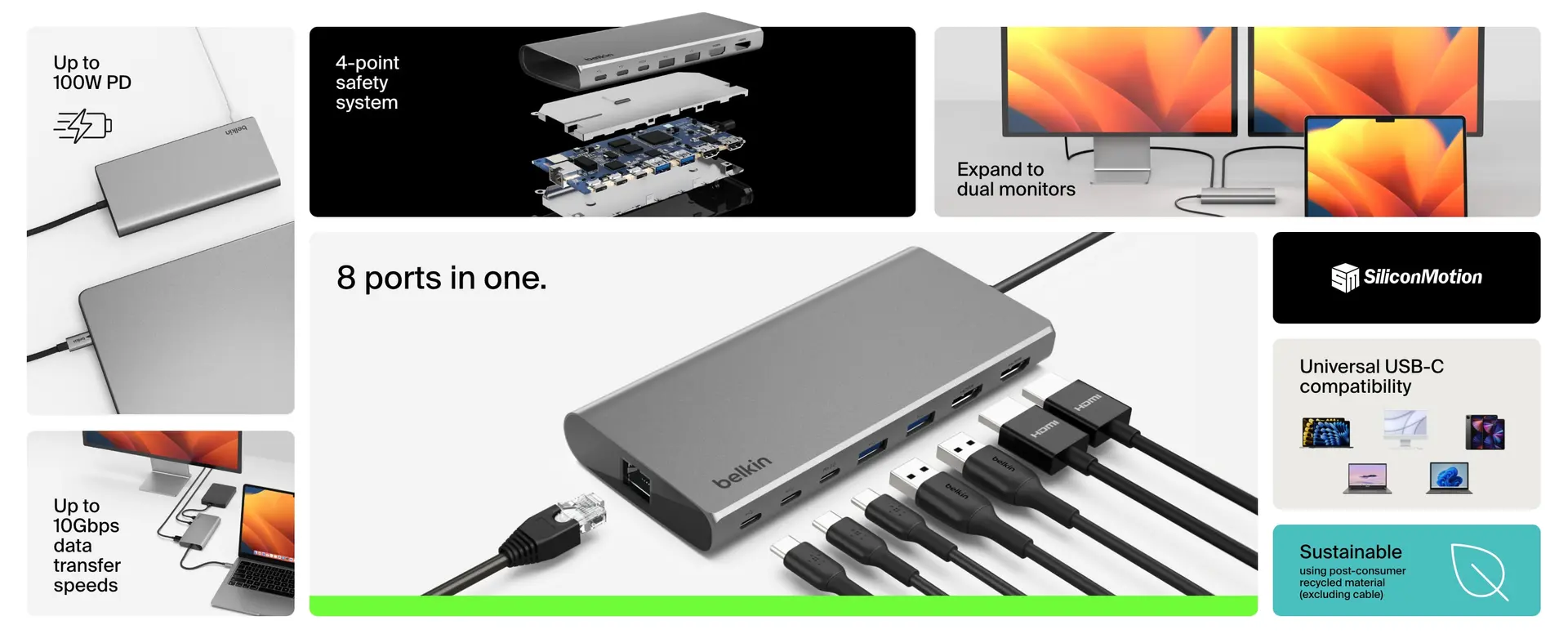
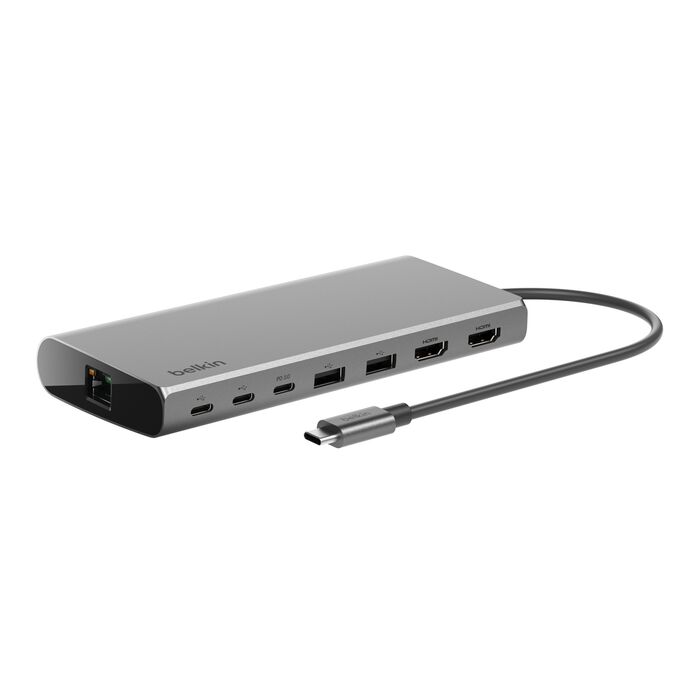
What stood out to us right away is that Belkin kept this hub focused. It is compact, clean, and visually understated in the way office accessories usually need to be. The body is small enough to sit next to a laptop without dominating a desk, but not so tiny that the port spacing becomes awkward or annoying. That balance matters more than people think. A lot of compact hubs either feel too cramped to use comfortably or so oversized that they stop feeling like travel-friendly accessories. This one sits in a sensible middle.
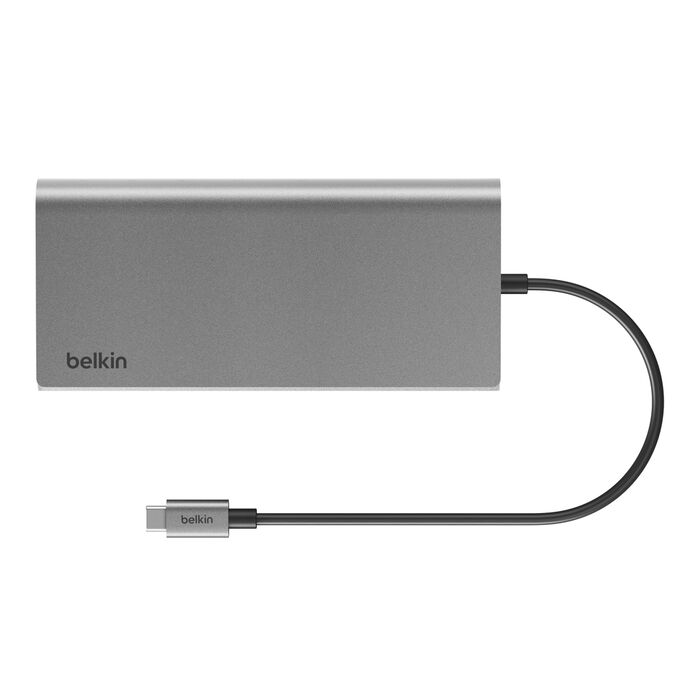
The built-in 22cm USB-C cable is also the kind of decision that tells you what Belkin was aiming for. On paper, removable cables sound more premium. In practice, for a product like this, a tethered cable is often the more convenient choice. We did not need to hunt for another cable, think about compatibility, or worry about somebody pairing the hub with a weak cable and blaming the accessory. We just plugged it in and got on with it. For a desk hub that may move between a work bag, a home office, and a hot desk, that kind of convenience counts.
The privacy button is the one visual detail that gives the product a bit of personality. That matters because most hubs are forgettable gray rectangles with port counts attached. Here, Belkin at least did one thing that feels intentional and distinct. The button is easy to find, easy to understand, and placed where an actual person might use it without needing a manual. We appreciated that immediately.
In terms of materials, this is not a luxury-feeling hub. It feels solid enough for normal use, but it does not project the kind of premium tactile confidence you get from more expensive metal-bodied desk docks. That is not a dealbreaker at this price, but it is worth saying clearly: this feels like a practical accessory, not an indulgent one. We were fine with that, because the product is mostly selling utility rather than desk jewelry, but buyers expecting a higher-end physical feel may come away slightly underwhelmed.
Setup and first-use experience
This is where the hub makes a strong first impression and then immediately introduces its biggest caveat.
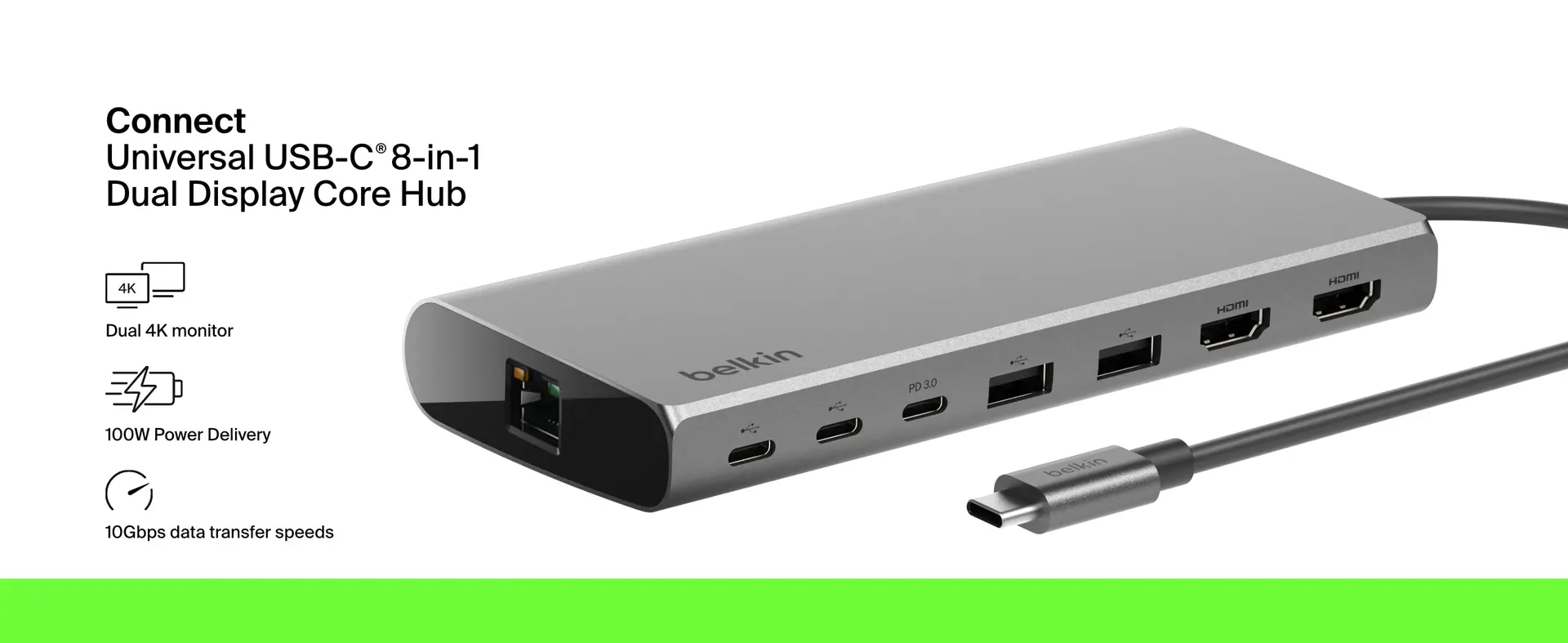
On the straightforward side, setup is exactly what you want from a USB-C hub. Plug it into a compatible laptop, attach your peripherals, feed power through the PD input, and start using the ports you were missing. There is very little mystery to the basic workflow. That simplicity is one of the product’s biggest strengths. A good hub should remove friction, not create it.
Where we felt less convinced was not in basic connectivity, but in expectations. The name and overall positioning make this sound like a universal dual-display productivity answer, and that is only partly true. On Windows, the pitch makes sense. On Mac, the situation is much more limited. That matters because display support is the whole reason many people would buy this in the first place.
This is not one of those cases where a product is slightly better on Windows and slightly worse on Mac. The split is much sharper than that. If you are on Windows, the dual-monitor story is the hub’s main selling point. If you are on Mac, that same headline can send you toward the wrong product entirely unless you already know what you are dealing with.
That buyer-fit issue became obvious very quickly. Once you understand it, the product makes sense. If you miss it, the product feels misleading. That is a very important distinction.
Port layout and daily practicality
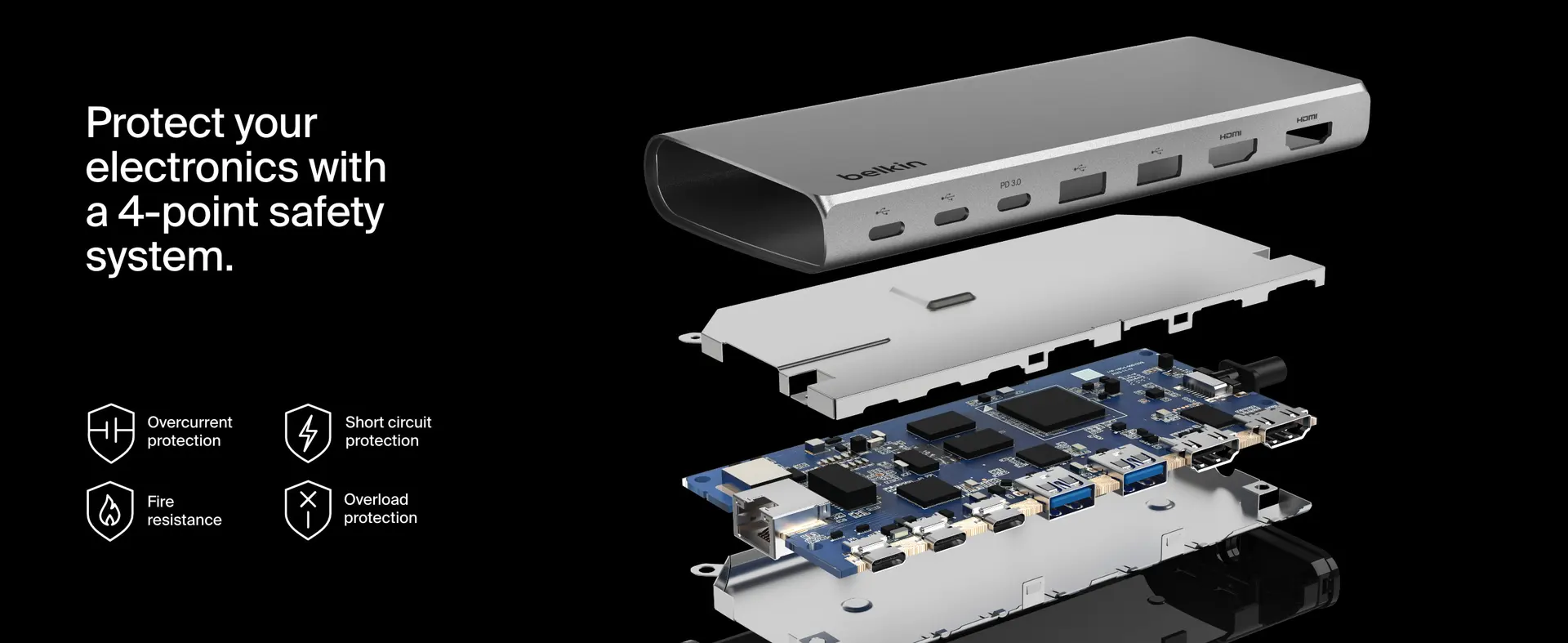
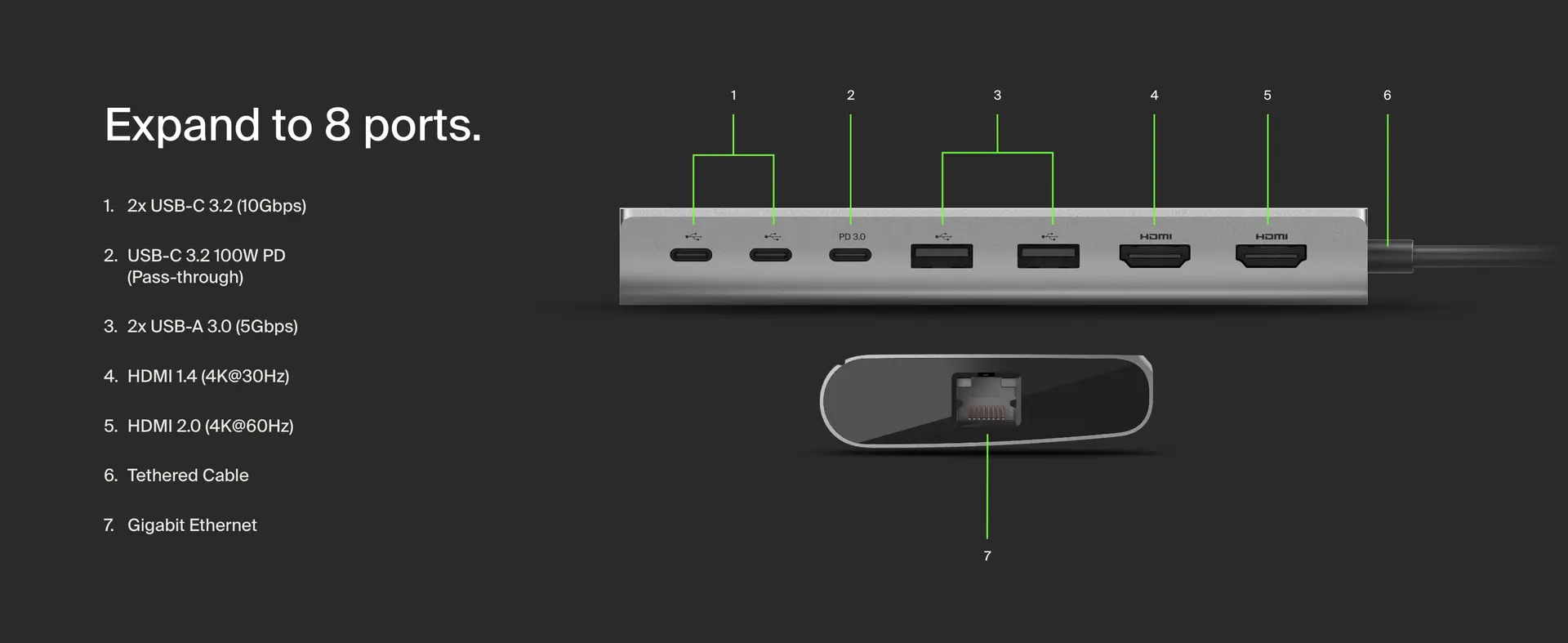
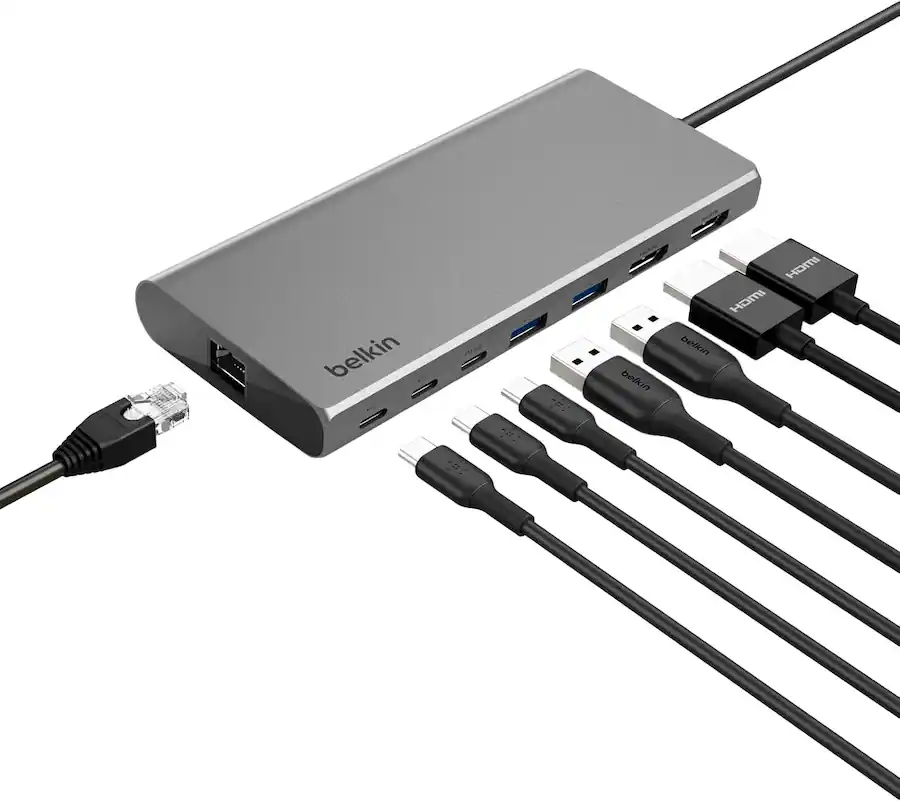
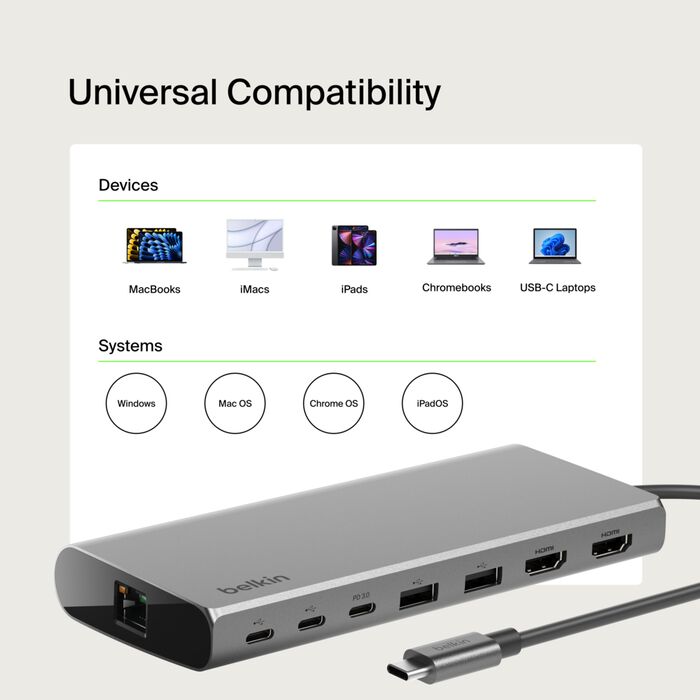
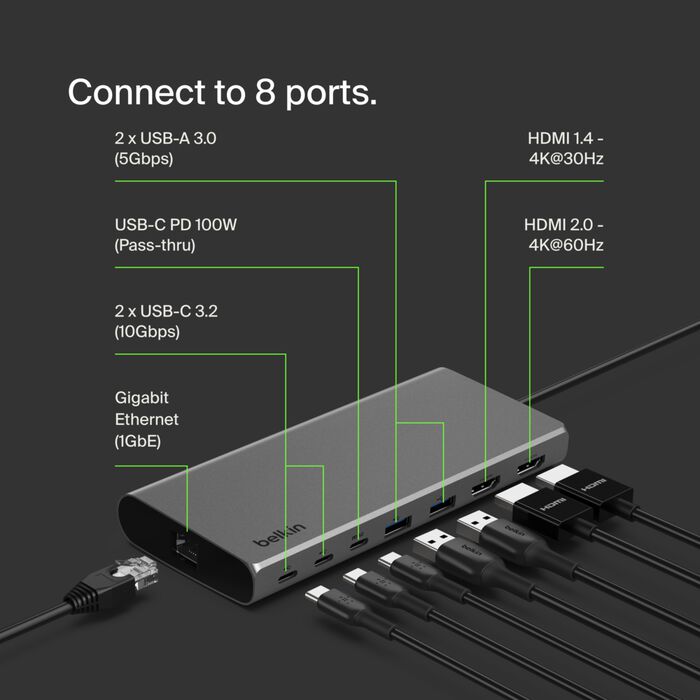
Belkin made smart decisions with the port mix. You get:
- 2 x USB-C 3.2 data ports at 10Gbps
- 2 x USB-A 3.0 ports at 5Gbps
- 1 x USB-C PD pass-through port up to 100W
- 1 x Gigabit Ethernet
- 2 x HDMI outputs
That is a well-judged selection for the kind of person using a laptop as a desk machine. In daily use, it covers the basics that matter most: monitor output, charging, storage, older peripherals, and wired internet. That may not sound exciting, but that is exactly why it works. Belkin did not waste space on ports that look impressive in marketing but go untouched in actual office use.
We especially liked the decision to include two high-speed USB-C data ports instead of treating USB-C as little more than an input standard and power path. That makes the hub feel much more current. Plenty of modern accessories, external drives, and even small desk gadgets now benefit from USB-C, and it is frustrating when hubs still lean too heavily on Type-A just because it looks familiar. Belkin did not make that mistake here.
At the same time, the omissions tell you exactly who this is not for. There is no SD card slot, no microSD slot, no DisplayPort, and no audio jack. That makes the hub less compelling for photographers, video editors, or users with more specialized desktop setups. We do not see that as a flaw in itself, because products need focus, but it does make the hub very clearly office-first. If your work depends on memory cards or you strongly prefer DisplayPort, this is not your best option.
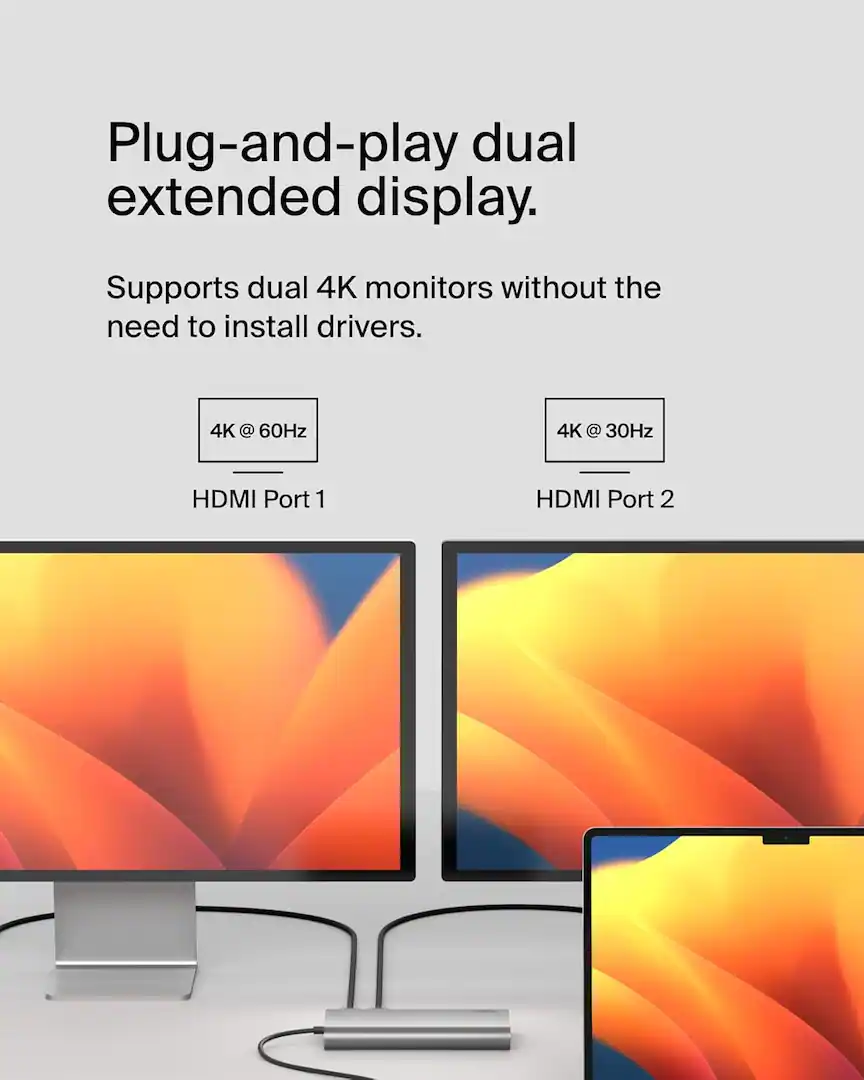
Display performance: the real reason to buy it
If you use a Windows laptop, display support is where this hub earns its place on a desk.
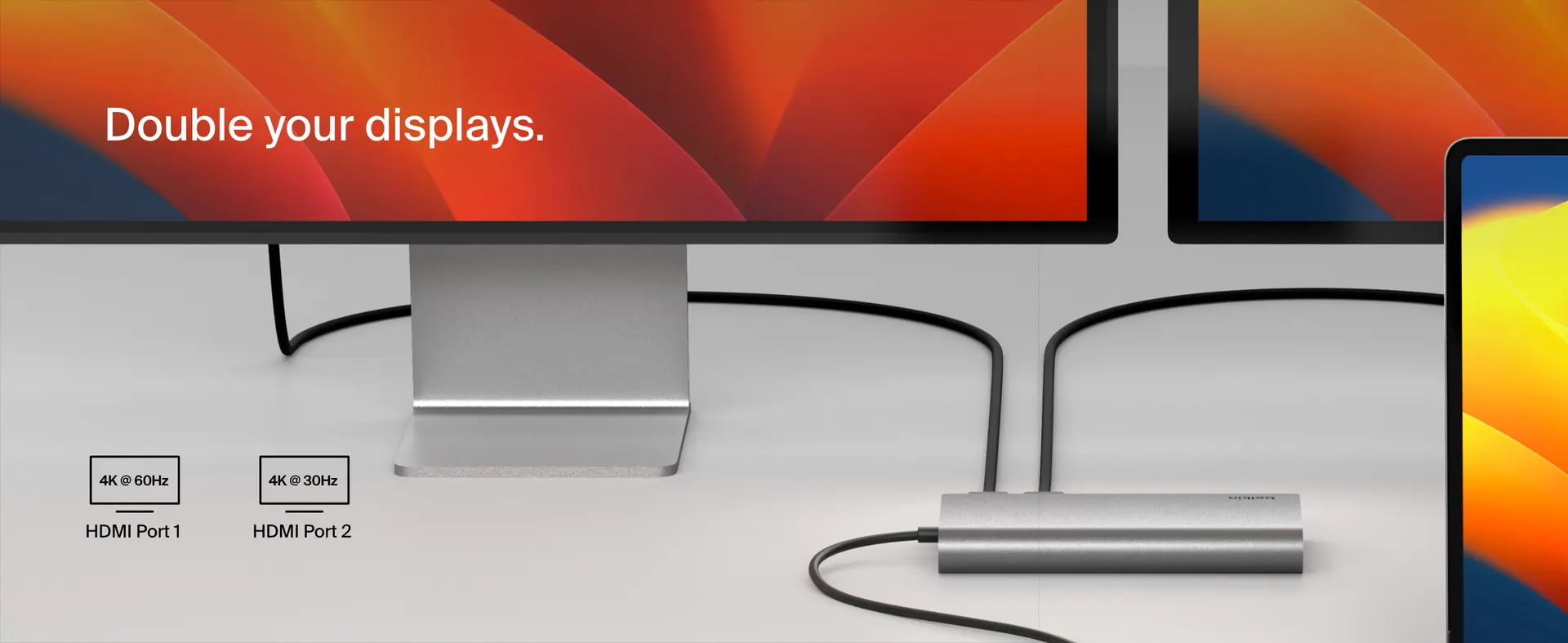
The promise of dual 4K displays at 60Hz is not just spec-sheet padding. It is the point where a productivity setup stops feeling compromised. One display is fine. Two high-resolution external displays from one compact hub is where a laptop setup starts to feel like a proper workstation. For spreadsheets, browser-heavy work, document comparison, communication apps, dashboards, and general multitasking, that extra screen space changes the entire day-to-day experience.
What we appreciated here is that Belkin did not go with the usual half-measure that many smaller hubs still rely on. Too many products in this category advertise “dual display” support and then bury the fact that one display runs at 4K/60Hz while the other drops to 4K/30Hz. That kind of compromise is not always fatal, but it does make a setup feel less polished once you actually start living with it. Belkin’s Windows-oriented display pitch is much stronger than that, and that is a big part of why the product feels competitive.
This is also where the Mac issue becomes impossible to ignore. If you are on macOS and you are buying this hub specifically for easy two-screen extended-display productivity, this is not the simple answer the name suggests. That is the single biggest weakness in the whole product. Not because the hub is bad, but because the mismatch between expectation and real-world use could be huge for the wrong buyer.
We kept coming back to the same conclusion: this is a strong display hub for Windows users and a compromised display hub for Mac users. Once we framed it that way, the rest of the product made much more sense.
Real-world office performance
In actual desk use, the Belkin feels most convincing when you stop thinking about it and simply let it do its job. That sounds like faint praise, but it is not. In this category, invisibility is often the real mark of quality. You want the hub to disappear into the routine of your day while quietly solving the problems your laptop created by losing ports.
That is exactly where this hub feels strongest. The combination of display out, wired internet, mixed USB support, and charging means it can take a thin laptop and turn it into a practical work machine with very little effort. Keyboard, mouse, storage, Ethernet, power, monitors, done. That one-cable simplicity is still the whole appeal of products like this, and Belkin gets the formula right.
We also liked the footprint in actual use. It is small enough to stay out of the way, and the tethered cable means there is less clutter than you get with some mini-docks that require an extra host cable anyway. The product does not overcomplicate the desk. That sounds obvious, but plenty of accessories do.
The Gigabit Ethernet port is also more valuable than it sounds on paper. It may not be glamorous in 2026, and some buyers will ignore it completely, but stable wired internet remains one of the easiest quality-of-life improvements in a work setup. Video calls feel more reliable, large file access is steadier, and the whole setup feels less dependent on the mood of your Wi-Fi. We still consider Ethernet a real productivity feature, not an old-fashioned leftover, so we were glad it made the cut.
Charging and data speeds
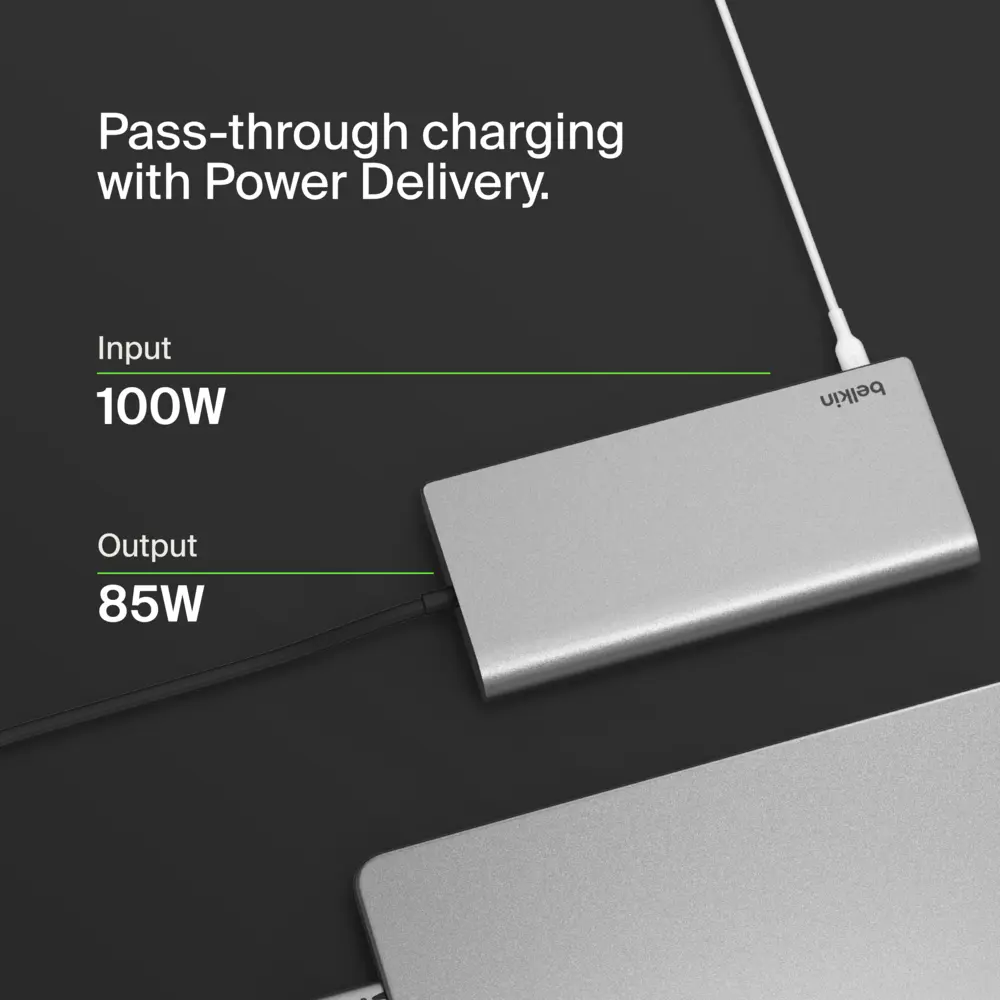
Belkin advertises up to 100W pass-through charging, and that headline is useful, but it needs to be understood properly. Like many hubs in this class, the full number is not the same as guaranteed host delivery under all conditions. The hub uses some power for itself, which means the actual wattage reaching the laptop depends on the charger you connect and how demanding the overall setup is.
That is normal. It is not a flaw unique to this product. But it is one of those details that buyers often misunderstand. If you are using a relatively efficient office laptop, the pass-through behavior here should make sense. If you are powering a hungrier machine while driving multiple displays and peripherals, the real-world charging experience will feel more like “good enough for work” than “unlimited overhead.” That difference matters.
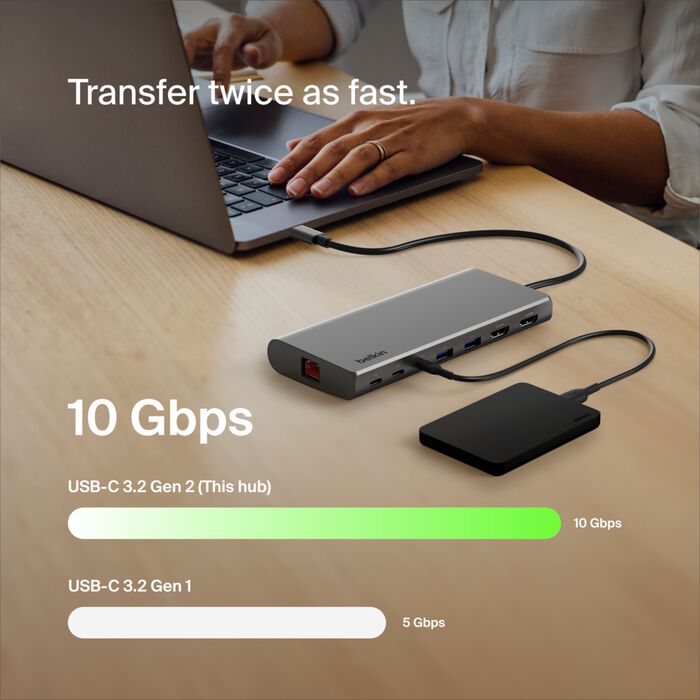
On the data side, the 10Gbps USB-C ports are the quiet strength of the hub. They give the product a more modern feel and make it much easier to justify at this price than cheaper hubs stuck in a slower, more basic peripheral tier. External storage benefits from that bandwidth in a way you actually notice. We liked that Belkin gave newer accessories room to breathe instead of making USB-C an afterthought.
The USB-A ports at 5Gbps are fine for the role they are clearly meant to play: keyboard receivers, older storage, small accessories, and general desk gear. They are not exciting, but they do not need to be. They are there because a lot of desk setups still depend on them, and Belkin was right not to pretend otherwise.
The privacy button: not a gimmick
We expected this to be one of those launch features that sounds clever and then turns out to be forgettable. It did not.
The monitor privacy button is actually useful because it solves a very specific, very recurring modern office problem. Shared workspaces, hybrid offices, meeting rooms, hot desks, glass walls, quick interruptions, sensitive tabs left open on a second monitor — these are not rare situations anymore. Being able to instantly blank external displays with a physical button is the sort of small convenience that sounds minor until you imagine using it a few times a week. Then it starts to make sense.
What we appreciated most is that Belkin kept the feature simple. No utility app. No shortcut. No menu. No awkward sleep-state dance. You press a button, the external displays go dark. Done. That is exactly how a feature like this should work.
Would we buy the hub for this alone? No. But did it make the product feel smarter and more thought through than the average USB-C hub? Yes, absolutely.
Where the hub feels limited
This is not a creator-friendly dock, and Belkin does not really try to hide that. The moment you need card readers, DisplayPort, audio, or faster networking, the hub starts to feel narrow. That is not necessarily a flaw if the product is priced and marketed correctly, but it is still a limitation in real buying terms.
We also think the overall product identity could have been clearer. Once you know that this is fundamentally a compact Windows-friendly office hub with one clever privacy feature, it becomes very easy to judge fairly. Before that, the product name can lead some buyers to expect broader universal dual-display freedom than the experience really delivers.
The spec communication could also be cleaner. In this category, precision matters. Buyers are making decisions based on ports, standards, refresh rates, and compatibility details. Any fuzziness in how those things are presented works against trust, especially for a connectivity brand that should know better.
Value for money
At $99.99, the price feels reasonable.
This is not bargain-bin territory, but it is also well below the cost of many fuller-featured docks that include their own power brick and much larger I/O spreads. Belkin priced this like a serious compact hub, and that is exactly what it is. You are paying for a modern port mix, dual-display ambition, brand polish, a compact footprint, and a genuinely useful extra feature.
The value looks especially good for Windows users who will actually take advantage of the dual 4K/60Hz monitor support. For them, the hub hits a sweet spot between cheap dongles and pricier desktop docks. It does enough to feel like a real upgrade without pushing into a more expensive category.
For Mac users, the value equation changes dramatically. When a product’s most attractive headline feature is the one thing that does not translate cleanly to your setup, the price becomes much harder to justify. That does not make the hub bad on Mac. It just means the value becomes much more conditional.
Pros and cons
Pros
- Smart, compact footprint that suits modern desk setups
- Useful mix of USB-C, USB-A, Ethernet, HDMI, and PD
- Dual 4K/60Hz support is genuinely compelling for Windows users
- 10Gbps USB-C ports make it feel more future-ready than many cheaper hubs
- The privacy button is actually practical
- Easy to live with in daily office use
- Fair pricing for the feature level
Cons
- Mac buyers face a much more limited display experience
- No SD, microSD, DisplayPort, or audio
- Office-first feature set will feel too narrow for some users
- Not as premium in hand as more expensive metal desk docks
- Charging headline needs realistic interpretation in real use
Who should buy it
Buy this if you use a Windows laptop and want a clean, compact, one-cable desk hub that handles the essentials properly. That means dual monitors, wired network, older USB accessories, newer USB-C devices, and pass-through charging without turning your desk into a cable nest.
It also makes sense if you move between workspaces and want something more capable than a travel dongle but less bulky and expensive than a full docking station. There is a real middle-ground appeal here, and Belkin judged that segment well.
And yes, buy it if the privacy button genuinely matches your work life. In a shared office or hot-desk environment, that is not a silly extra. It is a useful one.
Who should skip it
Skip it if you use a Mac and your entire reason for shopping is dual external display productivity from one compact hub. That is the biggest warning attached to this product, and it is too important to soften.
Skip it if you need creator-focused ports like memory card slots, or if your setup strongly favors DisplayPort or faster-than-Gigabit wired networking. This hub is deliberately selective, and that selectiveness will feel restrictive to the wrong buyer.
Also skip it if you want a full desktop dock experience with more overhead, more ports, and fewer compromises around power and connectivity expansion. This is a very good compact hub, but it is still a compact hub.
Final verdict
The Belkin Connect 8-Port Dual Display USB-C Hub is at its best when you judge it for the job it was clearly designed to do. As a compact office hub for Windows users, it is easy to like. It gives you the right ports, strong display support, a tidy desk footprint, useful Ethernet, respectable data speeds, and one bonus feature that actually has a point. In daily use, it feels thoughtful in the places that matter.
What keeps it from being an easy blanket recommendation is the Mac situation. That is not a minor footnote. It is the central buying warning. If you are a Mac user and the words “dual display” are the reason you clicked, this is not the carefree yes the name suggests.
Our bottom line is simple. For Windows users, this is one of the more sensible compact productivity hubs in its class and an easy option to shortlist. For Mac users, it is a conditional product that only makes sense once you understand exactly what it can and cannot do. That is not the most dramatic verdict, but it is the honest one, and it is the verdict this hub earns.
FAQ
Does the Belkin Connect 8-Port Dual Display USB-C Hub support two 4K monitors?
Yes, it is positioned for dual 4K displays at 60Hz, but the smooth dual-display productivity pitch is really aimed at Windows users. That is the key distinction.
Is it a good choice for MacBooks?
It can still be useful for ports, charging, Ethernet, and general desk convenience, but it is not the straightforward dual-monitor Mac solution the product name may suggest.
What ports does it include?
You get 2 x USB-C 3.2 data ports, 2 x USB-A 3.0, 1 x USB-C PD pass-through, 1 x Gigabit Ethernet, and 2 x HDMI.
Does it come with a charger?
No. The hub includes its built-in USB-C cable, but you will need to supply your own USB-C power adapter if you want pass-through charging.
How much charging power actually reaches the laptop?
Belkin advertises up to 100W pass-through, but some power is reserved for the hub itself, so actual host charging depends on the adapter and the laptop.
Is the privacy button actually useful?
Yes. It sounds niche at first, but in shared offices, meeting rooms, or hot-desk setups, being able to blank external displays instantly is a genuinely practical feature.
Is it portable?
Yes. It is compact enough to carry easily in a work bag, and the built-in cable helps keep the setup simple.
Is it a full dock replacement?
For many office setups, yes. For more demanding desktop environments, no. It covers the essentials very well, but it does not try to be a giant all-in-one workstation dock.
Explore the Full Gallery
Every image from this article, gathered in one clean place. Tap any photo to open it larger.