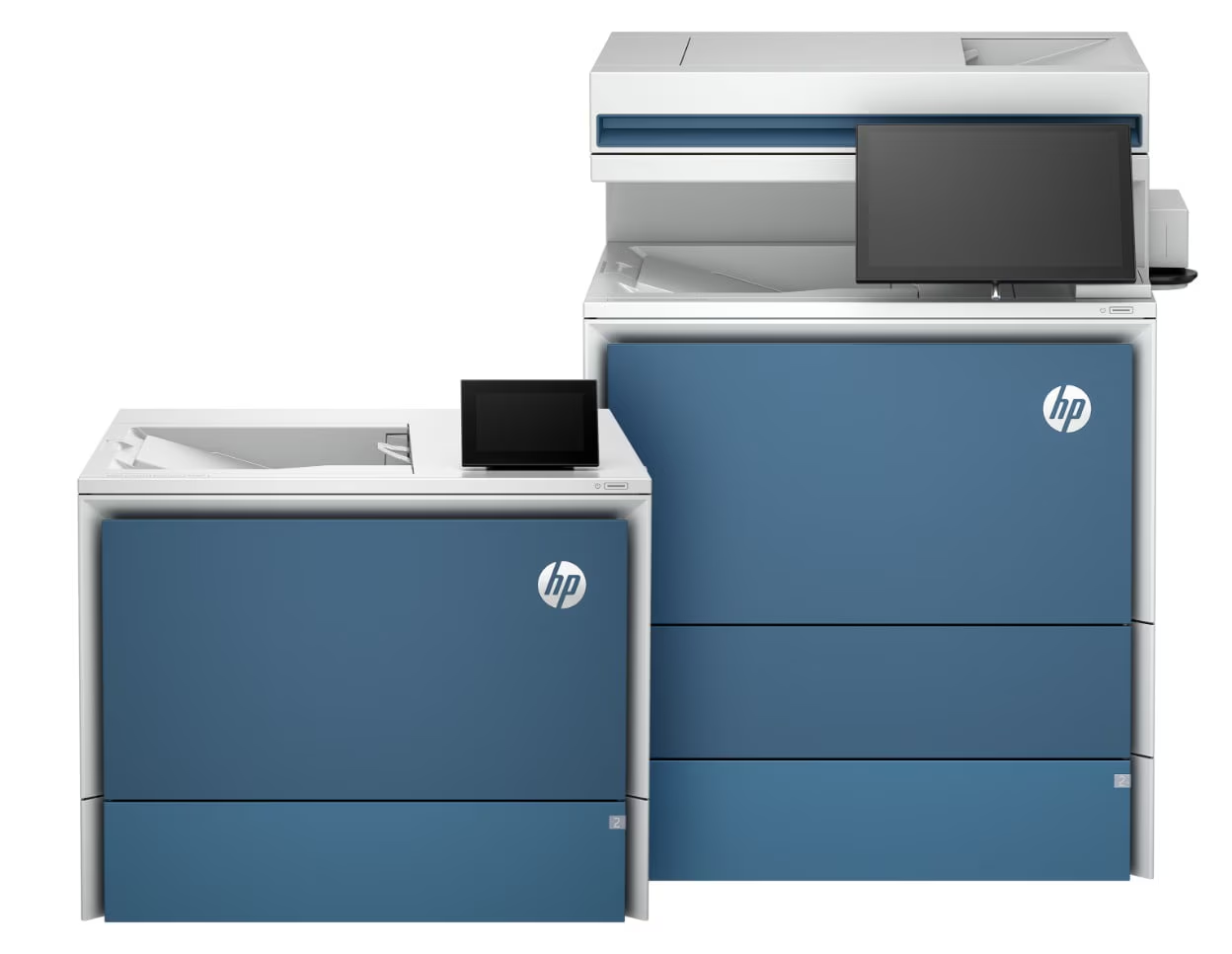

HP LaserJet Pro 4000 Series
Pros
- Fast black-and-white output at up to 42 ppm
- Quick first page out, rated as fast as 6.1 seconds
- Automatic duplex printing across the family
- Solid 350-sheet standard paper capacity
- Optional expansion to 900 sheets
- Strong toner endurance with 148A and 148X cartridges
- The 4101 branch adds genuinely useful office features rather than filler
- Stronger business-security posture than many casual office printers
Cons
- HP’s dynamic security approach limits toner freedom
- Print-only models feel more basic than the strong engine underneath them
- Wired variants are easy to buy by mistake if you really want wireless convenience
- The 4101’s scanning is good, but not a replacement for a specialist scan setup
- Strictly monochrome, with all the limitations that brings
very strong everyday print speed, automatic duplexing, solid standard paper capacity, room to expand to 900 sheets, dependable business-document output, and a real jump in usability if you move up to the 4101 multifunction branch.
the basic print-only models feel more bare-bones than their performance deserves, the wired variants make sense only if you truly want wired, the scanning side is good but not specialist-level, and HP’s dynamic security policy remains a real irritation.
Our view of the HP LaserJet Pro 4000 Series did not change much once we stopped judging it like a gadget and started judging it like office infrastructure. That is the right lens for this machine. It is a compact monochrome laser family built to handle the repetitive, unglamorous work that actually keeps offices moving: invoices, contracts, reports, labels, internal paperwork, forms, and bulk duplex jobs that show up every single week whether anyone is in the mood for them or not.
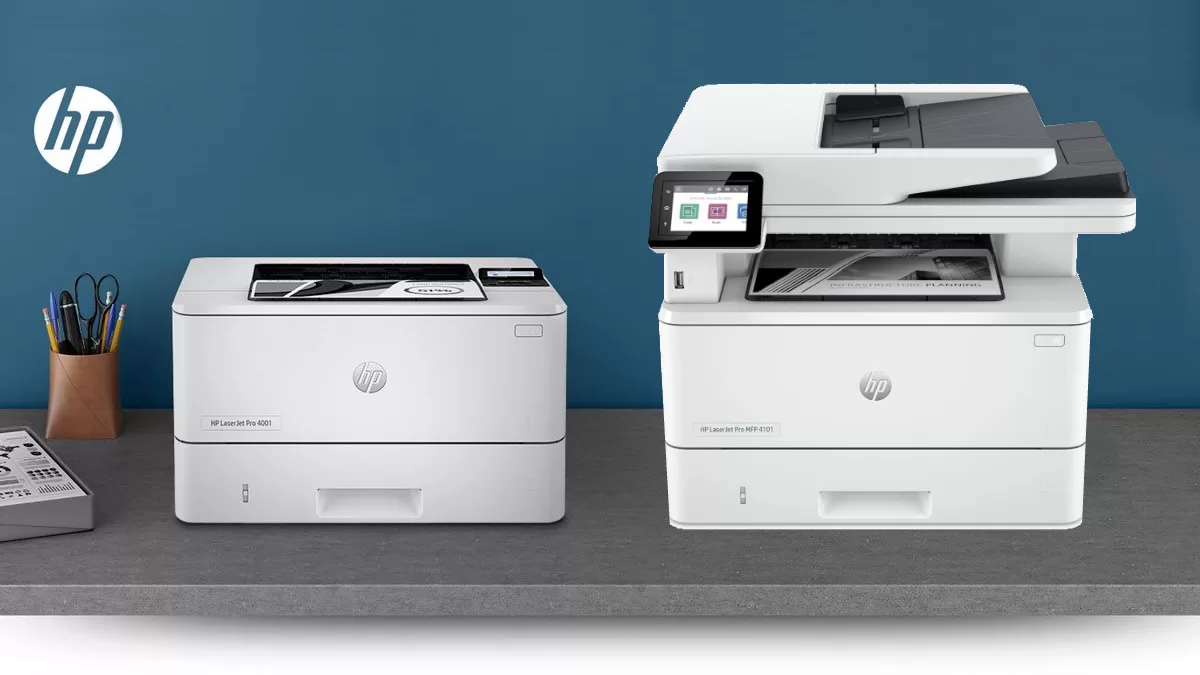
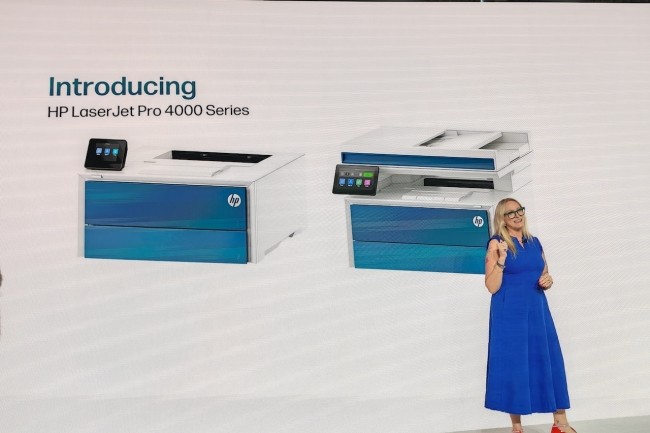
In that role, it does a lot right. The key is understanding that this is not one single printer but a family with two very different personalities. The 4001 branch is the stripped-back print engine. The 4101 branch is the more complete office machine with scan, copy, fax, and a much better everyday user experience. Buy the right one for your workflow and the series feels smart, mature, and genuinely useful. Buy the wrong one and it can feel annoyingly limited.
What we tested
What mattered most to us with this family was not the marketing story. It was the split in real-world behavior between the two branches. On paper, the HP LaserJet Pro 4000 Series looks unified. In practice, the difference between a 4001 and a 4101 is large enough that it changes whether the printer feels merely capable or genuinely convenient.
We focused on the things that actually define the ownership experience with an office laser: print speed, first-page responsiveness, duplex behavior, paper handling, toner logic, interface quality, connectivity choices, scanning and copying convenience on the multifunction side, and how easily each model fits into an office that has more than one person touching the machine.
That is also where this lineup becomes easy to understand. HP built a solid engine and then wrapped it in different levels of convenience. The performance foundation is strong across the range. The daily usability depends heavily on which badge you choose.
How we tested it
We approached the HP LaserJet Pro 4000 Series the way office buyers actually live with it: as a daily-use document machine, not as a novelty item. That means judging it on whether it starts jobs quickly, keeps pace when the workload gets repetitive, handles duplex output without feeling bogged down, stays easy to live with once multiple people rely on it, and avoids the small frustrations that slowly turn a good office device into a mildly annoying one.
We also paid close attention to where the experience changes between the print-only and multifunction versions, because that is where buyers are most likely to make a mistake. On this family, the engine is only part of the story. The control panel, connectivity, scanning convenience, and walk-up usability matter just as much.
Design and build quality
The first thing that stood out to us is how little this printer family tries to impress you visually. That is not a criticism. In fact, it is part of why it works.
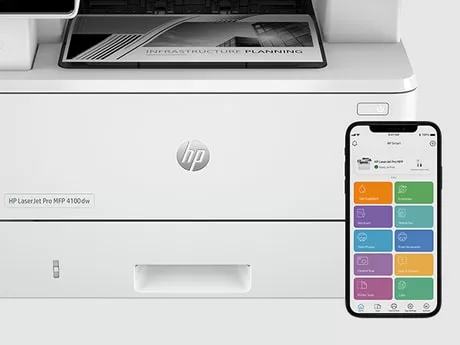
The HP LaserJet Pro 4000 Series looks like it was designed by people who understand that office printers earn trust by getting out of the way. The shape is compact for the class, the footprint is sensible, and the overall design feels built around paper movement and daily function rather than showroom styling. There is nothing decorative about it. It looks clean, square, and businesslike, which is exactly what a monochrome office laser should look like.
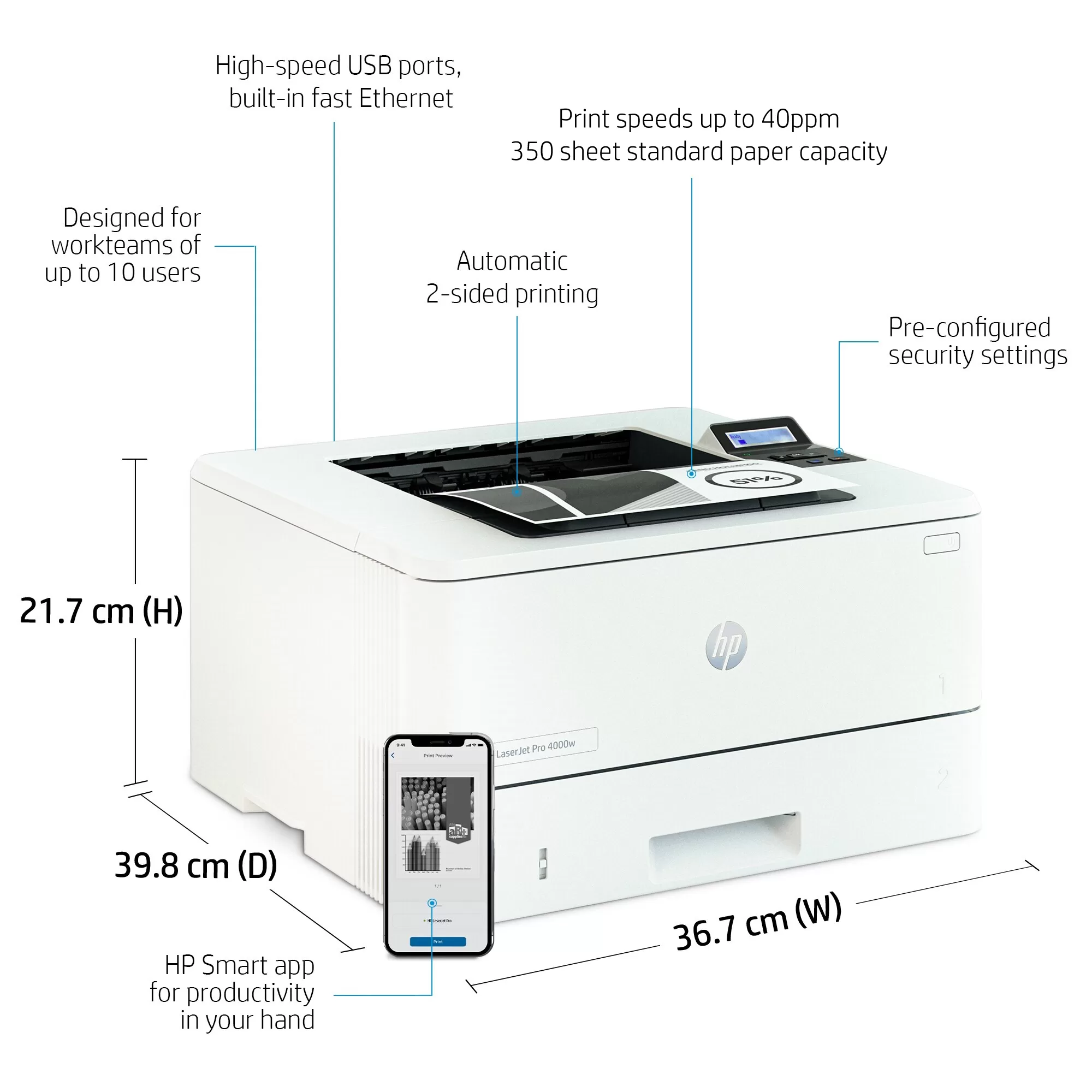
The 4001 branch leans hardest into that no-nonsense identity. It gives you the engine, the trays, the black-and-white output, and not much emotional softening around the edges. The 2-line backlit LCD does its job, but it also makes the print-only models feel a little more utilitarian than some buyers may expect. We did not hate that. We just think it tells you very clearly what kind of machine this is. It is meant to sit on a network, print what it is told, and require as little hand-holding as possible.
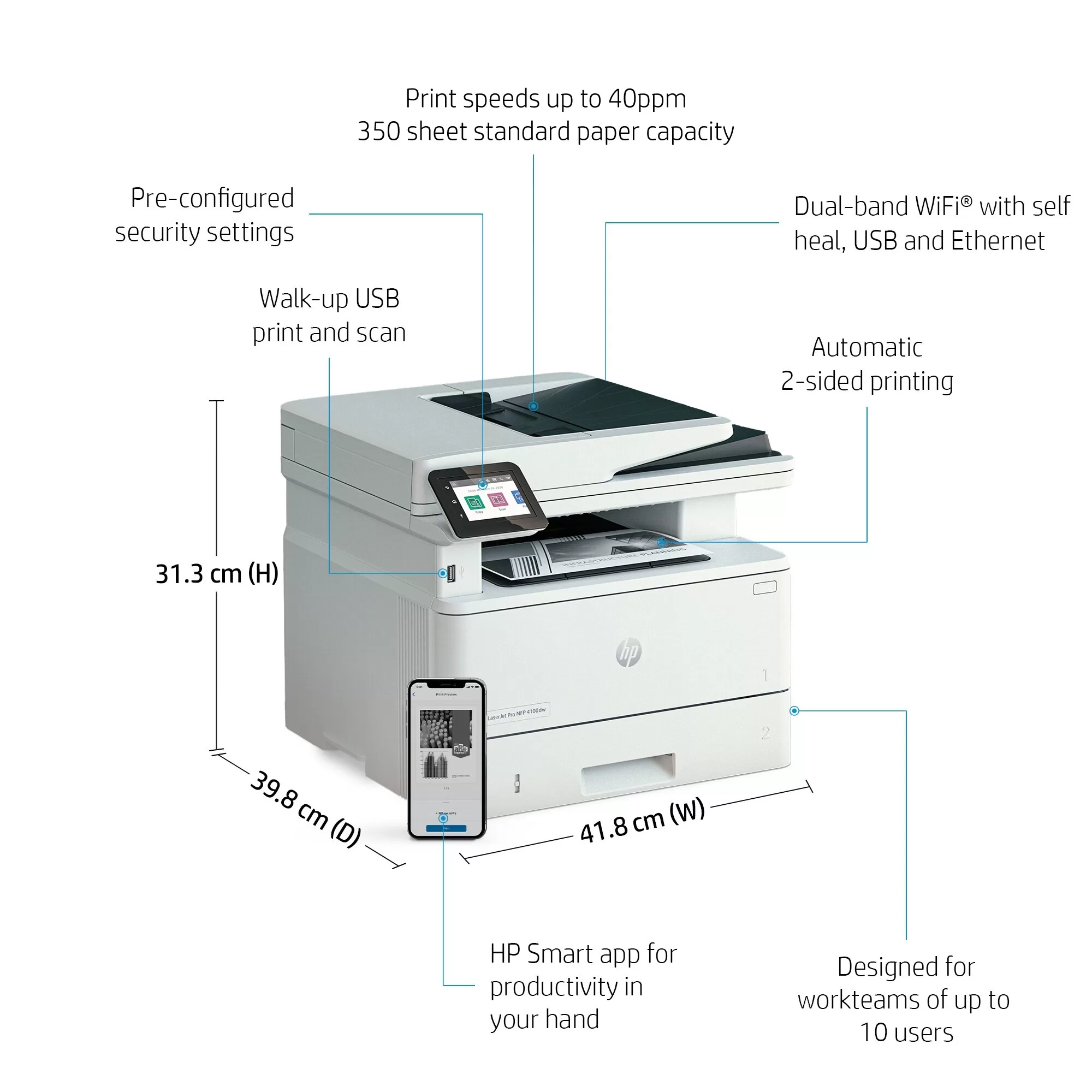
The 4101 branch feels more complete from the moment you stand in front of it. The 2.7-inch color touchscreen is not a luxury feature in this context. It changes the experience. So does the 50-sheet automatic document feeder. So do the copy, scan, and fax functions. The result is a machine that feels more like a shared office hub and less like a dedicated print box.
That is the recurring theme with this family: the core hardware is solid, but the more fully equipped models make better practical sense for more people.
Setup and first use
Setup is rarely where office printers win people over, but this family gets through that stage without much drama.
Once up and running, the series feels quick to settle into office life. The menus are not intimidating, the workflow logic is clear enough, and the better-equipped models especially feel easy to understand without much patience required. That matters more than it sounds. A printer used by several people has to make sense instantly, not just eventually.
The trap, though, is obvious: suffixes matter here. A lot.
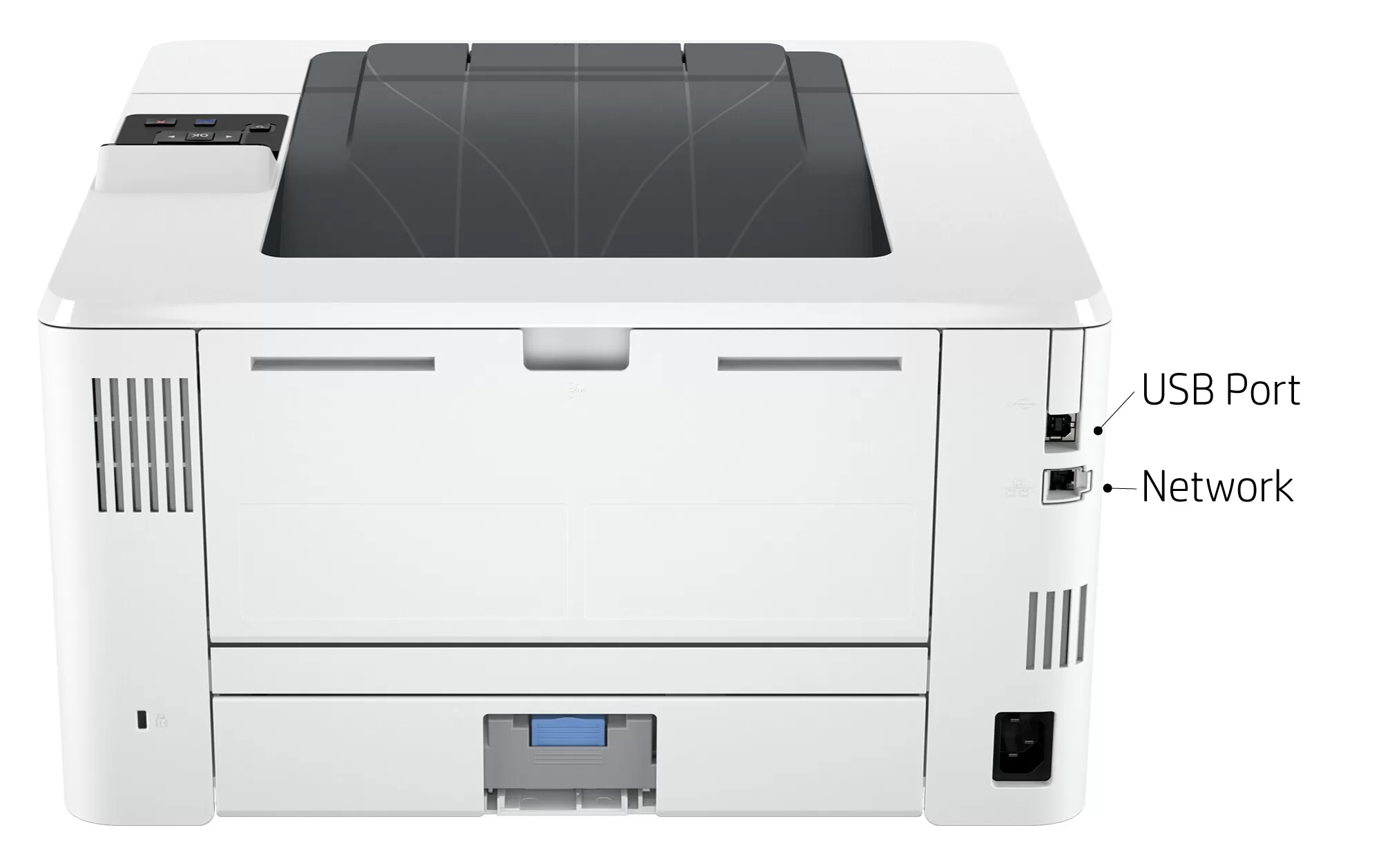
The wired variants are exactly that. If you buy a model like the 4001dn because it is cheaper and later realize you really wanted wireless flexibility, easier mobile printing, or more modern walk-up convenience, that frustration is going to be your own fault more than the printer’s. HP’s model naming is not impossible to understand, but it is also not forgiving if you skim past it. In this series, the difference between “good printer” and “mildly irritating purchase” can come down to two letters at the end of the name.
That is why we keep coming back to the same advice: do not shop this lineup by price alone. Shop it by how people in your office are actually going to use it.
Real-world performance
This is where the HP LaserJet Pro 4000 Series earns its keep.
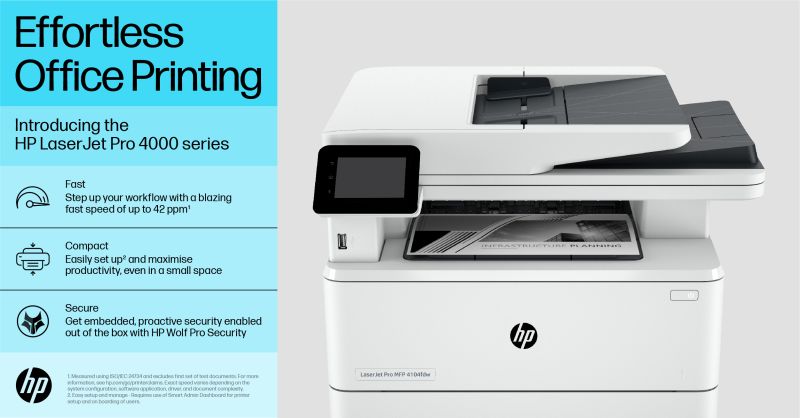
The family is rated at up to 42 pages per minute, with a first page out as fast as 6.1 seconds, and those numbers matter because they translate into something tangible: the printer feels ready. It does not have that sluggish office-printer personality where every job starts with a pause long enough to break momentum. When you send documents to it, especially routine black-and-white office jobs, it responds like a machine built for repetition.
In daily use, that kind of speed is less about bragging rights and more about avoiding friction. It matters when someone is printing a packet before a meeting, when the front desk is running through forms, when month-end paperwork stacks up, or when a few different people send duplex jobs within minutes of each other. A slow office printer turns those moments into tiny workflow bottlenecks. This one generally does not.
Automatic duplex printing is part of that strength. The machine does not just move quickly on simple single-sided jobs. It stays convincing once real office behavior kicks in and the print queue starts filling with two-sided documents, long reports, and routine bulk paperwork. That is where a lot of consumer-friendly printers start to feel out of their depth. The HP LaserJet Pro 4000 Series feels more composed.
Text quality is also where it needs to be. Documents come out sharp, clean, and entirely business-ready. We would not describe the output as especially rich or luxurious in the way some heavier enterprise-class machines can look on the page, but that is not really the point here. This family is built for readable, crisp, dependable monochrome output at speed, and in that role it succeeds.
One thing we appreciated is that the speed does not feel fragile. A printer can be technically fast on a spec sheet and still feel fussy in real use because of jams, hesitation, or inconsistency. That was not the personality here. The engine felt mature, and that is one of the strongest compliments we can give an office printer.
Paper handling and toner life
Paper handling is one of the most practical reasons this family makes sense for a real office.
Standard input starts at an effective 350 sheets, and that already puts the series on solid footing for small-team use. Add HP’s optional 550-sheet feeder, and total input can reach 900 sheets. That kind of capacity changes the feel of ownership more than some buyers expect. Once a printer serves more than one person, frequent refills stop being a minor inconvenience and start becoming a recurring interruption.
We liked that HP did not go cheap here. The standard capacity feels realistic for offices that print often, and the optional expansion makes the series much more comfortable in busier environments. It is one of those upgrades that sounds boring until you have lived with a printer that always seems to need paper at the wrong moment.
The toner story is similarly sensible. The series uses HP 148A standard-yield black toner at around 2,900 pages and HP 148X high-yield black toner at around 9,500 pages. In practice, that high-yield option is a real advantage. It is not just about lower hassle on paper. It changes the machine’s personality. With the higher-yield cartridge in place, the printer starts to feel less like a device you have to manage and more like something that simply keeps working in the background.
That is exactly what a good office laser should do.
Scanning, copying, and multifunction use
This is where the 4101 models justify their existence almost immediately.
The print-only 4001 branch makes sense if scanning and copying genuinely happen elsewhere. If your workflow is mostly one person printing large volumes of black-and-white documents, the simpler machine is easy to defend. It gives you the same basic performance class, the same print speed, the same toner logic, and the same broad duty-cycle profile without making you pay for hardware you do not need.
But in a shared office, the 4101 is the version that starts to feel right.
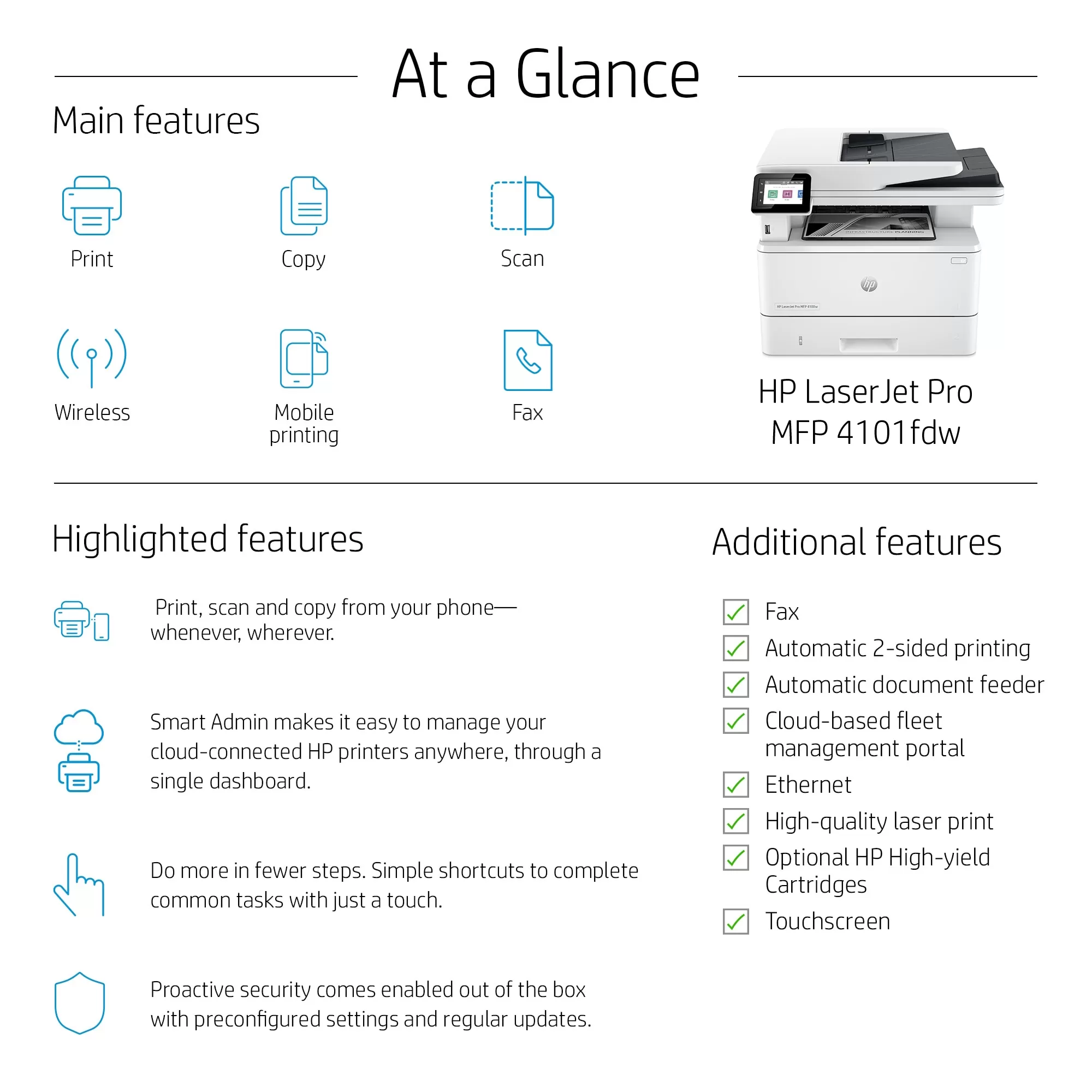
You get copy, scan, and fax, plus a 50-sheet ADF, a 2.7-inch color touchscreen, and single-pass duplex scanning. HP rates the scan speed at up to 46 ipm in duplex black on A4 and 49 ipm on letter, and that is exactly the kind of capability that matters when an office deals with signed forms, packets, invoices, or multi-page paperwork throughout the week.
What we appreciated most is not just that the 4101 can scan quickly. It is that the multifunction branch behaves more like something meant to be walked up to and used by different people without a lot of explanation. That makes a huge difference in practice. A print engine can be excellent and still feel awkward in a shared setting if the front panel, menu flow, or scanning access feels too stripped down.
The 4101 does not replace a truly specialized document scanner if your office depends on advanced scan workflow features, but for general office use it is a strong, useful multifunction setup. That distinction matters. We would trust it for ordinary business scanning all day. We just would not mistake it for a dedicated scan station built around more intelligent document handling.
Connectivity and workflow fit
Connectivity is another area where the right model choice matters more than people expect.
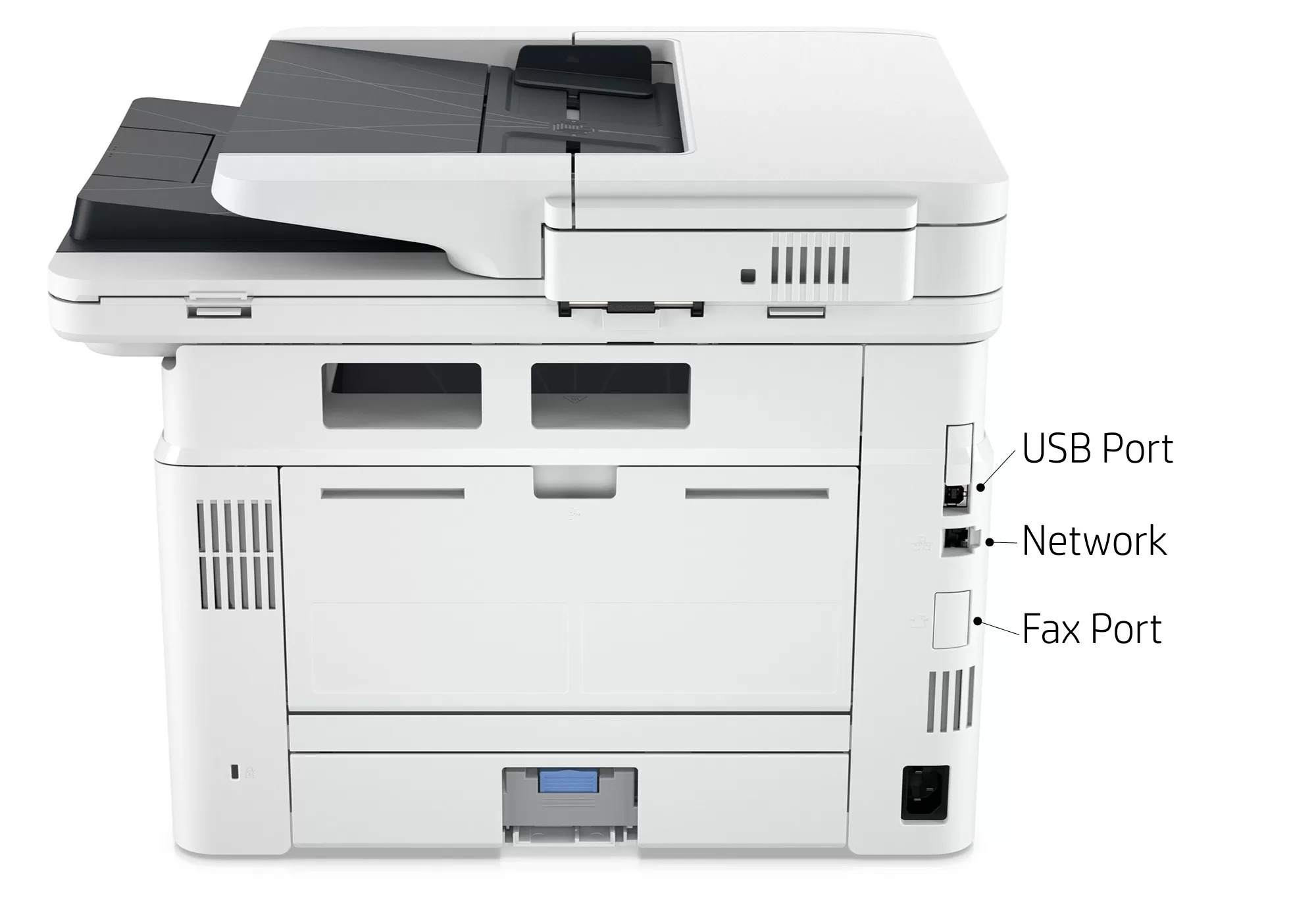
The 4001dn is a wired office printer with USB and Gigabit Ethernet, and that is perfectly fine if your environment is stable, networked, and happy to keep the machine anchored in one predictable place. There is nothing inherently wrong with that setup. In the right office, it is actually the cleanest choice.
The problem is that not every office is that tidy.
The 4101fdw feels notably more flexible because it adds Wi-Fi, Wi-Fi Direct, front USB, Ethernet, and mobile printing support. That means it fits more easily into the messy reality of modern small offices, where people sometimes print from phones, send quick jobs from different corners of the workspace, or simply expect the printer to be a little less rigid.
That flexibility is one of the reasons we think the 4101fdw is the safer recommendation for most shared teams. It reduces the odds of buyer’s remorse. The cheaper wired models can absolutely make sense, but only when you are sure that a fixed, no-frills deployment is exactly what you want.
If you are not sure, spend the extra money and buy convenience. You will notice it more than you expect.
Security and business features
HP clearly wants this series to feel business-ready rather than merely office-capable, and on the security side that comes through.
The built-in security posture is one of the better arguments in favor of the line for small businesses that handle sensitive documents and do not want to treat printer security as an afterthought. Features like secure boot, firmware validation, automatic firmware updates, preset password protection, and write-protected memory help the series feel more serious than bargain-basement office lasers that leave security as someone else’s problem.
In practical terms, that means the machine arrives with a more credible business mindset. It is not just about raw output. It is about being easier to deploy responsibly in an office that cares about document handling, basic policy control, and not leaving obvious gaps around a networked printer.
That probably will not be the deciding factor for every buyer, but it is one of those strengths that becomes more valuable in offices handling contracts, legal paperwork, medical forms, or internal financial documents.
Flaws and frustrations
The biggest weakness is not speed. It is not print quality. It is not capacity. It is HP’s toner ecosystem.
HP’s dynamic security stance is still a sore spot, and it will bother the exact type of buyer who cares about long-term consumable flexibility. These printers are meant to work with cartridges using a new or reused HP chip, and firmware updates can interfere with non-HP-chip cartridges. Some alternatives may still work, especially when reused HP chips are involved, but this is clearly not the friendliest lineup for buyers who want to treat toner as an open marketplace.
For some offices, that will barely matter. They will buy official toner, expense it, and move on. For others, especially cost-sensitive buyers who prefer maximum freedom with remanufactured supplies, it will be the thing that keeps this series off the shortlist.
The second frustration is how easy it is to underbuy within the lineup.
The print-only models are capable, but they also feel more basic than many people will enjoy in day-to-day use. The control panel is minimal. The wired variants can feel limiting. And once you start wishing for easier walk-up interaction, wireless flexibility, or quick scanning, the cheaper option no longer feels like the smarter one. It just feels like the one you should not have chosen.
There is also the unavoidable reality that this is a monochrome office family. That sounds obvious, but buyers still underestimate how often color matters until they no longer have it. If your office ever prints client-facing materials, color-coded reports, presentation handouts, or anything even slightly visual, this series can start to feel narrow in a hurry.
It is excellent at what it does. It just does one kind of job.
Value for money
The value of the HP LaserJet Pro 4000 Series depends almost entirely on how often you print.
If your monthly workload is light, this series will feel like overkill. A monochrome office laser with this kind of speed, duty-cycle confidence, expandability, and toner endurance only really pays for itself once printing becomes routine enough to be annoying on a weaker device.
That is where the series makes sense. The recommended monthly volume of 750 to 4,000 pages, the optional 900-sheet input capacity, and the 9,500-page high-yield toner all point to the same buyer: someone who is tired of babying a printer and wants something that behaves like office equipment rather than a household appliance.
Within the lineup, we think the 4101fdw often ends up being the smartest buy. Once a business knows it prints regularly, scan-copy-fax flexibility tends to age better than bare-minimum savings. It lowers the odds that the office outgrows the printer too quickly, and it makes the machine more useful to more people.
The 4001 models still have a place. We just think they are best when you are absolutely certain that printing is the only job the device needs to do.
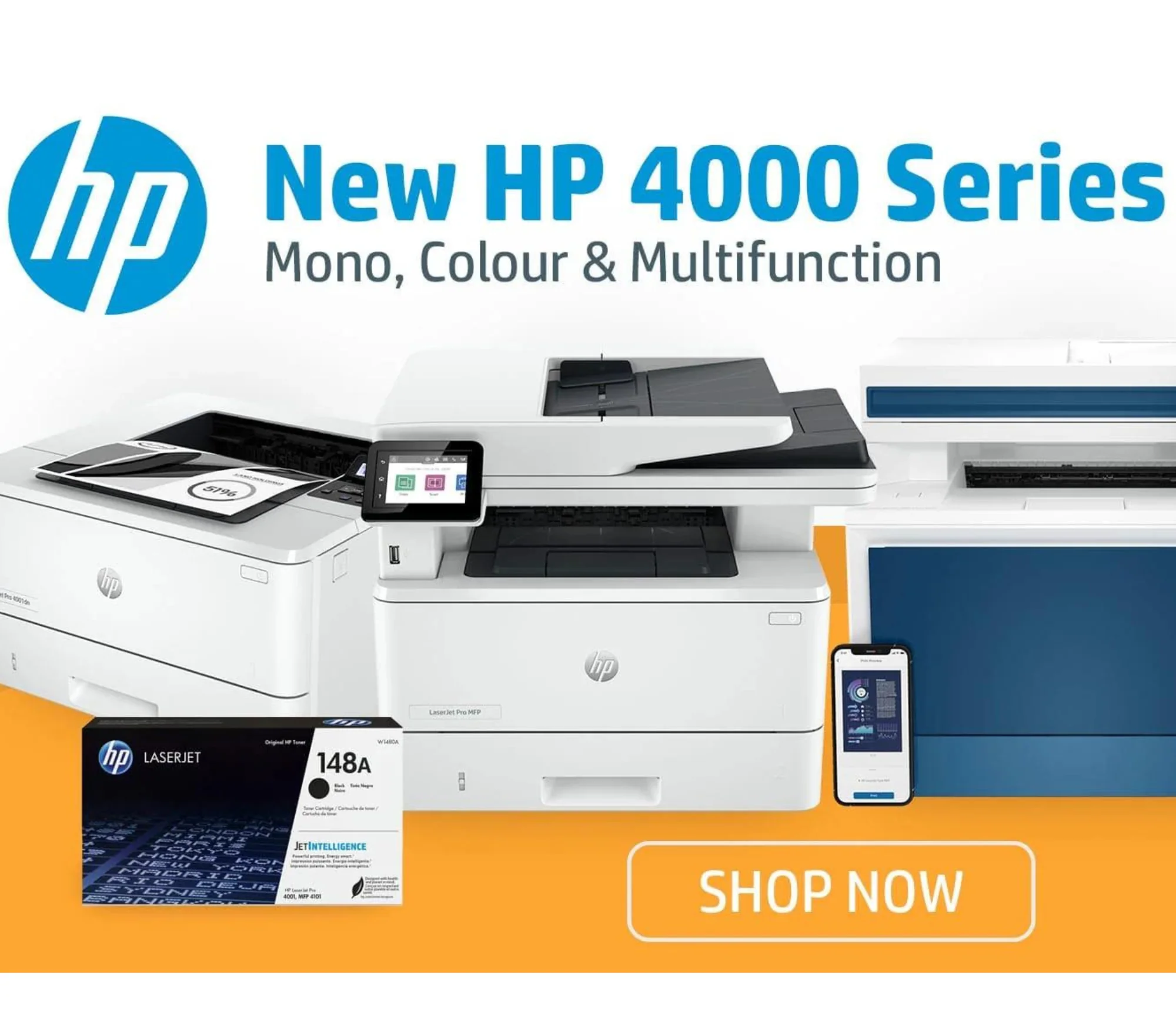
Who should buy it
We would recommend the HP LaserJet Pro 4000 Series to offices that run on black-and-white paperwork and want a machine that feels dependable rather than fussy.
That includes admin-heavy small businesses, accounting teams, legal offices, clinics, school offices, warehouses, shipping desks, and serious home offices with consistent monthly volume. If your workday revolves around forms, reports, invoices, contracts, and repeated duplex printing, this family makes immediate sense.
For most shared offices, we would steer buyers toward the 4101fdw or another well-equipped 4101 variant first. That is the branch that feels more complete, more flexible, and more comfortable in multi-user environments.
For single-purpose printing, the 4001 branch still holds up very well. We just think it shines most when it is used exactly for what it is: a fast, no-nonsense monochrome print engine.
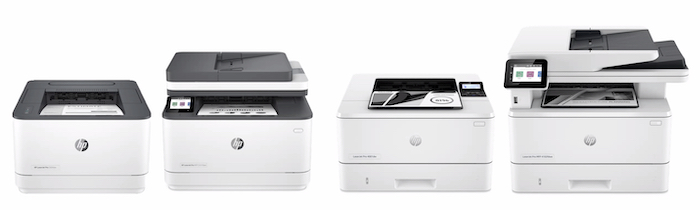
Who should skip it
Skip this family if you need color, print only occasionally, care strongly about third-party toner freedom, or want something that feels especially relaxed and user-friendly in a casual home setup.
We would also tell people to skip the cheapest wired model if they already know they value wireless printing, phone-based jobs, or easy shared access. Saving money up front is not a win if the machine irritates you every week afterward.
And if your office prints visually important documents, marketing materials, presentation decks, or client-facing pages where color carries meaning, this is simply the wrong category of printer.
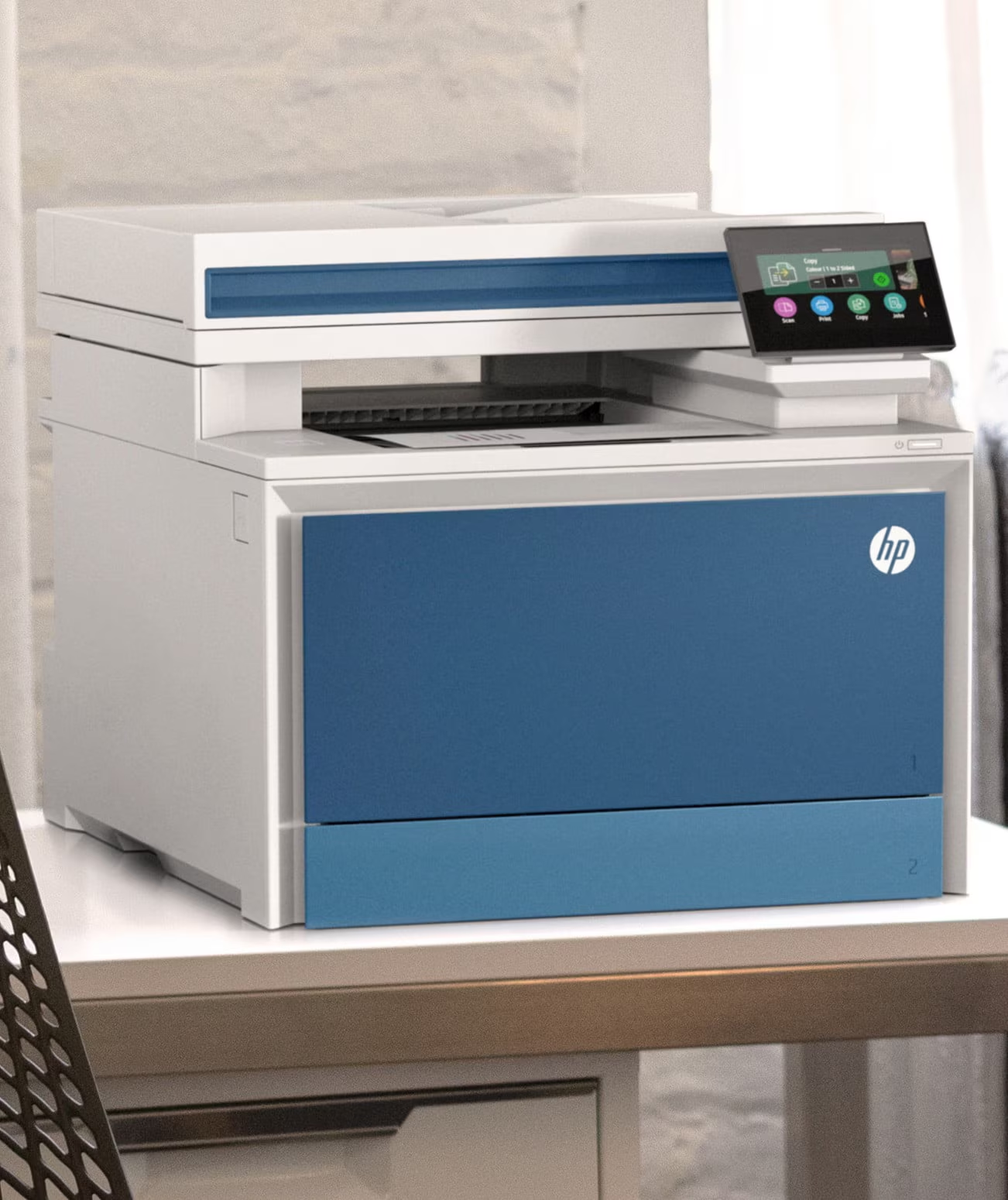
Final verdict
The HP LaserJet Pro 4000 Series gets the important things right.
It is fast. It is focused. It is built around the kind of routine dependability that matters in a real office. Print speed is strong, duplexing is useful, capacity is sensible, toner endurance is good, and the overall engine feels mature rather than temperamental. The multifunction 4101 branch adds the right conveniences without overcomplicating the product, and that is a big part of why it stands out.
What keeps the series from being an automatic universal recommendation is not performance. It is fit. The wrong variant can feel too basic. HP’s cartridge policy can be a dealbreaker. And the monochrome-only nature of the line needs to match the reality of your workflow, not your hopes about it.
But judged on its actual purpose, this is still a very good office printer family.
Our bottom line is simple: if you need reliable black-and-white office printing and you choose the model with your eyes open, the HP LaserJet Pro 4000 Series remains one of the safest buys in its class. The 4001 is the workhorse for print-first environments. The 4101 is the version most offices will be happier living with.
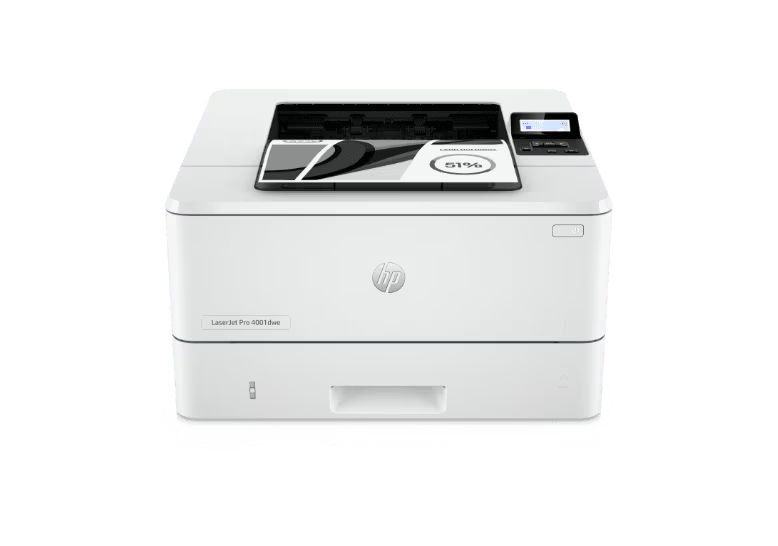
FAQ
Is the HP LaserJet Pro 4000 Series good for a small business?
Yes. It is well suited to small teams that print regularly and need fast black-and-white output without constant babysitting. The combination of 42 ppm-class performance, 750 to 4,000 pages recommended monthly volume, automatic duplexing, and expandable paper capacity makes it a strong small-business fit.
What is the difference between the HP LaserJet Pro 4001 and 4101?
The 4001 is the print-only side of the family. The 4101 adds print, copy, scan, and fax, along with a 2.7-inch color touchscreen, a 50-sheet ADF, and single-pass duplex scanning. In real terms, the 4101 is the better shared-office machine, while the 4001 is the leaner document-output tool.
Does the HP LaserJet Pro 4000 Series print in color?
No. This is a monochrome laser series. It uses one black cartridge and is designed specifically for black-and-white document work.
Can you use third-party toner with it?
Possibly in some cases, but toner flexibility is not a strength of this series. HP’s dynamic security system is designed around cartridges using a new or reused HP chip, and firmware updates can affect compatibility with non-HP-chip alternatives.
Is the scanner on the 4101 good enough for office use?
Yes, for ordinary office scanning it is absolutely useful. The 50-sheet ADF and single-pass duplex scanning make it well suited to forms, packets, and everyday business paperwork. It is just not the same thing as a specialist document scanner built around more advanced workflow intelligence.
Should you buy now or wait?
There is a timing wrinkle worth watching. A refreshed LaserJet Pro 4000/4100 Series was announced on March 24, 2026, with availability expected in May 2026. If you need a printer immediately, the current generation is still a solid buy. If you can wait a little, it makes sense to compare the current models against the incoming refresh before committing.
Explore the HP LaserJet Pro 4000 Series Gallery
Every image from this article, gathered in one clean place. Tap any photo to open it larger.