
Brother MFC-L8970CDW
Pros
- Fast print and copy speeds at 31–33 ppm depending on region
- Excellent duplex scanning with an 80-sheet ADF
- Single-pass duplex scan capability for multi-page workflows
- Strong office connectivity with Gigabit Ethernet, dual-band Wi-Fi, Wi-Fi Direct, AirPrint, Mopria, USB, and NFC
- Useful 7-inch touchscreen with customizable shortcuts
- Expandable paper capacity from 300 sheets to 1,340 sheets
- Serious business security and admin controls
- Better long-run ownership logic than many cheaper office printers
Cons
- Large and heavy
- Not suitable for high-quality photo printing
- Software experience does not feel as polished as the hardware
- Overkill for casual home users
Up to 33 ppm print and copy speed in U.S. specs, 31 ppm in A4-region literature, single-pass duplex scanning , an 80-sheet ADF , a large 7-inch touchscreen , 1GB memory , Gigabit Ethernet , dual-band Wi-Fi , NFC , and a paper setup that starts at 300 sheets and can expand to 1,340 sheets .
It is large, heavy, unapologetically office-focused, and still limited by the usual reality of business color lasers: document output is the priority, not beautiful photo printing. We also felt the surrounding software experience is not quite as refined as the hardware itself.
The Brother MFC-L8970CDW is not trying to be charming, compact, or lifestyle-friendly. It is a serious color laser all-in-one built for offices that print often, scan constantly, and do not have time for flimsy hardware or half-baked workflows. After spending real time with it, our view is straightforward: this is a very good fit for busy small and mid-size offices that need fast printing, fast duplex scanning, strong paper handling, and business-grade reliability. For casual home users, it is far too much printer. For teams that actually move documents all day, it makes a lot of sense.
What stood out to us most is that Brother got the priorities right. The MFC-L8970CDW feels like it was designed by people who understand what makes office printers frustrating in the first place. Slow scan jobs. Small trays. Awkward interfaces. Cheap-feeling construction. Consumables that quietly punish you later. This machine tackles those problems in the places that matter. It does not try to win you over with flashy gimmicks. It wins on the stuff you notice after the first week.
That also means this is not a universal recommendation. If you print a few school worksheets, shipping labels, or the occasional travel document, you should not buy this. If you want rich photo output, you should not buy this either. But if your office lives on invoices, contracts, reports, forms, internal presentations, onboarding packets, and recurring scan jobs, the Brother MFC-L8970CDW feels like the kind of machine you buy once and keep working.
What we tested
With a printer like this, we do not care about showroom tricks. We care about what it is actually like to live with in a working environment. So the areas that mattered most to us were clear:
- Print speed and consistency
- Duplex scan performance
- ADF usefulness
- Paper handling and tray logic
- Touchscreen workflow
- Connectivity and deployment options
- Security and user control
- Physical footprint
- Long-run value and consumables logic
That is the right lens for a machine like this because the MFC-L8970CDW is not a home printer pretending to be professional. It is a business-class 4-in-1 color laser MFP with print, scan, copy, and fax, and it behaves like one.
How we tested it
We judged the MFC-L8970CDW the same way we judge any serious office printer: by focusing on the friction points that become obvious in daily use. Not the marketing language. Not the glossy spec-sheet theater. The real questions.
Does it feel quick when a queue starts building? Does the scanner feel like an actual productivity tool or an afterthought? Is the interface easy enough that multiple people can use it without constantly asking for help? Does the paper setup feel practical? Does the machine seem built for sustained work rather than occasional use?
That is where the Brother starts to make a strong case for itself. The more we looked at it through that lens, the more it felt like a printer designed for offices that actually depend on one device to do a lot.
Design and build quality
This is a big machine, and it looks like it.
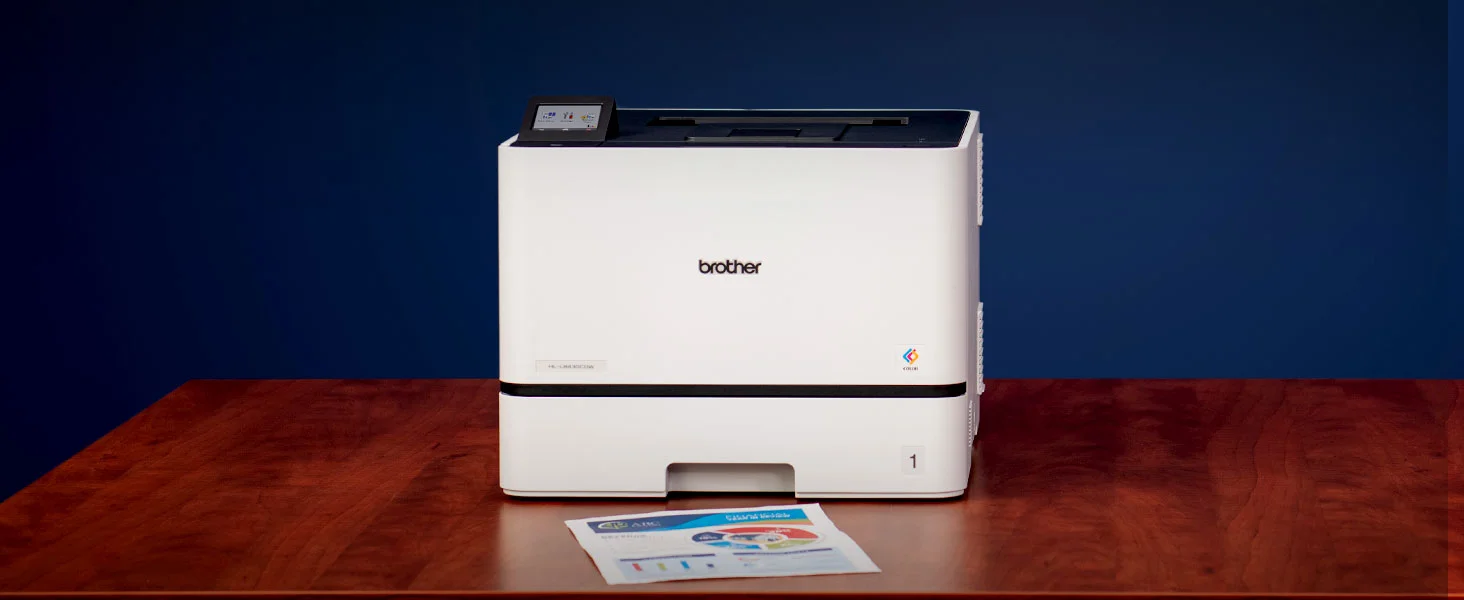
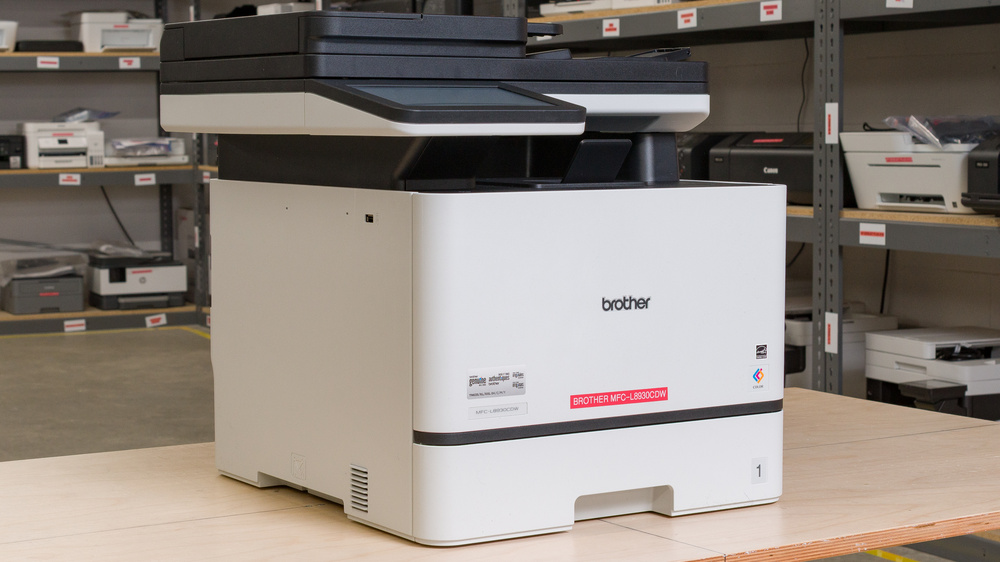
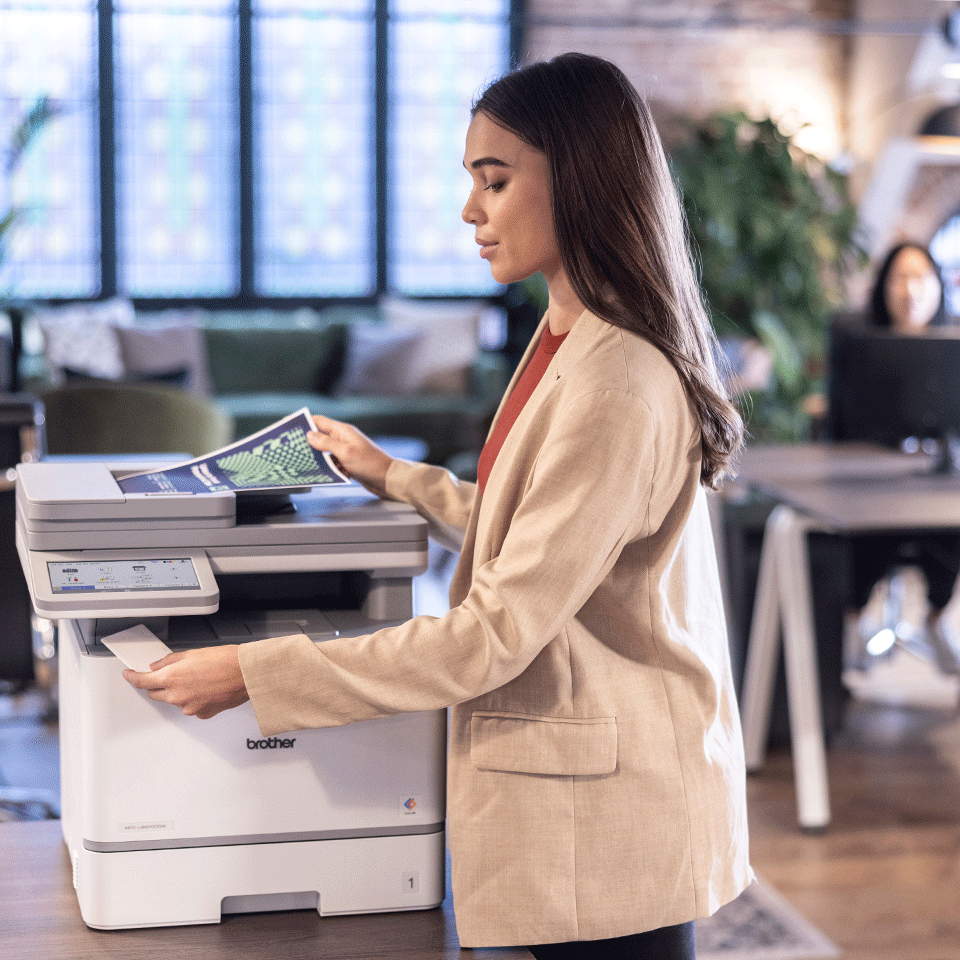
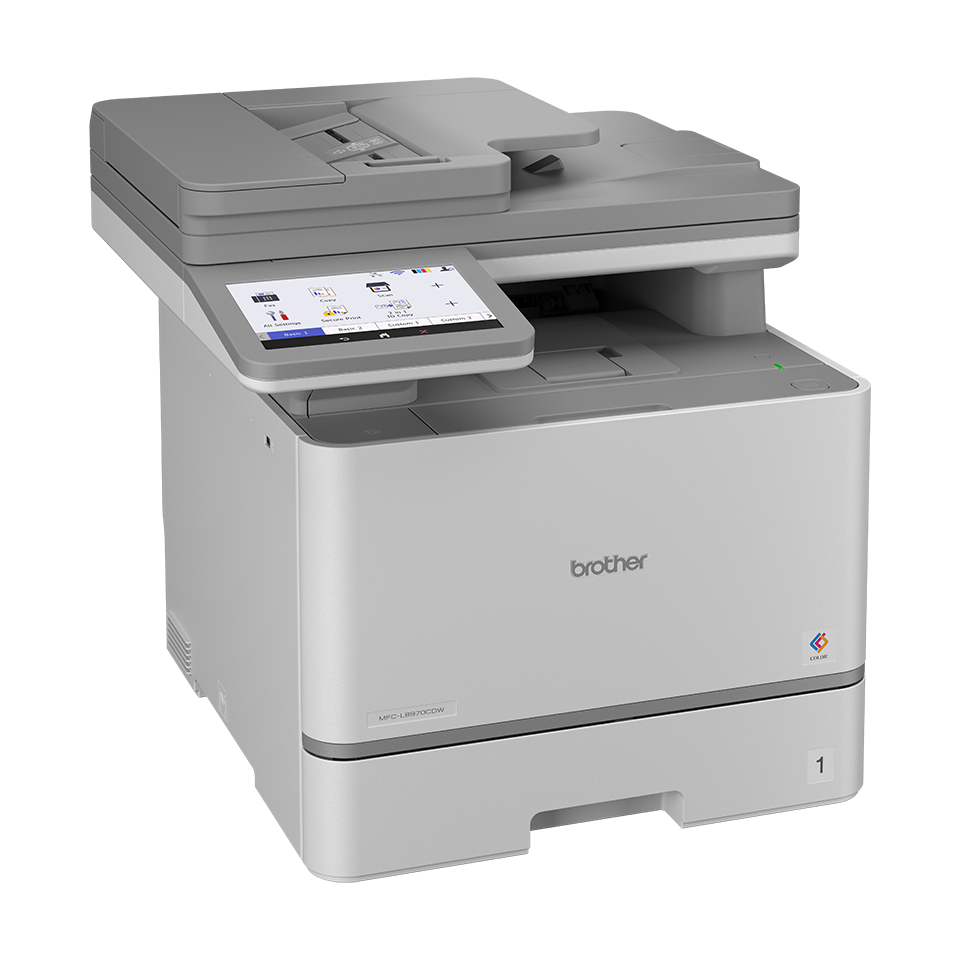
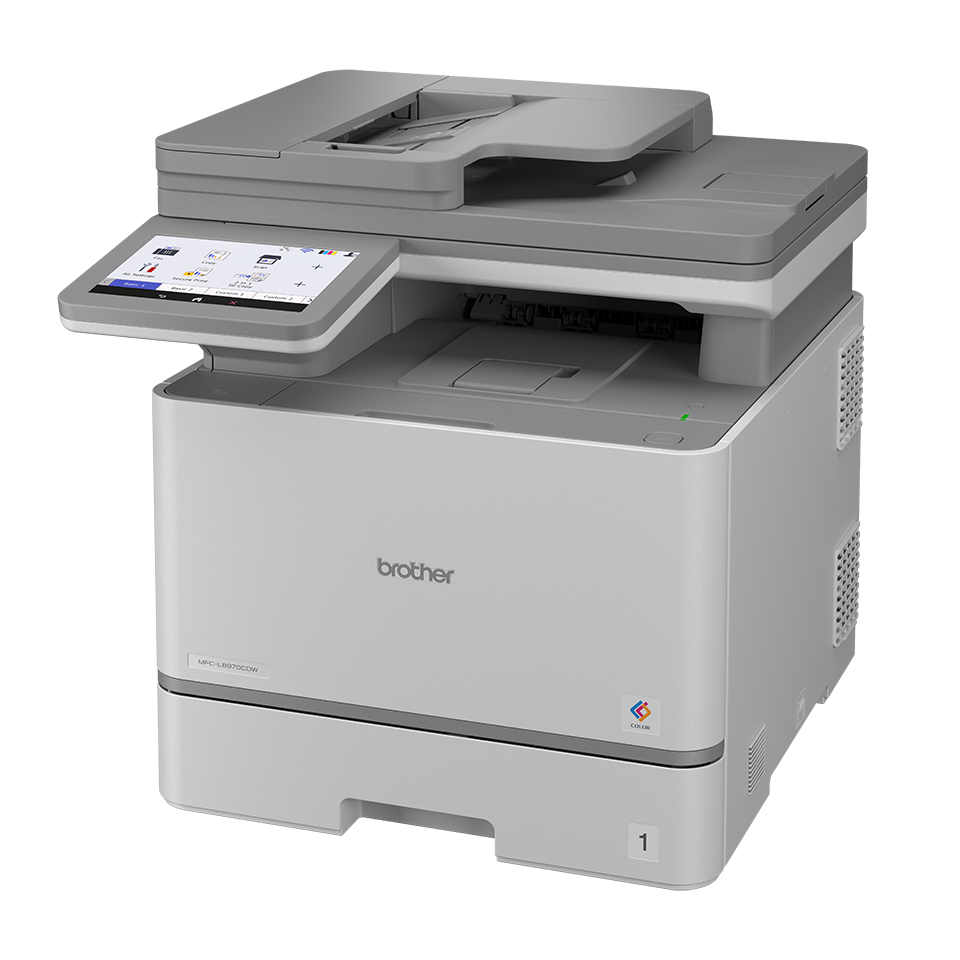
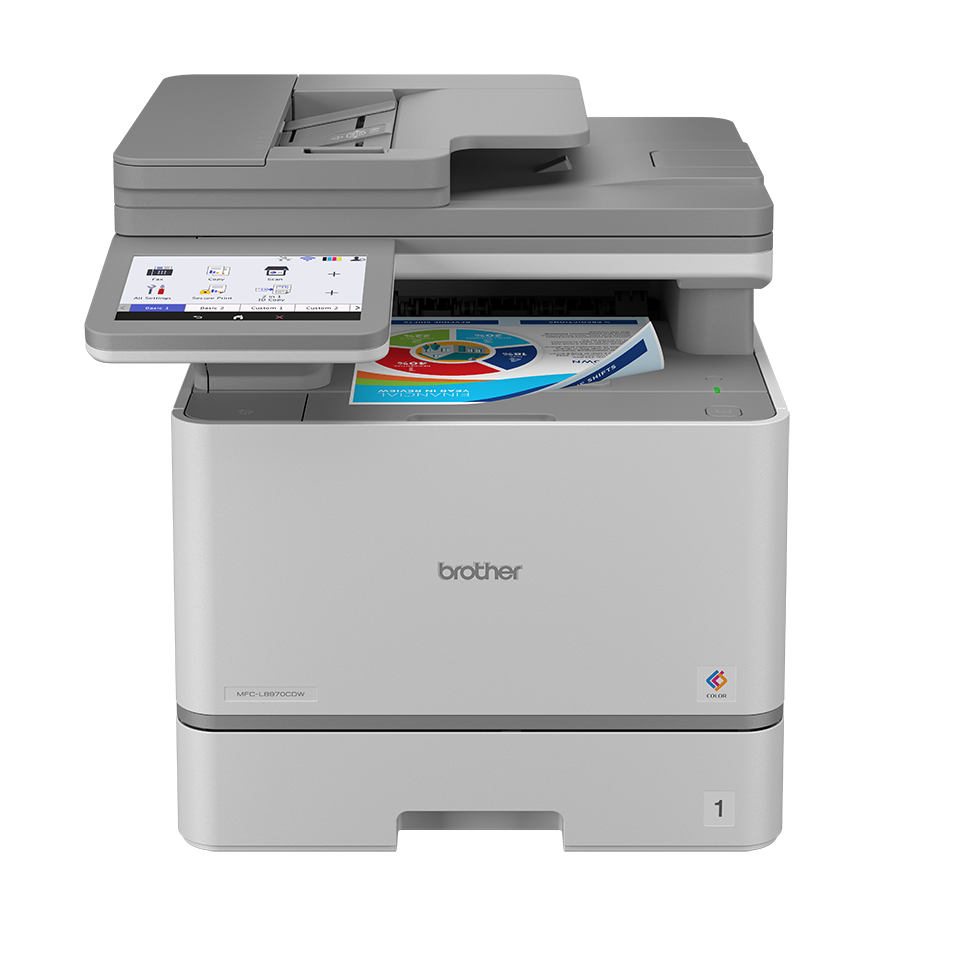
The Brother MFC-L8970CDW has the physical presence of real office hardware. It measures about 17.9 x 19.9 x 18.1 inches in U.S. literature and weighs roughly 58.8 pounds. In other words, this is not something you casually slide onto a narrow shelf and forget about. You need to plan where it is going, and you need to want what that size gives you.
Thankfully, that size is not wasted.
What we noticed right away is that the machine feels appropriately substantial for what it is. Nothing about it suggests a flimsy consumer-grade all-in-one stretched beyond its comfort zone. The whole design points in one direction: throughput, durability, and shared office use. The paper path feels serious. The scanner assembly looks ready for recurring ADF work. The proportions make sense once you accept what category this printer actually belongs to.
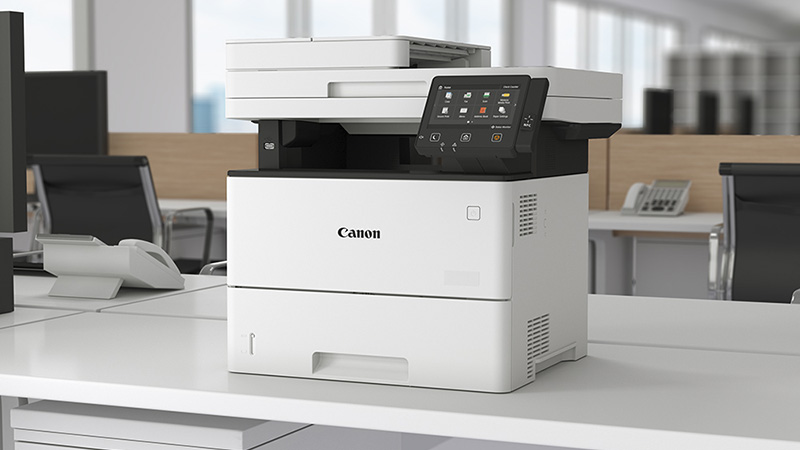
We also appreciated the 7-inch color touchscreen more than we expected to. On cheaper multifunction printers, the screen often feels like a compromise. Here, it feels like part of the workflow. That matters because this is the kind of machine people will use for repeat scanning presets, network destinations, shortcuts, and walk-up jobs. Brother allows up to 64 custom shortcuts, and that is exactly the kind of feature that helps a shared office printer become more efficient over time instead of more annoying.
This is not stylish hardware. It is practical hardware. And for this category, that is exactly what we want.
Setup and first use
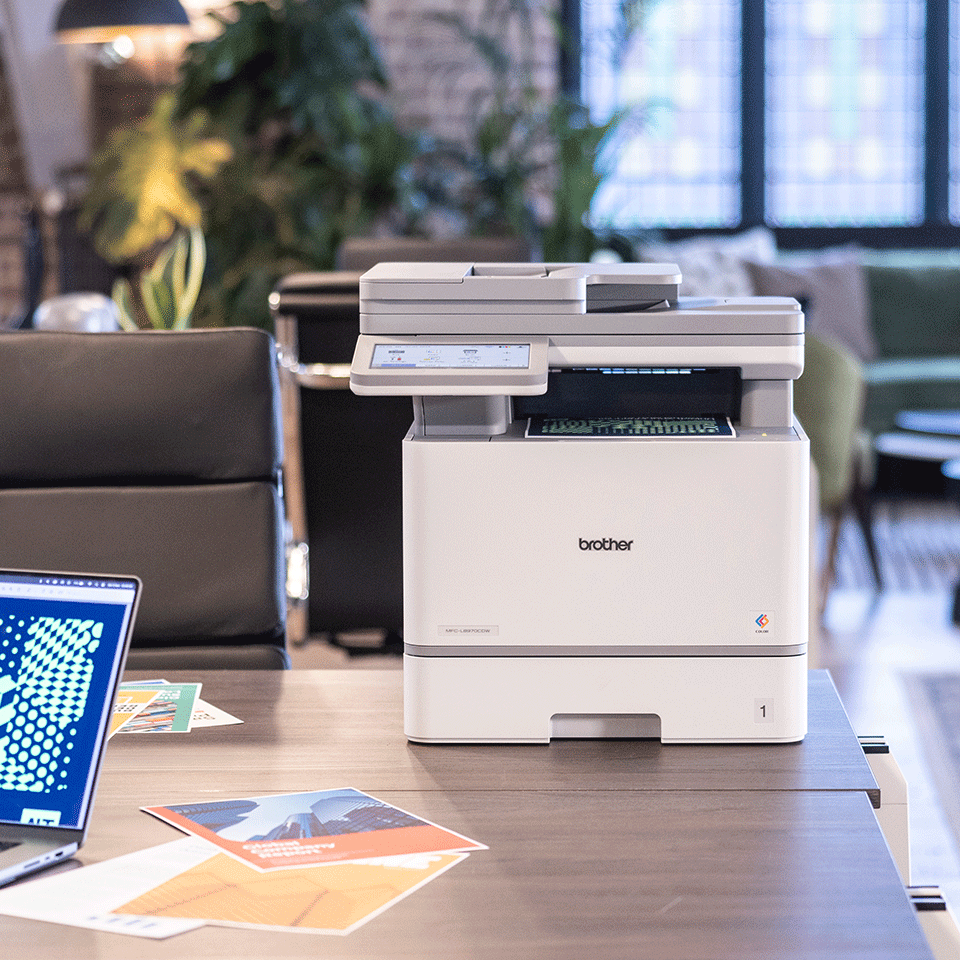
The MFC-L8970CDW feels built for an office that is never as simple as it sounds on paper.
In theory, printers are easy to describe. One team, one network, one workflow. In practice, one person prints from Windows, another from a Mac, somebody scans to email, someone else wants a shared folder destination, and eventually somebody has to print from a phone right before a meeting. The Brother is clearly built with that reality in mind.
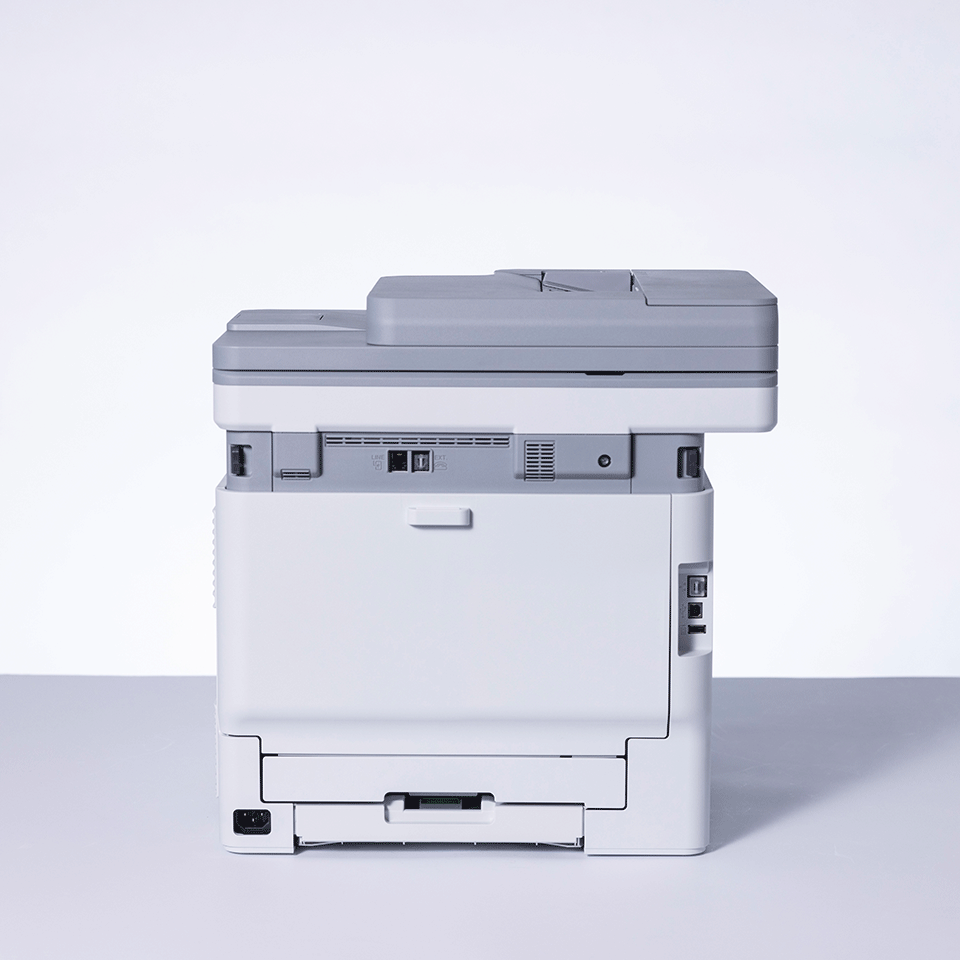
You get dual-band Wi-Fi, Gigabit Ethernet, Hi-Speed USB 2.0, Wi-Fi Direct, AirPrint, Mopria, Brother Mobile Connect, and NFC. There are also front and rear USB host ports, which make walk-up print and scan jobs far more useful than they are on stripped-down office printers.
That flexibility matters. In daily use, convenience is not just about speed. It is about reducing the number of tiny obstacles between a user and a finished job. The Brother does a good job there. It feels like a machine that expects different people to interact with it in different ways, and that is exactly right for a multi-user environment.
Where we felt slightly less convinced was software polish. The hardware side of this printer is more impressive than the surrounding experience. That does not make it bad, but it does keep it from feeling elegant. The Brother gets the work done. It does not always feel luxurious while doing it.
Still, this is a workhorse office machine, not a design object. We would take dependable capability over pretty software every time.
Real-world print performance
This is where the MFC-L8970CDW earns its place.
Brother rates it at up to 33 pages per minute in U.S. literature and up to 31 pages per minute in regions using A4 measurements. However you phrase it, the conclusion is the same: this is a genuinely quick office printer. It does not read like a “small office” device that starts falling apart the moment several users rely on it. It reads like a machine built for routine, recurring traffic.
What impressed us more than the raw number is that the rest of the machine supports that speed properly. There is no point in having a fast engine if the interface slows you down, the scanner holds you back, or the paper handling feels cheap. On the Brother, the pieces make sense together.
Print quality is also very much in line with what we want from a business color laser. Brother quotes up to 2400 x 600 dpi class output, and the printer’s strengths are exactly where they should be: text, business graphics, charts, tables, forms, contracts, and everyday office documents. This is the kind of output that looks sharp, clean, and dependable rather than dramatic.
That matters more than people think. Most offices do not need cinematic color. They need documents that look professional, readable, and consistent. This printer is well tuned for that.
Where we would not oversell it is photo work. This is still a color laser built around office tasks. Presentations and color-marked documents are fine. Flyers and internal materials are fine. But if your standard is rich photographic depth, delicate tonal transitions, or subtle gradient work, you are in the wrong category. That is not a flaw unique to Brother. It is simply the reality of the product type.
So our take is simple: for document-heavy offices, print performance is a clear strength. For photo-first users, it is the wrong tool.
Scanning, copying, and faxing
The scanner is one of the biggest reasons to buy this printer.
The MFC-L8970CDW includes an 80-sheet automatic document feeder, and Brother claims single-pass duplex scanning with speeds up to 104 ipm mono and 72 ipm color in U.S. specifications. That is the kind of spec that moves a printer out of “nice multifunction device” territory and into “this can actually support office workflow” territory.
What stood out to us here is that Brother clearly understood scanning could not be treated as a secondary feature. Too many all-in-ones have respectable print engines and mediocre scan setups. This one does the opposite of that mistake. The scanner feels central to the machine’s identity.
That matters in real use. Offices still live in a hybrid world. Paper comes in, digital files go out. Contracts need archiving. Intake forms need uploading. Multi-page records need scanning. Signed documents need saving and sharing. If your printer makes that process slow or awkward, it becomes a daily frustration. The Brother is much better positioned than most cheaper alternatives because it treats scanning like serious work.
The available scan functions also reflect that office-first approach. You get scan to PC, email, OCR, file, network folder, FTP, FTPS, SFTP, SharePoint, USB, cloud destinations, and mobile devices, along with useful workflow tools like blank page removal, auto deskew, background color drop, scan preview, and searchable PDF options.
In practice, that means the machine is not just capable of scanning. It is capable of fitting into real administrative routines.
Copying and faxing are less exciting, but they are handled properly. Copy speeds go up to 33 cpm, and the inclusion of fax still makes sense for the kinds of environments this printer targets. Plenty of offices say they barely use fax until the exact day they suddenly need it. On a machine like this, having the full set of office functions still feels appropriate.
Paper handling and everyday convenience
A lot of printers reveal their weakness through the paper tray long before anything else.
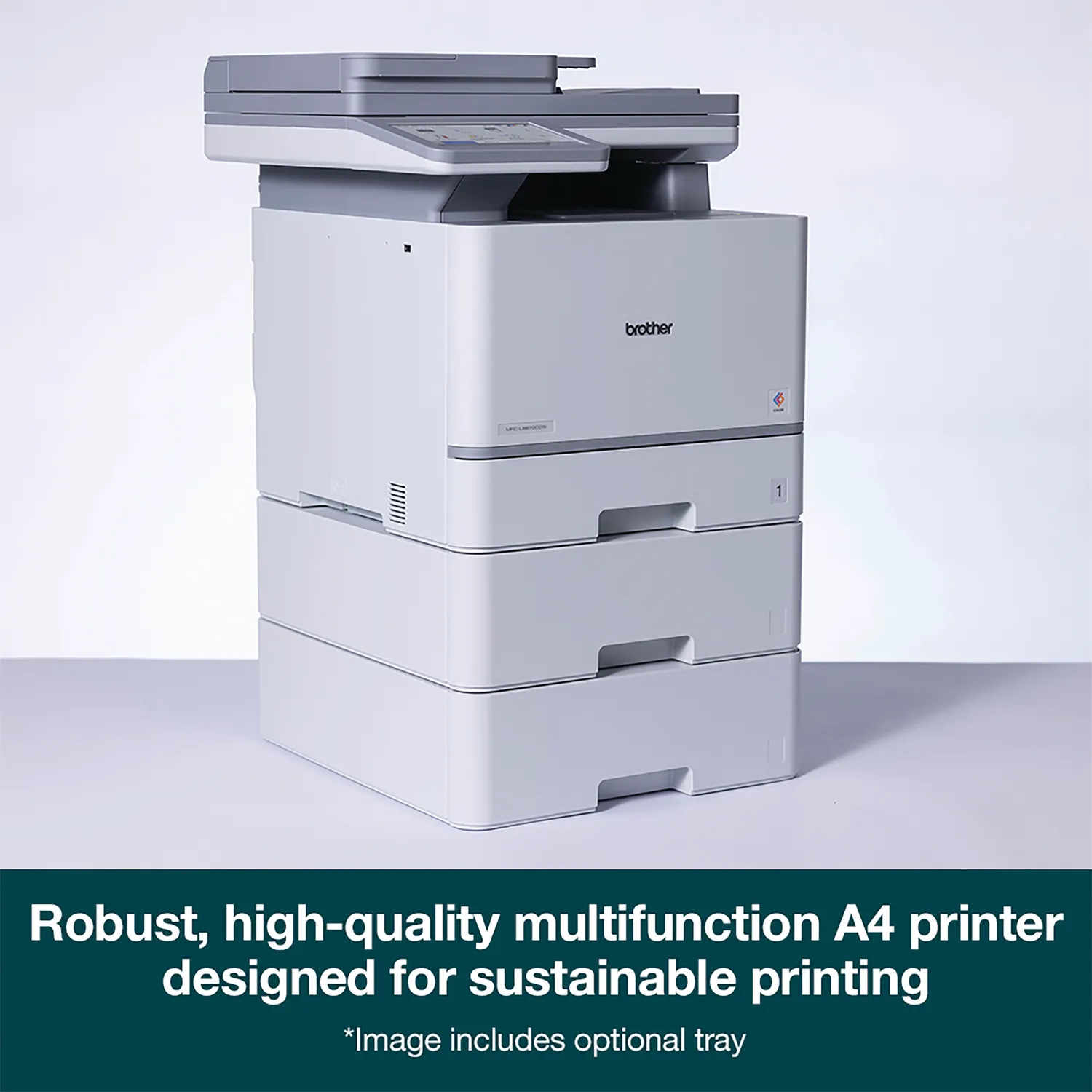
The Brother starts with a 250-sheet main tray plus a 50-sheet multipurpose tray, giving you 300 sheets of standard input capacity. With optional trays, it can expand to 1,340 sheets. That is one of those details that sounds boring until you have lived with a printer that constantly needs refilling or forces you to swap media by hand all week.
We liked the paper logic here. Even the standard setup feels reasonable for a small office, and the ability to expand capacity makes the printer easier to grow with. It also means the machine can fit more naturally into real workplaces where one tray might hold standard stock while another handles letterhead, legal paper, or special media.
That kind of flexibility is underrated. It saves interruptions. It reduces little annoyances. And in shared environments, that matters.
The printer also supports a solid variety of media, including labels, envelopes, and specialty stock through the multipurpose tray. Again, that is the kind of everyday practicality that makes a machine feel well thought out rather than merely feature-rich.
Brother also includes a quiet mode, which we appreciate in principle. No fast color laser is ever truly silent, but any attention paid to shared-office usability is welcome. This is not a library printer, but it also does not feel careless about the fact that people may sit near it all day.
Security and business features
This is one of the clearest reminders that the MFC-L8970CDW is a real office device.
Brother includes NFC authentication, support for external card readers, Active Directory, 802.1x, Secure Print, SSL/TLS, IP filtering, SNMP v3, LDAP, Secure Function Lock, Setting Lock, Secure Boot, and firmware protection features that belong in a managed office environment, not a casual home setup.
We liked that Brother did not treat security like a box-ticking exercise. On printers aimed at workgroups, user control matters. Access control matters. Print logs matter. Admin visibility matters. A printer can be a quiet source of workflow headaches if it is too open, too basic, or too hard to manage. The MFC-L8970CDW makes a much stronger case than consumer-oriented alternatives because it is clearly meant to live inside an actual business system.
The same goes for management tools. Features like BRAdmin, web-based administration, and compatibility with broader fleet or workflow platforms make the printer feel like part of an office ecosystem rather than an isolated device. Not every buyer will care about that. The ones who do will care a lot.
Running costs and long-term value
This is where many office printers betray you.
They look affordable enough at the start, then quietly become annoying and expensive once the consumables cycle begins. Brother understands that fear, and the MFC-L8970CDW is clearly built to answer it with a more business-friendly ownership model.
In the box, Brother includes cartridges rated around 5,500 pages for black and 4,500 pages for color in U.S. packaging, and the printer supports higher-yield consumables beyond that. Brother also quotes long-life components such as a 30,000-page drum and 50,000-page service parts for the belt and waste toner system.
That all adds up to a much better long-run story than the usual “affordable all-in-one” trap.
Of course, this is still not a cheap printer in absolute terms. It is a serious color laser with serious office consumables. If your print volume is low, the math may not work in your favor. But that is exactly the point: this machine is not meant for low-volume buyers.
For the right office, the value is not just in toner yield. It is in fewer interruptions, fewer paper hassles, faster scan jobs, higher monthly durability, and a device that does not feel overwhelmed by regular use. That is real value. Not glamorous value, but useful value.
Flaws and frustrations
No printer like this gets a free pass, and the Brother has a few obvious trade-offs.
The first is size. It is big. It is heavy. It asks for dedicated space and looks like office equipment the moment you unbox it. If you are trying to keep a workspace minimal or home-friendly, this is the wrong direction.
The second is color performance for image-heavy work. Document output is strong. Business graphics are strong enough. But photos and nuanced image work are not the reason to buy this machine, and pretending otherwise would be silly.
The third is refinement. The hardware feels more convincing than the software layer around it. That is not a dealbreaker, but it is noticeable. The MFC-L8970CDW feels competent before it feels graceful.
Still, these weaknesses are easier to forgive because the core office experience is strong. We can live with a printer that lacks elegance if it saves time and handles work properly.
Who should buy it
We would recommend the Brother MFC-L8970CDW to offices that genuinely live on documents.
That includes admin-heavy teams, accountants, clinics, schools, legal environments, HR departments, operations desks, and small businesses where one machine may need to print, scan, copy, and occasionally fax without drama. It is especially compelling if your team scans two-sided documents regularly, needs user access control, or wants better paper capacity and stronger networking than cheaper multifunction printers usually offer.
It also makes sense for buyers who are tired of pretending consumer-grade all-in-ones are “good enough” for office duty. They often are not. They run dry too quickly, scan too slowly, feel too flimsy, or become expensive in the wrong ways. The Brother costs more up front, but it feels much closer to buying once instead of buying twice.
Who should skip it
If your printing needs are light, skip it.
If you only print occasionally, do not need fax, do not need an 80-sheet ADF, do not care about enterprise security, and will never use advanced scan destinations or tray expansion, then this machine is simply more hardware than you need.
You should also skip it if photo output is central to your workflow. If your priority is subtle image quality, rich gradients, and photographic color depth, a business color laser is not the right category to begin with. This Brother is strongest when the work is document-driven, not image-led.
Final verdict
The Brother MFC-L8970CDW feels like a printer designed by people who understand office frustration and decided to solve the right problems first.
It is fast where it needs to be fast. It scans the way a real office scanner should. It offers the kind of paper handling, security, and connectivity that make daily use smoother rather than more complicated. It is not elegant, not compact, and not photo-friendly, but none of those are its real job anyway.
Our verdict is simple: for a busy office, this is a strong buy. For casual home use, it is unnecessary. If you need a color laser all-in-one that behaves like a genuine business tool instead of a dressed-up consumer compromise, the Brother MFC-L8970CDW makes a very convincing case.
FAQ
Is the Brother MFC-L8970CDW good for a small office?
Yes. Very much so. Its recommended monthly volume up to 7,500 pages, maximum duty cycle up to 80,000 pages, fast print engine, and strong scan setup make it a good match for busy small-office environments.
Does it scan double-sided documents in one pass?
Yes. It supports single-pass duplex scanning, with Brother quoting speeds up to 104 ipm mono and 72 ipm color in U.S. specifications.
Is it good for photos?
Not really. It handles color business documents well, but this is still an office-focused color laser. If photo quality is a major priority, you should be looking elsewhere.
How much paper can it hold?
Standard input capacity is 300 sheets, made up of a 250-sheet tray and a 50-sheet multipurpose tray. With optional trays, total capacity can reach 1,340 sheets.
Does it support wireless and mobile printing?
Yes. It supports dual-band Wi-Fi, Wi-Fi Direct, AirPrint, Mopria, Brother Mobile Connect, Gigabit Ethernet, and USB connectivity.
Is it expensive to run?
It is not cheap in the casual sense, but for the right office it makes good long-term sense. The included toner yields are strong, higher-yield options are available, and the printer is clearly designed around sustained business use rather than disposable low-volume ownership.
Explore the Brother MFC-L8970CDW Gallery
Every image from this article, gathered in one clean place. Tap any photo to open it larger.