

ViewSonic VG1457
Pros
- Two 14-inch 1920 x 1200 screens in one foldable portable unit
- 16:10 aspect ratio is genuinely good for work
- USB-C-first setup keeps the cable story cleaner
- 65W power delivery fits modern laptop workflows well
- Flexible use modes including Mirror, Extended, Portrait, Landscape, and Share
- 340° share mode adds real collaborative value
- 2.6 lb / 1.2 kg is impressively manageable for a dual-screen product
- Price feels reasonable for the concept and feature set
Cons
- 250 nits brightness is only modest
- 800:1 contrast is fine for work, not impressive otherwise
- 60Hz makes this irrelevant for gaming-focused buyers
- No internal battery
- Speakers are basic at 2W x2
- Mac users should double-check expected resolution behavior
the whole concept feels coherent. You get two 14-inch WUXGA panels , a foldable design that stays genuinely portable, clean USB-C-first connectivity , 65W power delivery , automatic rotation via G-sensor , flexible viewing modes, and a price that feels more practical than inflated.
the panel quality is only decent, not special. Brightness is modest. Contrast is ordinary. The speakers are there because they had to be, not because they add much. And because there is no internal battery, the monitor is far less self-contained than the foldable design initially suggests.
The ViewSonic VG1457 is one of those products we approached with a bit of skepticism, because on paper it has all the ingredients of a gimmick. A foldable portable monitor with two 14-inch IPS screens, 1920 x 1200 resolution on each panel, 16:10 aspect ratios, 60Hz refresh rates, USB-C connectivity, and 65W power delivery sounds like the kind of thing that could easily chase novelty and forget usability. But once we spent real time looking at what this monitor is actually trying to do, the idea clicked. This is not trying to be a luxury display, a gaming screen, or a cinematic travel accessory. It is trying to solve a very ordinary, very real problem: laptop users who need more workspace than a single built-in display can give them.
That is what makes the VG1457 interesting. It is one of the few dual portable monitors we have seen that feels built around workflow first. The foldable form makes sense. The two-screen layout makes sense. The under-3-pound / 1.2 kg weight makes sense. The 16:10 panels make sense. Even the $349.99 launch price makes sense once you understand what this product is really selling. It is not selling display glamour. It is selling breathing room.
There are obvious limits, and they matter. The official specs list 250 nits brightness, 800:1 static contrast, 60Hz, and 2W x2 speakers, which tells us immediately that this is a productivity-first tool, not an entertainment-first one. If your priorities are deep contrast, high brightness, color-critical work, or media enjoyment, this is not where we would point you. But if your daily reality is spreadsheets, browser tabs, dashboards, messaging apps, presentations, documents, code windows, and constant multitasking on the move, the VG1457 makes a surprisingly strong case for itself.
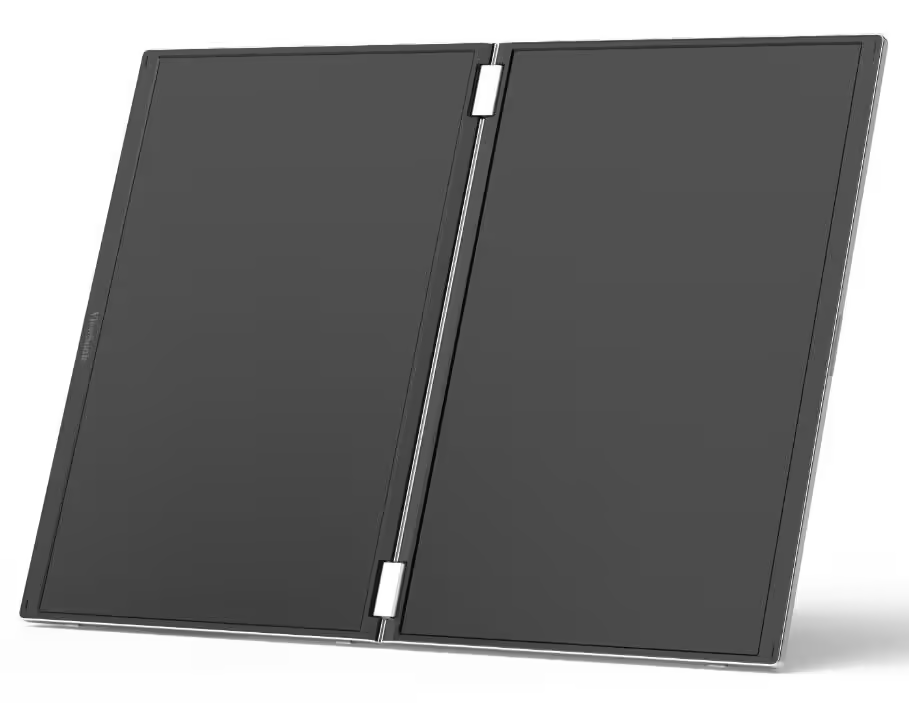
What We Tested
What mattered to us here was not whether ViewSonic could create a dramatic concept product. It was whether the VG1457 could justify itself as a real tool. We focused on the things that would actually decide whether this ends up becoming part of someone’s daily setup or spending most of its life back in the sleeve.
That meant paying attention to the dual-screen layout itself, the practicality of the foldable body, the usefulness of the 16:10 format, how sensible the USB-C-only approach feels, how much value the multiple viewing modes add, and whether the ordinary panel specs become a major drawback once you start thinking about real work rather than spec-sheet comparisons.
The short version is that the fundamental idea holds up much better than we expected.
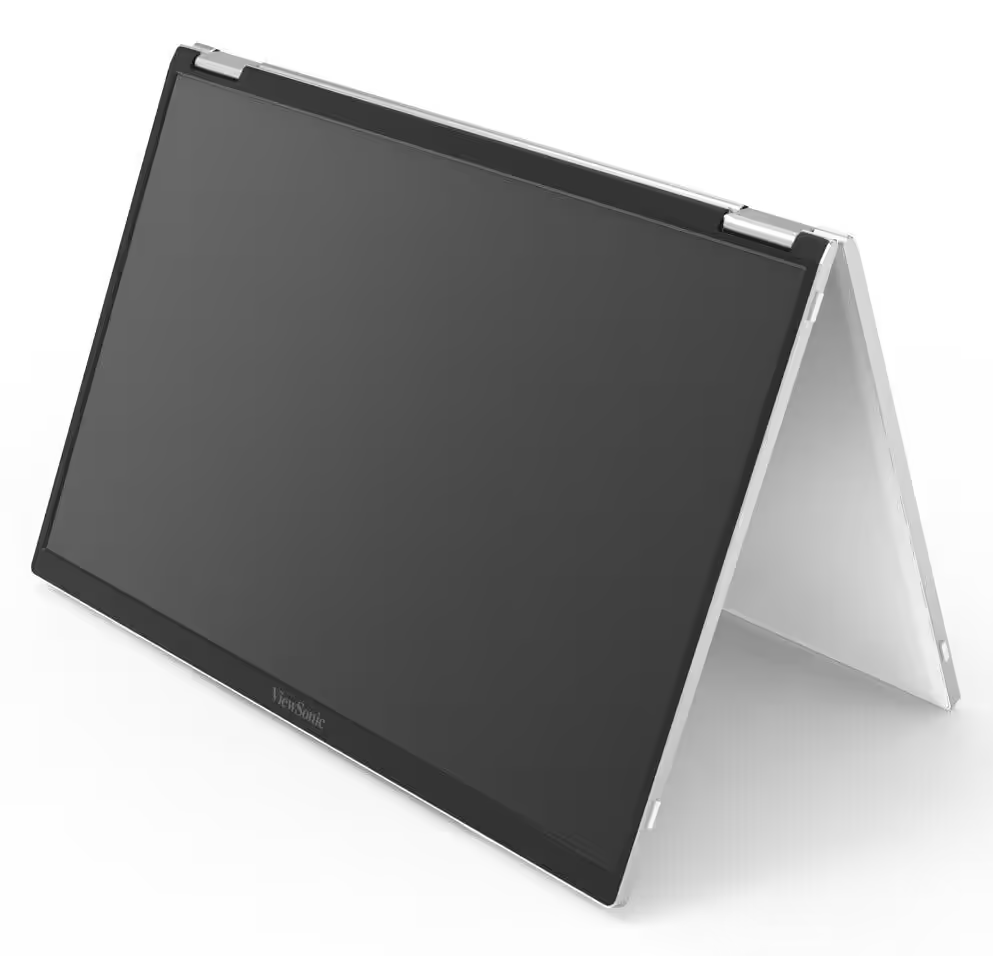
How We Tested It
We looked at the VG1457 the way most buyers are likely to use it: as a mobile productivity accessory, not as a showcase display. The question was not “does this look futuristic?” It was “would we actually want this in our bag when working away from a proper desk?”
That changes how you judge a product like this. We cared about how much practical space the second screen arrangement gives you, how believable the foldable design feels as something you would carry often, how naturally the different modes fit different kinds of work, and whether the compromises in brightness, contrast, audio, and power behavior feel acceptable once you put the monitor in its intended role.
That is also why the verdict here feels fairly simple. The VG1457 either makes a laptop setup dramatically more usable, or it does not. In practice, it usually does.
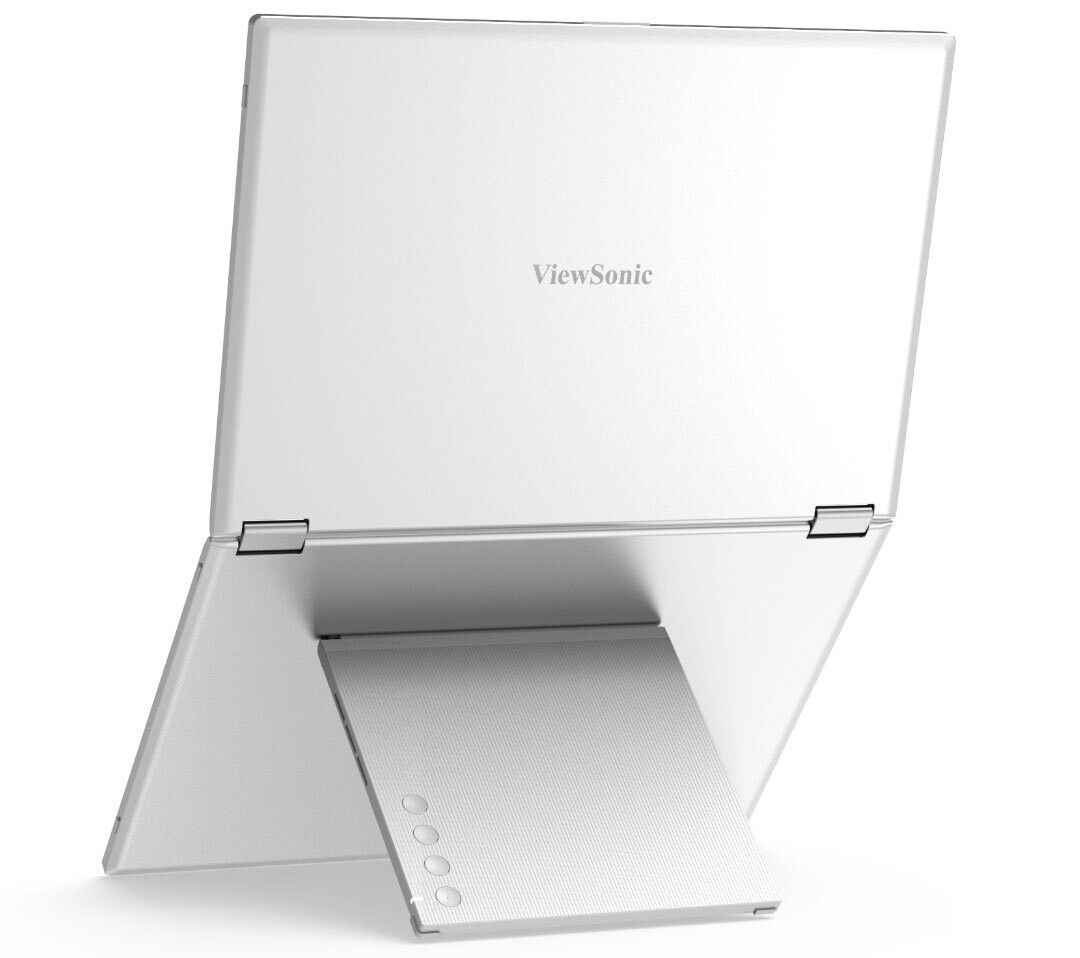
Design and Build Quality
The first thing we appreciated about the VG1457 is that it does not look overdesigned. Too many portable accessories in this category try to sell innovation through visual drama. This one takes the smarter route. It folds into a compact, laptop-like shape, opens into a dual-screen layout, and stays within a size and weight class that still feels genuinely portable at 2.6 lb / 1.2 kg. That matters more than flashy industrial design ever will.
What stood out to us is that the form factor feels purposeful. This is not two screens awkwardly forced together. It is a product that understands that portability is not just about weight. It is also about footprint, packability, and whether the whole thing feels annoying to carry around. A device can technically be portable and still be too awkward to bother with. The VG1457 avoids that trap better than most products in this space.
The dimensions also help it make sense as an everyday work object rather than a novelty accessory. At roughly 12.21 x 8.37 x 0.98 inches, it sits much closer to the mental category of “extra work tool” than “portable monitor experiment.” That is important, because that is exactly how most people will live with it. This is not replacing a home office monitor. It is competing for space in a backpack.
We also like that ViewSonic appears to have kept the build philosophy grounded. The anti-glare coating is the right call. The included protective cover is the right call. The foldable design is the right call. Nothing here feels like it was added just to make a launch presentation look more exciting. That restraint helps the whole product feel more mature.
Then there is the 340° share mode, which is one of those features that sounds small until you imagine actually using it. A lot of portable monitors are designed as private second screens. The VG1457 is more flexible than that. It can be turned toward a client, a colleague, or a student without making the setup feel awkward. That gives it a collaborative side that many portable displays simply do not have.
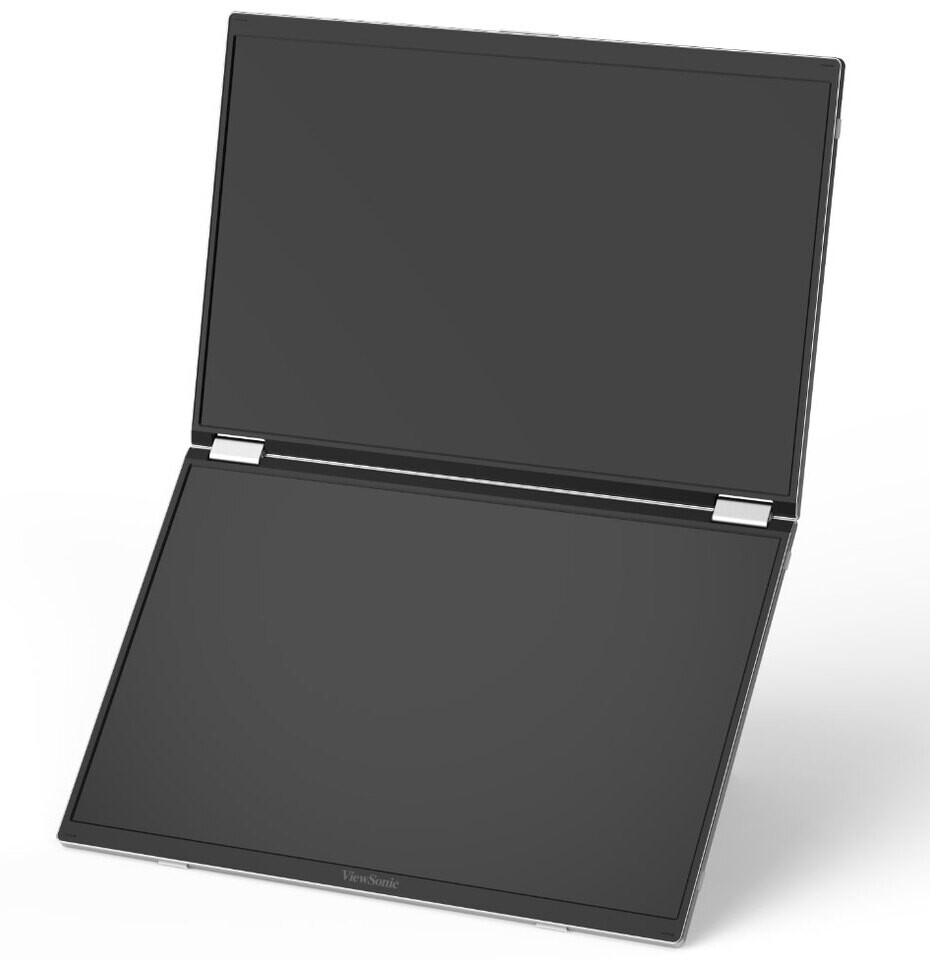
Setup and First Use
Portable monitors live or die on friction. We have seen plenty of products in this category that are technically useful but too annoying to set up often enough to matter. One cable becomes two. Then you need a power adapter. Then you need a dongle. Then the whole “mobile setup” starts feeling like desk origami.
The VG1457 gets this mostly right.
ViewSonic has built the entire idea around USB-C connectivity, and that is exactly what a product like this should be doing in 2026. The cleaner the cable story, the stronger the product becomes. If your laptop already fits into a modern USB-C workflow, the VG1457 makes immediate sense. It is trying to reduce fuss, not add it. That sounds obvious, but a surprising number of portable monitors still fail that basic test.
The inclusion of 65W power delivery is also more important than it sounds. For the right user, that helps turn the monitor from “extra screen” into something much closer to a compact workstation companion. In a hotel room, on a temporary desk, in a coworking space, or at a client site, reducing cable clutter and power confusion matters. The whole appeal of portable productivity gear is that it should save mental energy, not consume more of it.
In daily use, that simplicity is part of what makes the VG1457 feel better thought through than a lot of rivals. We could easily picture ourselves using this in the kind of stop-start workdays where you are changing rooms, moving locations, or setting up quickly before a meeting. The less ritual involved, the more likely a product like this actually gets used.
The catch is power behavior. There is no internal battery here, and that changes the portability story in an important way. This is portable in the sense that it travels well. It is not portable in the sense that it is truly self-sufficient. If you are not plugged into external power, the monitor has to draw from the connected laptop. That will be fine for some buyers and a real compromise for others.
For short sessions or plug-in environments, we do not think that is a dealbreaker. For long travel days, flights, trains, or anyone who is already protective of laptop battery life, it matters a lot more.
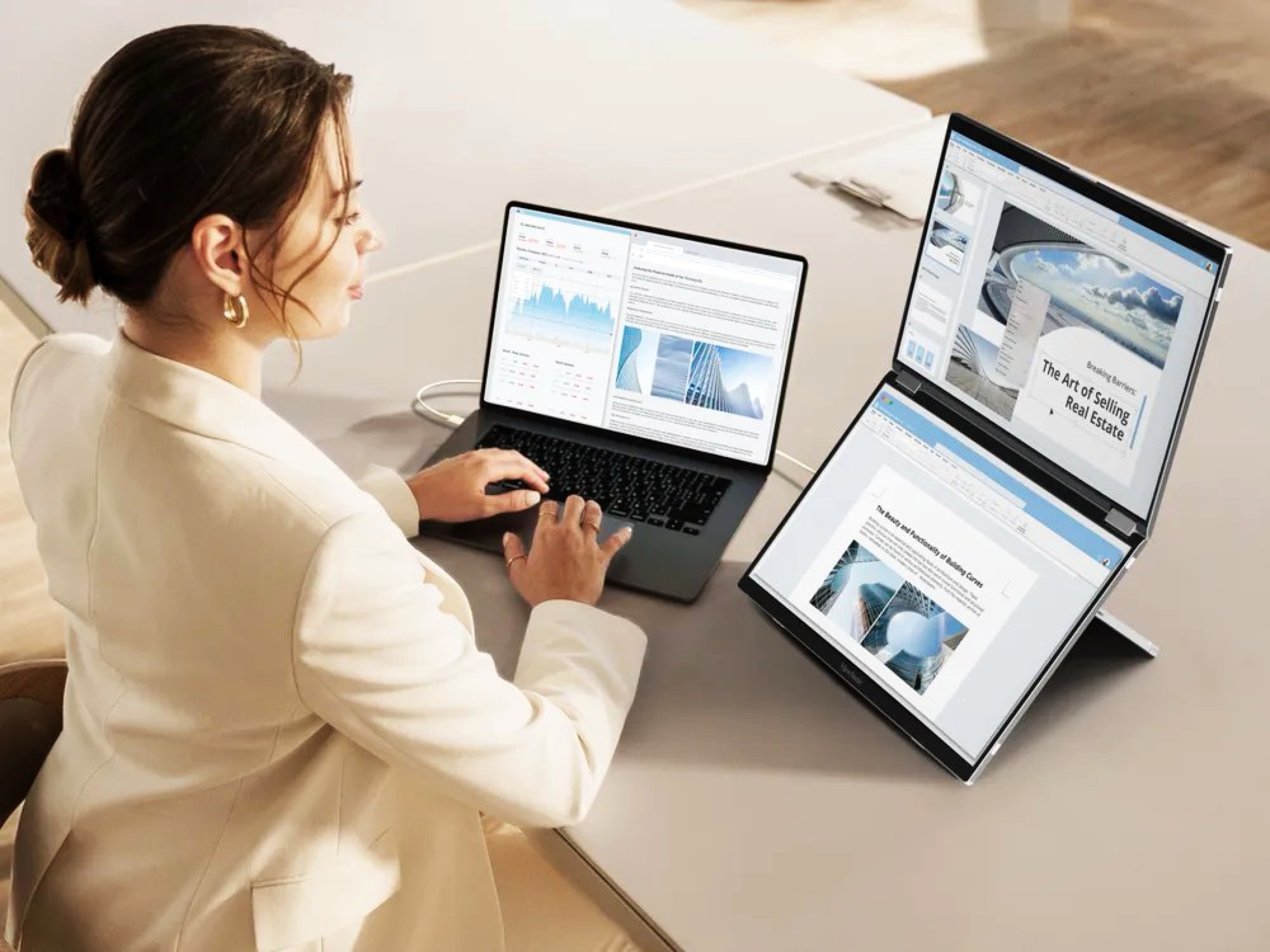
Display Quality and Real-World Performance
The display specs tell a very clear story. Each panel is 14 inches, 1920 x 1200, IPS, 16:10, with 170-degree viewing angles, anti-glare coating, 60Hz refresh rate, and 8-bit color support listed as 6-bit + FRC. That is enough for us to understand the VG1457 immediately: it is a workspace display, not a premium image display.
And to be fair, for work, the fundamentals are sound.
The 1920 x 1200 resolution on a 14-inch panel is respectable. The 16:10 aspect ratio is especially helpful. That extra vertical space matters more than many buyers realize, especially for documents, spreadsheets, admin tools, code editors, dashboards, and browser-based work. In daily use, we would take a well-implemented 16:10 productivity display over a more restrictive 16:9 panel every time.
This is where the VG1457 starts to feel more serious than it first appears. It is not just giving you “more screen.” It is giving you a screen layout that is genuinely useful for the kind of work people actually do on laptops. You are not constantly wasting space on overly wide, shallow windows. There is enough height for documents, enough room for toolbars, and enough practical space for multitasking without feeling cramped.
Where we felt less convinced was the panel quality itself. 250 nits of brightness and 800:1 contrast are not bad in the sense of being unusable, but they are undeniably modest. Indoors, in normal office conditions, they should be serviceable. In brighter environments, near windows, or in travel conditions where lighting is not under your control, they will feel more average than the clever form factor deserves.
That does not ruin the VG1457. It just defines it. In practice, the display quality is good enough to support the product’s purpose, but not good enough to become part of its appeal. We would not recommend this to someone who wants to love looking at their screen. We would recommend it to someone who needs to get more done on it.
Why the Dual-Screen Concept Actually Works
This is the part that makes the VG1457 easy to understand once you stop judging it like a normal monitor.
A lot of portable displays help a little. The VG1457 has the potential to change how a laptop setup feels entirely. That is the difference between “nice accessory” and “real workflow upgrade.”
Most laptop-heavy work has the same basic problem. One screen gets swallowed by the main task. Then everything else starts fighting for space: chat, notes, email, browser tabs, documentation, reference files, CRM tools, dashboards, meeting windows, or research material. The result is constant window switching, clutter, and wasted attention. A second external screen helps. Two external panels in one foldable unit can genuinely change the experience.
That is what this monitor gets right. It is not trying to create a futuristic display gimmick. It is giving your work clutter somewhere to live.
For writers, analysts, spreadsheet users, developers, recruiters, project managers, customer support staff, and sales teams, that matters immediately. One panel can hold the active task. The other can hold reference material, communications, or supporting tools. And because the VG1457 folds into one unit rather than making you manage two separate portable monitors, the idea becomes much more realistic.
We also think the view modes deserve more credit than they usually get in product copy. ViewSonic highlights Mirror, Extended, Portrait, Landscape, and Share modes, and those are not just filler features. Different kinds of work need different postures. Tall documents benefit from portrait orientation. Side-by-side collaboration benefits from share mode. Traditional multitasking benefits from extended mode. The fact that the VG1457 seems ready for those shifts gives it more long-term usefulness than a rigid one-layout product.
The G-sensor and auto-rotation support also add to that feeling. Features like this are easy to dismiss until you use a product without them. The more a portable monitor adapts naturally to the task in front of you, the more likely it becomes part of your routine rather than something you only use when you have the patience.
Connectivity and Compatibility
The VG1457 is unapologetically a modern USB-C product, and that is both a strength and a filter.
It is a strength because that is the right ecosystem for this type of device. If you are using a recent productivity laptop, especially one built around USB-C for power and display output, this monitor fits into your setup the way it should. Cleaner connection, cleaner desk, cleaner workflow.
It is a filter because older hardware, HDMI-first setups, or inconsistent USB-C implementations can complicate the whole story. A product like this only feels elegant if the rest of your equipment meets it halfway. Buyers with aging laptops or awkward port situations should not assume the smoothest experience by default.
There is also one compatibility detail we would not ignore: the listed maximum resolution behavior differs between platforms, with PC max resolution at 1920 x 1200 and Mac max resolution listed at 1920 x 1080. That does not automatically make it a poor Mac choice, but it is enough for us to say that Mac users should check carefully how the monitor fits their exact workflow before buying.
That is not a flaw so much as a reminder. The cleaner and more modern your laptop setup already is, the more natural the VG1457 will feel.
Audio, Ergonomics, and Convenience
Nobody should be shopping for a portable monitor because of the speakers, and the VG1457 certainly does not change that. The built-in audio is rated at 2W x2, which is exactly the kind of spec that tells us the speakers exist to cover basic functionality and not much more.
For a quick call, a short clip, or occasional casual use, fine. For anything resembling immersive audio, forget it. We would not count that heavily against the product because it is exactly what we expect in this category. But it is also not a hidden strength.
Ergonomically, the story is much stronger.
The combination of foldability, multiple display orientations, share mode, tilt and pivot flexibility, and automatic rotation makes the VG1457 feel more considered than a lot of portable screens that are technically mobile but ergonomically stubborn. A portable monitor that can only sit in one static posture becomes limiting surprisingly fast. This one seems to understand that modern work shifts constantly between solo tasks, side-by-side review, presentation mode, and vertical content handling.
We also appreciated the small practical touches. The package includes a USB-C cable, AC/DC adapter, protective cover, and quick-start material. The anti-glare surface is useful rather than flashy. The overall object feels like something built for repeated handling, not just for product photography.
The Flaws and Frustrations
The VG1457 is smart, but it is not perfect, and its weaknesses are not hard to spot.
The biggest one is the obvious one: the display quality is only ordinary. Again, that does not mean bad. It means clearly ordinary. 250 nits brightness, 800:1 contrast, and 60Hz refresh rate are perfectly acceptable for work and completely unremarkable otherwise. If you go in expecting visual richness, you are going to come away underwhelmed.
The second frustration is the lack of an internal battery. That makes the monitor less independent than the foldable design initially suggests. It travels well, yes. But untethered use is more limited than some buyers may expect, because your laptop becomes part of the power compromise. That matters most to people who work far from outlets.
The third issue is that the value proposition only works if you are the right kind of buyer. If you only occasionally want a second screen, a normal single portable monitor will be cheaper, simpler, and lighter. If you mostly work from fixed desks, a standard office monitor setup will give you better screen quality for the money. The VG1457 earns its place only when mobility and multitasking both matter a lot.
Value for Money
At $349.99, the VG1457 is not cheap if you strip the idea down to raw panel specs. Two 14-inch IPS screens with 250 nits, 800:1 contrast, and 60Hz do not scream premium value in isolation.
But that is not the right way to judge this product.
You are not really paying for “two decent panels.” You are paying for a foldable, reasonably portable, dual-screen work system from a known display brand with USB-C simplicity, 65W power delivery, flexible view modes, auto-rotation, and a 3-year limited warranty. Once you frame it that way, the pricing starts to feel much more sensible.
In fact, for the right buyer, we think it looks rational in a way many portable monitors do not. A tool that can save you time, reduce friction, and make laptop work meaningfully easier every day is often more worth paying for than a prettier panel that does not change how you work. The VG1457 is not exciting in the shallow way. It is appealing in the useful way.
And useful tends to age better.
Who Should Buy It
You should buy the VG1457 if your laptop is your main machine and you constantly feel boxed in by a single screen. That includes people who work across documents, spreadsheets, dashboards, chat tools, browser tabs, and reference-heavy tasks. It also includes anyone who spends enough time moving between locations that a fixed desk setup is not a realistic answer.
We also think it makes strong sense for collaborative work. If you regularly need to turn a screen toward someone else, walk through material side by side, or present without lugging around a full dock-and-monitor setup, the VG1457 is much more interesting than a standard single portable screen.
Who Should Skip It
You should skip it if you care most about display quality in the traditional sense. If brightness, contrast, media enjoyment, gaming smoothness, or creative color accuracy are high on your list, the VG1457 is not going to feel special enough.
You should also skip it if your need for extra screen space is only occasional. In that case, a simpler portable monitor is probably the smarter buy. And if your laptop setup is already messy from a compatibility standpoint, especially around USB-C video output, the experience may not feel as seamless as the concept promises.
Final Verdict
The ViewSonic VG1457 stands out because it solves the right problem in the right way.
It does not try to distract us with premium panel specs it does not have. It does not pretend to be a multimedia powerhouse. It does not confuse novelty with usefulness. What it does instead is far more interesting: it turns the portable monitor into a serious dual-screen productivity tool that still feels portable enough to justify carrying.
That is why we came away liking it.
Yes, the screens are only average in brightness and contrast. Yes, the lack of an internal battery limits how self-contained it really is. Yes, it is a product that only makes full sense for a specific type of buyer. But for that buyer, the appeal is strong. Two 14-inch WUXGA 16:10 displays, a foldable body, USB-C simplicity, 65W PD, auto-rotation, and flexible view modes add up to something much more practical than gimmicky.
Our take is simple: if your work keeps outrunning your laptop screen and you are tired of pretending one display is enough, the VG1457 is one of the smarter portable monitor ideas we have seen in a while. If you want visual luxury, keep looking. If you want a mobile workhorse, this one makes real sense.
FAQ
Is the ViewSonic VG1457 good for productivity?
Yes. In fact, productivity is the entire point. The combination of two 14-inch 1920 x 1200 displays, 16:10 aspect ratios, multiple orientation modes, USB-C connectivity, and 65W power delivery makes it one of the clearest work-first portable monitor designs in this category.
Is the VG1457 good for gaming?
No. The 60Hz refresh rate, 250 nits brightness, and 800:1 contrast ratio make it completely serviceable for office use and completely unremarkable for gaming. That is not what it is built for.
Does it have an internal battery?
No. That is one of the more important compromises here. If you are not using external power, the monitor has to pull power from the connected laptop.
How much does the VG1457 weigh?
It is listed at 2.6 lb / 1.2 kg, which keeps it comfortably within truly portable territory for a dual-screen monitor.
Is it worth buying over a normal portable monitor?
Only if you will really use the second screen. If your work involves constant multitasking, reference material, communication apps, and window juggling, the second panel can make a major difference. If you just want occasional extra space, a standard portable monitor is probably the better value.
Is the VG1457 a good choice for Mac users?
Potentially, yes, but we would verify your exact workflow first. The listed maximum resolution behavior differs between Mac and PC, so it is worth checking that the setup matches your expectations before spending money.
Explore the ViewSonic VG1457 Gallery
Every image from this article, gathered in one clean place. Tap any photo to open it larger.