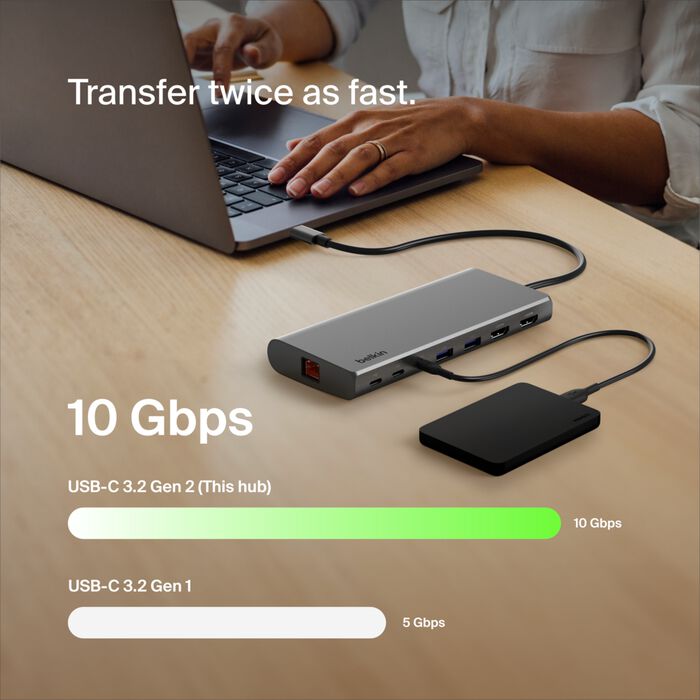

A dual-display USB-C hub sounds like one of those tidy little purchases that should instantly fix a messy desk: one cable into the laptop, two monitors connected, keyboard and mouse plugged in, maybe power running through the same hub, and suddenly your workspace looks more serious.
That is the dream.
The reality is a little less magical.
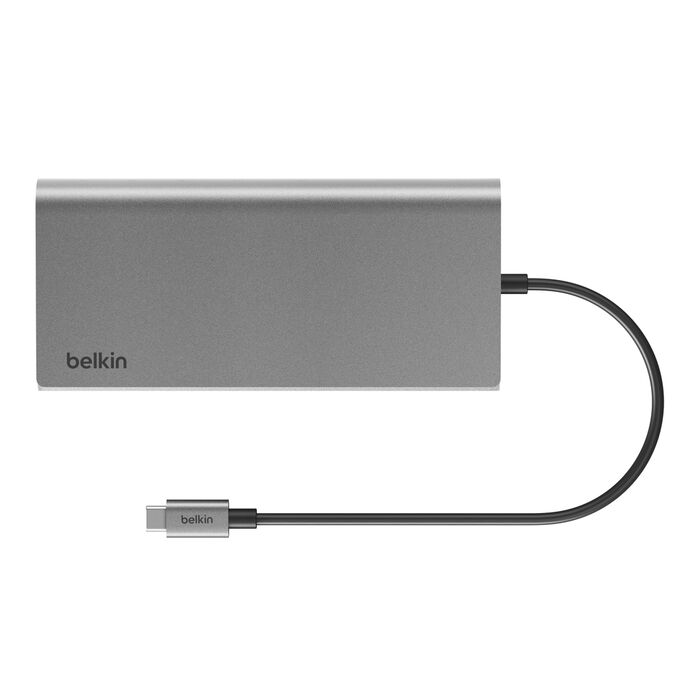
The Belkin Connect 8-Port Dual Display USB-C Hub can be the right buy for someone who wants a cleaner desk, extra ports, and a more permanent laptop setup. But this is also the kind of accessory where the wrong assumption can turn a smart purchase into a very annoying one within ten minutes of unboxing.
“The danger with USB-C hubs is that buyers think the shape of the port tells the whole story. It does not.”
This is not a product you should buy only because it says dual display. You should buy it only after checking whether your laptop, monitors, cables, power needs, and expectations actually match what this hub is built to do.
The Big Thing To Understand Before Buying
The headline feature is not “8 ports.”
It is not even “dual display.”
The real question is:
Will your laptop actually support the display setup you expect through this hub?
That is where many buyers get caught.
A USB-C port can look modern and still have very different capabilities depending on the laptop. Some ports carry video. Some do not. Some support charging. Some are data-only. Some laptops support multiple external displays easily. Others limit what you can do, especially depending on the chip, operating system, and display output method.
So before ordering, do not just ask, “Does this hub have two HDMI ports?”
Ask:
“Can my exact laptop send the kind of video signal I want through one USB-C connection?”
That one question matters more than the entire port count.
Before You Commit: The Quick Buyer Check
| What To Check | Why It Matters |
|---|---|
| Your laptop’s USB-C capability | A USB-C shape does not guarantee video output, charging, or full hub support. |
| Dual monitor support from your laptop | Some laptops may not drive two extended displays the way buyers expect. |
| Monitor resolution and refresh rate | Two displays may work, but not always at the resolution or smoothness you imagined. |
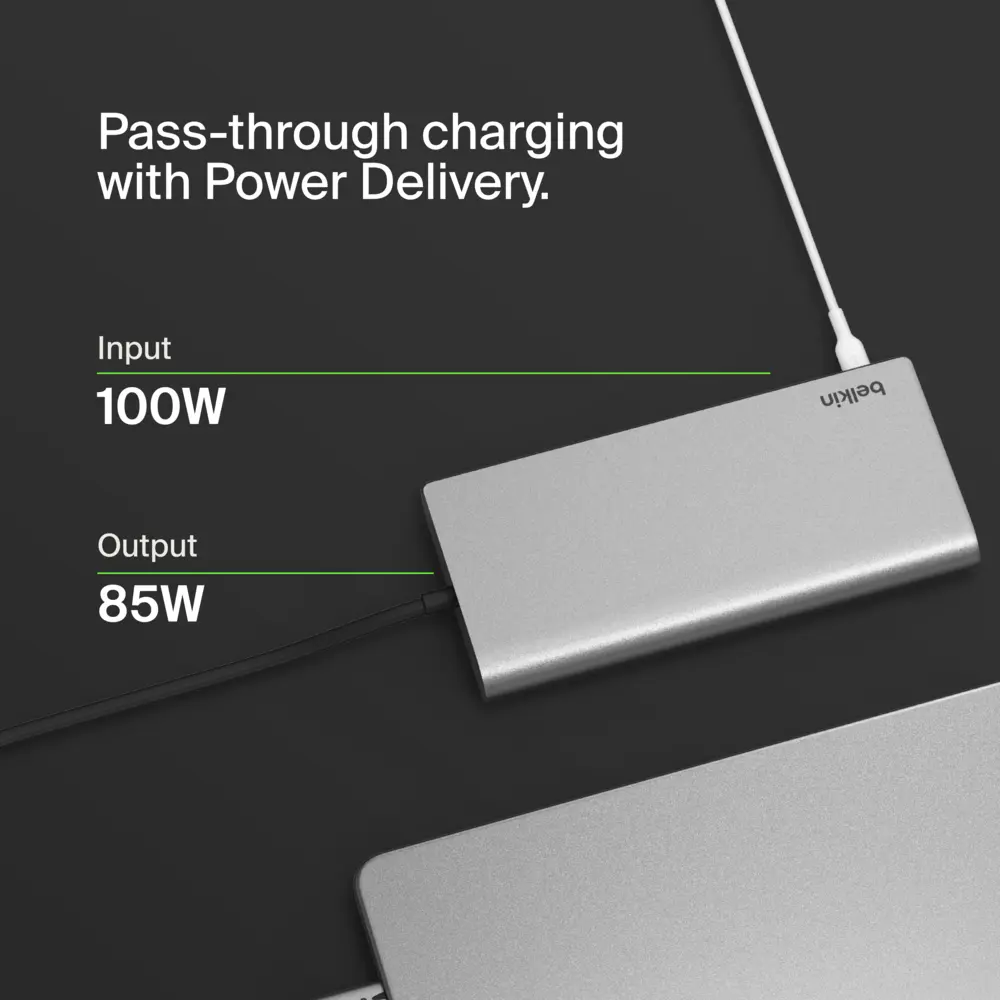
| Power delivery limits | A hub is not a magic charger; power pass-through depends on charger, cable, laptop, and hub limits. |
| Cable quality | Cheap or old HDMI/USB-C cables can create flicker, detection issues, or lower display output. |
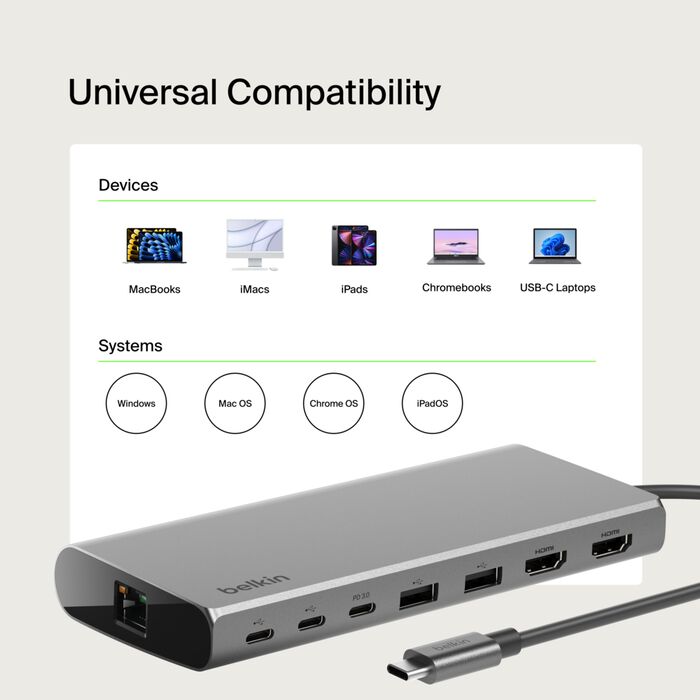
| Operating system behavior | Windows, macOS, ChromeOS, and certain laptop chips can handle external displays differently. |
| Desk layout | Short cables, port placement, and hub position can affect daily convenience more than expected. |
The Assumption That Can Lead To The Wrong Purchase
The most dangerous assumption is this:
“If the hub has two display outputs, my laptop will automatically run two separate external screens.”
Not always.
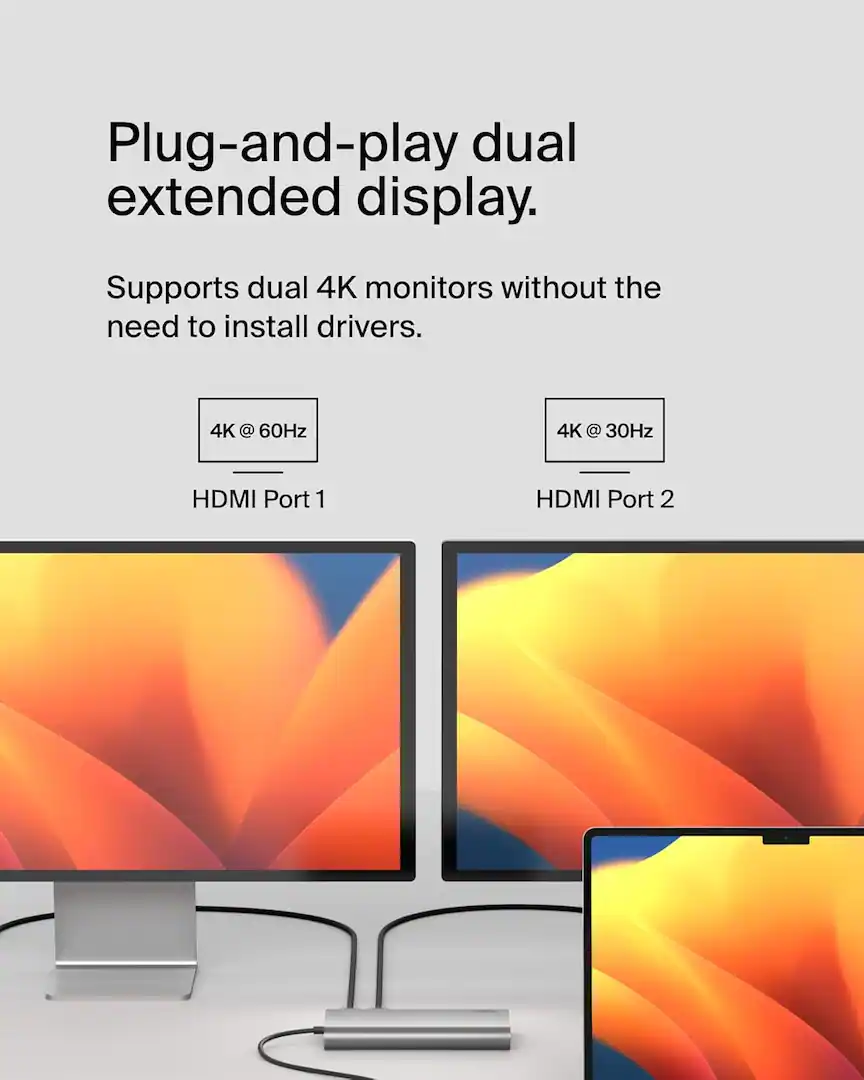
Some laptops may support only one external display natively. Some may mirror instead of extend. Some may limit resolution when both displays are active. Some may require specific display technology or drivers, depending on the hub design and your machine.
That is why the product page deserves a slow second look. Look for the part that explains:
- supported display modes
- maximum resolution
- refresh rate
- compatibility notes
- macOS limitations
- Windows behavior
- whether both displays extend or mirror
- whether specific laptop models are excluded or limited
“Dual display is not one feature. It is a chain of compatibility conditions pretending to be one feature.”
And yes, this is exactly the type of detail people skip because the product photo looks clean. Then the box arrives, one screen works, the second one refuses to behave, and suddenly everyone becomes a USB-C expert against their will.
What The Marketing Makes Sound Easier Than It Is
The cleanest version of this product is simple:
Plug one cable into your laptop and build a full desk setup around it.
That is the promise.
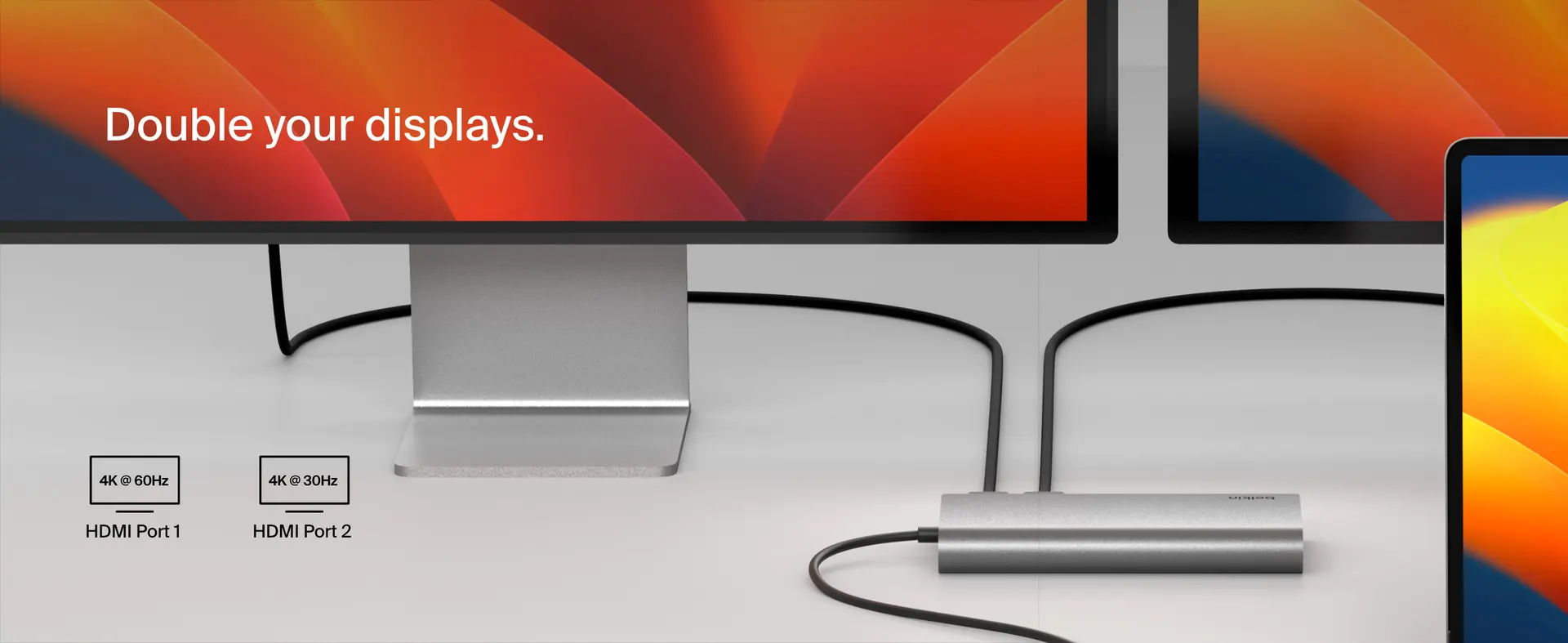
But the real setup may involve more checking than the marketing language suggests. You may need to test which USB-C port on your laptop supports video. You may need a stronger charger. You may need better HDMI cables. You may need to lower refresh rate or resolution. You may need to accept that your laptop simply will not support the exact dual-screen setup you had in mind.
The hub itself may be straightforward. The ecosystem around it is the messy part.
This matters because buyers often blame the hub when the real problem is the laptop’s output limitation, the cable, the monitor setting, or the power source.
The Setup Condition That Decides Everything
For this hub to feel like a smart purchase, your setup should already be close to this:
| Ideal Condition | Why It Helps |
|---|---|
| You use a modern laptop with proper USB-C video support | The hub has a much better chance of behaving as expected. |
| You already own compatible monitors | You avoid buying the hub first and discovering your displays are the bottleneck. |
| Your work is productivity-focused | Email, writing, browsing, spreadsheets, dashboards, and admin work are the natural use case. |
| You want a semi-permanent desk setup | Hubs are most satisfying when they reduce daily plugging and unplugging. |
| You are willing to check display limits before buying | This avoids the classic “why is my second monitor not working?” moment. |
This is not a gadget where the best buyer is the most excited buyer. The best buyer is the one who checks the boring details first.
The Technical Requirement Buyers May Miss
The physical USB-C port is not enough.
You need to verify what that port actually supports.
That includes:
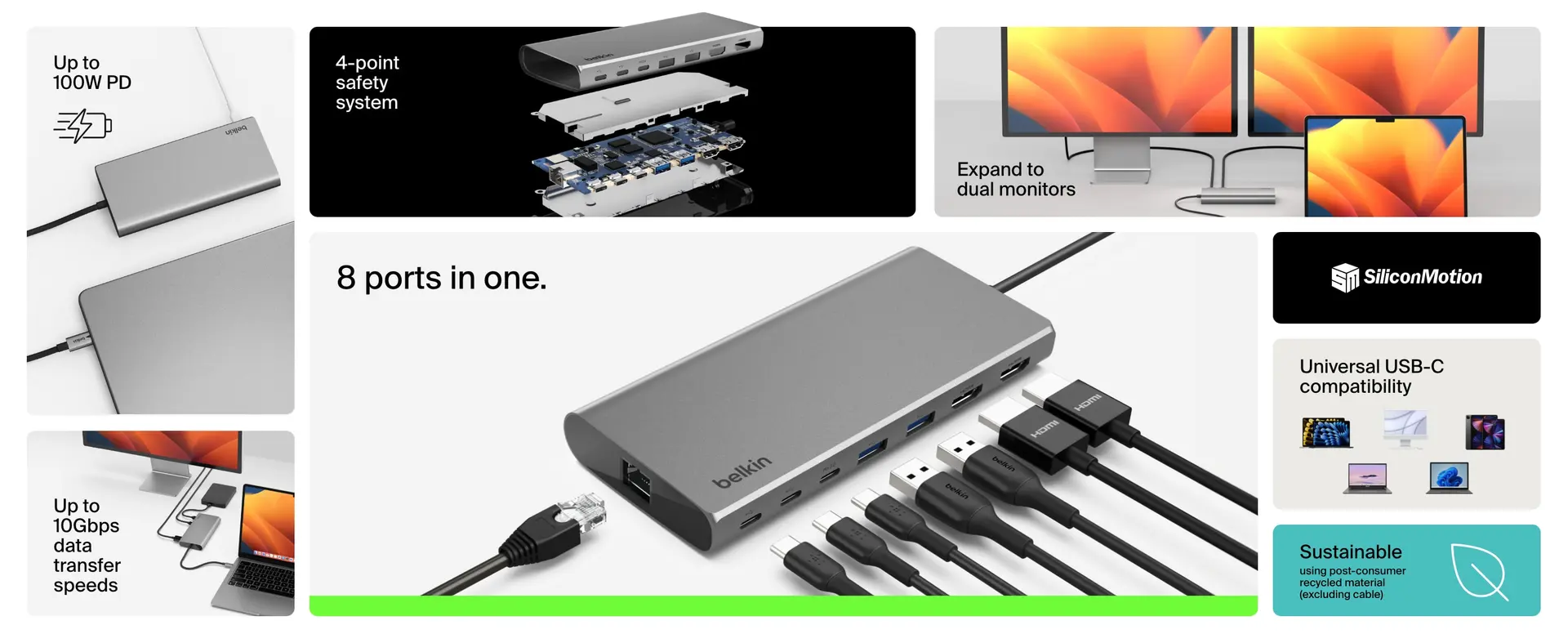
- Display output support
- Power delivery support
- Data transfer support
- The laptop’s external monitor limits
- The maximum resolution and refresh rate through the hub
- Whether your laptop can extend to two displays, not just mirror
This is especially important for people buying the hub for a MacBook, compact Windows laptop, work-issued laptop, or older USB-C machine. Corporate laptops can also have restrictions, driver limitations, or locked-down settings that make display accessories more annoying than expected.
“USB-C is convenient only after compatibility is confirmed. Before that, it is just a small port with too many secrets.”
The Overlooked Detail That Affects Satisfaction From Day One
The biggest day-one satisfaction factor may not be the number of ports.
It may be where the ports are placed and how your cables fall on the desk.
A hub can technically work and still feel messy if:
- the cable to the laptop is too short
- HDMI cables pull the hub backward
- the hub slides around the desk
- your charger cable enters from the wrong side
- thick cables crowd each other
- the hub hangs awkwardly from a laptop stand
- the ports face the wrong direction for your desk layout
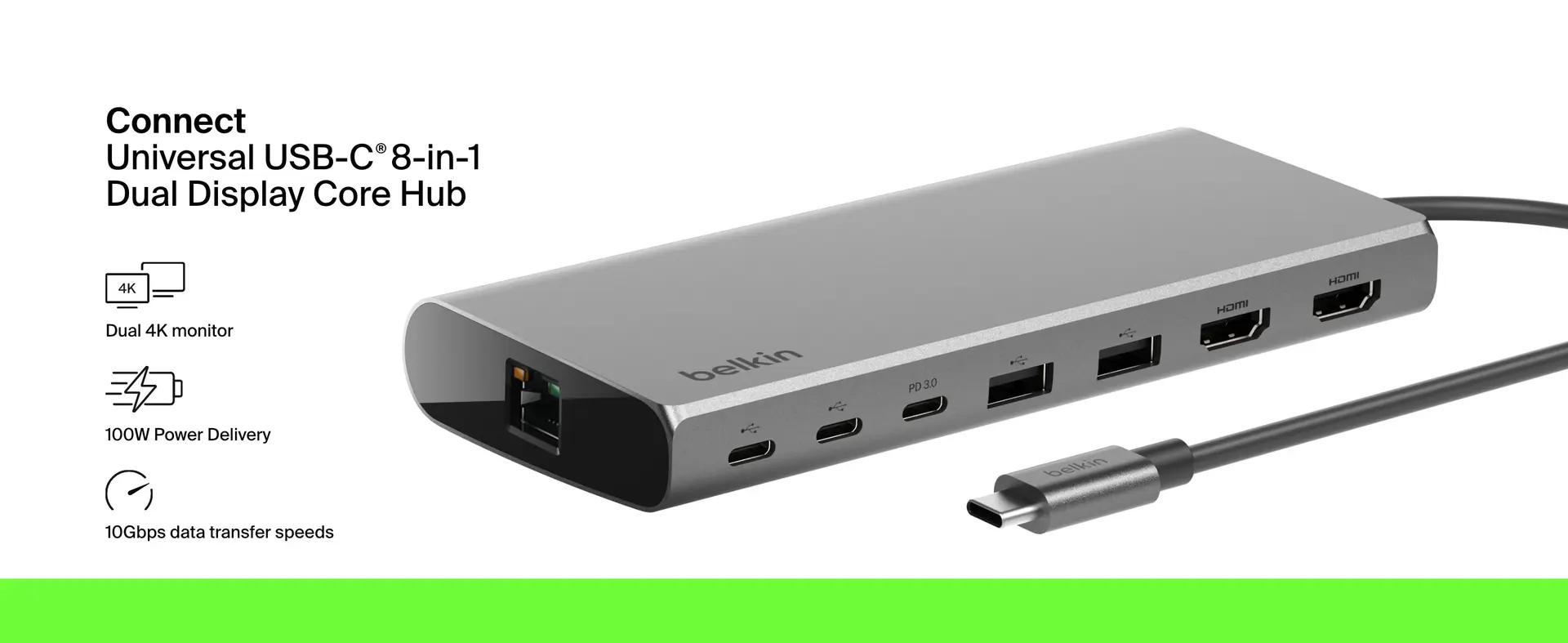
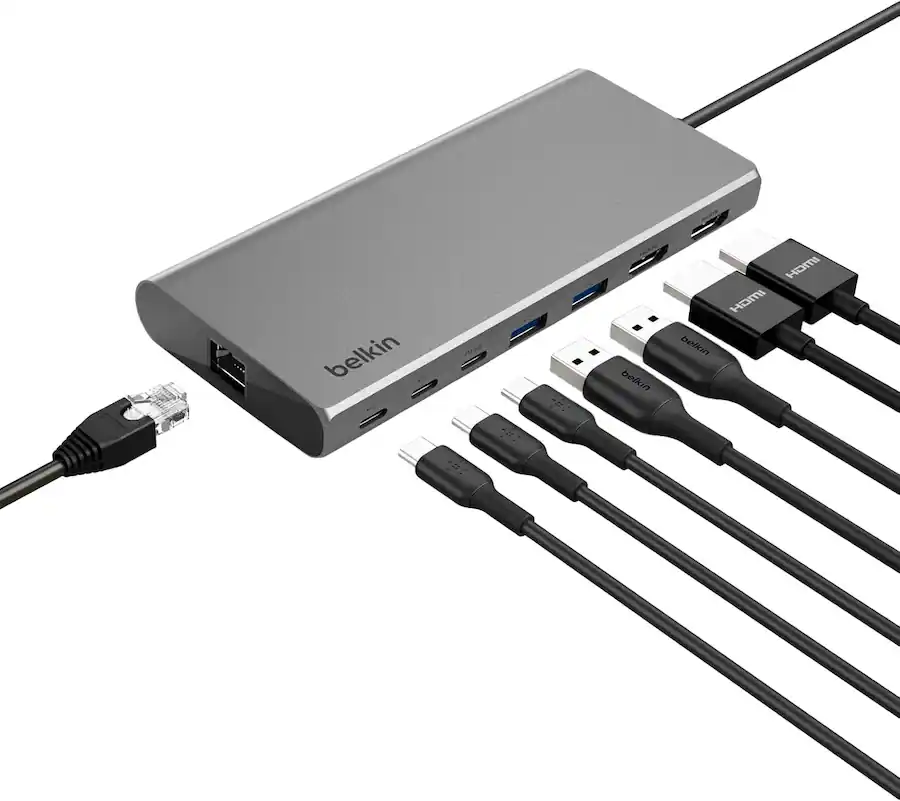
This is the part product photos rarely communicate honestly. They show the hub in a clean lifestyle scene, not in the real world with two HDMI cables, a charger, a keyboard receiver, maybe an Ethernet cable, and a laptop stand fighting for space.
If you are trying to build a polished workstation, check the physical layout as carefully as the specs.
Will You Need Extra Parts?
Possibly.
This depends on what you already own.
| Possible Extra Item | When You Might Need It |
|---|---|
| Higher-wattage USB-C charger | If your current charger is weak or you expect laptop charging through the hub. |
| Better USB-C cable | If the included or existing cable does not support the power/data/video behavior you need. |
| HDMI cables | If your monitors do not already have reliable compatible cables. |
| Adapters | If your monitors use DisplayPort, VGA, DVI, or unusual inputs. |
| Desk cable management | If you want the setup to look as clean as the promise. |
| Driver/software check | If your system requires specific display support or has compatibility limitations. |
The hub may reduce clutter, but it does not automatically eliminate every accessory problem. Sometimes it simply moves the mess into one smaller area.
Beautiful? Yes. Magical? Calm down.
The Expectation You Should Lower
Do not expect this hub to behave like a full professional docking station in every scenario.
That is the expectation to lower before purchase.
A compact USB-C hub is usually about convenience, portability, and basic desk expansion. A full dock is usually about a more powerful permanent workstation, broader display support, stronger power handling, more robust thermal behavior, and sometimes better long-session reliability.
The Belkin Connect 8-Port Dual Display USB-C Hub may be enough for many people. But buyers should not confuse “hub with dual display outputs” with “enterprise-grade dock that solves every desk problem.”
If you want a demanding setup with high-resolution monitors, high refresh rates, lots of peripherals, charging, Ethernet, external drives, webcam, microphone, and daily all-day usage, you should compare it against a proper docking station — not just other small hubs.
The Expectation That May Be Pleasantly Exceeded
Where this kind of hub can genuinely feel better than expected is in daily simplicity.
Once the setup is compatible, the value becomes obvious:
- one cable into the laptop
- monitors already connected
- keyboard and mouse ready
- fewer adapters in the bag
- cleaner desk transitions
- less cable hunting
- easier switching between laptop-only and desk mode
For someone who moves between meetings, sofa work, and desk work, that convenience can feel surprisingly premium.
“The best version of this hub is not exciting. It is invisible. You plug in once, your desk wakes up, and you stop thinking about ports.”
That is the win.
Not drama. Not spec bragging. Just fewer small annoyances every day.
What Matters More Than The Headline Feature
The headline feature is dual display.
But the better buying criteria are:
- Compatibility with your exact laptop
- The display behavior you actually need
- The quality of your cables
- Power delivery expectations
- Desk layout
- How many devices you connect daily
- Whether this is a travel hub or a desk hub for you
The worst way to buy this product is to count the ports and stop thinking.
The better way is to imagine your exact desk on a Monday morning. Laptop open or closed? One monitor or two? Charger connected? Keyboard receiver? Mouse? External drive? Ethernet? Camera? Speakers? Which side of the laptop is the USB-C port on? Will the hub sit flat? Will cables pull it around?
That real setup matters more than the clean product render.
Who Should Pause Before Checking Out?
You should slow down before buying if you are one of these buyers:
| Buyer Type | Why You Should Pause |
|---|---|
| Mac users expecting effortless dual extended displays | Your exact Mac model and chip matter. Verify before buying. |
| Gamers or high-refresh monitor users | Productivity hubs may not deliver the refresh-rate experience you expect. |
| People with older laptops | USB-C may not mean full video, charging, and data support. |
| Users with strict work laptops | Company security policies and driver restrictions can complicate accessories. |
| Anyone expecting a full dock replacement | A compact hub may not match the power and stability of a larger docking station. |
| Buyers with unusual monitors | Adapter chains can create compatibility headaches. |
This does not mean the hub is a bad buy for these people. It means the lazy version of the purchase is risky.
What Deserves A Second Look On The Product Page
Before you commit, go back to the product page and re-read the boring section.
Yes, the boring section. The one normal people skip because they still believe product names tell the truth. Adorable.
Look closely for:
- maximum supported resolution
- refresh rate limits
- whether dual displays are extended or mirrored
- laptop compatibility notes
- USB-C requirements
- power pass-through limits
- included cable details
- supported operating systems
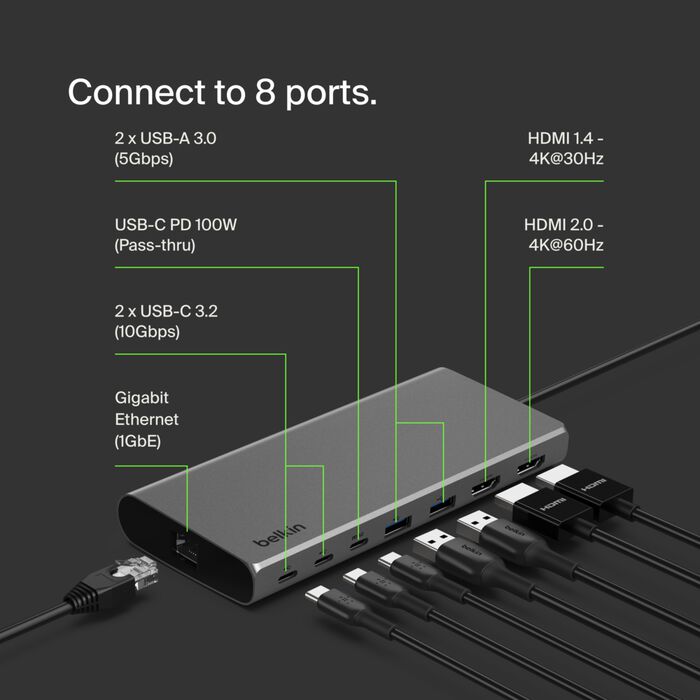
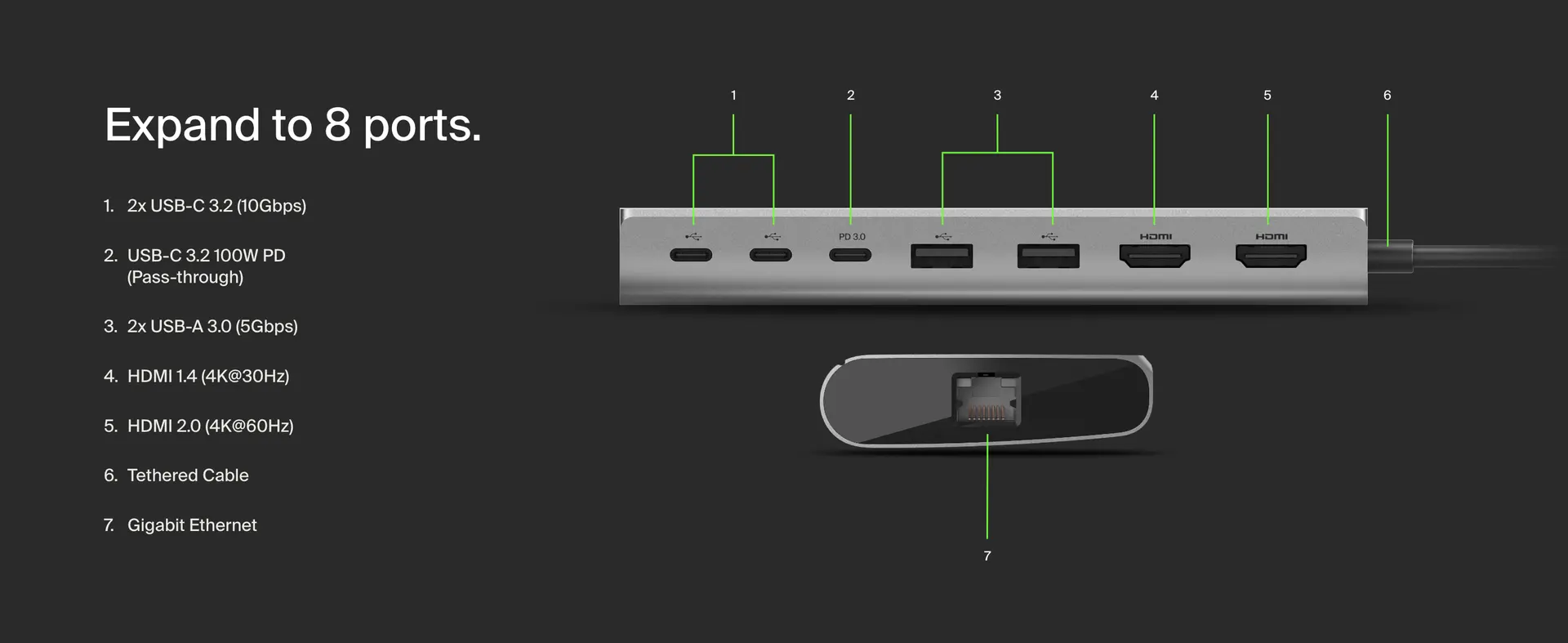
- port-by-port breakdown
- any footnotes near the display claims
The footnotes are where the truth usually lives.
A product can honestly advertise dual display and still not mean your exact dream version of dual display.
The Warning Sign Behind The Attractive Selling Points
The attractive selling point is obvious:
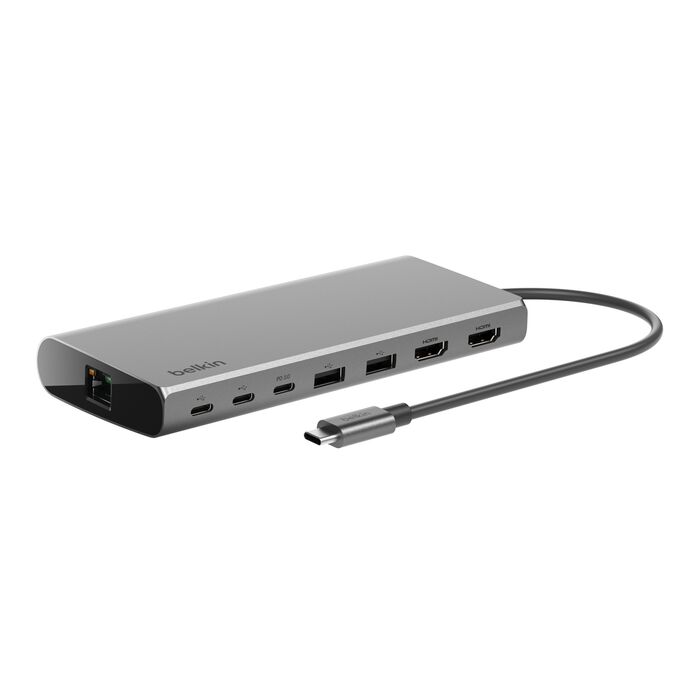
One compact hub. Eight ports. Dual display. Cleaner desk.
The hidden warning sign is that this kind of product compresses many different demands into one small device.
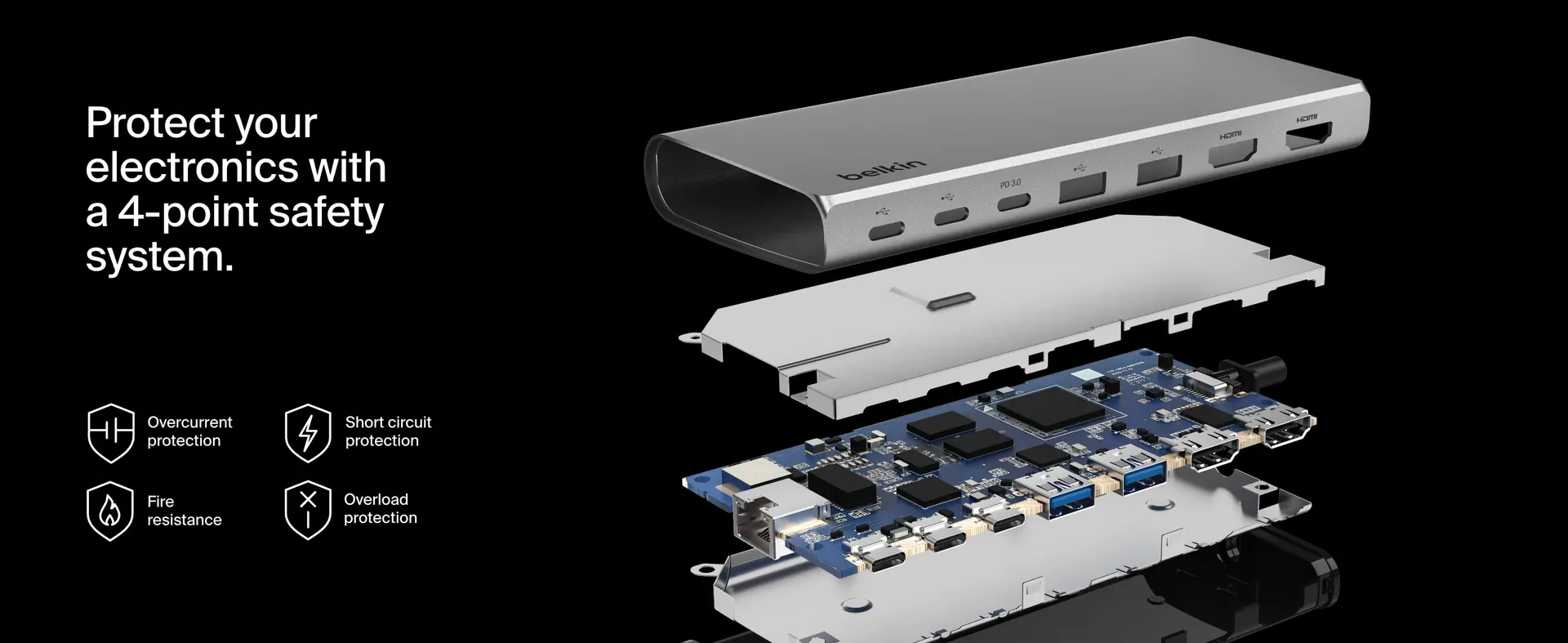
Video, power, data, peripherals, and sometimes network connectivity all compete inside a compact accessory. That does not automatically make it unreliable, but it does mean buyers should not expect unlimited performance from a small hub.
If your desk setup is light to moderate, this can be a very practical tool.
If your desk setup is heavy, high-resolution, power-hungry, and mission-critical, you may want something more dock-like.
The Question To Ask Yourself Before Buying
Ask yourself this:
Am I buying this because I verified it fits my setup, or because I want the product name to solve my setup?
That question separates the smart buy from the regret buy.
A hub is not supposed to be a mystery box. You should know before purchase:
- what laptop you use
- what monitors you use
- what resolution you expect
- whether you need extended displays
- how much charging power you need
- what ports you will use every day
- whether this will stay on a desk or travel with you
If you cannot answer those yet, the next step is not checkout. The next step is verification.
What Would Make It Feel Like The Wrong Purchase Immediately?
This hub will feel like the wrong purchase quickly if:
- your second display does not extend properly
- your monitor only runs at a lower resolution than expected
- your laptop does not charge through the hub the way you assumed
- the hub gets buried under cable tension
- you need more power or ports than it reasonably provides
- you expected a full docking station experience
- your laptop’s USB-C port is not as capable as you thought
- your desk still feels messy after plugging everything in
The most painful version is when the product is not technically defective — it just does not match your setup.
That is the kind of regret worth avoiding.
Our Practical Buying Verdict
The Belkin Connect 8-Port Dual Display USB-C Hub makes the most sense for buyers who want a cleaner, more capable laptop desk setup and are willing to verify compatibility before buying. It is especially appealing if your work is built around everyday productivity: documents, browser tabs, messaging, spreadsheets, dashboards, light creative work, and normal desk peripherals.
It is less ideal if you are expecting a compact hub to behave like a high-end docking station, especially with demanding monitor setups or unclear laptop compatibility.
“Buy it for convenience after checking compatibility. Do not buy it as a leap of faith because the words ‘dual display’ sound reassuring.”
That is the cleanest way to think about it.
Final Pre-Purchase Checklist
Before you buy, confirm these:
- My laptop’s USB-C port supports video output.
- My laptop supports the number of external displays I want.
- The hub supports my desired resolution and refresh rate.
- My operating system is compatible with the display behavior I expect.
- My charger is strong enough for power pass-through needs.
- My HDMI/USB-C cables are capable and reliable.
- The hub’s physical layout works for my desk.
- I am not expecting a compact hub to replace a full professional dock.
If those boxes are checked, this can be a satisfying buy.
If they are not, pause before ordering. The product may still be good — just not for the setup you are imagining.
Explore the Belkin Connect 8-Port Dual Display USB-C Hub Gallery
Every image from this article, gathered in one clean place. Tap any photo to open it larger.