
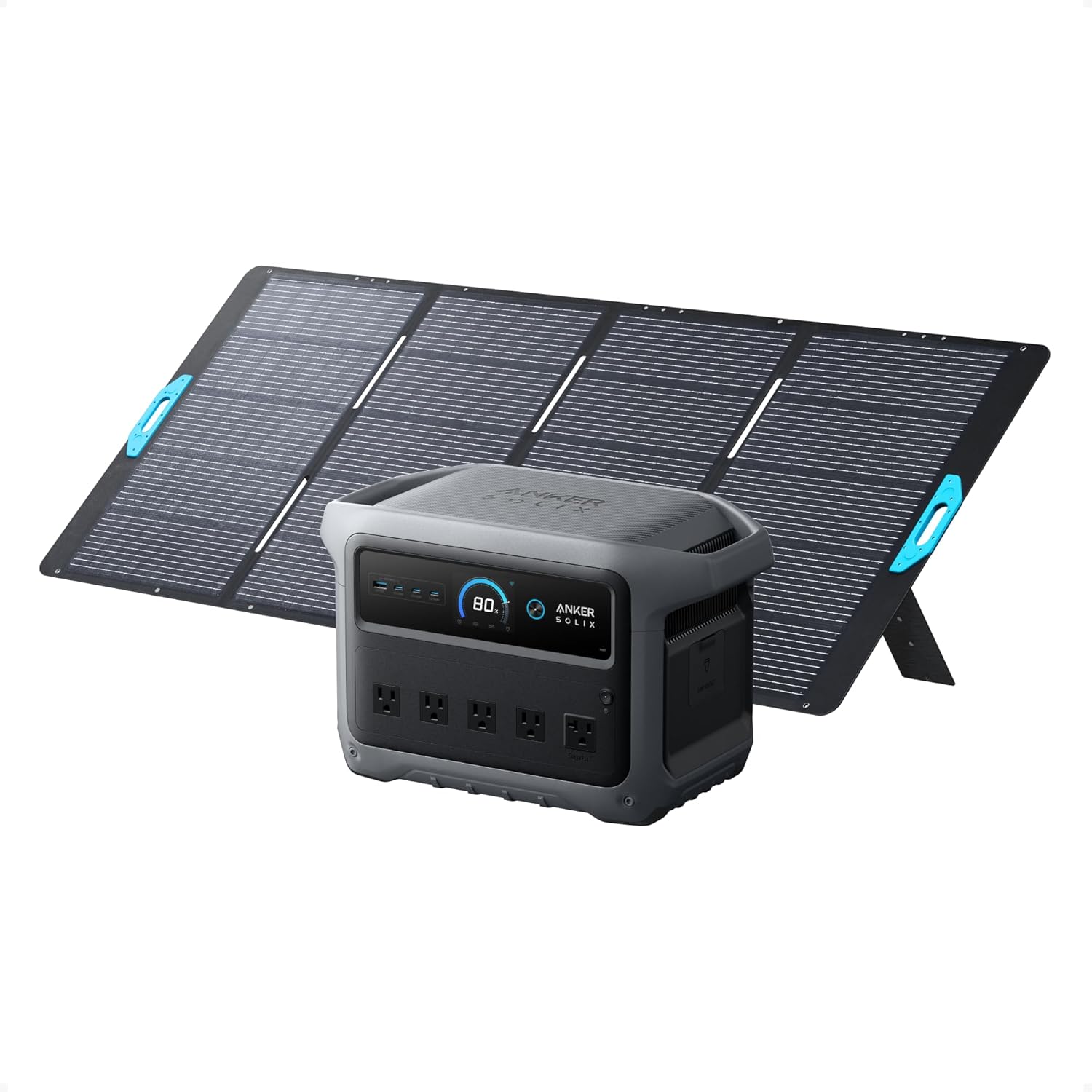
The Anker SOLIX C1000 Gen 2 is the kind of portable power station that looks easy to justify on paper. It promises serious backup power, travel flexibility, fast charging, clean design, and enough output for the devices most people actually care about.
But this is exactly why buyers should slow down before clicking “buy.”
A power station is not like buying a charger, a cable, or a small power bank. You are not only buying capacity. You are buying into a specific way of using power: where it will sit, what it will run, how often it will be moved, how it will be recharged, and whether your expectations match real-world limits.
“The wrong buyer won’t hate the C1000 Gen 2 because it is weak. They’ll hate it because they expected it to behave like a silent, endless wall outlet in a box.”
This is not a review. This is the conversation you should have with yourself before money changes hands.
The First Question: What Are You Actually Buying It For?
The C1000 Gen 2 makes the most sense when your use case is clear. It becomes harder to recommend when the buyer is vague.
| Your Reason for Buying | What You Should Verify First |
|---|---|
| Home backup | Which devices matter during an outage, and for how long |
| Camping or van life | How you will recharge it away from home |
| Worksite power | Whether your tools spike above what it can handle |
| Emergency prep | Whether you need one large station or multiple smaller ones |
| Solar setup | Panel compatibility, placement, weather, and charging speed |
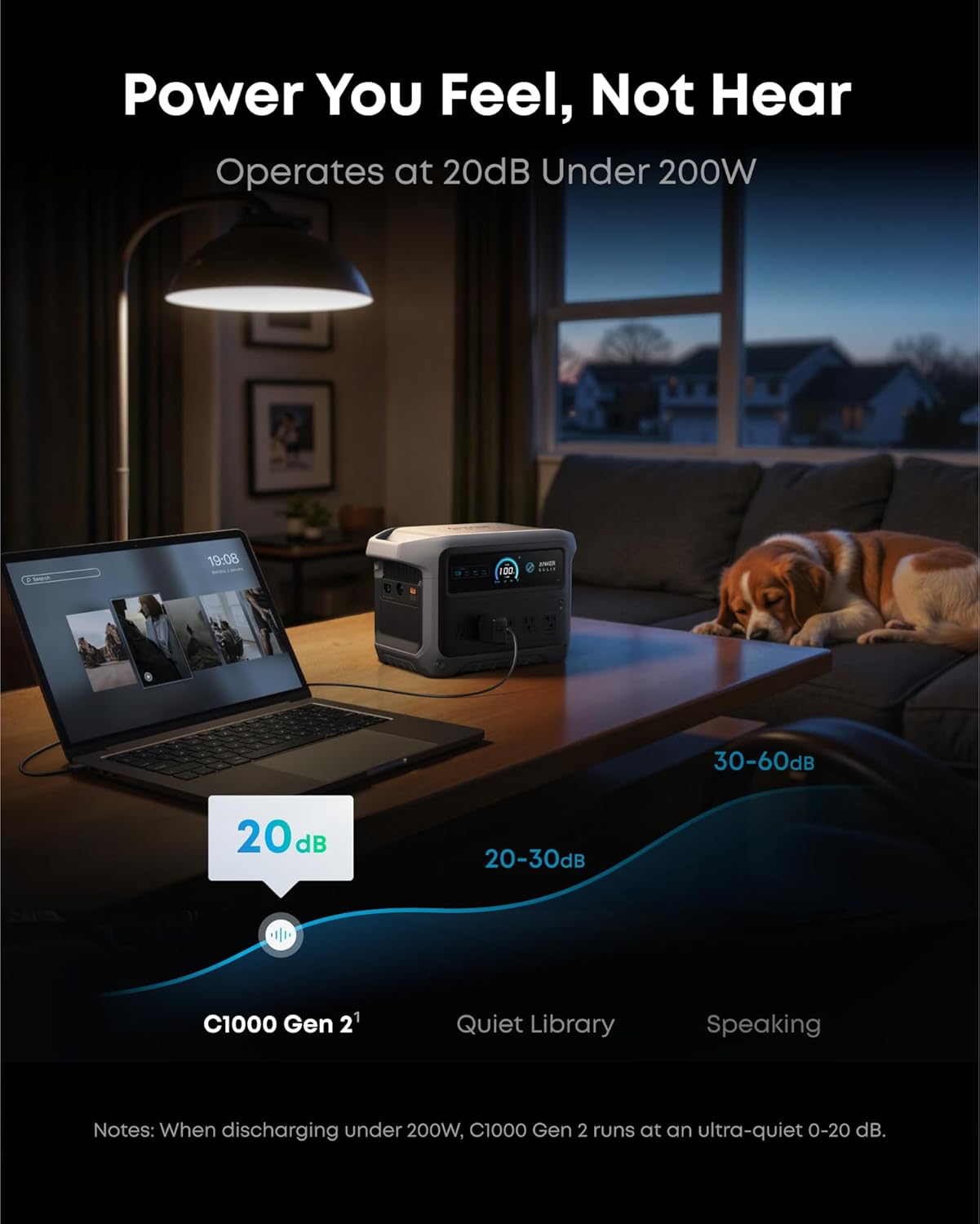
| Apartment backup | Noise, storage space, and where it will safely live |
The biggest mistake is thinking: “I’ll buy it now and figure out the use case later.”
That works with small accessories. It does not work with a power station in this class.
Do Not Confuse “Can Power” With “Can Power Comfortably”
A portable power station can often run more than people expect, but that does not mean it should be treated like a full-home backup system.
There are three different questions buyers often mix together:
| Question | Why It Matters |
|---|---|
| Can it turn the device on? | Some appliances have high startup surges |
| Can it run the device safely? | Continuous load matters more than a quick demo |
| Can it run it long enough to be useful? | Capacity disappears quickly with heavy appliances |
A laptop, phone, router, lights, camera gear, small fan, or mini fridge-style setup is one thing. Larger heating devices, cooking appliances, kettles, heaters, power tools, and high-draw kitchen equipment are another story.
“The headline output tells you what is possible. Your real satisfaction depends on what happens after the first hour.”
Before ordering, list the exact devices you expect to power. Then check their wattage, startup behavior, and runtime expectations. Boring? Yes. Useful? Also yes. Welcome to adulthood, where disappointment often starts with ignoring labels.
The Marketing Makes Backup Power Sound Simpler Than It Is
Portable power stations are often presented like emotional insurance: storm, blackout, campsite, coffee, laptop, happy family, perfect sunset.
Reality is less cinematic.
You still need to think about:
- Where the unit will be stored
- How often it will be charged
- Whether it will stay plugged in
- Which devices get priority
- How long your outage scenario realistically lasts
- Whether solar is actually practical where you live
- Whether the station is easy for everyone in the house to operate
The product can be simple to use, but the decision around it is not always simple.
If your backup plan is “I’ll just plug everything in,” pause. That is not a plan. That is optimism wearing a hoodie.
The Setup Condition That Decides Everything: Recharge Reality
A power station is only as useful as your ability to refill it.
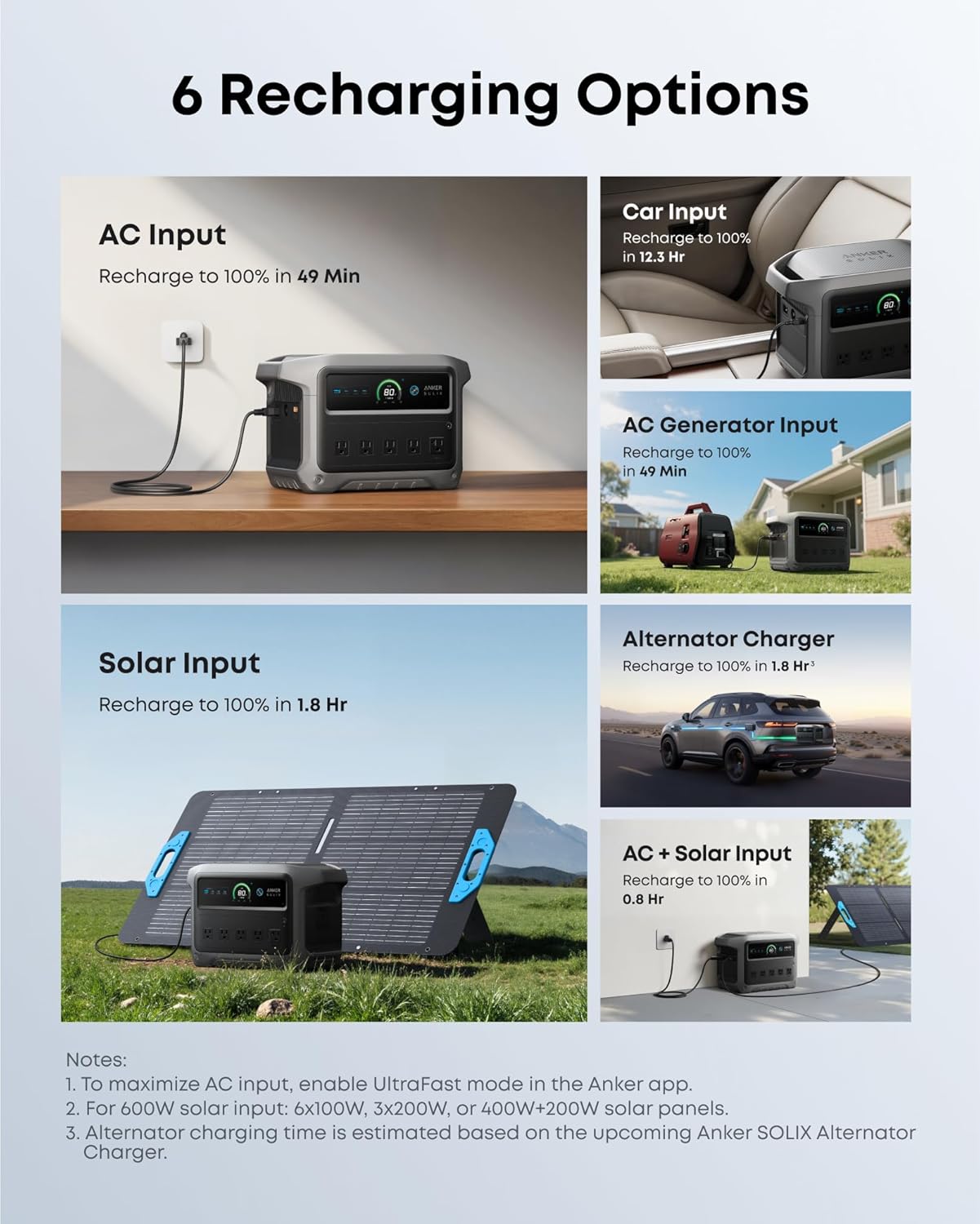
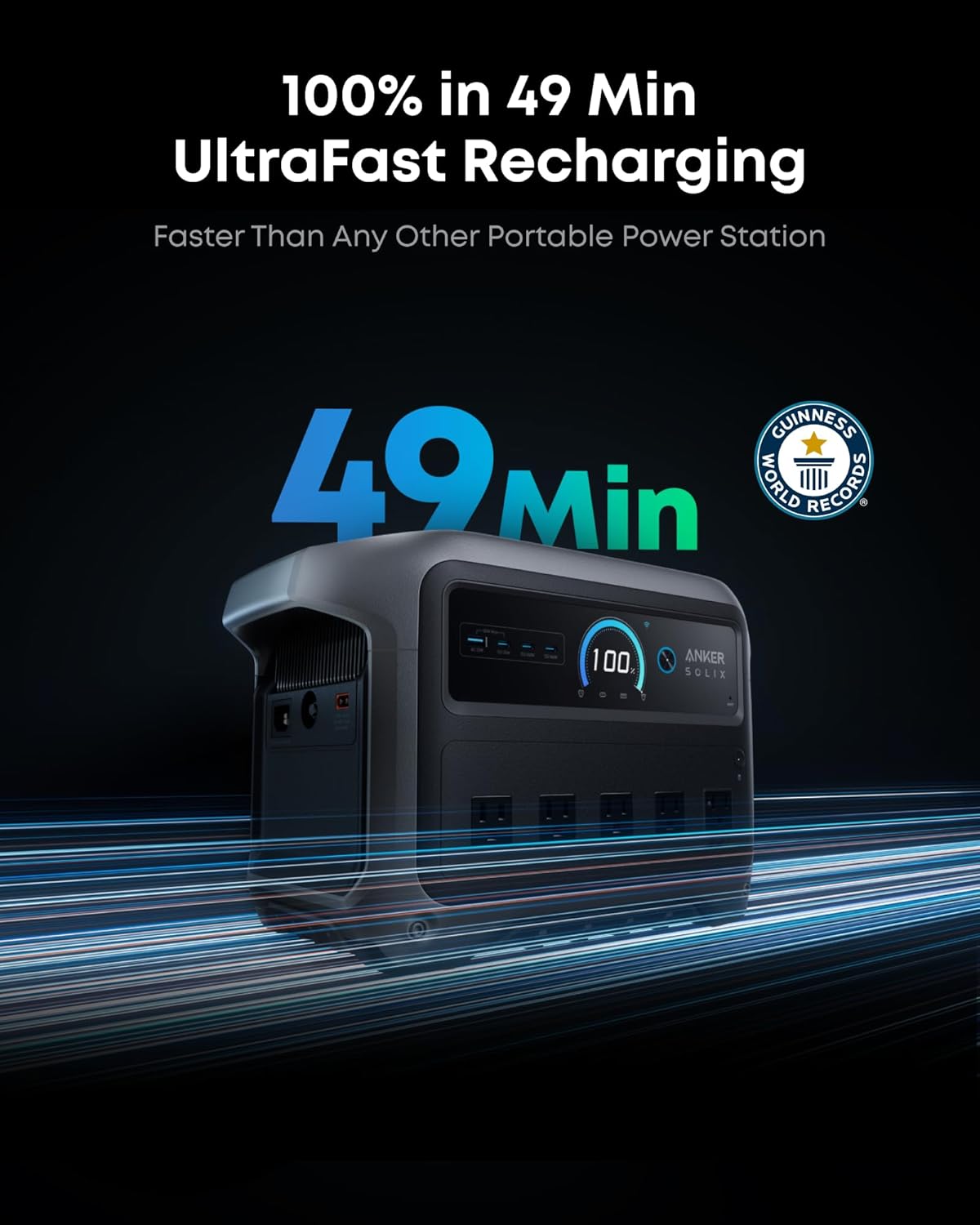
For the Anker SOLIX C1000 Gen 2, the buyer should think beyond the charging speed printed on the product page. Fast wall charging is great, but wall charging assumes the grid is available. Solar charging sounds independent, but solar depends on panel size, placement, sun exposure, weather, and patience.
| Recharge Method | Buyer Reality Check |
|---|---|
| Wall outlet | Fast and convenient, but useless during an extended outage unless power returns |
| Solar panels | Flexible, but slower and highly dependent on conditions |
| Car charging | Helpful in emergencies, but usually not your main refill method |
| Generator pairing | Strong backup option, but adds noise, fuel, maintenance, and cost |
If your plan includes solar, verify the supported solar input, compatible panel type, cable requirements, and how many hours of real sunlight you can expect.
“Solar charging is not magic. It is math plus weather. Weather loves ruining math.”
The Physical Requirement People Underestimate
Portable does not mean effortless.
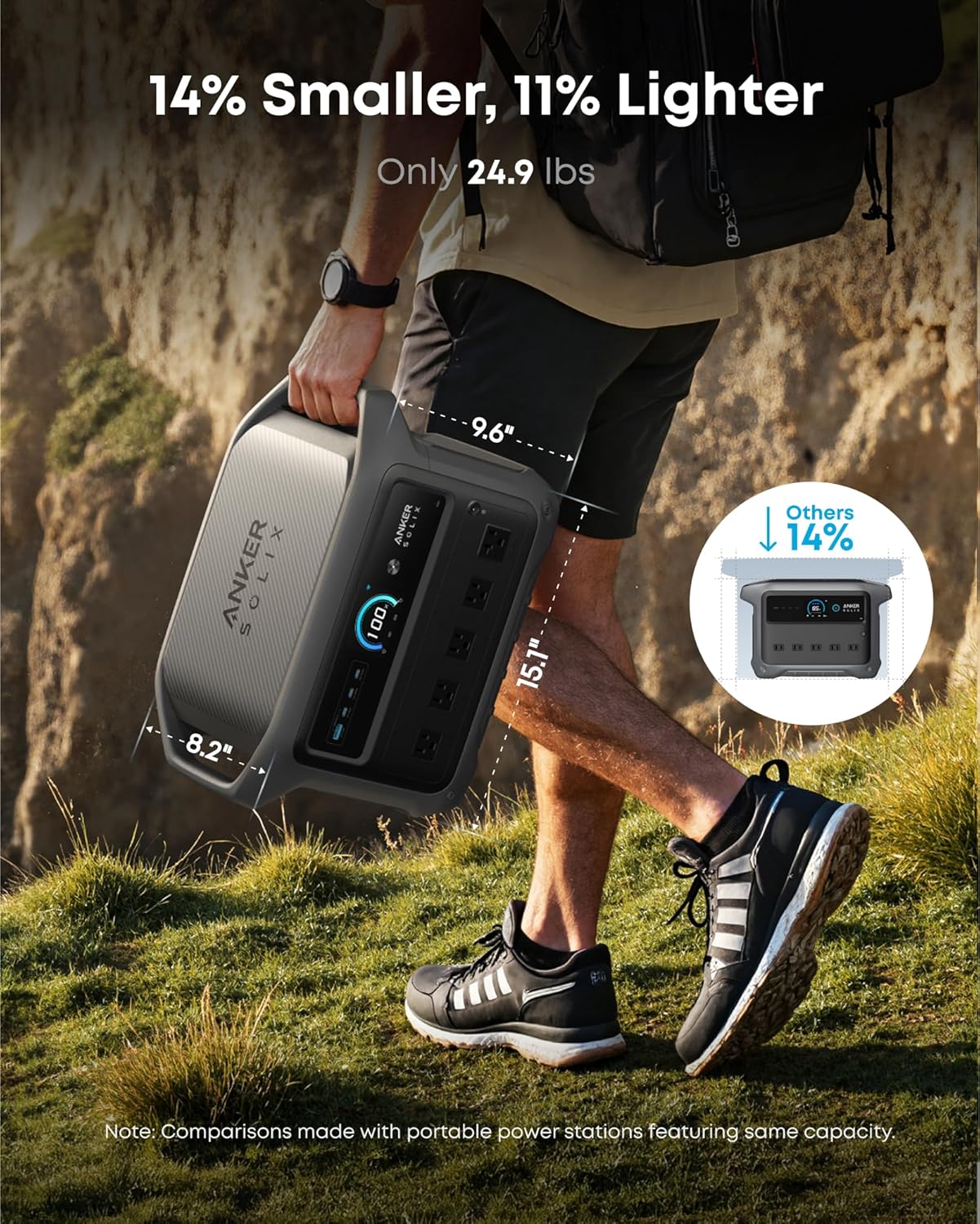
The C1000 Gen 2 is still a serious power station. It may be easy enough to move around the house, load into a car, or place beside a camping setup, but buyers should not imagine it like a slim power bank.
Before buying, ask:
- Can I comfortably lift and carry it?
- Where will it sit during use?
- Will it block a walkway?
- Can it stay close enough to the devices I need?
- Do I need extension cords or longer cables?
- Will it live in a closet, garage, office, vehicle, or storage room?
The wrong storage location can make a good power station feel annoying from day one.
| If You Store It Here | Possible Problem |
|---|---|
| Deep closet | Annoying to access during outages |
| Garage | Heat, cold, dust, and distance from devices |
| Bedroom | Noise or light may bother you |
| Kitchen | Cable clutter and counter space issues |
| Vehicle | Temperature exposure and security concerns |
This is the unglamorous part of ownership, but it matters.
Check the Outlets Before You Fall in Love With the Capacity
Many buyers focus on capacity first. That makes sense, but outlet layout and port mix can affect daily usability even more.
Look closely at:
- Number of AC outlets
- USB-C power output
- USB-A ports, if you still need them
- Car socket availability
- Spacing between outlets
- Whether bulky plugs block nearby ports
- Whether all ports can be used comfortably at once
A power station can have enough power and still feel irritating if the ports do not match your gear.
“Capacity tells you how much energy you own. The port layout tells you how pleasant it is to actually use.”
This is especially important for families, creators, campers, and anyone powering multiple devices at the same time.
The Overlooked Day-One Detail: Cable Management
Nobody gets excited about cable management when buying a power station. Then they unbox it, plug in five things, and suddenly the setup looks like a robot octopus had a panic attack.
You may need:
| Possible Extra | Why You Might Need It |
|---|---|
| Short extension cord | For awkward plug shapes |
| Heavy-duty extension cord | For safer appliance positioning |
| Solar cable/adapters | If using panels |
| Storage bag or case | For transport and accessories |
| Power meter | To understand real consumption |
| Dedicated emergency box | To keep cables, lights, and essentials together |
The product itself may be ready. Your setup may not be.
That difference matters.
Lower This Expectation: It Will Not Make Every Outage Feel Normal
This is the expectation that should be corrected before purchase.
The C1000 Gen 2 can make outages easier, safer, and less disruptive. But it will not automatically make your home feel fully powered unless your needs are modest and carefully managed.
If you expect to keep essentials running, you will probably be happy.
If you expect to live exactly as if the grid never failed, you may be disappointed.
| Realistic Expectation | Risky Expectation |
|---|---|
| Keep phones, router, lights, laptop, and small essentials running | Power the house like nothing happened |
| Use selected appliances strategically | Run high-draw devices casually |
| Recharge when possible | Assume one charge solves everything |
| Manage priority devices | Plug in everything because outlets exist |
A power station rewards discipline. It punishes careless assumptions.
But This Expectation May Be Exceeded: Convenience
Where the C1000 Gen 2 may surprise buyers is not just in emergency backup. It is the convenience factor.
A good power station often becomes useful in small, ordinary ways:
- Working outside with a laptop
- Running lights during a backyard setup
- Charging camera gear in one place
- Keeping Wi-Fi alive during short power cuts
- Powering tools away from an outlet
- Making camping feel less primitive
- Avoiding extension cords for temporary setups
“The pleasant surprise is not always disaster survival. Sometimes it is simply having power exactly where the wall outlet is not.”
That kind of convenience is easy to underestimate before purchase.
What Matters More Than the Headline Feature
The headline feature may be output, charging speed, battery chemistry, or capacity. Those matter. But the better buying decision comes from matching the product to your habits.
The more important questions are:
| Decision Factor | Why It Matters More Than the Headline |
|---|---|
| Your actual devices | Determines whether the station fits your life |
| Runtime needs | Prevents disappointment during outages |
| Recharge plan | Decides whether the unit stays useful |
| Port layout | Affects daily comfort |
| Storage location | Impacts whether you actually use it |
| Weight and mobility | Decides whether “portable” feels true |
| Expansion needs | Determines whether this is enough long-term |
A buyer who understands their load will make a better decision than a buyer chasing the biggest-looking number.
Who Should Pause Before Buying?
The Anker SOLIX C1000 Gen 2 may not be the right first choice for every buyer.
You should pause if:
- You need whole-home backup
- You want to run heavy heating or cooking appliances regularly
- You have no clear recharge plan
- You live in a place where solar use is impractical
- You need something ultra-light
- You expect zero setup thinking
- You are buying mainly because the product page made it look powerful
- You have not checked your device wattage
- You need long multi-day backup without additional charging
This does not mean you should not buy it. It means you should not buy it blindly.
“A power station should be bought around a use case, not around a fantasy version of your future emergency self.”
What Deserves a Second Look on the Product Page
Before checkout, do not skim these details:
| Product Page Detail | Why You Should Recheck It |
|---|---|
| Rated capacity | Affects runtime expectations |
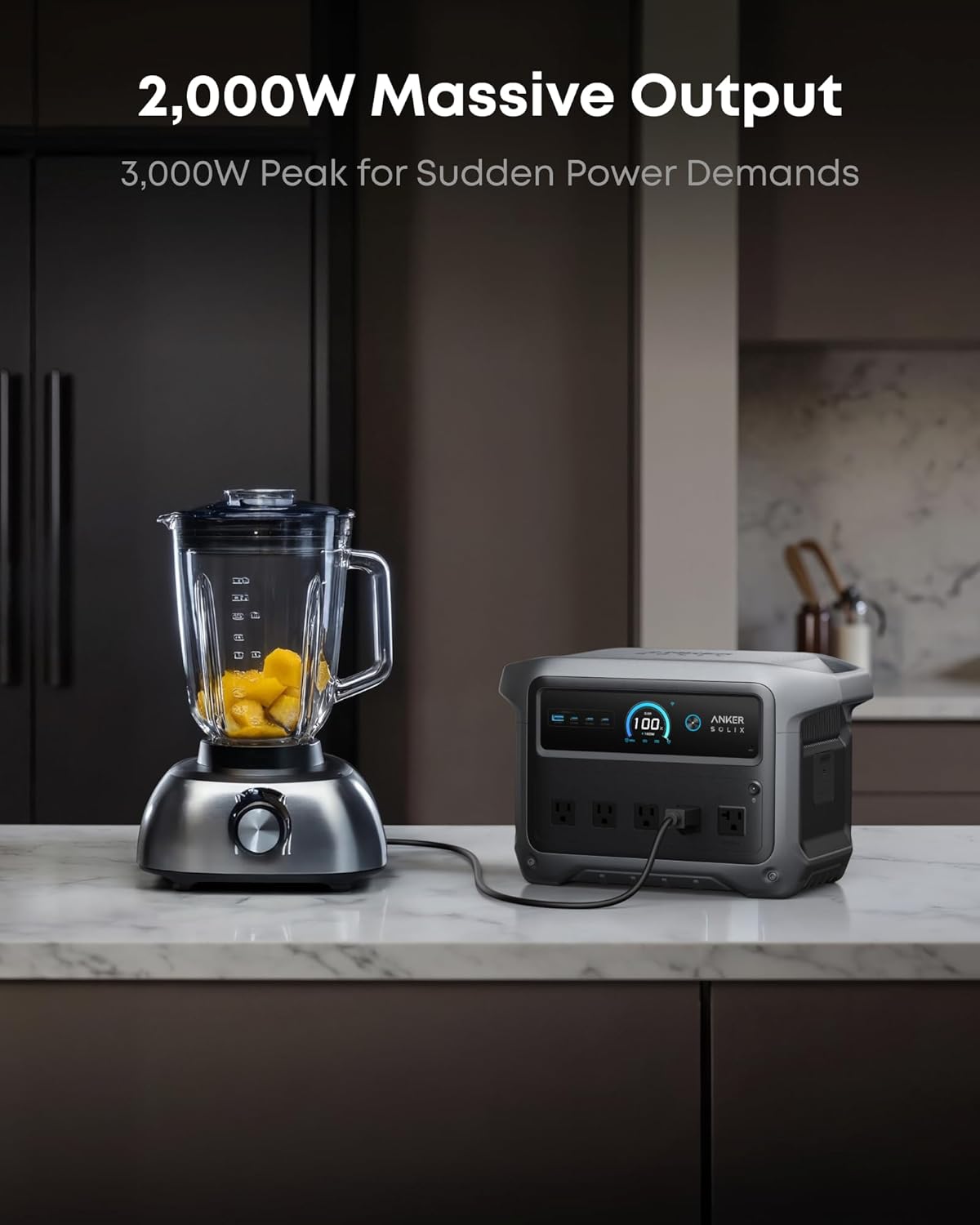
| AC output rating | Determines what it can run continuously |
| Surge rating | Matters for appliances and tools |
| Solar input limit | Determines realistic solar refill speed |
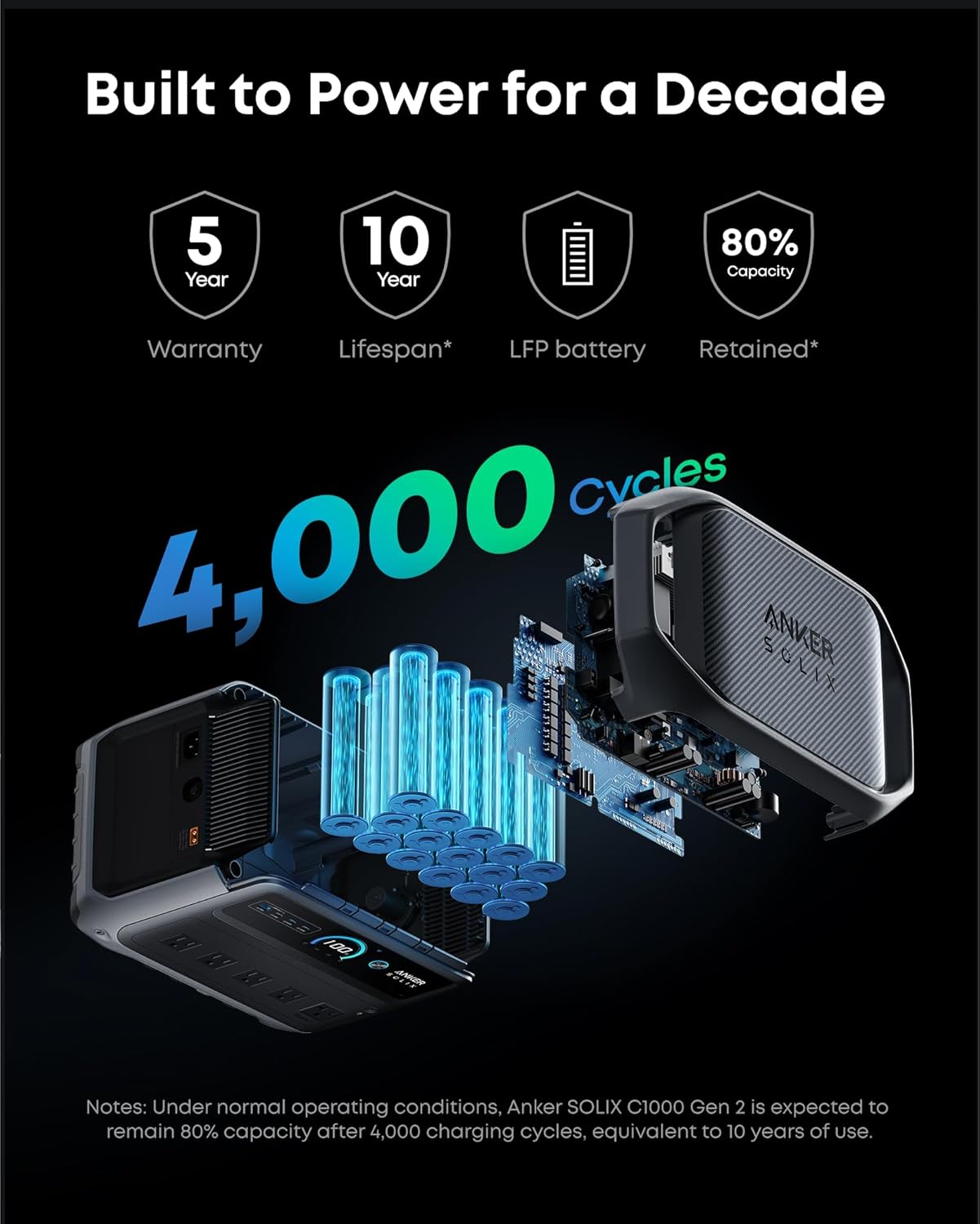
| Battery chemistry | Affects lifespan and ownership confidence |
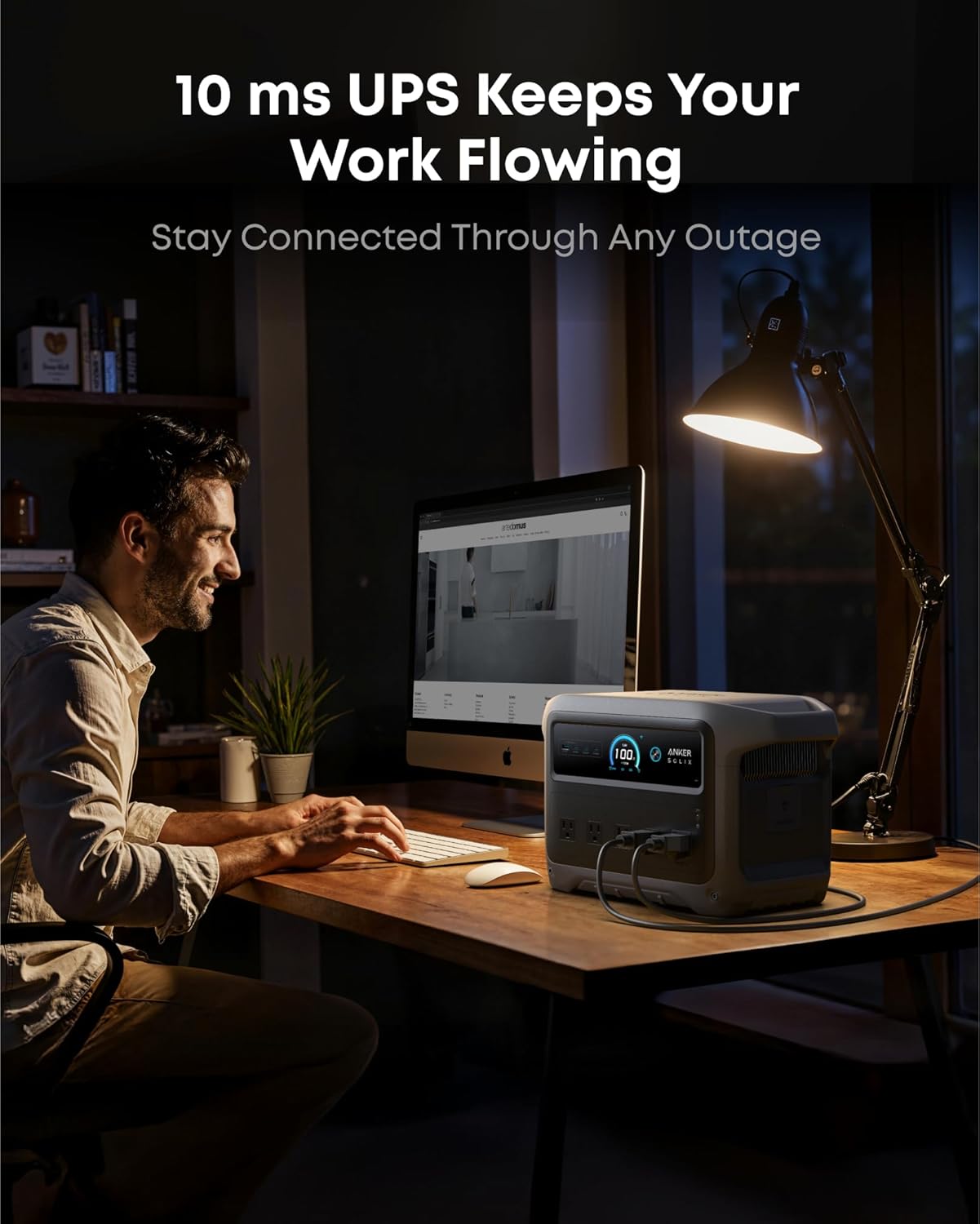
| UPS/backup behavior | Important if using it for router, PC, or work setup |
| App features | Useful only if you actually want remote control |
| Warranty terms | Important for a product you may keep for years |
| Included accessories | Prevents surprise extra purchases |
The product page is not only there to impress you. It is also there to warn you, quietly, in the specifications section most buyers pretend they read.
The Warning Sign Hidden Behind Attractive Selling Points
The C1000 Gen 2’s attractive promise is versatility. That is also where the buying risk lives.
When a product can do many things, buyers sometimes assume it can do their thing perfectly.
That is dangerous.
A power station can be excellent for one buyer and frustrating for another based on nothing more than the device list.
| Attractive Selling Point | Hidden Buyer Risk |
|---|---|
| High output | You may still run out of capacity quickly |
| Fast charging | Only helps when the grid is available |
| Solar compatibility | Requires the right panels and real sun |
| Portable design | Still may be heavier than casual buyers expect |
| Many ports | Layout may still matter with bulky plugs |
| Emergency backup | Only useful if you plan device priorities |
The warning sign is not that the product is weak. The warning sign is when your expectations are undefined.
The Question to Answer Before You Commit
Ask yourself this:
“On the worst day I expect to use this, what exactly do I need it to keep running?”
Not “what could it run?”
Not “what does the brand say it can support?”
Not “what would be cool to power?”
What do you actually need?
A strong answer sounds like this:
“I need the router, two phones, one laptop, a lamp, and maybe a small fan for several hours.”
A risky answer sounds like this:
“I just want backup power for everything.”
The first buyer is ready to compare specs. The second buyer is about to buy confusion in a very nicely designed box.
What Could Make It Feel Wrong Immediately After Unboxing?
The C1000 Gen 2 could feel like the wrong purchase quickly if one of these happens:
| Immediate Regret Trigger | Why It Happens |
|---|---|
| It feels heavier than expected | Buyer imagined small-power-bank portability |
| It does not run a high-draw appliance long enough | Runtime expectations were unrealistic |
| Solar setup is incomplete | Panels, cables, or conditions were not planned |
| Outlet layout feels awkward | Port spacing was not checked |
| It sits unused in storage | No real use case was defined |
| Family members do not know how to use it | Emergency setup was not simplified |
| Extra accessories are needed | Buyer assumed everything was included |
Most of these regrets are avoidable. They happen before purchase, not after.
A Smarter Pre-Buy Checklist
Before buying the Anker SOLIX C1000 Gen 2, do this simple check:
| Step | What to Do |
|---|---|
| 1 | List the top 5 devices you want to power |
| 2 | Check the wattage of each one |
| 3 | Decide how many hours of runtime you actually need |
| 4 | Confirm whether you will recharge by wall, solar, car, or generator |
| 5 | Check where the unit will physically sit |
| 6 | Look at the outlet layout and included accessories |
| 7 | Decide whether you need portability or mainly backup |
| 8 | Ask whether a bigger, smaller, or expandable system would suit you better |
This small exercise will tell you more than any emotional product image ever will.
Bottom Line: Buy It for a Clear Job, Not a Vague Fear
The Anker SOLIX C1000 Gen 2 is the kind of power station that can make a lot of sense for buyers who know what they want from it. It fits the space between small casual power banks and larger home backup systems: serious enough to matter, still manageable enough for flexible use.
But the buyer should commit with eyes open.
Do not buy it because “backup power sounds smart.” Buy it because you know the devices, the runtime, the recharge plan, the storage spot, and the limits.
“The best power station purchase is not the one with the most dramatic promise. It is the one that matches your real life without asking you to pretend.”
If you want a capable portable power station for essentials, trips, short outages, work flexibility, and organized emergency prep, the C1000 Gen 2 deserves serious attention.
If you want effortless whole-home power with no planning, no limits, no cables, no tradeoffs, and no math, then pause before checkout.
Because this is not just a box of power.
It is a system. And systems only feel premium when the buyer understands how they will actually use them.
Explore the Anker SOLIX C1000 Gen 2 Gallery
Every image from this article, gathered in one clean place. Tap any photo to open it larger.