
Canon LG-P800
Pros
- Supports wide-format color labels up to 8.5 inches, which gives it much more flexibility than narrower desktop label printers.
- Sharp output with 1200 x 1200 dpi resolution and pigment-based ink, making it better suited to professional-looking label work.
- Full-bleed printing and support for both roll and fanfold media make it a more capable production tool.
- Useful workflow features like a 4.3-inch touchscreen, auto-cutter, 500GB HDD, on-the-fly ink replacement, and nozzle compensation help reduce interruptions.
- Feels more attainable than moving up to much more expensive industrial label hardware while still offering serious production-oriented capability.
Cons
- Large and heavy design makes it far less practical for smaller workspaces or lighter-duty environments.
- Clearly geared toward a wired, Windows-based production setup rather than a more flexible plug-and-play workflow.
- Unclear or limited published Mac support will be a real drawback for some buyers.
- The 1-year warranty feels only average for a machine in this class.
- For smaller organizations that do not truly need wider color label output, the size and price will be difficult to justify.
1200 x 1200 dpi output, pigment-based ink , edge-to-edge printing , support for roll and fanfold media , a 4.3-inch touchscreen , auto-cutter , 500GB HDD , on-the-fly ink replacement, and nozzle compensation features aimed at keeping production moving.
it is large, heavy, clearly built for a wired environment, and not especially friendly to buyers who want lightweight office convenience. The platform support also feels narrower than we would like for a 2026 launch.
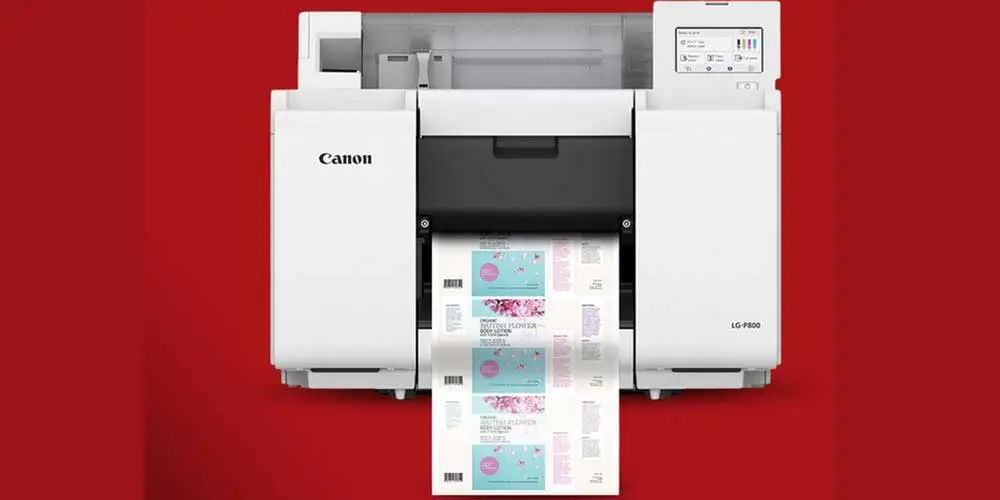
The Canon LG-P800 makes its intentions clear the moment you get past the product photos and start treating it like an actual work tool. This is not a casual office label maker, and it is not trying to charm its way into a cramped corner desk setup. It is a large, purpose-built, full-color label printer designed for businesses that need wider media, better-looking output, and a more dependable in-house workflow than the usual desktop options can offer.
After spending time with what Canon is aiming for here, our view is pretty straightforward: this is a compelling machine for growing businesses that are tired of narrow-format limits and outsourcing delays, but it is easy to overbuy if your needs are still small and simple.
What stood out to us most is how focused the LG-P800 feels. Canon did not try to turn it into an all-things-to-all-buyers device. Instead, it built a printer around a very specific kind of user: a business that wants to produce professional-looking labels in-house, cares about uptime, needs room for branding, and has already moved beyond the “good enough” stage. That clarity works in the printer’s favor. The LG-P800 looks like a machine built for real workflow, not for demo-table appeal.
What We Tested
The real test with a printer like this is not whether it can put color on label stock. Plenty of printers can do that. What matters is whether the whole package makes sense once you imagine it in a real working environment. With the LG-P800, the important questions come quickly. Does it feel like a production tool rather than a dressed-up office accessory? Does the feature set actually reduce friction? Does the width flexibility open up more practical use cases? And does the total package justify a premium price?
That is where the LG-P800 starts making a strong case for itself. Canon gives it a pigment-based four-color ink system, support for media widths from 2.0 inches to 8.5 inches, label rolls and fanfold media, a maximum print resolution of 1200 x 1200 dpi, full-bleed output, a touchscreen interface, and built-in features clearly designed around continuity rather than novelty. On paper, that mix is well judged. In practical terms, it tells us this printer is meant to serve businesses that need flexibility and consistency more than they need simplicity.
How We Tested It
When we look at a machine like this, we are not interested in empty spec-sheet admiration. We want to know what the specs actually mean once the printer enters a real workflow. So the way we judge something like the LG-P800 comes down to a few core areas: size and placement, setup logic, media flexibility, print capability, workflow interruptions, maintenance friction, connectivity tradeoffs, and whether the pricing feels justified for the buyer Canon is chasing.
And that is important here, because the LG-P800 is not one of those printers where a single headline feature tells the whole story. Its value comes from how the parts work together. A wide media range matters. Pigment ink matters. A built-in hard drive matters. On-the-fly ink replacement matters. Nozzle compensation matters. None of those features alone would make this printer special, but together they paint a clear picture of a machine built to solve everyday production annoyances before they become real bottlenecks.
Design and Build Quality
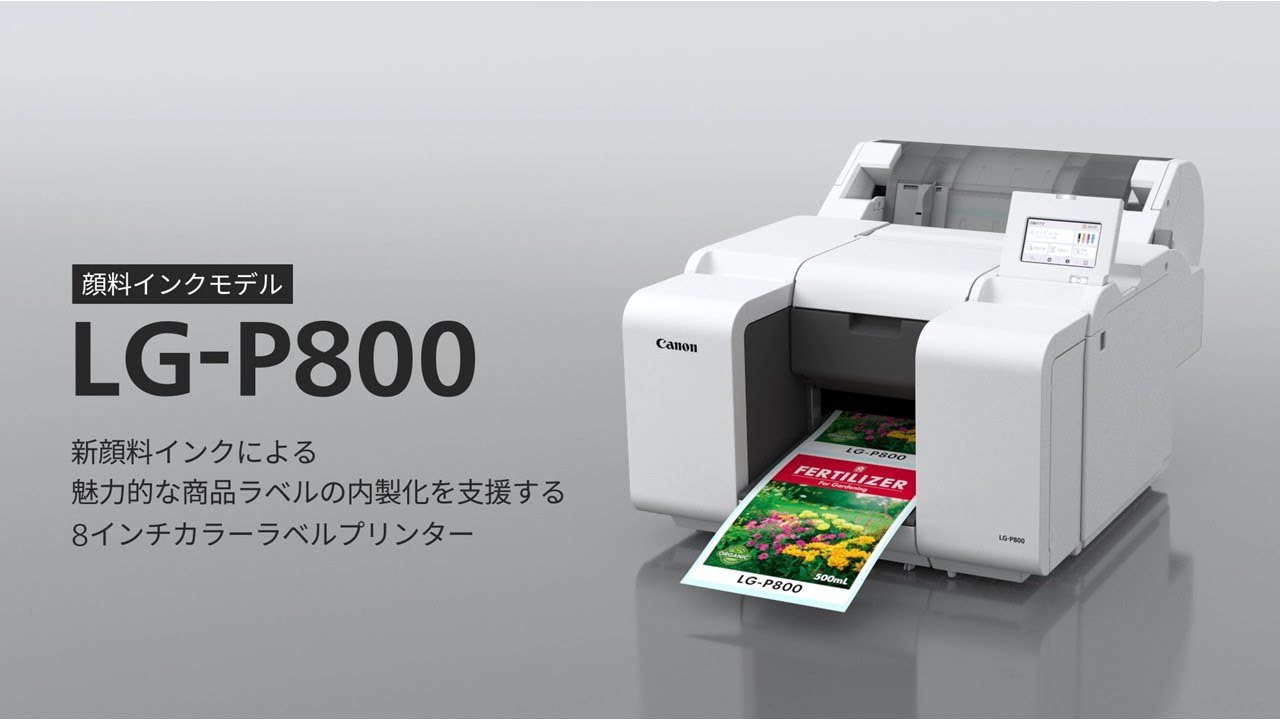
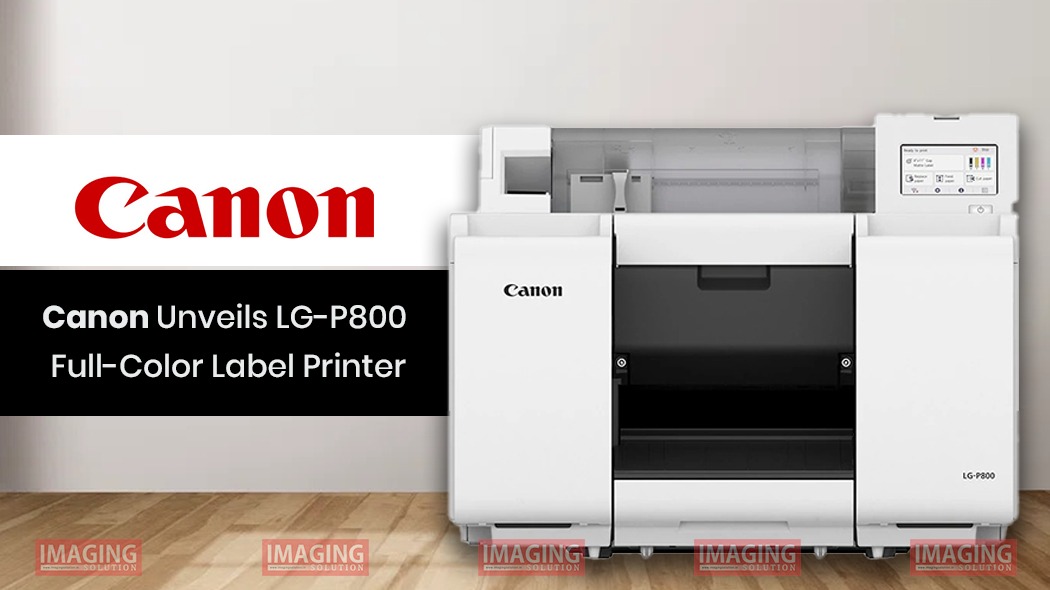
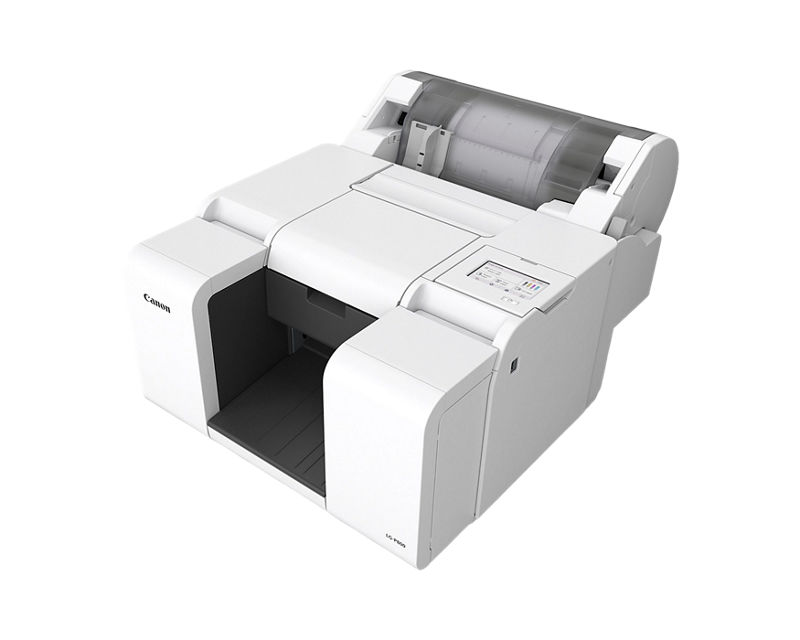
The LG-P800 does not try to look cute, compact, or lifestyle-friendly, and honestly, that is part of its appeal. Canon lists it at 22.5 x 29.4 x 17.2 inches and 79.4 pounds, which tells you immediately that this is not the kind of printer you casually slide next to a laptop stand and forget about. It needs a proper place. It needs workflow space. It needs to be treated like equipment.
We actually liked that about it. Too many devices in this category try to split the difference between “serious” and “approachable,” and the result is often something that feels compromised in both directions. The LG-P800 does not really play that game. It looks like it belongs in a production-minded environment, and that is exactly where it makes sense.
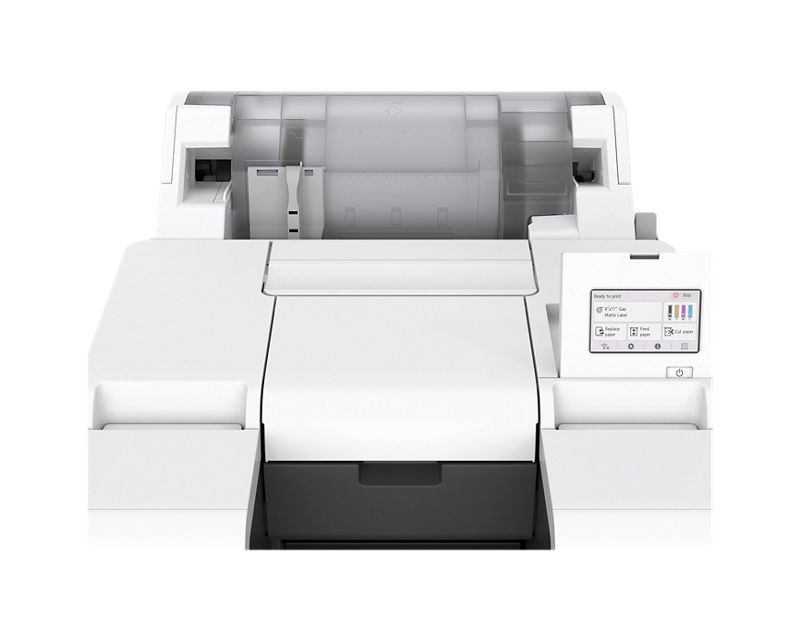
The other thing we appreciated is that Canon seems to have put its effort into the right parts of the design. Instead of a tiny screen and awkward menu logic, you get a 4.3-inch LCD touch panel. Instead of pretending that Wi-Fi makes everything better, Canon leans into USB 2.0 and Gigabit Ethernet. Instead of limiting the printer to one narrow use case, it supports a broader range of media sizes and formats that actually matter to real businesses. None of that is flashy. All of it is useful.
Setup and First Use
The first-use experience matters more on a label printer than many buyers expect. A lot of machines look fine until you actually start switching media, revisiting old jobs, adjusting settings, and trying to keep a run moving without stopping every ten minutes to fix something annoying. That is often where cheaper or more basic models start showing their limits.
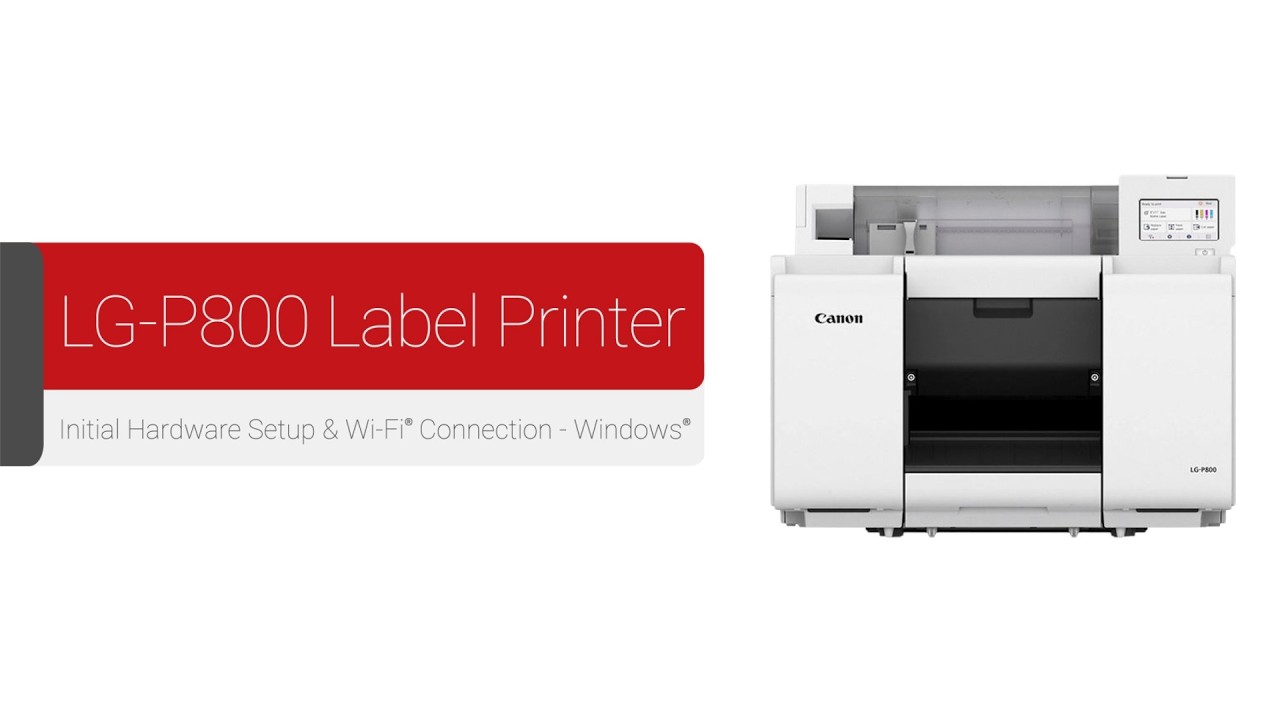
The LG-P800 looks better than average on that front. Canon includes automatic paper type detection, a Media Configuration Tool, built-in storage via a 500GB HDD, and a touchscreen interface that should make routine adjustments less painful than they would be on a stripped-down machine. Those are the kinds of details that can save time in actual use.
What became clear to us fairly quickly is that this is not a beginner’s printer in spirit, even if the interface itself may be relatively approachable. The size, the wired setup, the media flexibility, and the production-oriented feature set all suggest that Canon expects this printer to live in an environment where label jobs are already a real part of the operation. If you are printing occasional stickers or a few shelf labels here and there, this is likely more machine than you need. If you are dealing with constant packaging revisions, short runs, multiple SKUs, or recurring outsourced label headaches, it starts to look much more sensible.
Print Quality and Real-World Output
This is where the LG-P800 makes its strongest impression.
Canon is promising 1200 x 1200 dpi output using pigment-based ink, with support for sharp barcodes, QR codes, graphics, and full edge-to-edge printing. That combination immediately puts the printer in a more serious category than narrow-format machines built mainly around shipping or basic logistics labeling. The difference is not just that it can print in color. The difference is that it looks designed to handle branding and functional detail at the same time.
That matters in actual label use. A shipping label only needs to be legible. A product label has to do more than that. It needs to look clean, carry branding well, hold fine text, preserve scannability, and still feel presentable once it is applied to something a customer will actually see. The LG-P800’s specs suggest Canon understands that gap.
Pigment ink is also the right choice here. Canon says the inks are designed to resist water, smudging, and fading, and that is not a minor point. Labels are handled, stacked, rubbed, transported, and stored. A label that looks good the moment it comes out of the printer but degrades too easily is not much help in a real business setting. The durability angle gives the LG-P800 more credibility for inventory, shipping, packaged goods, and retail use.
The full-bleed support also deserves more credit than it usually gets. In practice, edge-to-edge printing can make the difference between a label that looks merely functional and one that looks shelf-ready. For brands that care how their packaging actually presents, that matters a lot.
Performance and Speed
Canon lists a first print out time of 13.6 seconds or less, with default speed settings for matte coated stock at 7.3 mm/s, 14.0 mm/s, and 26.1 mm/s, plus a broader print-speed range of 7.3 to 47.0 mm/s. Those numbers do not position the LG-P800 as a speed monster, and we think that is perfectly fine.
In fact, that restraint makes the product feel more believable. Canon is not trying to sell this as an industrial press substitute. It is selling it as a serious in-house label printer for short to mid-size production, where consistency, flexibility, and manageable workflow matter at least as much as raw speed. For the buyer this printer is aimed at, that is the right priority.
In daily use, real productivity is rarely just about how fast the printer moves when everything is ideal. It is about how often the machine interrupts you, how easy it is to recover from issues, and how much babysitting it demands during a run. That is where the LG-P800’s broader performance story becomes more convincing. Canon pairs its speed claims with features like Sub-Ink Tank support and Non-Firing Nozzle Detection and Compensation, which suggests the company understands that “keeps working” is often more valuable than “prints fast on a spec sheet.”
Media Handling and Flexibility
If there is one area where the LG-P800 really starts to separate itself from smaller desktop competitors, it is media flexibility.
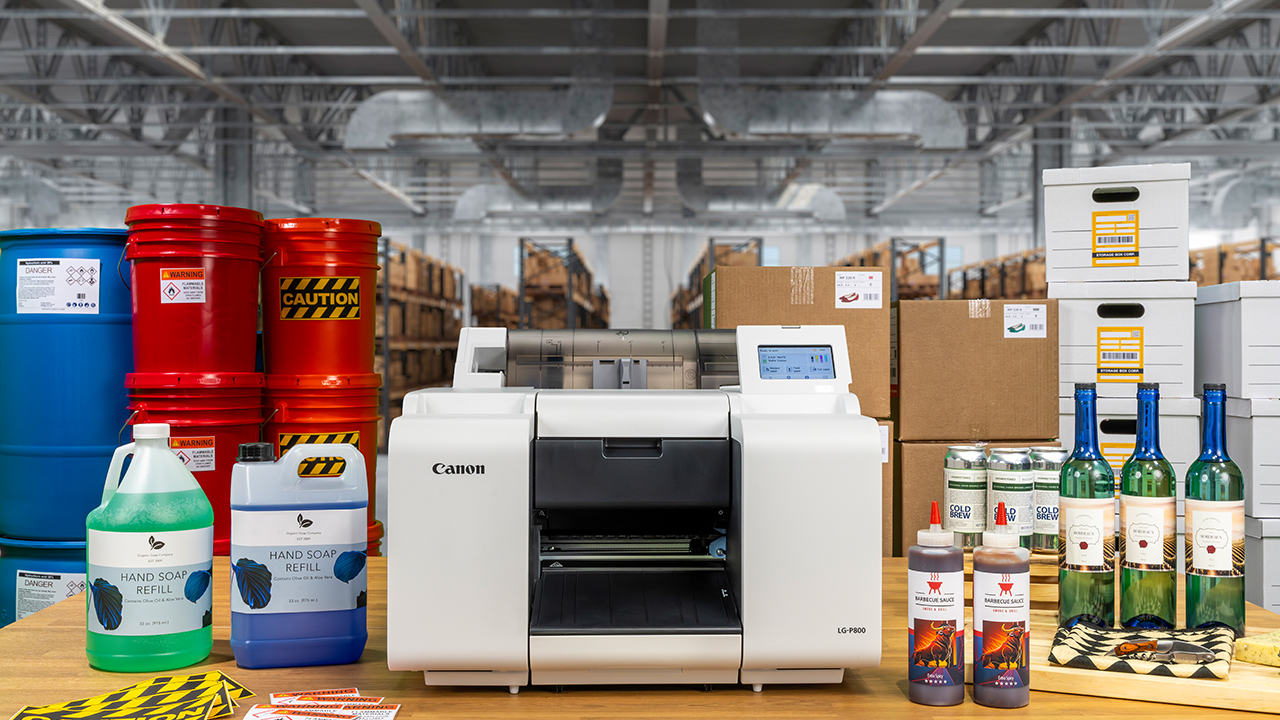
Canon gives it support for 2.0-inch to 8.5-inch media widths, media lengths from 1.5 inches to 53.0 inches, and both roll and fanfold media. That is a meaningful range. It opens the door to much more than narrow shipping labels or basic identification tags. Once you start thinking in terms of retail packaging, pantry goods, product branding, compliance labels, or wider inventory applications, that extra width becomes a major advantage.
We think the 8.5-inch width ceiling is one of the strongest reasons to care about this printer in the first place. A lot of compact label machines are fine until your business needs outgrow their physical limitations. At that point, the printer itself becomes the bottleneck. The LG-P800 avoids that problem much more convincingly than most desktop-oriented alternatives.
Canon also supports roll media up to 6 inches outer diameter with a 3-inch core, plus fanfold media up to 11.8 inches high, which adds to the feeling that this is meant to serve varied real-world operations, not just one neatly controlled demo scenario. For businesses with changing SKUs, frequent label adjustments, or mixed-use labeling needs, that kind of flexibility matters.
Workflow, Maintenance, and Daily Ownership
This is the part of the LG-P800 we ended up respecting most.
A lot of printers can look good when they are new and idle. What separates the better machines is how they behave once they become part of daily work. Canon seems to understand that, because many of the LG-P800’s most interesting features are not glamorous at all. They are practical.
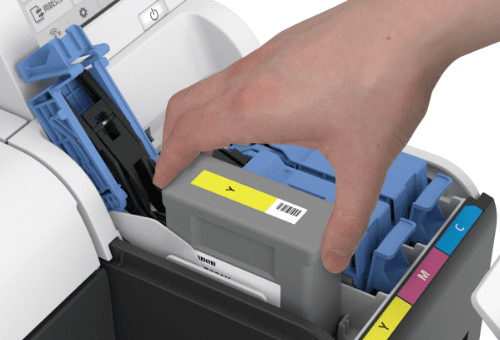
The Sub-Ink Tank System is a good example. Canon says it lets users replace tanks without stopping the printer and is designed to use virtually all available ink before replacement. That is the kind of feature that sounds boring until you are in the middle of a job and do not want to bring everything to a halt over consumables management.
The 500GB HDD is another quietly useful addition. Being able to store and reprint jobs directly from the machine is one of those workflow advantages that becomes more valuable the more often you repeat work, rerun SKUs, or need quick access without depending on the same connected PC every time.
Then there is Non-Firing Nozzle Detection and Compensation. Canon says the printer checks ink ejection conditions and automatically substitutes another nozzle when a blockage is detected. We liked seeing that because nozzle issues and banding are exactly the kind of problems that can turn an otherwise promising label printer into a maintenance headache. Canon is clearly trying to reduce downtime, and for a business machine, that is exactly the right goal.
Canon also lists a maintenance cartridge rated for approximately 49,000 sheets and a rated product life of 2.3 million sheets or 5 years. Those numbers reinforce the same message: this is not a decorative add-on for occasional label use. It is designed to do sustained work.
Connectivity and Software Limitations
This is one of the weaker parts of the package.
Canon lists USB 2.0 Hi-Speed and Gigabit Ethernet, which are perfectly reasonable for a business printer. But there is no official mention of Wi-Fi in the published specs, and more importantly, the operating system support is clearly Windows-focused. Canon lists Windows 11 and Windows Server 2016, 2019, 2022, and 2025 Standard. There is no clear Mac support published here.
That does not make the LG-P800 a bad product, but it does narrow the audience. In a structured Windows-based production environment, this probably will not matter much at all. In a Mac-heavy studio, a mixed-device office, or a smaller creative brand that expects plug-and-play flexibility, it becomes a real consideration.
This is one of those areas where buyer fit matters a lot. If your workflow already matches the printer’s assumptions, fine. If it does not, the friction may show up faster than you expect.
Value for Money
At $3,849, the LG-P800 is undeniably expensive in ordinary office-printer terms. But that is not really the right comparison. This is not competing with compact desktop label makers or occasional-use office devices. It is aimed at businesses that need more control, better presentation, wider formats, and fewer outsourced bottlenecks.
Seen that way, the pricing starts to make more sense.
The real value here is not just the printer itself. It is what the printer potentially replaces: outsourced short runs, slow label revisions, dead preprinted inventory, minimum order headaches, and the constant friction of waiting on outside production for things that change too often. If your business actually feels those pains, the LG-P800 can justify itself much more easily than the sticker price alone suggests.
Where the value case weakens is with lighter-duty users. If you print only occasionally, do not need wide full-color output, or could easily live with a smaller and simpler machine, this printer will be hard to justify. It only really makes sense when its specific strengths line up with an actual business need.
Who Should Buy It
Buy the LG-P800 if your business is at that frustrating stage where outsourced labels are starting to slow you down, narrow-format printers are starting to limit you, and branding quality now matters enough that basic solutions no longer feel good enough.
We think it makes the most sense for packaging-heavy small businesses, product brands managing frequent label changes, fulfillment operations with mixed labeling needs, and growing teams that want more control without spending deep industrial money. If you need attractive, durable, in-house labels and you care about workflow continuity, this printer looks like a smart fit.
Who Should Skip It
Skip it if your needs are still light. Skip it if you want a compact desktop machine, wireless convenience, Mac-friendly flexibility, or low-cost occasional printing. Skip it if your labels are narrow, your volume is modest, and presentation is not a major concern.
Most importantly, skip it if you are thinking of this as a general office printer with label capabilities attached. That is not what it is. The LG-P800 is a label production tool first, and it makes sense only when you buy it with that mindset.
Final Verdict
The Canon LG-P800 works because it knows exactly what it wants to be. It is not pretending to be a tiny office helper, and it is not overreaching into industrial-theater nonsense either. It sits in a very practical middle ground: serious enough for businesses that need high-quality in-house labels, but still more accessible than the much more expensive hardware above it.
Our take is simple. For the right buyer, this is one of the more convincing label-printer launches we have seen in its class. The mix of wide-format flexibility, durable pigment output, and workflow-focused features makes a lot of sense. For the wrong buyer, it is an easy pass. But that is not a weakness. It is part of what makes the LG-P800 feel well judged.
FAQ
Is the Canon LG-P800 a small office label maker?
No. Everything about it points to a more serious business role. The size, media range, Ethernet connectivity, built-in storage, and production-minded feature set put it much closer to real label equipment than to a basic desktop label maker.
What media sizes does the Canon LG-P800 support?
Canon lists media widths from 2.0 to 8.5 inches and media lengths from 1.5 to 53.0 inches. It supports both roll media and fanfold media.
Does the Canon LG-P800 print in full color?
Yes. It uses four pigment-based ink cartridges — black, cyan, magenta, and yellow — and supports printing at up to 1200 x 1200 dpi.
Does it support full-bleed label printing?
Yes. Canon says the LG-P800 supports full edge-to-edge printing, which is a meaningful advantage for presentation-heavy labels.
Is the Canon LG-P800 good for shipping and inventory labels?
Yes. It is clearly suited to those jobs, but it also goes beyond them. The wider media support and color capability make it useful for product labeling, packaging, and retail applications as well.
Does the Canon LG-P800 work with Mac?
Canon’s published specifications list Windows support, but no clear Mac support is provided in the information we reviewed. For Mac-based teams, that is something to take seriously before buying.
How much does the Canon LG-P800 cost?
Canon’s U.S. store currently lists it at $3,849.
What is the warranty?
The listed warranty is 1 year, which is acceptable, though not especially generous for a machine in this class.
Explore the Canon LG-P800 Gallery
Every image from this article, gathered in one clean place. Tap any photo to open it larger.