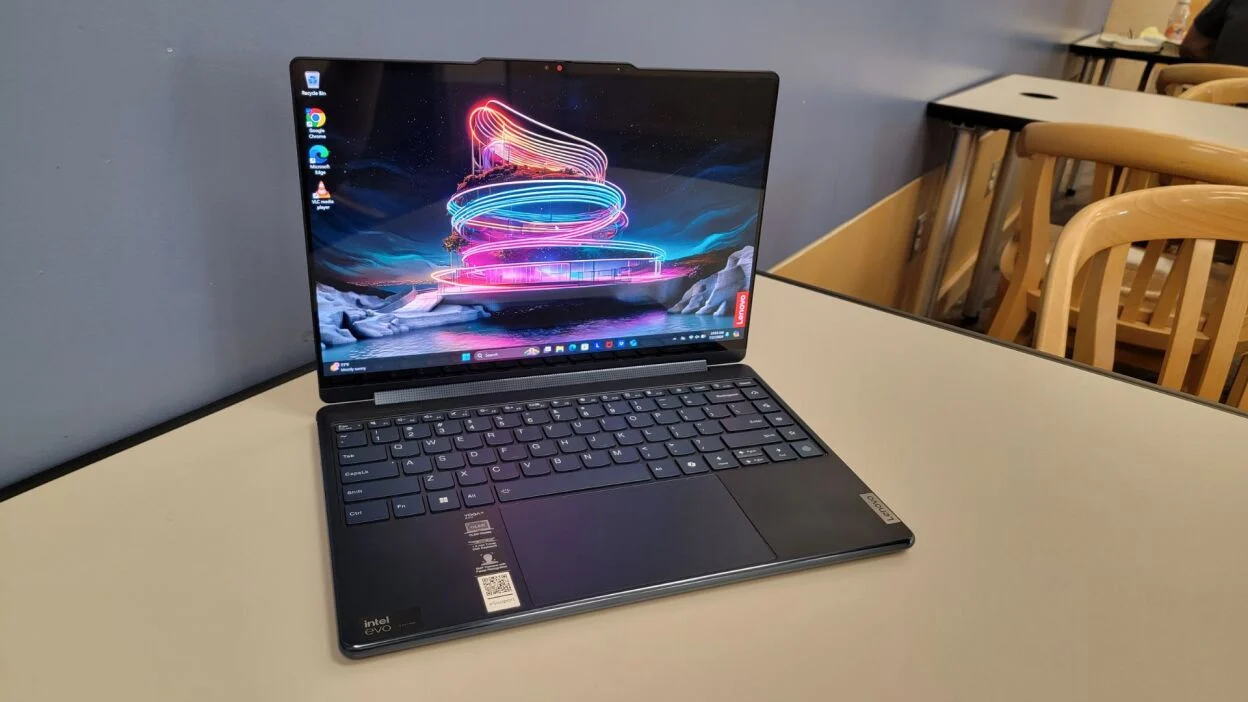

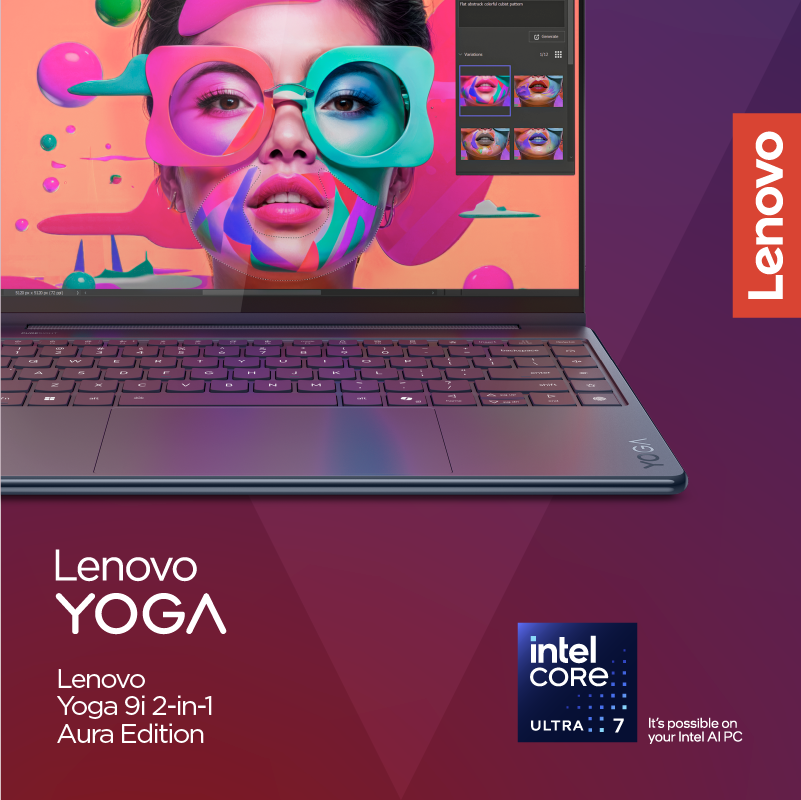
The Lenovo Yoga 9i 2-in-1 Aura Edition is the kind of laptop that wins us over slowly and then ends up being very easy to recommend. On the surface, it is a premium 14-inch Windows convertible with a sharp 2.8K OLED touchscreen, a 360-degree hinge, Intel’s latest efficient hardware, and a bundled stylus. In daily use, though, it feels more complete than that spec sheet suggests.
Across our team, the same points kept coming up: the screen is excellent, the battery life is unusually strong, the webcam and speakers are better than most Windows rivals, and the whole machine feels polished in the way expensive laptops are supposed to feel.
The catch is that it is not a performance monster, the touchpad should be better at this price, and the port selection is still a bit too lean for a so-called do-everything machine.
Our take is simple: if you want a premium 2-in-1 for work, study, travel, meetings, media, handwriting, and everyday multitasking, this is one of the best options in its class. If you want a compact workstation for heavy sustained creative workloads, there are better places to spend this kind of money.
Quick verdict
Best for: people who want a high-end 2-in-1 laptop for productivity, travel, note-taking, media, and everyday premium use
Avoid if: you need workstation-grade performance, lots of built-in ports, or a truly tablet-first device
What we liked: beautiful OLED display, excellent battery life, strong webcam, very good speakers, premium build, useful pen support, great portability
What disappointed us: mechanical touchpad, no HDMI, limited IO for a premium machine, and performance that is strong for daily work but not especially impressive in heavier sustained loads
Final verdict: the Lenovo Yoga 9i 2-in-1 Aura Edition is one of the best premium Windows convertibles we have looked at lately. It is not perfect, but it gets the most important parts very right.
What we tested
We approached the Yoga 9i the way most buyers will actually use it. That meant switching between laptop mode, tent mode, and tablet mode; typing for long stretches; streaming video; handling browser-heavy workdays; jumping between documents, email, and chat; testing the webcam in real video-call conditions; and spending time with the OLED touch display and included pen. We also looked closely at the things that separate a good convertible from a forgettable one: hinge quality, speaker tuning, keyboard comfort, portability, and whether the machine still feels pleasant after the first hour of use.
How we tested it
Instead of judging it by one flashy feature, we treated it like an everyday machine. We used it for common work tasks, media, web apps, note-taking, and general multi-window productivity. We paid attention to noise, heat, typing feel, battery confidence, and how often the 2-in-1 format felt genuinely useful rather than like a marketing trick. That matters here, because plenty of convertibles look impressive on paper and then end up feeling compromised in practice. This one mostly avoids that trap.
Design and build quality
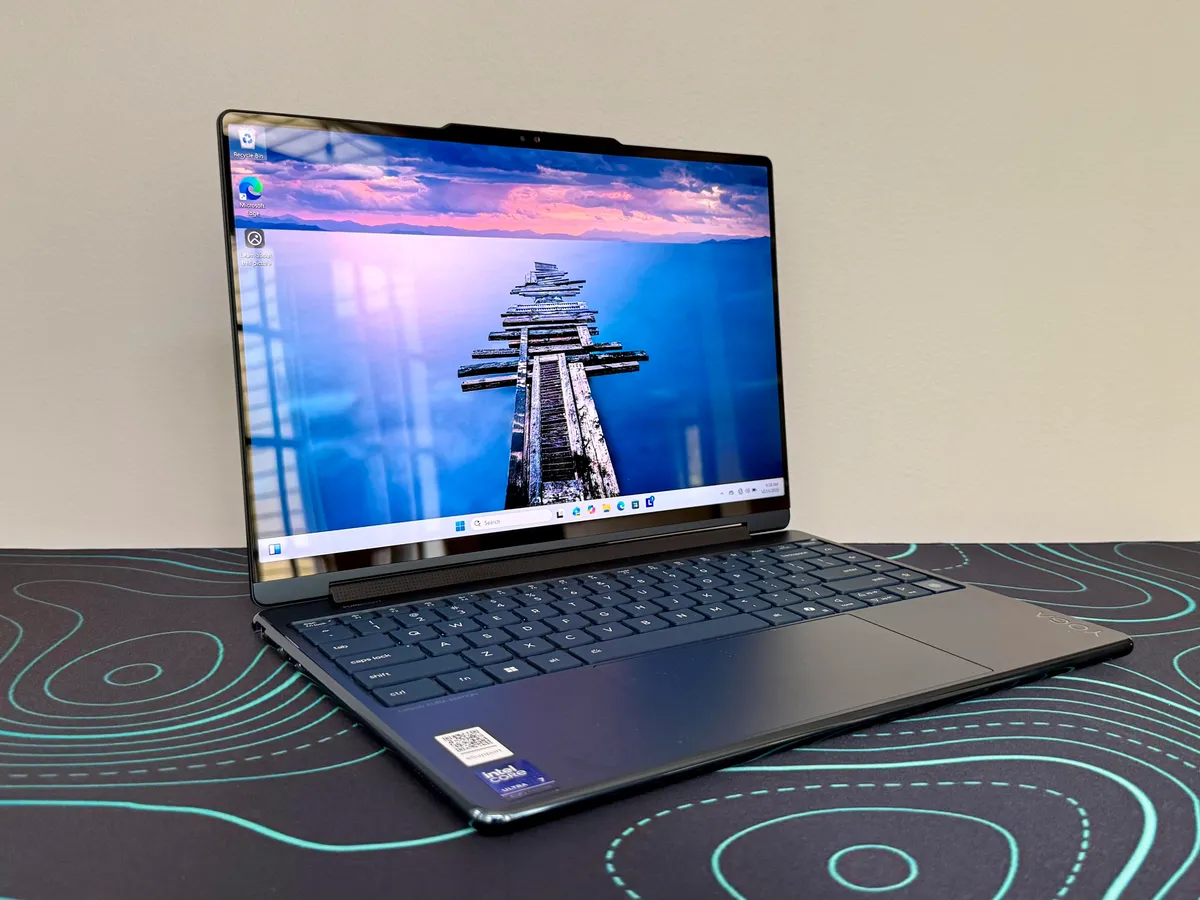
Lenovo has clearly spent time refining this design. The Yoga 9i 2-in-1 Aura Edition feels premium as soon as you pick it up. The all-aluminum chassis is solid, rigid, and properly high-end without trying too hard to look futuristic. The Cosmic Blue finish gives it a bit of character, although we should be honest and say it can look almost black in some lighting. That is not a dealbreaker, but it does mean the color is subtler than the marketing photos suggest.
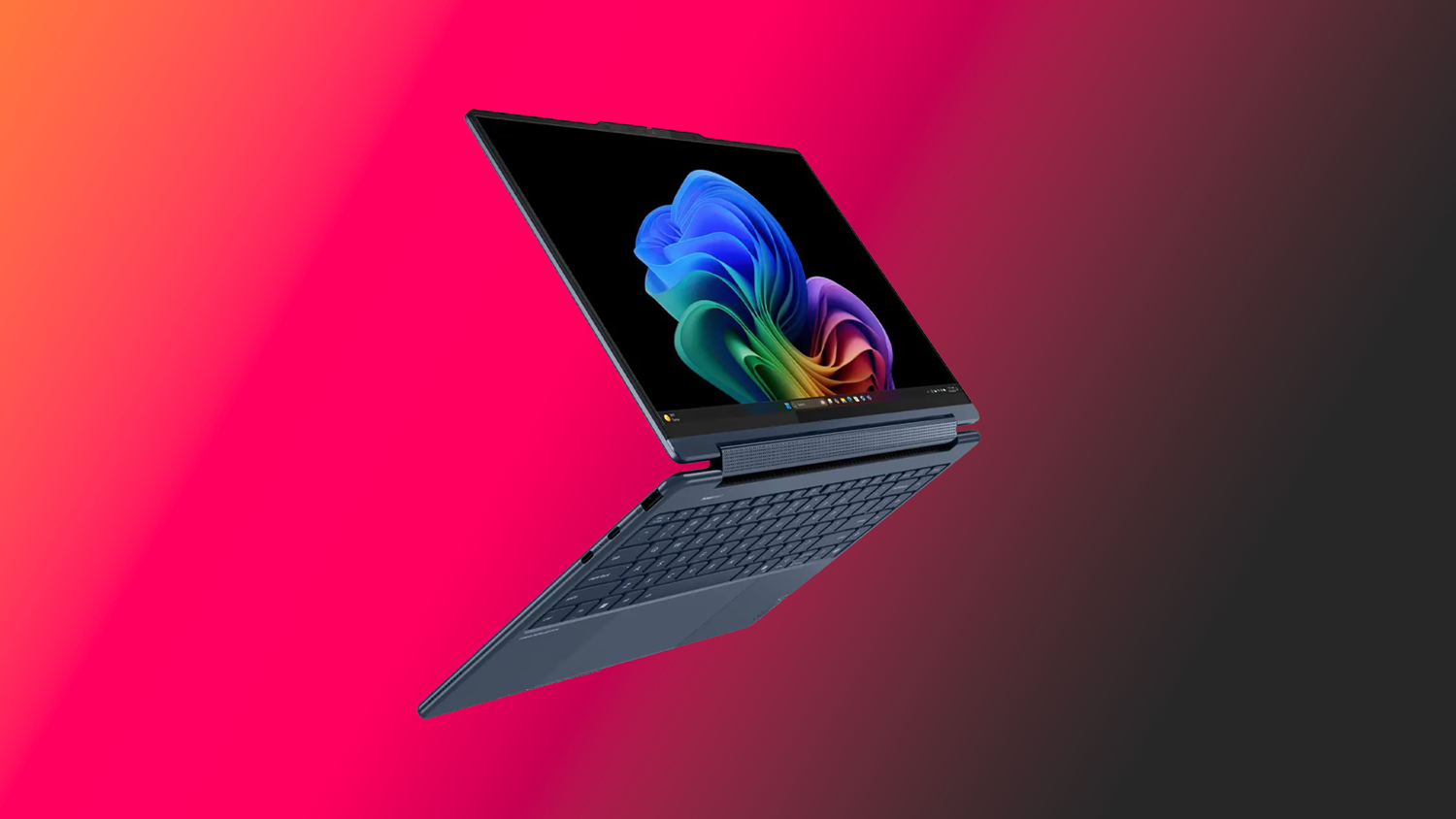
What we do like a lot is the shape of the machine. The rounded edges make it comfortable to hold, and the overall proportions are very easy to live with. At roughly 2.9 pounds and about 0.65 inches thick, it lands in a sweet spot where it feels light enough to travel with every day but still sturdy enough to justify the premium price. It is not featherweight in a tablet sense, but as a full Windows convertible it is nicely judged.
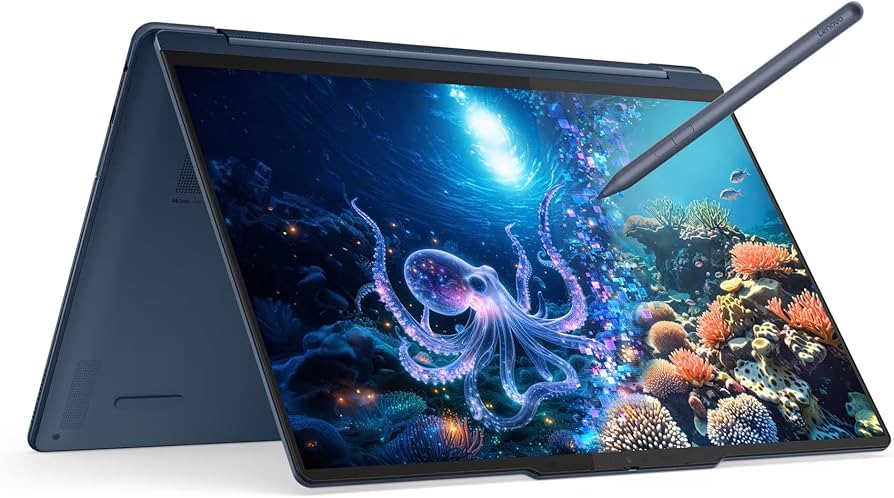
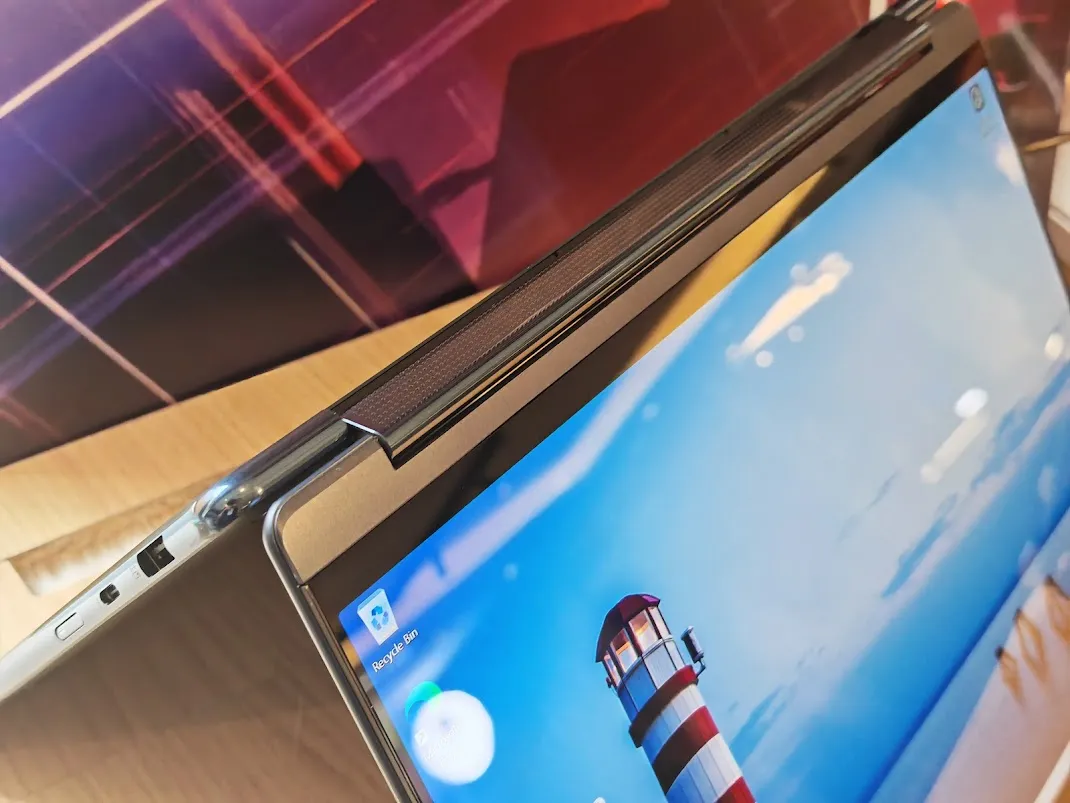
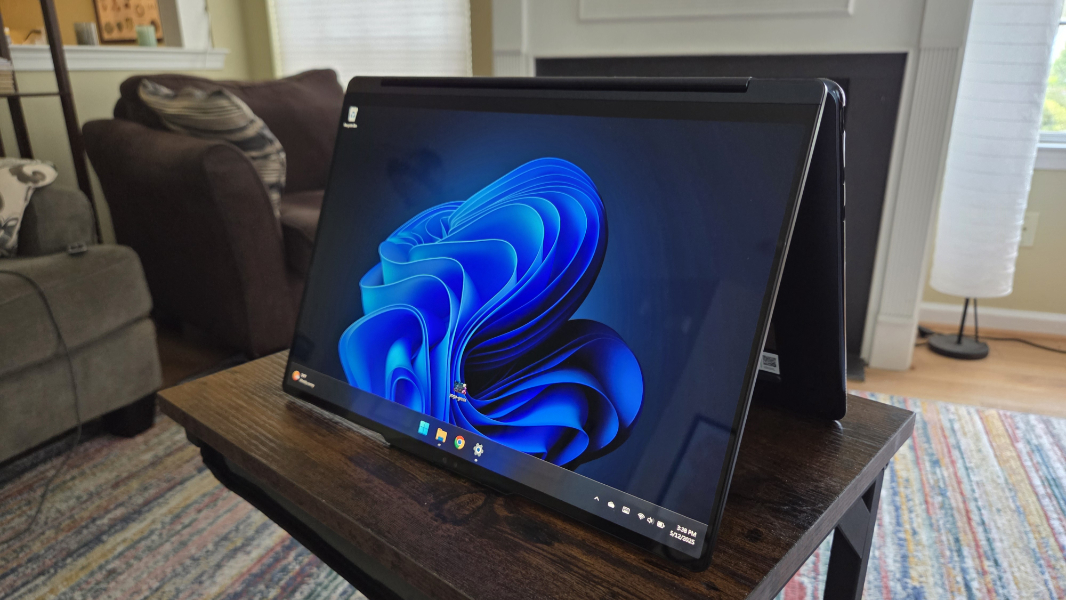
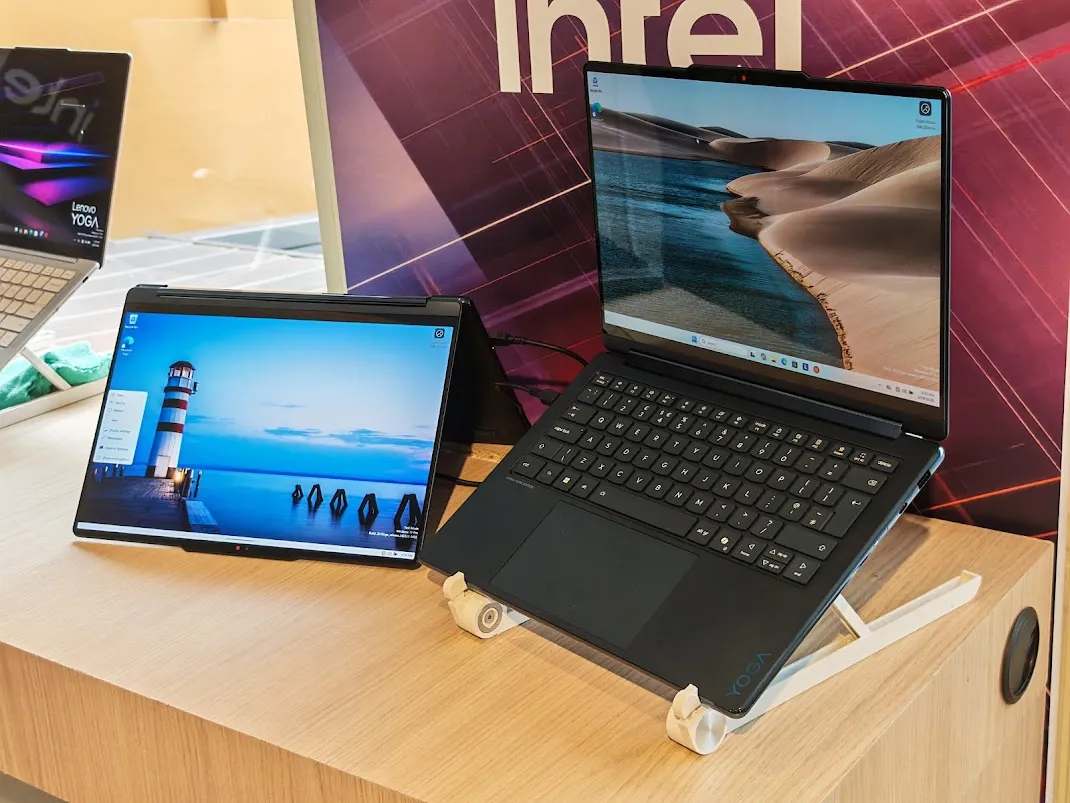
The 360-degree hinge is more than a party trick here. It is firm enough to feel trustworthy and flexible enough to make the different modes genuinely useful. In regular laptop mode, it feels stable. In tent mode, it is good for streaming, reading, or presentation use. In tablet mode, the Yoga 9i becomes more versatile, even if it never fully escapes the reality that a 14-inch Windows convertible is still bulkier than a true tablet. We would absolutely use it for notes, quick sketches, markups, and browsing on the sofa. We would not confuse it with an iPad.
Lenovo also builds one of the nicer speaker implementations in this category, with a soundbar-style hinge that is both visually distinctive and functionally smart. It adds to the feeling that this is a well-thought-out machine rather than just another thin premium laptop with a rotating screen.
Setup and first use
The first impression here is strong because the machine feels immediately polished. Open the lid, and you get a crisp high-resolution panel, a roomy keyboard deck, and a layout that feels productive rather than cramped. The webcam notch is practical, not ugly, and it actually makes opening the lid one-handed easier.
The included pen also helps the Yoga 9i feel complete out of the box. A lot of premium 2-in-1s still treat stylus support as an accessory story. Lenovo makes it part of the package, and that matters. The pen is responsive, charges over USB-C, and attaches magnetically, which makes the convertible pitch more believable. We would still buy this machine primarily as a laptop first, but the pen is useful enough that it does not feel like filler.
Display: the real star of the show
If there is one feature that consistently sells the Yoga 9i, it is the display. Lenovo gives this machine a 14-inch 2880 x 1800 OLED touchscreen with a 120Hz refresh rate, and it looks excellent. This is not just a spec-sheet win. It genuinely lifts the whole experience.
Text looks sharp. Motion looks smooth. Colors have the richness you expect from a good OLED without feeling cartoonish. Blacks are deep, contrast is excellent, and the panel has that premium visual punch that makes cheaper IPS laptops feel flat the moment you put them side by side.
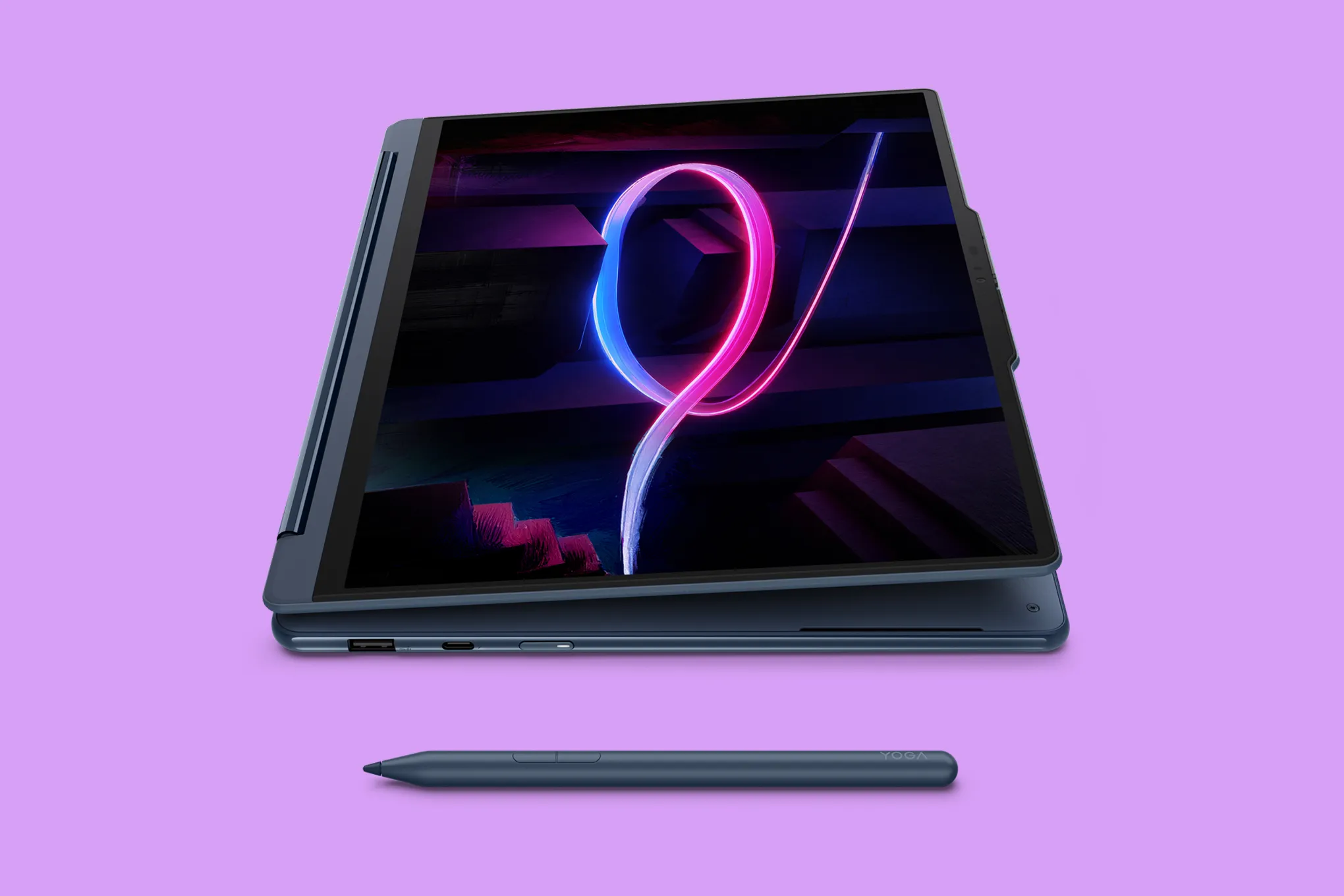
For work, the 16:10 aspect ratio is a big help. It gives you more vertical room than older widescreen laptops, which makes browsing, writing, reading, and document work feel less cramped. For media, it looks great. For touch use, the higher refresh rate also helps the laptop feel more modern and responsive.
We also think Lenovo made the right call with the 2.8K panel. Yes, there are pricier configurations with a 4K OLED option, but for a 14-inch machine we think 2.8K at 120Hz is the smarter balance. It is already very sharp, it keeps the panel smoother, and it is the better choice for battery life.
This is not a flawless display, though. Like many glossy OLED touch panels, it can reflect more than an anti-glare productivity screen, and those who are especially sensitive to OLED flicker may want to keep that in mind. For most buyers, though, the simple truth is this: the screen is one of the main reasons to buy this laptop.
Keyboard, touchpad, and pen
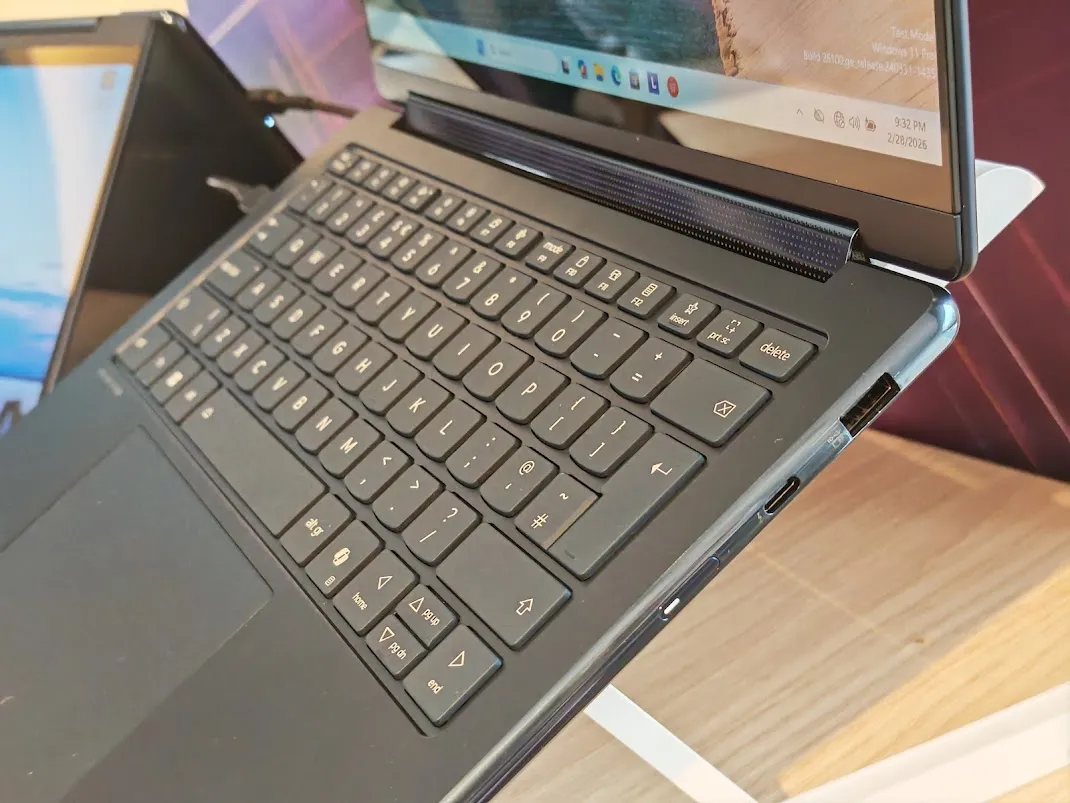
The keyboard is good, though not quite class-leading. Key travel is decent, feedback is solid, and it is comfortable enough for long writing sessions. We found it easy to settle into, and that matters more than gimmicks. The main irritation is Lenovo’s extra right-side function column. On paper, it sounds handy. In practice, it slightly throws off the natural edge of the keyboard and takes some adjustment.
This is one of those things some people will forget about after a few days and others will complain about every week. We landed somewhere in the middle. It is not a dealbreaker, but it is not elegant either.
The touchpad is the bigger miss. It is spacious and responsive enough, but it is still a mechanical touchpad in a price range where we increasingly expect haptic solutions. The physical click works, but it does not feel as refined as the rest of the laptop. When a machine looks and feels this premium, the touchpad should match. Here, it does not.
The pen, on the other hand, is a genuine plus. It is responsive, comfortable, and useful for handwriting, sketching, annotating PDFs, and navigating touch-heavy apps. We would not buy the Yoga 9i purely for art, but for note-taking and flexible input it adds real value.
Real-world performance
The Yoga 9i performs the way a premium ultraportable should. It feels fast in everyday use. Apps open quickly, multitasking is smooth, and the machine remains snappy across the sort of mixed workloads that define modern laptop life: browser tabs, office apps, messaging, streaming, editing images, and occasional AI-flavored Windows features.
For that kind of work, it does not feel underpowered. In fact, it feels quite polished. This is a laptop that suits remote work, hybrid office use, student workloads, business travel, research, planning, admin, writing, and a fair amount of casual content work.
Where we would be more careful is with sustained heavier loads. The Intel Core Ultra 7 and Intel Arc integrated graphics are absolutely competent, but they do not turn the Yoga 9i into a mobile workstation. It can handle light creative work and even some casual gaming much better than slim laptops used to, but this is still not the machine we would buy for serious rendering, long 4K video projects, heavy code compiles, or anything that lives in demanding software all day.
That distinction matters. Some premium convertibles oversell themselves as creator laptops just because they have a good display and decent silicon. We think the Yoga 9i is best understood as a high-end general-use machine with some creative flexibility, not a true creator powerhouse.
Use-case performance
For the people most likely to buy it, the Yoga 9i makes a lot of sense.
For office and remote work, it is excellent. The webcam is strong, the speakers are better than average, battery confidence is high, and the machine is light enough to take anywhere. For students, it is also appealing if the budget allows it, especially because the pen and convertible design make it more flexible in lectures, meetings, and study sessions.
For media use, it is easy to like. The OLED panel is lovely, the 120Hz refresh rate keeps motion smooth, and the speaker setup is genuinely better than the thin-laptop norm. Watching films, YouTube, and streaming content feels appropriately premium.
For casual creative use, we think it is good but with boundaries. Photo editing, light design tasks, annotation, web graphics, and moderate editing are all within its comfort zone. Heavier sustained professional work is where the limits start to show.
Battery life: one of its strongest selling points
Battery life is one of the Yoga 9i’s biggest wins. In a market full of premium laptops that still seem strangely eager to die halfway through the day, this machine feels reassuring. It is the kind of laptop we would comfortably carry around without charger panic for normal use.
That does not mean infinite battery in every scenario, because nothing works that way, but in light and moderate tasks the Yoga 9i clearly performs above what most people expect from an OLED Windows machine. That alone makes it much easier to recommend.
In real buying terms, this matters just as much as the screen. A gorgeous panel is nice. A gorgeous panel on a laptop that does not constantly demand a wall socket is far more valuable.
Audio, webcam, and day-to-day convenience
Lenovo deserves credit here. The 5MP webcam is a real upgrade over the mediocre cameras that still plague too many expensive Windows laptops. Video calls look sharp, color handling is solid, and the privacy shutter is a welcome practical touch.
The speaker system is another high point. It is not going to replace good headphones or proper external speakers, but for a slim premium convertible it sounds impressively full and clear. Vocals come through well, media is enjoyable, and the hinge-based speaker bar design works both visually and functionally.
You also get smart software features tied to the Aura Edition branding, including focus and wellness-style tools. Some buyers will use these more than others, but at least they are aimed at real daily habits rather than pure gimmick territory.
Flaws and frustrations
The Yoga 9i is very good, but it is not beyond criticism.
The biggest issue is the touchpad. At this level, we want haptics. Lenovo did not give us that, and the gap between the rest of the laptop and the feel of the trackpad is noticeable.
Port selection is the other recurring complaint. You get Thunderbolt 4, USB-C, USB-A, and a headphone jack, which is enough for some people. But the lack of HDMI remains annoying on a premium productivity machine. A convertible aimed at professionals, hybrid workers, and presenters should make external display use easier, not more dongle-dependent.
There is also the broader limitation of the platform. The Yoga 9i is fast enough for everyday premium use, but we would not oversell its heavier performance ceiling. If your workflow is genuinely demanding, especially over long sessions, the money may be better spent on a more powerful clamshell.
And finally, while the convertible form factor is useful, this is still mainly a laptop that can become a tablet, not a tablet that replaces a laptop. That sounds obvious, but it is worth saying.
Value for money
This is a premium laptop, and it is priced like one. That means value depends heavily on what configuration you get and whether you catch it on sale. At full price, it sits in a competitive bracket where expectations are high. At a discounted price, it becomes much more compelling.
The good news is that Lenovo usually gives you a lot of the right stuff in the package: OLED display, 32GB RAM on stronger configurations, 1TB SSD, Wi-Fi 7, 5MP webcam, and the pen. That helps justify the price more than a bare-bones premium shell would.
We still would not call it cheap. But we would call it fair value when discounted, especially if what you care about most is the total premium everyday experience rather than raw power-per-dollar.
Pros and cons
Pros
- Excellent 14-inch 2.8K OLED touchscreen
- Very strong battery life
- Premium all-aluminum build
- Useful 360-degree convertible design
- Good stylus support with included pen
- Strong webcam for meetings
- Better-than-average speakers
- Portable and easy to carry
Cons
- Mechanical touchpad feels below the rest of the laptop
- No HDMI
- Limited IO for a premium machine
- Not the best choice for heavy sustained creative workloads
- Keyboard side-column layout can be annoying at first
Who should buy it
Buy the Lenovo Yoga 9i 2-in-1 Aura Edition if you want a premium Windows laptop that feels expensive in the right ways. It is especially good for remote workers, office users, students with generous budgets, consultants, writers, researchers, and anyone who wants one elegant machine for work, travel, meetings, streaming, and occasional pen use.
It is also a strong choice for buyers who specifically want a Windows convertible and do not want to give up battery life, display quality, or webcam quality to get one.
Who should skip it
Skip it if your top priority is raw performance for demanding sustained work. Skip it if you hate dongles and need more built-in connectivity. Skip it if you want a haptic touchpad and will resent a mechanical one every single day. And skip it if what you really want is a tablet-first experience, because the Yoga 9i is still very much a laptop at heart.
Final verdict
The Lenovo Yoga 9i 2-in-1 Aura Edition is one of those premium laptops that justifies itself by being well-rounded. It does not dominate every category, and it absolutely leaves room for improvement with its touchpad and port selection. But the fundamentals are strong: excellent OLED display, impressive battery life, premium build, very good webcam, strong speakers, and a 2-in-1 design that is actually useful.
Our conclusive decision is this: we would recommend it without hesitation to anyone shopping for a high-end Windows convertible for daily life. It is not the right machine for every buyer, but for the buyer it is aimed at, it is one of the best options in the segment.
FAQ
Is the Lenovo Yoga 9i 2-in-1 Aura Edition good for students?
Yes, especially for students who will actually use the touchscreen, pen, and long battery life. It is expensive, but it is a very good all-day academic machine.
Is it good for video editing?
For light and moderate editing, yes. For serious sustained professional editing, we would lean toward a more powerful clamshell with stronger cooling and more performance headroom.
Is the display worth it?
Absolutely. The 2.8K OLED 120Hz panel is one of the best reasons to buy this laptop.
Is it good as a tablet?
Useful, yes. Ideal, no. It works well in tablet mode for notes, markup, browsing, and casual media, but it is still a 14-inch Windows laptop first.
What is the biggest downside?
For us, it is the mechanical touchpad. On a laptop this premium, that compromise stands out more than it should.
Should you buy the 2.8K or 4K version?
We would go with the 2.8K model. It already looks excellent, and it is the smarter balance for smoothness, brightness, and battery life.
Explore the Full Gallery
Every image from this article, gathered in one clean place. Tap any photo to open it larger.