
The Anker Nano Charger (45W, Smart Display, 180° Foldable) looks like one of those products that should be easier to dismiss than it is. On paper, it is just a tiny single-port wall charger with a screen.
That does not sound like a category breakthrough. In practice, it ends up being one of the most satisfying compact chargers we have used because Anker did not stop at making it small.
It made it smarter, more flexible in awkward outlets, more informative while charging, and far more polished than the average black charging brick tossed into a bag.
For recent iPhone users, travelers, and anyone who wants a premium everyday charger that feels more thoughtful than generic, this is an easy recommendation. For Android-first buyers, bargain hunters, or people who need multi-port flexibility, it is much less convincing.
Quick verdict
Best for:
People with a recent iPhone or iPad, especially anyone who wants a very compact charger with live charging info, a battery-friendlier overnight mode, and a design that works better in real-world outlets than most tiny chargers.
Avoid if:
You mainly use Android, want more than one port, or need a compact charger primarily for a laptop-heavy setup. This is a premium charger, but it is still a single-port 45W brick.
What we liked:
The compact size, the 45W output, the 180° foldable prongs, the useful smart display, the clear Auto and Care modes, and the fact that it feels like a genuinely refined product instead of a gimmick.
What disappointed us:
It is still only one USB-C port, the smartest display features are best with newer Apple devices, and the premium price is harder to justify if you do not care about the screen or gentler charging mode.
Final verdict:
The Anker Nano Charger is not the best charger for everybody. It is the best tiny premium charger for a very specific buyer: somebody who values portability, likes knowing what their charger is doing, and wants something that feels more polished than the usual brick. In that role, it is excellent.
What we tested
We spent time using the Anker Nano Charger as the kind of charger it is clearly meant to be: an everyday carry charger, a desk charger, a travel charger, and an overnight charger.
That matters, because this product does not really make sense if you judge it only by raw wattage. If all you want is the cheapest possible 45W USB-C charger, you can stop reading now. This is not really that kind of product. The entire point of it is the combination of:
- 45W USB-C charging
- very small size
- display-based feedback
- recent iPhone recognition
- Auto and Care charging modes
- dual-position foldable prongs
We tested it in the situations where those things matter: rushing out and needing a fast phone top-up, leaving a phone plugged in longer, using it at a desk where outlet orientation matters more than it should, and tossing it into a bag where size and folding prongs actually count for something.
We also looked at it from the perspective of different buyers. A charger like this is not just about whether it works. Of course it works. The real question is whether it solves enough small annoyances to feel meaningfully better than a standard compact charger. That is where the Anker starts to justify itself.

How we tested it
We approached this charger the same way most people will actually use it.
We used it as a daily phone charger, both when speed mattered and when it did not. We used it as a portable charger in bag-and-go scenarios where the folding prongs and small size matter more than flashy packaging. We used it in places where outlet access is annoying, because that is exactly where the 180° foldable design stops being a bullet point and becomes a genuinely useful feature. We also paid attention to the screen, not because a charger display should be revolutionary, but because Anker is clearly asking you to pay extra for it.
That meant looking at four things closely:
- Does it actually charge fast enough to justify 45W?
- Is the display useful, or just cute?
- Does the folding plug design help in real life?
- Does Care Mode feel meaningful, or is it just slower charging with better marketing?
By the end of it, the answer to most of those questions was positive. Not perfect, but positive.
Design and build quality
The design is the reason this charger gets your attention in the first place, and it is also the reason it stays in your rotation after the novelty wears off.
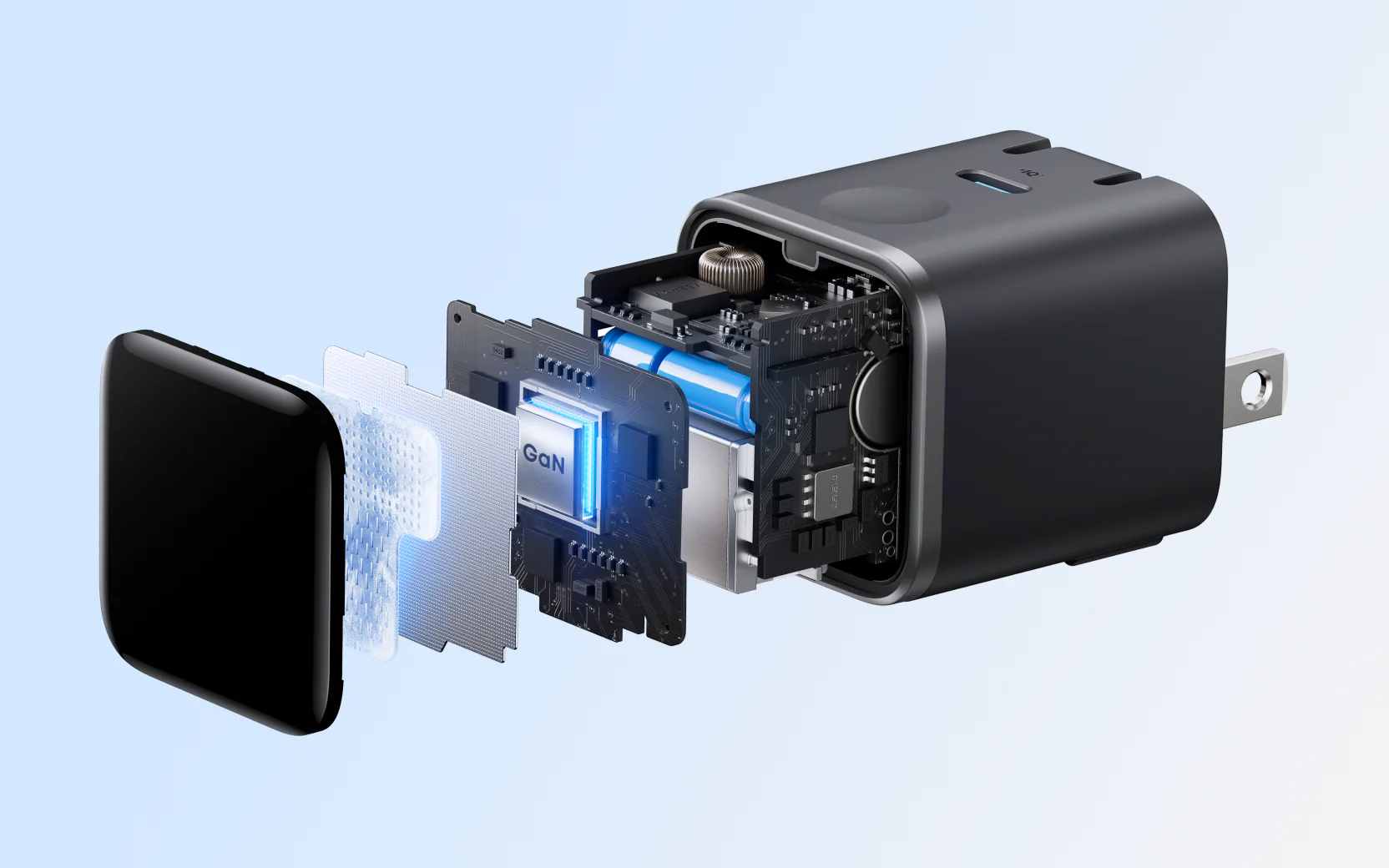
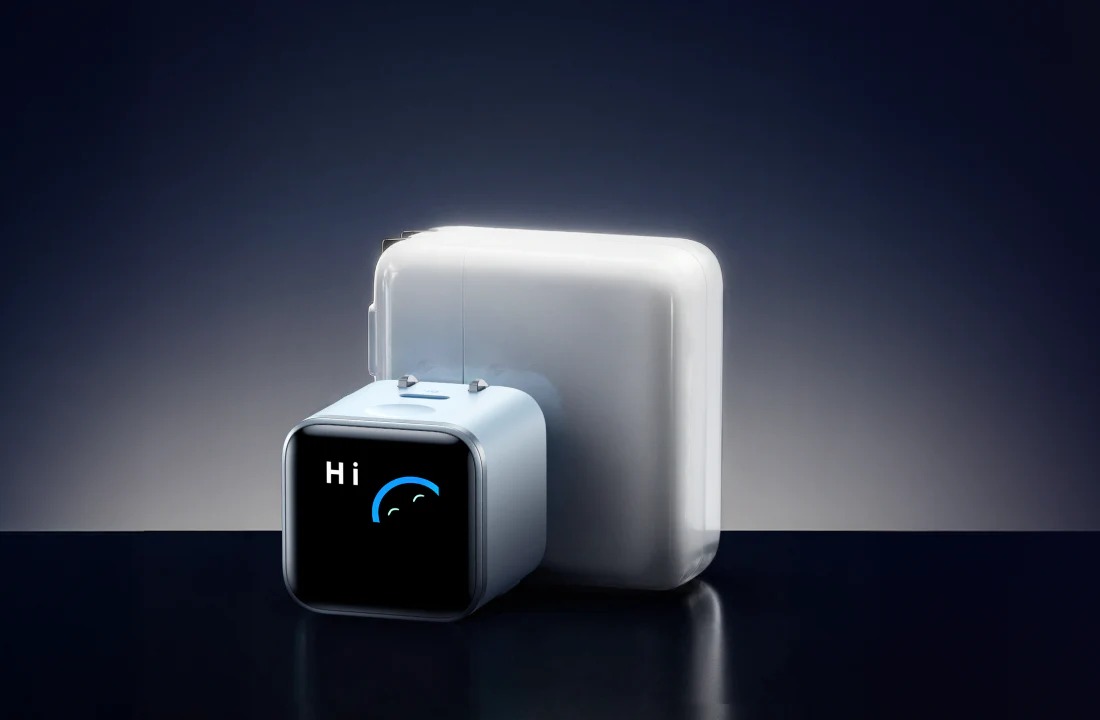
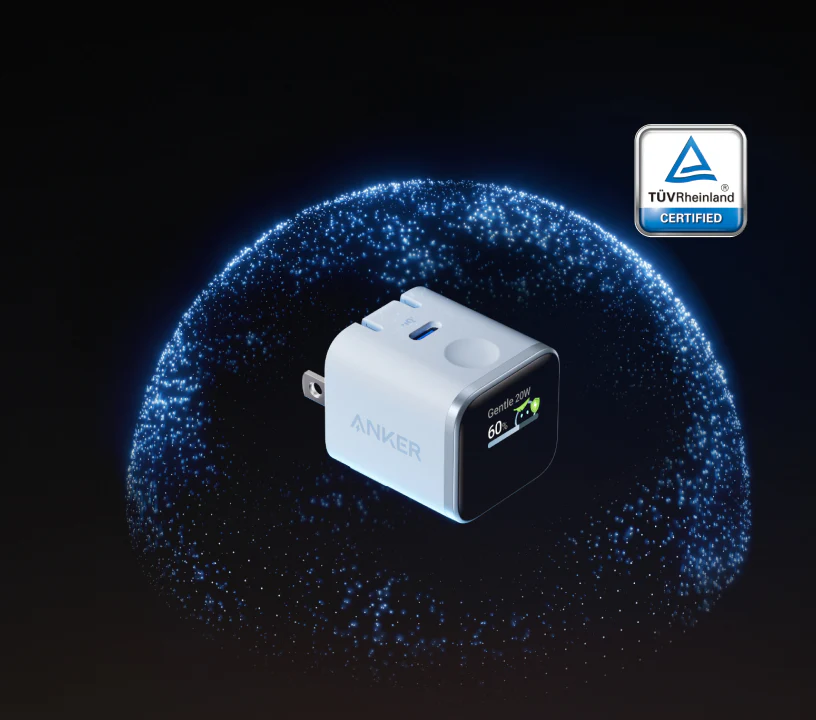
This is a small charger. Not “small for what it can do” in a hand-wavy marketing sense. Actually small. The body comes in at roughly 1.34 x 1.40 x 1.57 inches and weighs about 2.65 ounces / 75 g, which means it disappears into a pouch, a pocket in a backpack, or the side compartment of a work bag without becoming one more bulky object you regret carrying.
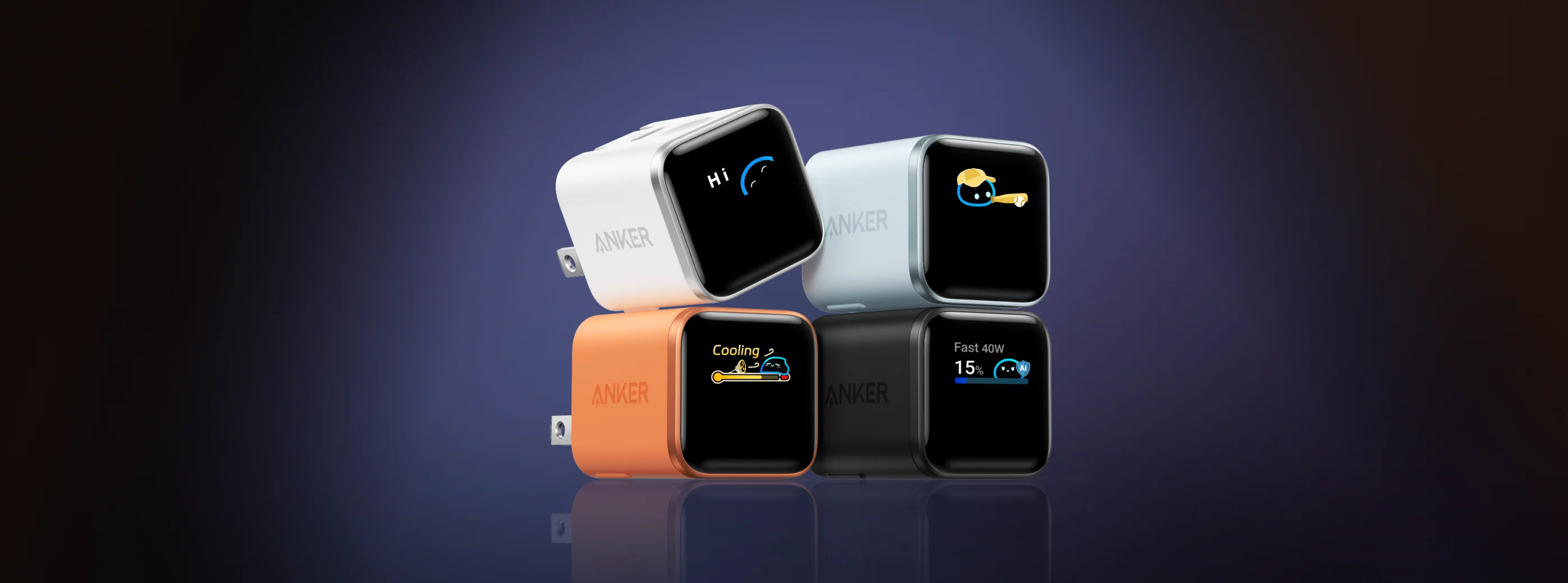
The first good sign is that it does not feel like a toy. Products with screens, little animated faces, and “smart” branding can go wrong fast. They can feel flimsy, overdesigned, or cheap in a way that makes the extra features seem even sillier. This one does not. The body feels solid, the finish looks clean, and the display side gives it just enough personality without tipping over into gimmick territory.
Anker also handled the layout intelligently. There is a single USB-C port and a touch-sensitive control/button beside it. That simplicity matters. It would have been easy to overcomplicate something like this and turn it into a charger that feels more like a tiny gadget than a dependable daily accessory. Instead, the interface stays simple. Plug it in, connect your device, and you can ignore the extra features if you want to. That is the right balance.
Visually, we also like that it stands apart from the usual anonymous charger brick. Most wall chargers are designed to vanish. They are meant to be tolerated, not enjoyed. The Anker Nano is still understated enough to live on a desk or beside a bed, but it has more identity than that. The display, the polished front, and the animated charging status all make it feel like a product that was designed by somebody who understood that accessories can be functional and still a little fun.
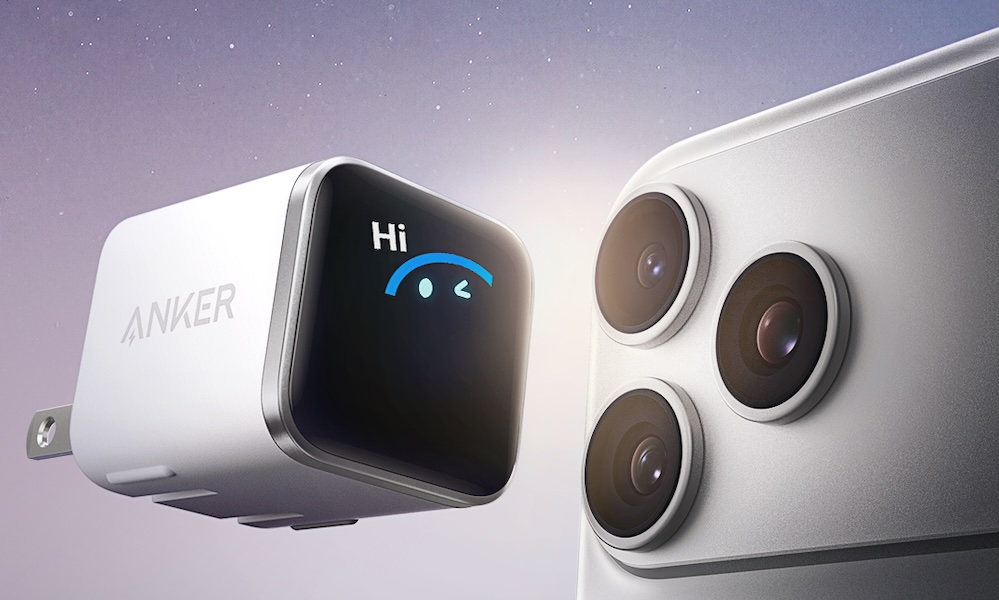
And yes, the animations help. No, they are not necessary. But they give the charger a little charm, and the fact that the product remains useful even after that charm wears off is what keeps it from feeling cheap.
The 180° foldable plug is the real star
The screen gets the headlines. The plug design is what makes the charger genuinely smarter in daily use.
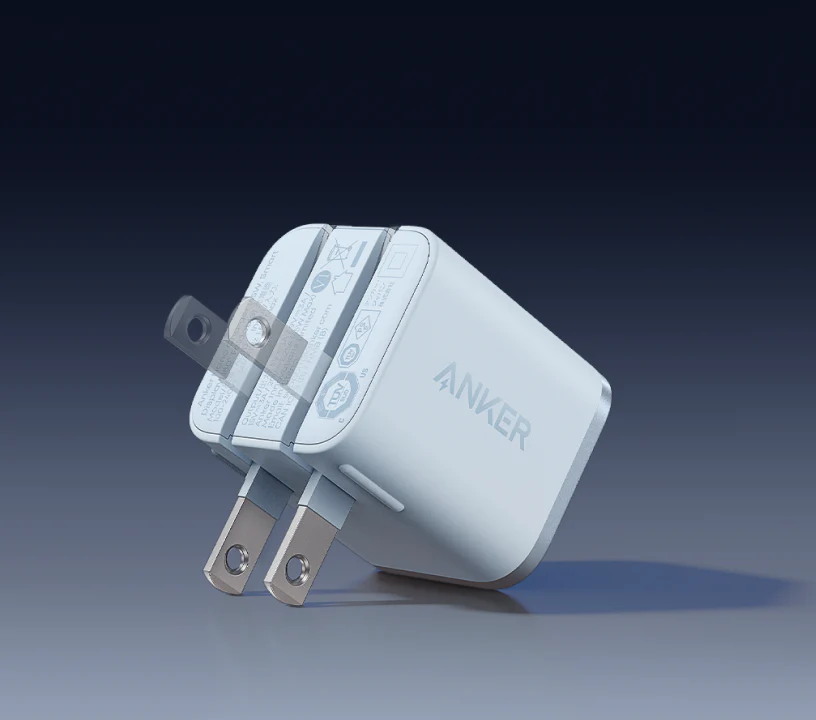
The prongs do not just fold in. They can also be positioned in more than one useful orientation. That sounds minor until you have actually lived with compact chargers in hotels, airports, cafes, behind furniture, or in crowded power strips where outlet access is always somehow worse than it should be.
A normal small charger can still be irritating. It can force the cable downward when you want it sideways. It can block part of the next outlet. It can sit awkwardly depending on how the socket is positioned. The Anker Nano gives you another angle to work with, and that turns out to be one of the product’s best features.
This is especially useful in travel scenarios. We liked being able to plug it into less-than-ideal outlet positions and still keep the display visible and the cable running in a cleaner direction. That matters more than it sounds. A lot of travel-friendly tech is only travel-friendly in size. This one is travel-friendly in actual use.
It also makes the charger feel more intentional. That is the word we keep coming back to with this product. Intentional. It is not just trying to impress you with an odd feature. It is trying to remove friction.
If Anker had released this exact charger with no display but kept the same 45W output, tiny footprint, and 180° foldable plug design, we still would have liked it. That says a lot.
Setup and first use
There is almost no setup here, which is exactly how it should be.
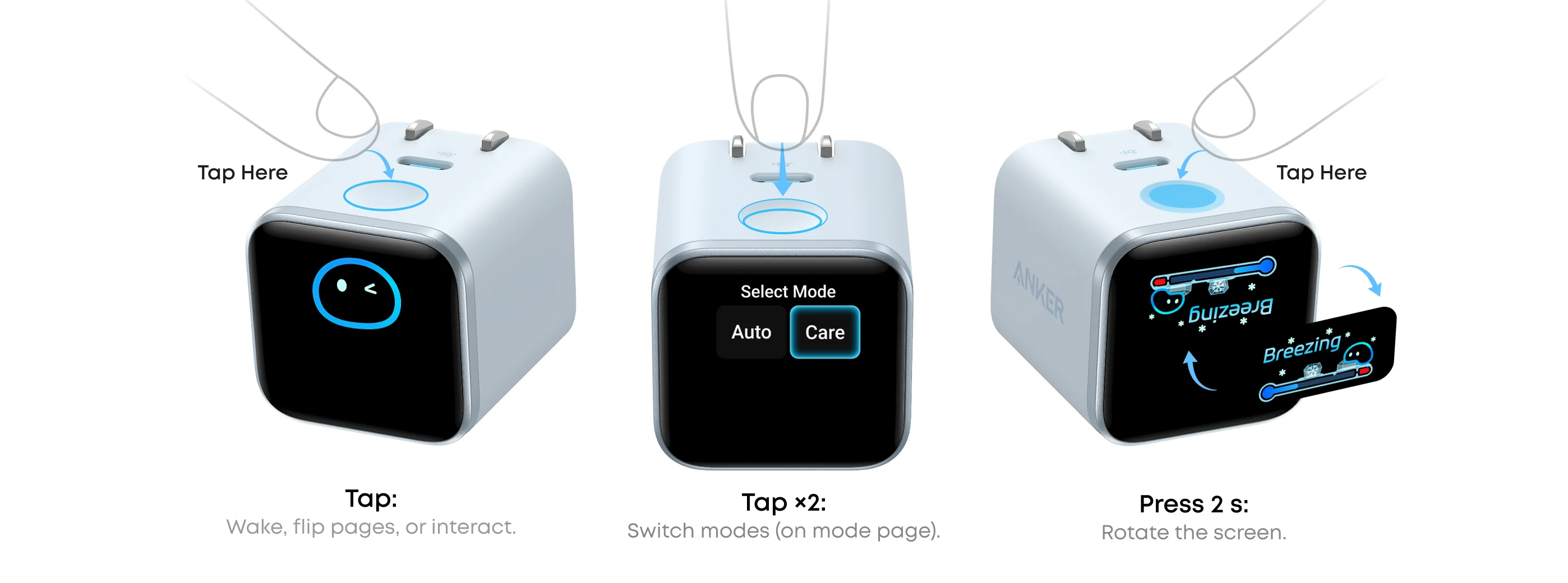
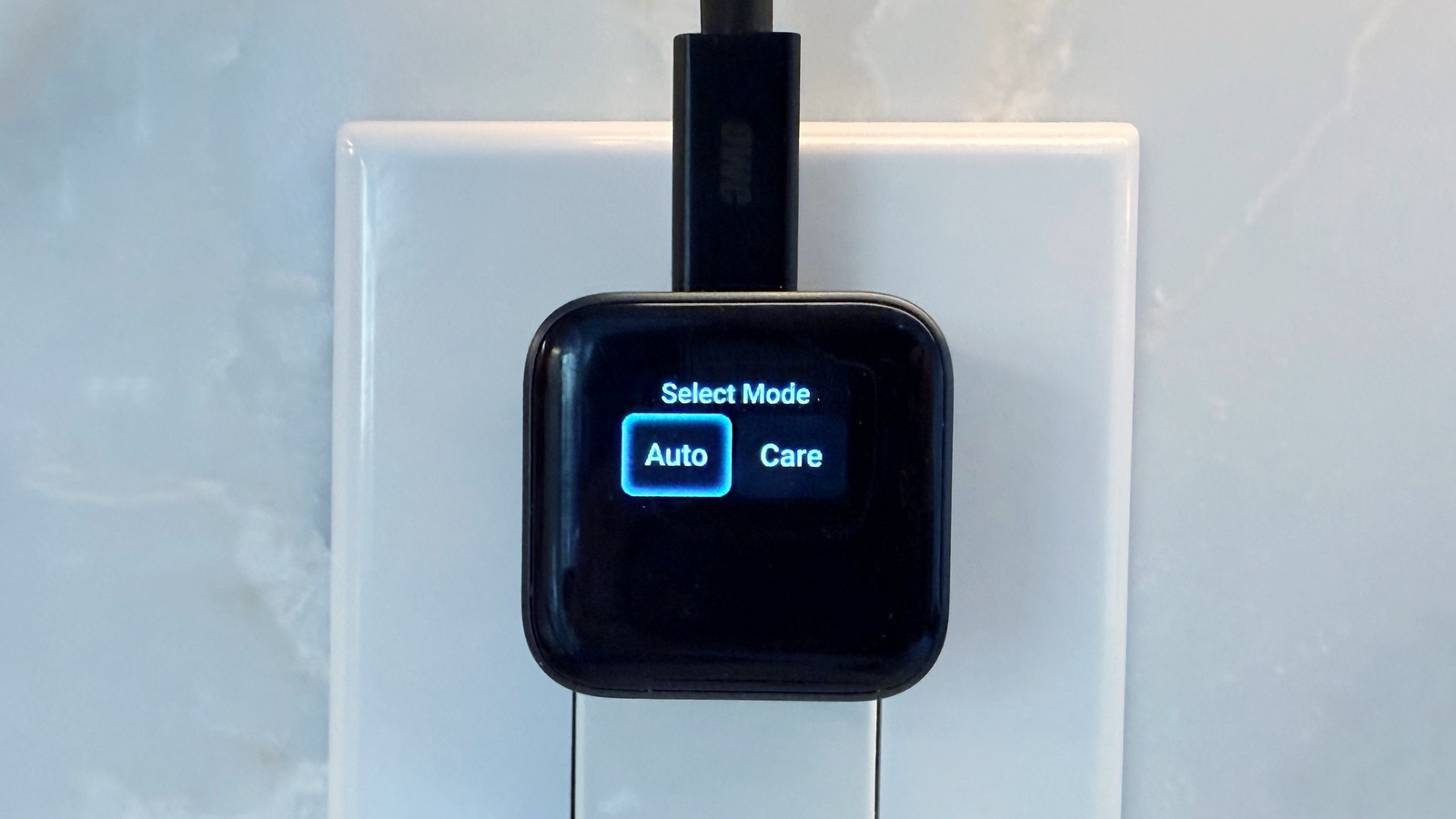
Plug the charger into the wall, plug your device into the charger, and it starts doing its thing. The only thing you really have to learn is the button logic. A tap wakes or cycles the display, and depending on the action, you can change the screen orientation or switch between Auto and Care modes.
We did not find the interface confusing, but it does create one small truth about this product: this is a charger with a user experience layer on top. Most chargers are invisible. This one is more interactive. That is mostly a strength, but it also means it asks a little more of you than a dead-simple brick.
The good news is that it never becomes annoying. You can engage with the display when you want to know what is going on, and ignore it when you do not. That flexibility matters, because a charger that demands attention every time you use it would get old very quickly.
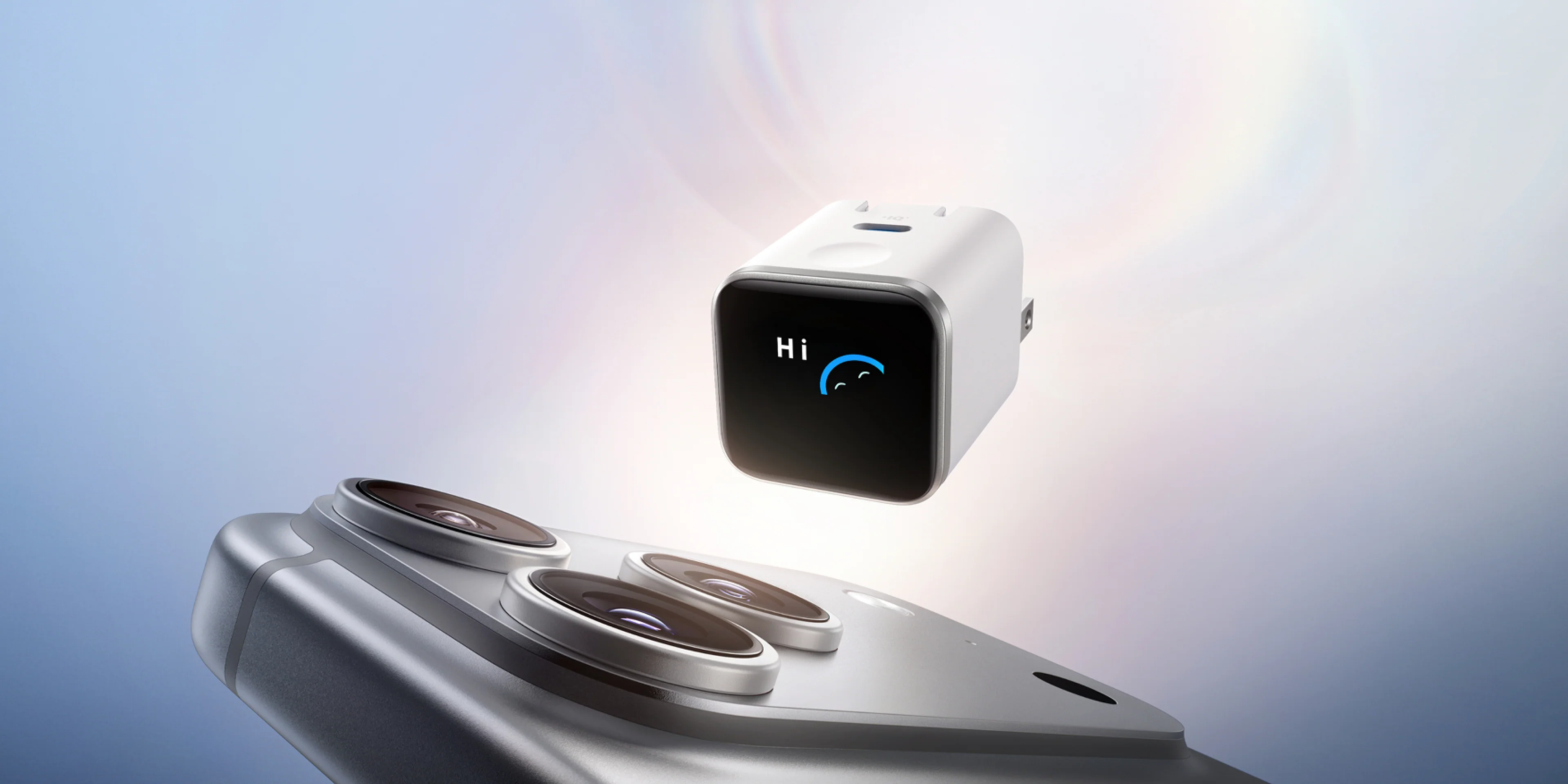
The first impression is also strong because the charger looks alive the moment it starts working. The display lights up, gives you immediate status feedback, and makes the product feel more aware than most power adapters ever do. That impression matters because the entire pitch of this charger is that it is not just pumping power blindly. It is showing you what is happening in a clean, consumer-friendly way.
That sounds like marketing fluff until you have used it for a few days and realize you no longer have to guess whether your phone is really fast charging, whether the cable is doing what it should, or whether the charger is in a slower, gentler mode. The display answers those questions immediately.
The smart display is better than it has any right to be
This was the feature we expected to care about the least. It ended up being one of the reasons we kept reaching for the charger.
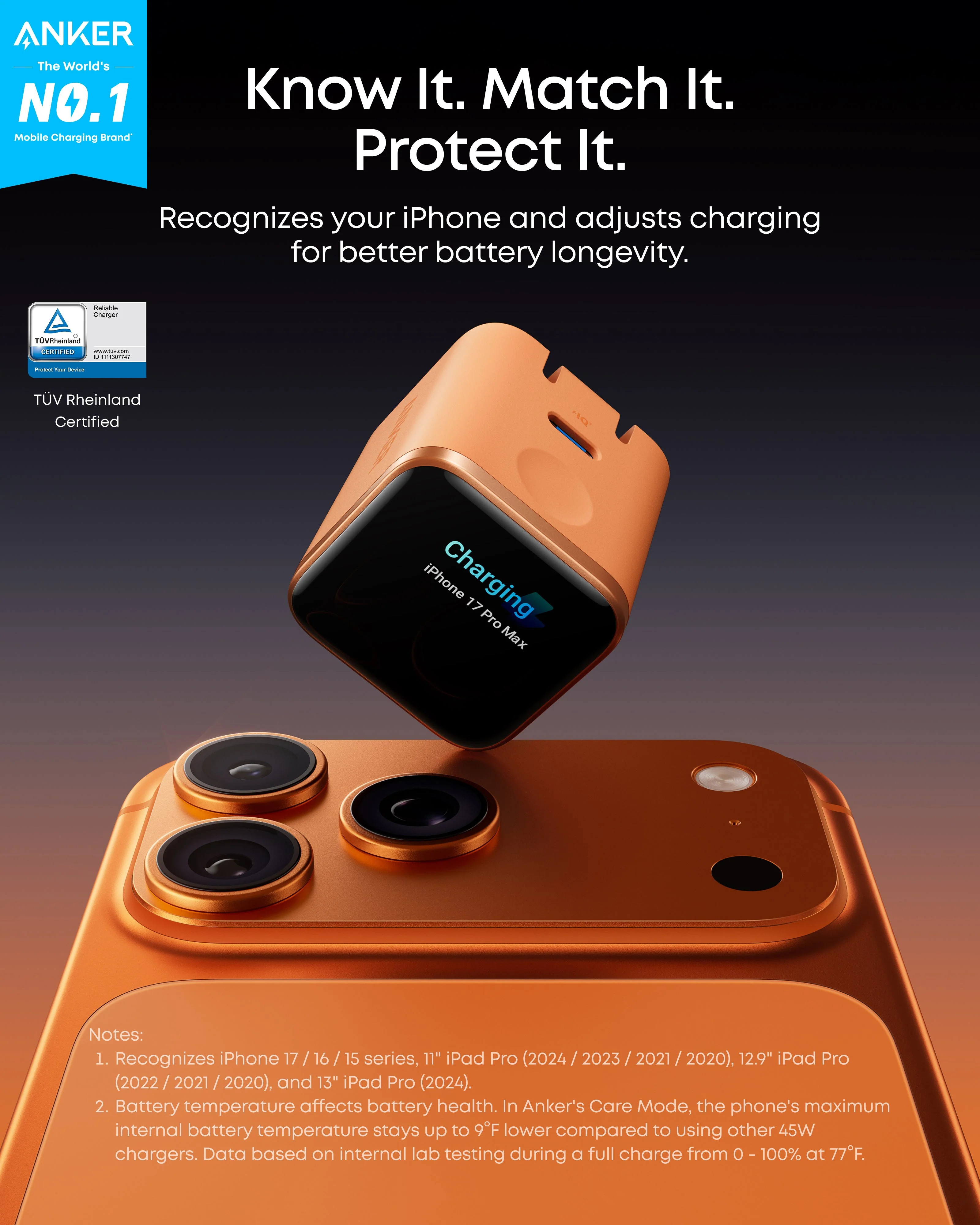
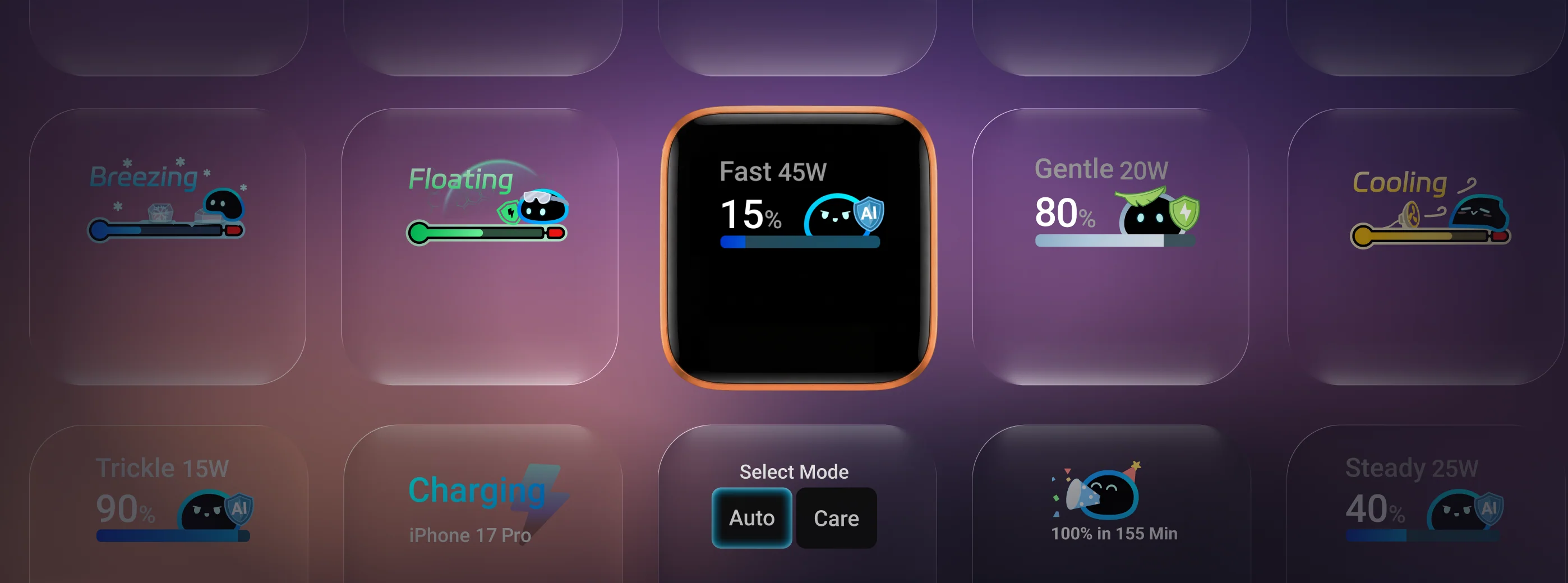
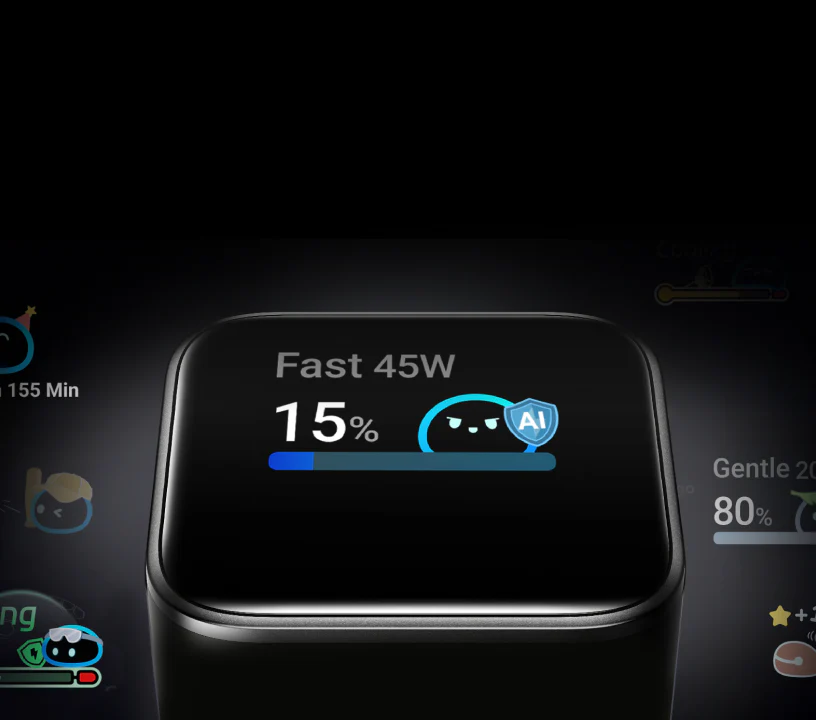
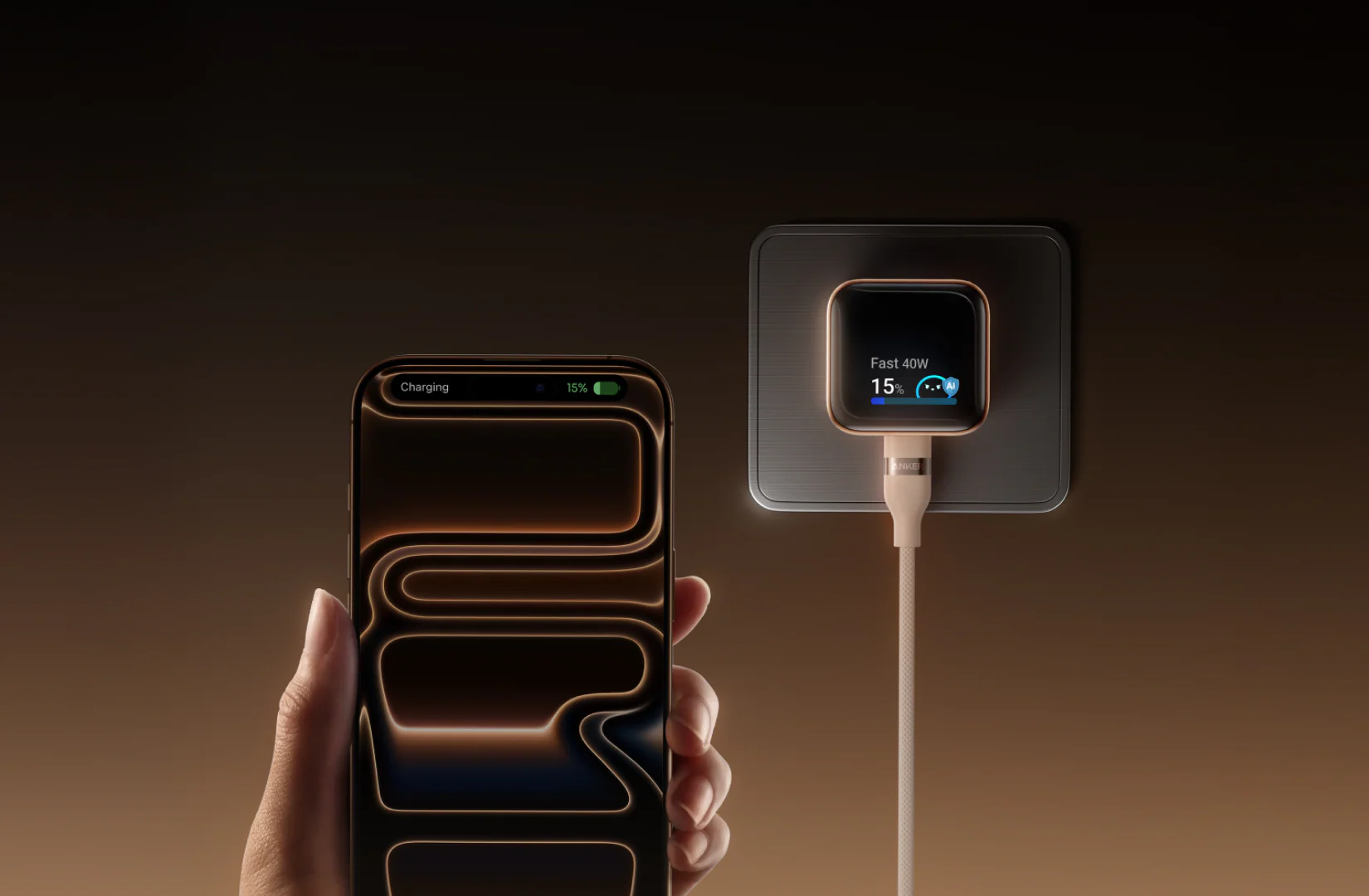
A display on a charger sounds unnecessary because, frankly, it is unnecessary. You can charge a phone perfectly well without one. That is obvious. But once you start using a charger that tells you what device is connected, how much power is flowing, what charging mode is active, and roughly where the battery is, it starts to feel weird going back to blind charging.
That is what Anker got right here. The display is not just decorative. It is not there to scream “look, innovation.” It gives you useful information in a way that is easy to glance at and understand.
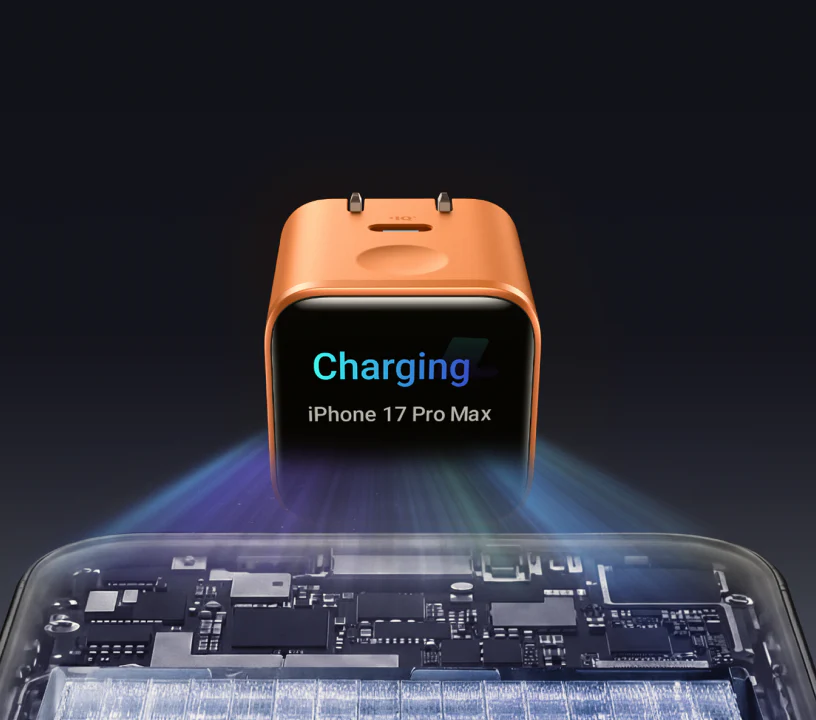
We especially liked it with newer iPhones, where the charger can show more specific device-aware information. That makes the product feel tailored rather than generic. It feels like the charger actually knows what it is connected to, not just that something is pulling power. That is a subtle but meaningful difference in perceived quality.
The display also shows:
- real-time charging wattage
- charging mode
- temperature-related status
- battery progress
- different interface animations and states
Anker packs in more than 20 interfaces and animations, which sounds silly until you realize the product remains tasteful. The playful side never overwhelms the practical side.
The other thing we appreciated is that the display is actually readable. Small, yes, but still readable. Some tiny displays exist mostly so a product sheet can say “with display.” This one is bright enough and clear enough to be genuinely useful in normal conditions.
There is still a fair criticism here. If you do not care about visual feedback from a charger, this feature does not suddenly become essential. It remains a premium nicety. But that is the point: it is not pretending to be universal. It is a premium nicety that happens to be executed unusually well.
Device recognition: where the Apple focus becomes obvious
This charger works best when you use it the way Anker clearly imagined: with a recent iPhone or certain iPad Pro models.
That is where the “smart” part becomes more convincing. The charger can identify supported devices, display more useful battery-related information, and generally make the whole charging experience feel more aware and polished. That is the best version of this product.
Anker positions it especially well for iPhone 15 and later, and for iPad Pro models from 2020 onward in several sizes. When you plug in those devices, the display experience feels more complete and more worth paying for.
That is also where one of the product’s biggest limitations shows up.
If you are an Android user, the charger still works. It is still a competent USB-C PD charger. But a lot of the emotional and functional appeal of the product is reduced. You lose some of that smart-device identity feeling. The display becomes less special. And once that happens, you are left asking harder questions about price, port count, and overall value.
That does not make the charger bad for Android users. It just makes it less distinctive.
This is why we would not call the Anker Nano the best 45W charger in a general sense. We would call it one of the nicest Apple-leaning compact chargers you can buy right now.
Charging performance
The good news is that the Anker Nano does not hide mediocre charging behind a clever display. It performs like a proper 45W charger.
In our use, fast charging performance felt exactly like it should from a compact premium adapter in this class. It delivered the kind of speed that makes it genuinely useful when you need a real top-up rather than a symbolic one.
With an iPhone 17 Pro, it reached 50% in just under 20 minutes. In another run, it raised the battery by about 60% in half an hour, with peak phone intake around 31W, which is right where you want a charger like this to land for recent iPhone fast charging. That means this is not one of those adapters that says 45W on the box but never feels meaningfully quicker in real life. It does.
With a 13-inch iPad Pro, the charger moved from around 15% to 60% in half an hour, which is a strong result for a charger this small. It is exactly the kind of performance that makes sense for a compact everyday brick. Tablets charge well, phones charge quickly, and the charger feels like it has enough headroom to be useful beyond just handset duty.
Where the limits show is with laptops.
A 45W charger can absolutely keep smaller laptops alive, top them up slowly, or reduce battery drain during lighter work. It can even be a perfectly reasonable “leave in the bag” emergency charger if you do not want to carry your full laptop brick. But let’s be honest: if your laptop normally ships with something much beefier, 45W is not going to feel fast.
That does not count against the Anker. It is simply the truth of the wattage. The charger is excellent at what it is built to do. It is just not pretending to replace a high-output laptop charger.
And that is why we like its positioning. It is a portable 45W smart charger, not a power-user desk hub.
Auto mode vs Care mode
This is where the charger tries to be smarter than a typical brick, and mostly succeeds.
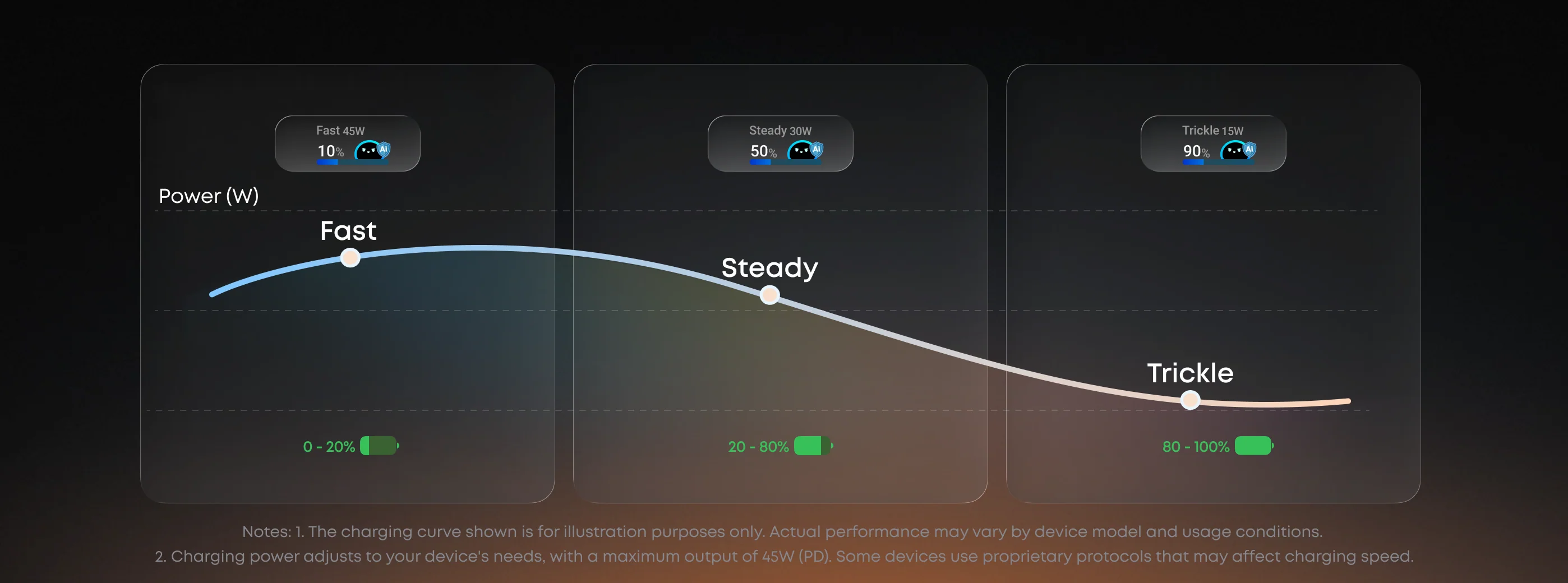
Auto mode is the everyday setting. It is designed to charge your device quickly and safely, adjusting output as needed. That is what most people will use most of the time, and it works well. It gives you the fast-charge experience you are paying for, and the display makes it clearer when the charger is pushing harder and when it is naturally tapering off.
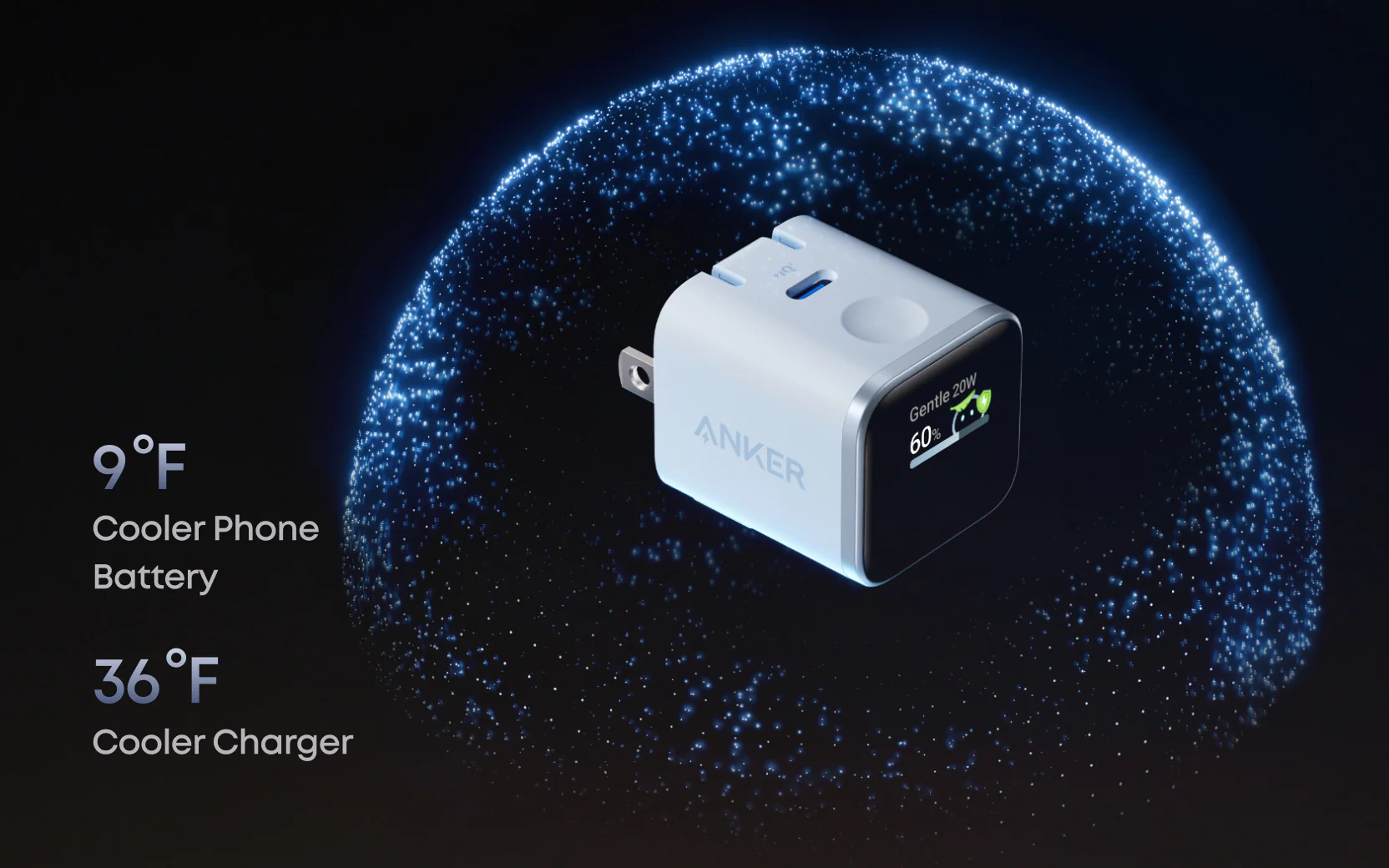
Care mode is the more interesting option. It is clearly meant for longer charging sessions, especially overnight, where speed matters less than reducing heat and stress. Anker claims cooler operation for both the charger and the phone in this mode, and that fits with what the charger is doing: it behaves more conservatively and places less emphasis on raw speed.
We like the concept because it makes an important tradeoff visible. Normally, most people plug in overnight and do not think about what the charger is doing. Here, Anker gives you a simple choice:
- Charge faster
- Charge gentler
That is a useful distinction. It makes battery-friendly behavior easy without needing an app, a settings menu, or some overengineered companion feature.
Now for the honest part: Care mode is still slower charging. It is not magic. It is not a secret battery-health revolution. The reason it runs cooler is largely because it is less aggressive. That is fine. In fact, that is exactly what many people want overnight. But it is worth being clear about it.
We ended up liking Care mode more than we expected because it fits the product well. This charger already leans toward people who care about the details of charging. Giving that kind of buyer a clear overnight mode makes sense. It reinforces the feeling that the product is more considered than average.
If you never think about overnight charging behavior, though, this feature will not mean much to you.
Real-world use: where this charger makes the most sense
The Anker Nano is strongest when you stop treating it like a spec-sheet object and start looking at the role it fills.
1. The everyday iPhone charger
This is the charger’s best use case.
If you have a recent iPhone and want one charger that feels premium enough to live on your desk, small enough to travel, and smart enough to show you useful info at a glance, this is one of the nicest options around. It feels better than a generic charger every time you use it, which is exactly what a premium accessory should do.
It is also one of those rare accessories where the little things compound. The size is good. The display is useful. The plug orientation helps. The charging speed is strong. None of those alone would make it special. Together, they do.
2. The travel charger
We think the Nano is an especially strong travel pick.
The folding prongs keep it bag-friendly. The tiny footprint means it takes up almost no space. The 180° orientation helps with awkward hotel outlets and tight spaces. And the 45W output is enough to cover the majority of phone-and-tablet travel charging needs comfortably.
It is also the kind of charger you are more likely to keep with you because it is so painless to carry. That matters. A charger that is theoretically portable but still slightly annoying to pack often gets left behind. This one does not.
3. The desk charger
At a desk, the display becomes more useful than expected.
You can glance at the charger and know your device is actually fast charging, what mode it is in, and whether everything is behaving normally. It gives you a bit more confidence and a bit less ambiguity. It also looks better on a desk than most wall chargers, which should not matter but does.
4. The overnight charger
This is where Care mode earns its place.
If you like the idea of a slower, cooler, less aggressive overnight charge, the Nano gives you that in an easy, obvious way. For some people, that alone will make the product worthwhile. It is one of the few chargers in this size class that treats overnight charging as a first-class use case rather than an afterthought.
What we did not love
For all the things the Anker Nano gets right, it is not above criticism.
It is still just one port
This is the most obvious issue, and it matters.
At this price, a lot of buyers will reasonably expect more flexibility. There are compact chargers out there with two ports or more overall versatility. Anker’s answer is clearly that this charger is about refinement, not port count. Fair enough. But it still means the Nano is harder to justify if you routinely charge more than one device at a time.
If you want a charger to handle your phone and earbuds together, or your phone and a second device at a desk, the single-port design feels limiting.
The best experience is clearly Apple-centric
We keep coming back to this because it is central to the buying decision.
Yes, it works with other USB-C devices. Yes, it can charge broadly. But the product’s personality, intelligence, and premium feel are most convincing with newer iPhones and supported iPads. If you mainly use Android, the product loses too much of what makes it special.
The display is useful, but not life-changing
Let’s be honest. A charger screen is still a luxury.
It is a good luxury here. A well-done one. But if you do not care about charging feedback, you may never fully appreciate the thing you are helping pay for. That does not make the display bad. It just makes the value proposition more personal.
Care mode will not matter to everyone
Some people will love it. Some people will use it twice and forget it exists.
That is the reality of a feature like this. It is helpful, but only for a buyer who actually thinks about overnight charging behavior. If your attitude is “plug it in and let the phone manage itself,” this will not feel like a game-changer.
No cable included
Not a disaster. Still annoying.
At this price, a bundled quality USB-C cable would have made the package feel more complete. Most people will already have one, but a charger like this is so clearly positioned as a polished premium accessory that the missing cable stands out more than it would on a bargain brick.
Value for money
This is where the review gets brutally simple.
At around $39.99, the Anker Nano is not cheap for a single-port 45W charger. During promotions, when it drops closer to $29.99, it becomes much easier to recommend without hesitation. That lower price feels like the sweet spot for what this product is.
The value depends almost entirely on whether you care about the things that make it special.
If you value:
- a smaller premium charger
- a useful display
- recent iPhone recognition
- a travel-friendly folding plug
- a visible gentler charging mode
then the price makes sense. You are paying for a more considered experience, not just for wattage.
If you do not care about any of that, the value weakens quickly. Then you are looking at a charger that costs more than necessary, offers only one port, and is built around features you may never use.
That does not mean it is overpriced in an absolute sense. It means it is selectively priced. It is premium in a way that only feels fair if you are the target buyer.
And that is fine. Not every good product has to be the value king.
Pros and cons
Pros
- Very compact body that is genuinely easy to carry every day
- 45W USB-C fast charging that feels properly quick for phones and tablets
- Smart display that is actually useful, not just decorative
- Recent iPhone and supported iPad recognition adds real polish
- 180° foldable prongs solve real outlet annoyances
- Care mode is a smart idea for overnight or lower-heat charging
- Looks and feels more premium than most chargers in this class
- Works well as an everyday charger, travel charger, and desk charger
Cons
- Single USB-C port limits flexibility
- Best smart features are clearly aimed at Apple users
- Premium price compared with simpler 45W chargers
- Care mode is useful, but not everyone will care
- No cable included
- Not the ideal main charger for laptop-first buyers
Who should buy it
You should buy the Anker Nano Charger if you are the kind of person who notices the difference between a charger that merely works and one that feels well designed.
Buy it if you have a recent iPhone and want a charger that gives you more useful feedback than the usual blank brick.
Buy it if you travel often and appreciate small design details that genuinely improve daily use.
Buy it if you like accessories that feel premium without becoming bulky.
Buy it if you want one compact charger that can fast-charge your phone, handle your tablet comfortably, and still be small enough to live in a bag permanently.
Buy it if the idea of an easy overnight Care mode appeals to you.
In other words, buy it if you want the nicest version of a small charger, not merely the cheapest one.
Who should skip it
Skip it if you mainly use Android and were hoping for the exact same smart experience.
Skip it if you need two or more ports from a compact charger.
Skip it if you care primarily about raw value per dollar.
Skip it if your main use case is powering a larger laptop quickly.
Skip it if you look at the display and think, correctly, “I do not need that.” Because in that case, you probably do not need this specific charger.
Final verdict
The Anker Nano Charger (45W, Smart Display, 180° Foldable) is one of those products that sounds a little silly until you use it. Then it starts making a lot of sense.
The screen is not the whole story. The real appeal is that Anker took a charger category that usually feels interchangeable and improved several small things at once. The charger is small enough to disappear in a bag, strong enough to charge a phone properly fast, smart enough to show useful charging info, and flexible enough in the wall to be less annoying than most rivals.
That last part matters more than people think. Most chargers are forgettable. This one is memorable because it removes friction in a few different ways instead of trying to wow you with one dumb trick.
We also like that it knows what it is. This is not pretending to be a universal power brick for everything. It is a premium compact charger, especially strong for recent iPhone users, and built for people who care a little more than average about the quality of everyday accessories.
Its weaknesses are clear. The single-port design limits versatility. The Apple-focused smart features narrow the audience. And the price only feels fully justified if you value the thoughtful extras.
But for the right buyer, those extras are exactly what make it worth buying.
Our verdict is simple: this is one of the best tiny chargers we have used in its category. Not because it reinvents charging, but because it makes charging feel more polished, more transparent, and more pleasant than it usually does. That is enough.
FAQ
Is the Anker Nano Charger good for iPhone users?
Yes. In fact, that is clearly who it serves best. The charger feels most complete with recent USB-C iPhones, where the display and device recognition features add real value.
Does it work with older devices?
Yes, it can still charge a broad range of USB-C devices, but the smartest display features are not equally rich on every device.
Is 45W enough for a laptop?
For some smaller laptops and tablets, yes. But this is more of a phone-and-tablet-first charger than a full replacement for a high-wattage laptop charger.
What does Care mode actually do?
Care mode is designed for longer charging sessions, especially overnight. It prioritizes lower heat and gentler charging behavior over maximum speed.
Is the display actually useful?
More useful than we expected. It gives you real-time charging info, shows the active mode, and makes the charger feel more informative than a standard brick.
Does the charger include a cable?
No. You will need to use your own USB-C cable.
Is it worth the price?
Yes for the right buyer, no for the wrong one. If you want a premium compact charger with real personality and genuinely useful feedback, it is worth it. If you just want a cheap 45W charger, there are simpler options that make more sense.
What is the best reason to buy it?
The best reason is not the screen alone. It is the combination of size, speed, display, plug flexibility, and overall polish. That is what makes it stand out.
Explore the Full Gallery
Every image from this article, gathered in one clean place. Tap any photo to open it larger.